Inventor Watch Face
RichFace- 3 歳以上対象年齢
- カスタマイズカテゴリ
- 2023/10/12更新日
- ¥260価格
watch.richface.androidwear.inventorのGoogle Play公式ページにリンクしています。最終確認:2026/11/16。
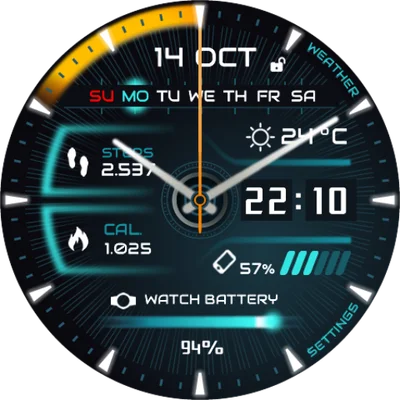
スクリーンショット
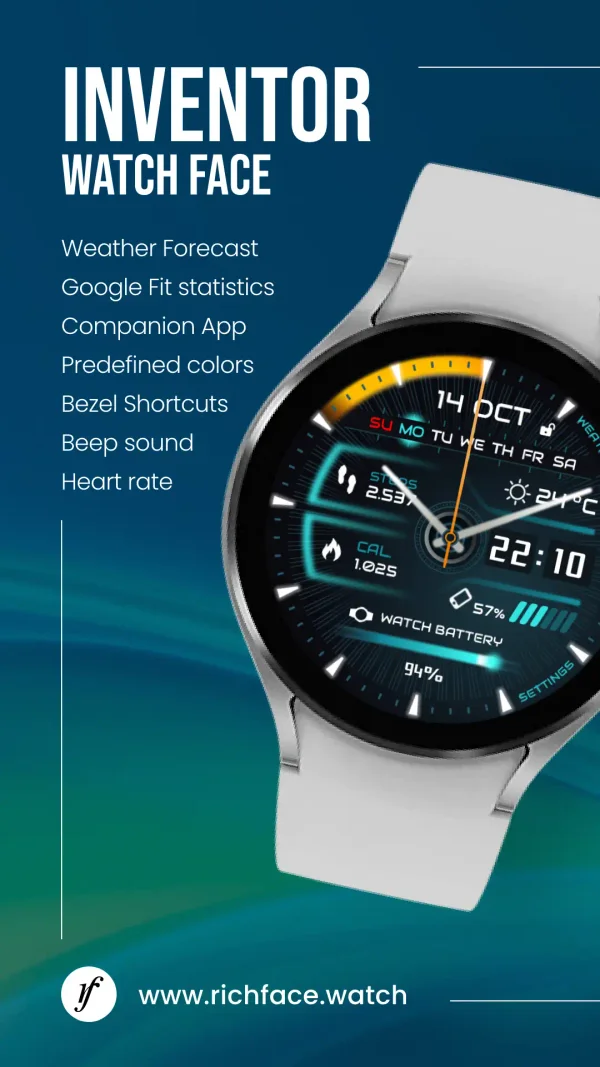
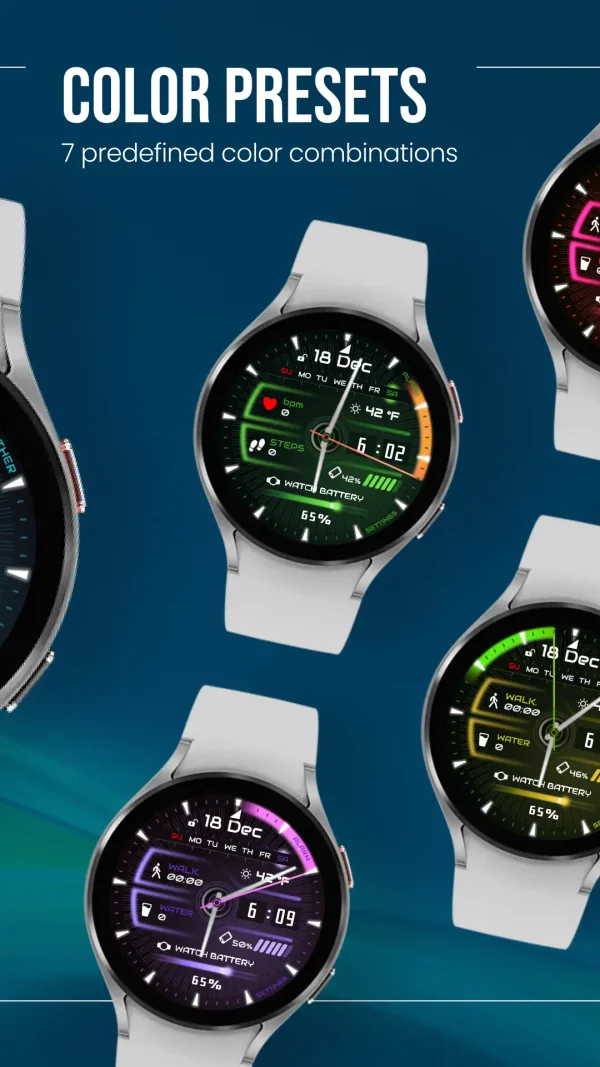
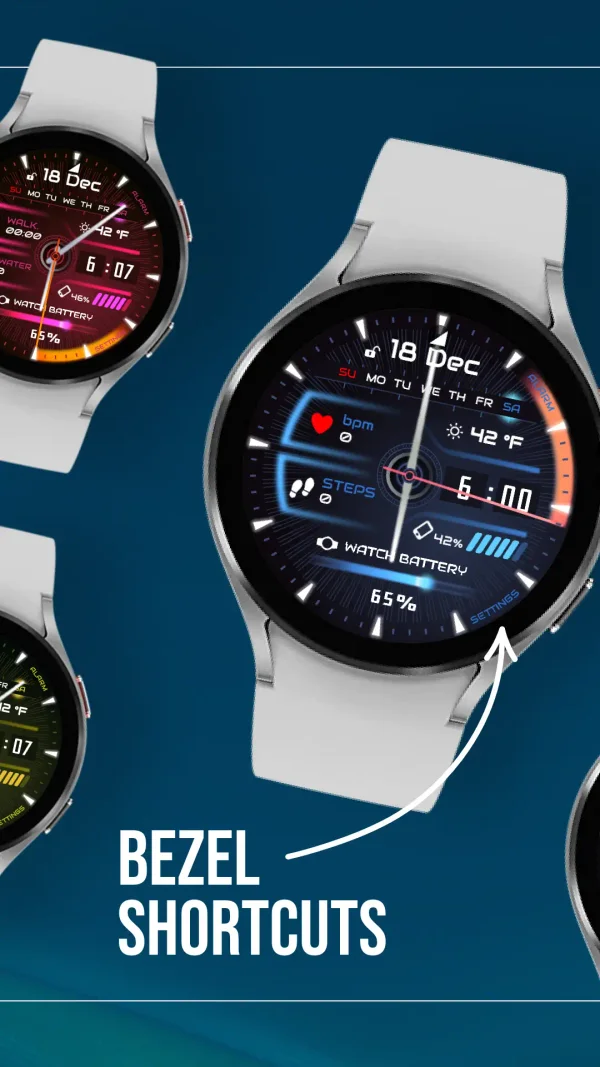

このアプリについて
Googleによる英語 (アメリカ合衆国)からの自動翻訳です。
WearOS3.0スマートウォッチ用の未来的なデザインのウォッチフェイス
★ Inventor Watch Face は Wear OS 3.0 を完全にサポートしています
ベゼル ショートカット、毎時のビープ音、自動心拍数などの新しい追加機能を備えたクリーンで未来的なデザイン ....
このウォッチフェイスは、WearOS by Google のみをサポートしています。
サポートされていません: Tizen OS の Samsung S2/S3/Watch、Huawei Watch GT/GT2、Xiaomi Amazfit GTS、Xiaomi Pace、Xiaomi Bip およびその他の時計。
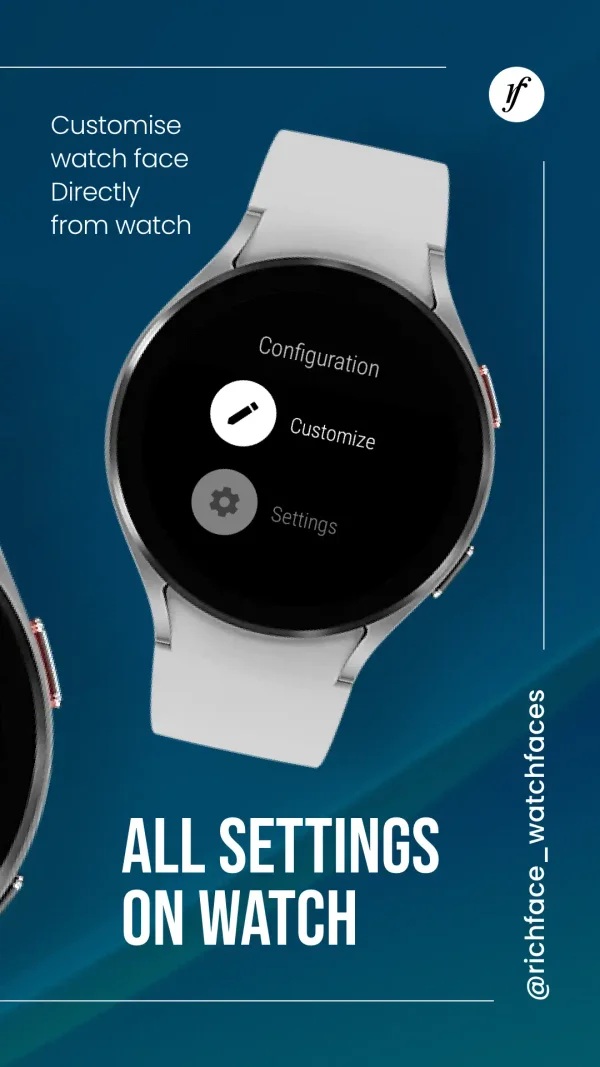
★ ご希望の位置にあるコンプリケーションの選び方 ★
- ウォッチフェイスをロングタップ
- システムは、ウォッチフェイス設定のアイコン「ギア」を表示します。それをタップします
- 「カスタマイズ」オプションを選択
- 「合併症」オプションを選択します
- 希望の位置を選択
- ビルトインのコンプリケーションを選択するか、
- 「外部コンプリケーション」を選択
•サードパーティ製のコンプリケーションを選択
あなたは行く準備ができています。
★免責事項★
無料版にはタップ機能がありません。データを表示するだけで、ユーザーはプレミアム バージョンのロックを解除するまでデータを変更できません。
無料版には、電話のバッテリーや時計のバッテリー インジケーターなどの基本的なオプションがあります。電話のバッテリーには、Android Phone デバイスとの接続が必要です。
★NEWオプション(プレミアム)★
• 毎時間バイブレーション
• 毎時ビープ音
• 自動心拍数モニター
• ベゼルのショートカット:
• 警報
• 設定
• 電話を探す
• ストップウォッチ
• 地図 *(スマートウォッチに Google マップをインストールする必要があります)
•懐中電灯
• タイマー
★ NEW ベゼル ショートカット (プレミアム) ★
ベゼル ショートカットを使用すると、現在のコンプリケーションの位置を削除することなく、画面に追加できるオプションが増えます
現在、次のショートカットをサポートしています。
• 警報
• 設定
• 電話を探す
• ストップウォッチ
• 地図 *(スマートウォッチに Google マップをインストールする必要があります)
•懐中電灯
• タイマー
★ Wear OS 3.0 サポート!
• 完全にスタンドアロン! (iPhone、アンドロイド対応)
• 指標の外部合併症データ
★すべての WearOS スマートウォッチと互換性があります (プレミアム)
• 外部合併症
• 色を変える
• 24 時間形式
• 先行ゼロ
• 上映時間
• 手の表示/非表示
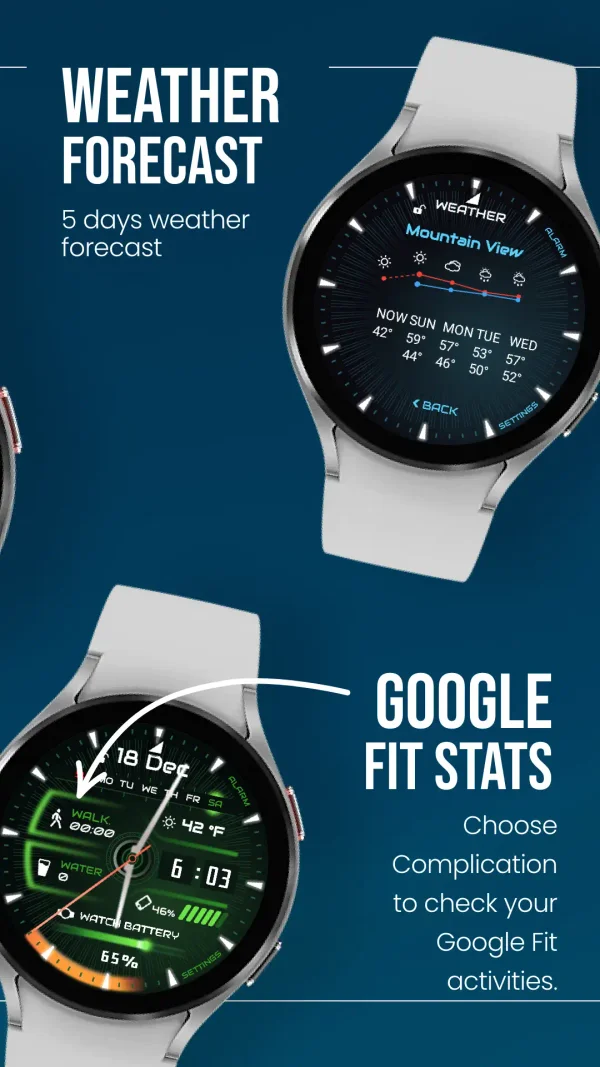
• 天気
• フル アンビエント モード オプション
• タップで色のプリセットを変更
•タップインジケータ
• Google FIT の統合
• 天気設定 (場所、プロバイダー、更新頻度、単位)
• 新着!ベゼルのショートカット
•毎時ビープ音(アワーチャイム)
• 毎時間バイブレーション
Google Fit コンプリケーション (プレミアム) (Google Fit 承認が必要) :
• ステップ
• 距離
• ウォーキング
• ランニング
• サイクリング
• カロリー
•フィット統計
• ウォーターカウンター
• コーヒーカウンター
★ デバイス センサーの合併症:
• 心拍数モニターの合併症
•組み込みの歩数カウンターの複雑さ
★ よくある質問
Q: お使いのウォッチフェイスは、Samsung Active 4 と Samsung Active 4 Classic をサポートしていますか?
A: はい。ウォッチフェイスは WearOS スマートウォッチをサポートしています。
Q: ウォッチフェイスの取り付け方法を教えてください。
A: 次の手順に従います。
1. ウォッチで Google Play ストア アプリを開きます
2.ウォッチフェイスを探す
3. インストール ボタンを押します
Q: 携帯電話でアプリを購入しましたが、時計用にもう一度購入する必要がありますか?
A: 再度購入する必要はありません。場合によっては、Play ストアがアプリを既に購入したことを確認するのに少し時間がかかることがあります。追加の注文は Google から自動的に払い戻され、お客様に返金されます。
Q: ビルトイン コンプリケーションで歩数やアクティビティ データが表示されないのはなぜですか?
A: 一部のウォッチフェイスには、ビルトイン ステップと Google Fit ステップが付属しています。組み込みのステップを選択する場合は、アクティビティ認識のアクセス許可を付与していることを確認してください。 Google Fit ステップのコンプリケーションを選択した場合は、ウォッチフェイス コンパニオン アプリを使用して、Google Fit にデータを記録する許可を与えることができます。
その他のよくある質問はこちら:
https://richface.watch/faq
!!アプリでお困りの際はご相談ください!!
richface.watch@gmail.com
★許可の説明
https://www.richface.watch/privacy
原文を表示
★ Inventor Watch Face is fully Wear OS 3.0 supported
Clean futuristic design with new additional features such as Bezel shortcuts, beep sound on every hour, auto HeartRate, etc ....
This watch face supports only WearOS by Google.
NOT SUPPORTED: Samsung S2/S3/Watch on Tizen OS, Huawei Watch GT/GT2, Xiaomi Amazfit GTS, Xiaomi Pace, Xiaomi Bip and others watches.
★ How to select a complication in the desired position ★
- Long tap on the watch face
- System shows icon "gear" for the watch face settings. Tap on it
- Select "Customize" option
- Select "Complications" option
- Select the desired position
- Select built-in complication or
- Select "External Complication"
• Select any third party complication
You are ready to go.
★ DISCLAIMER ★
The FREE version doesn't have a tap functionality. It just shows data and the user is not able to change it until unlock the PREMIUM version.
The FREE version has basic options such as phone battery and watch battery indicators. The phone battery requires the connection with Android Phone device.
★ NEW options (Premium) ★
• Vibrate on every hour
• Beep sound on every hour
• Auto HeartRate monitor
• Bezel shortcuts:
• Alarm
• Settings
• Find phone
• Stopwatch
• Map *(Google Map needs to be installed on the smartwatch)
• Flashlight
• Timer
★ NEW Bezel shortcuts (Premium) ★
Bezel shortcuts gives you more options to add on your screen without removing any of current complication positions
Currently, we are supporting followed shortcuts:
• Alarm
• Settings
• Find phone
• Stopwatch
• Map *(Google Map needs to be installed on the smartwatch)
• Flashlight
• Timer
★ Wear OS 3.0 support!
• Fully standalone! (iPhone and Android compatible)
• External complication data for the indicators
★ Compatible with all WearOS smartwatches (Premium)
• External complications
• Change color
• 24 hour format
• Leading zero
• Screen time
• Show/Hide hands
• Forecast
• Full ambient mode option
• Change color preset on tap
• Tap indicator
• Google FIT integration
• Weather settings (location, providers, frequency update, units)
• NEW! Bezel shortcuts
• Beep sound on every hour (hour chime)
• Vibrate on every hour
Google Fit complications (Premium) (requires Google Fit authorisation) :
• Steps
• Distance
• Walking
• Running
• Biking
• Calories
• Fit statistics
• Water counter
• Coffee counter
★ Device sensor complications:
• Heart Rate monitor complication
• Built-in Steps counter complication
★ FAQ
Q: Do your watch faces support Samsung Active 4 and Samsung Active 4 Classic?
A: Yes, our watch faces supports WearOS smartwatches.
Q: How to install the watch face?
A: Follow these steps:
1. Open the Google Play Store app on your watch
2. Search for the watch face
3. Press the install button
Q: I bought the app on my phone, do I have to buy it again for my watch?
A: You should not have to buy it again. Sometimes the Play Store takes a bit longer to figure out that you already bought the app. Any additional order will automatically be refunded by Google, you will receive the money back.
Q: Why I can not see steps or activity data in a built-in complication?
A: Some of our watch faces come with Built-in steps and Google Fit steps. If you select built-in steps, ensure that you grant activity recognition permission. If you select Google Fit steps complication, please use the watch face companion app where you can grant permission on Google Fit to log your data.
Other FAQ find here:
https://richface.watch/faq
!! Please contact us if you have any trouble with the app !!
richface.watch@gmail.com
★ PERMISSIONS Explained
https://www.richface.watch/privacy
データ セーフティ
このアプリが収集・共有するデータについて、RichFaceがGoogle Playで申告している内容です。
- 第三者と共有されるデータはありません詳しくは、デベロッパーが共有を申告する方法についての説明をご覧ください
- データは収集されません詳しくは、デベロッパーが収集を申告する方法についての説明をご覧ください
- データは暗号化されません
- データを削除できません
新機能
2023/10/12
Fixed an external complication with range type
開発元の連絡先
- ウェブサイトrichface.watch
- メールrichface.watch@gmail.com
- プライバシーポリシーrichface.watch
- 住所Zentagasse 6/20 1050 Wien Austria
情報
- 提供元
- RichFace
- カテゴリ
- カスタマイズ
- 更新日
- 2023/10/12
- リリース
- 2021/12/18
- 対象年齢
- 3 歳以上
- 価格
- ¥260
- パッケージ名
- watch.richface.androidwear.inventor