Inventor Watch Face
RichFace- PEGI 3Yaş sınırı
- KişiselleştirmeKategori
- 12.10.2023Güncellendi
- ₺68,99Fiyat
watch.richface.androidwear.inventor için resmi Google Play sayfasına bağlanır. Son kontrol: 16.11.2026.
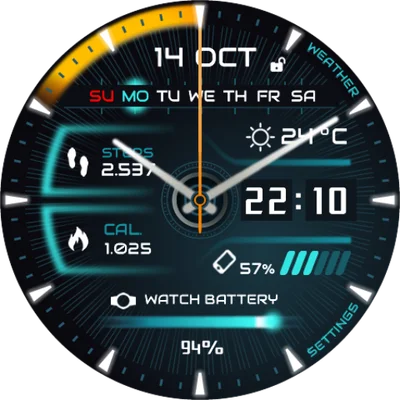
Ekran görüntüleri
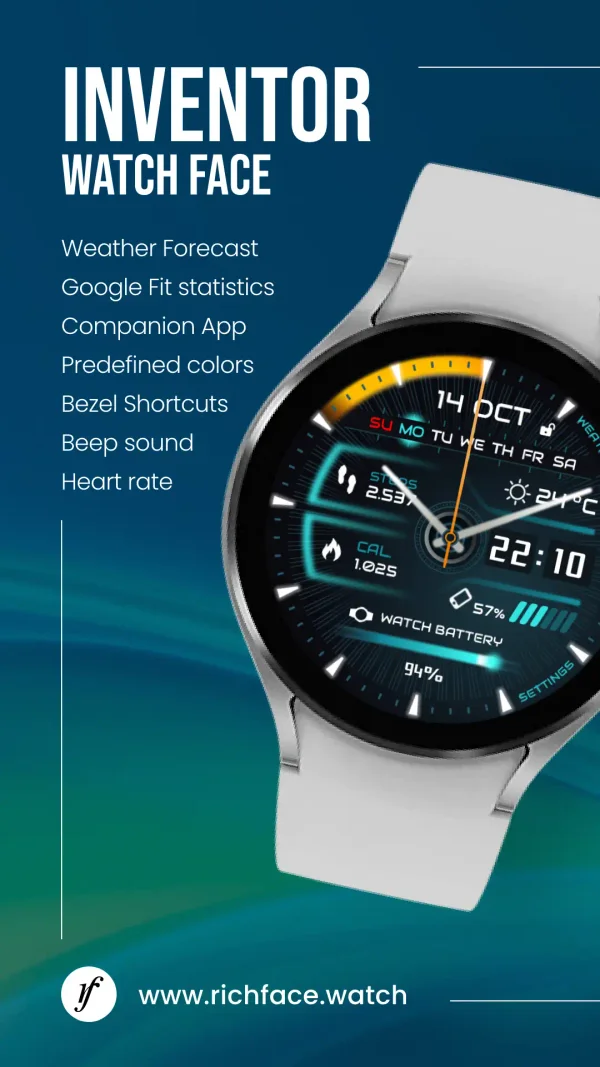

Bu uygulama hakkında
Google tarafından otomatik çeviri. Orijinal dil: İngilizce (Amerika Birleşik Devletleri).
WearOS 3.0 akıllı saatler için fütüristik tasarımlı saat yüzü
★ Inventor Watch Face tamamen Wear OS 3.0 destekli
Çerçeve kısayolları, her saat başı bip sesi, otomatik HeartRate, vb. gibi yeni ek özelliklerle temiz fütüristik tasarım ....
Bu saat kadranı yalnızca WearOS by Google'ı destekler.
DESTEKLENMEYEN: Tizen OS'de Samsung S2/S3/Watch, Huawei Watch GT/GT2, Xiaomi Amazfit GTS, Xiaomi Pace, Xiaomi Bip ve diğer saatler.
★ İstenilen pozisyonda bir komplikasyon nasıl seçilir ★
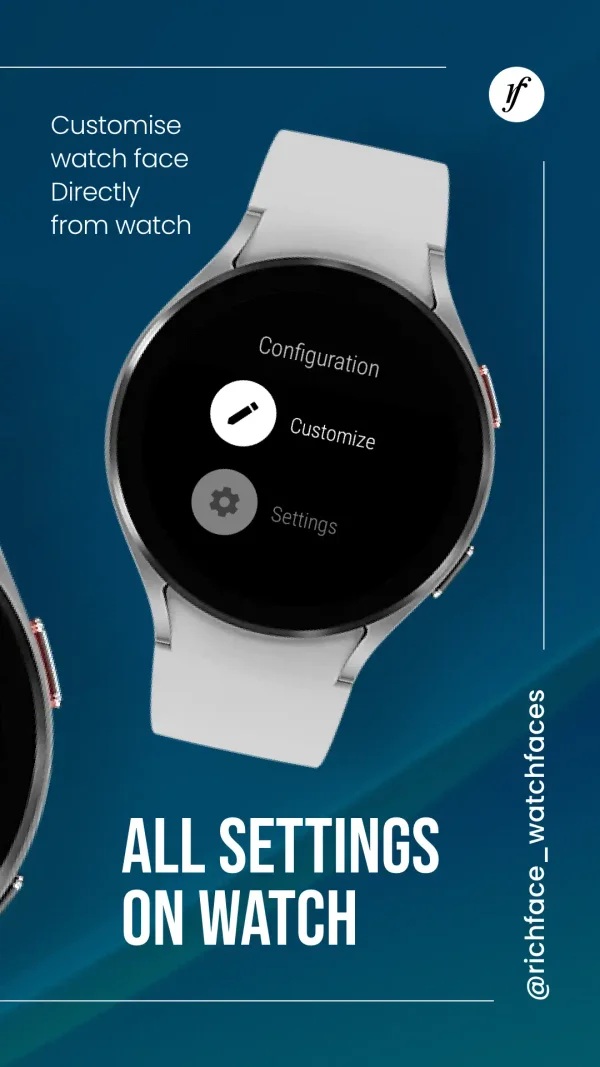
- Saat yüzüne uzun dokunun
- Sistem, saat yüzü ayarları için "dişli" simgesini gösterir. üzerine dokunun
- "Özelleştir" seçeneğini seçin
- "Komplikasyonlar" seçeneğini seçin
- İstenen pozisyonu seçin
- Yerleşik komplikasyonu seçin veya
- "Harici Komplikasyon"u seçin
• Herhangi bir üçüncü taraf komplikasyonunu seçin
Gitmeye hazırsın.
★ SORUMLULUK REDDİ ★
ÜCRETSİZ sürümde bir musluk işlevi yoktur. Yalnızca verileri gösterir ve kullanıcı PREMIUM sürümün kilidini açana kadar bunu değiştiremez.
ÜCRETSİZ sürüm, telefon pili ve saat pil göstergeleri gibi temel seçeneklere sahiptir. Telefonun pili, Android Telefon cihazıyla bağlantı gerektirir.
★ YENİ seçenekler (Premium) ★
• Her saat başı titret
• Her saat başı bip sesi
• Otomatik Nabız monitörü
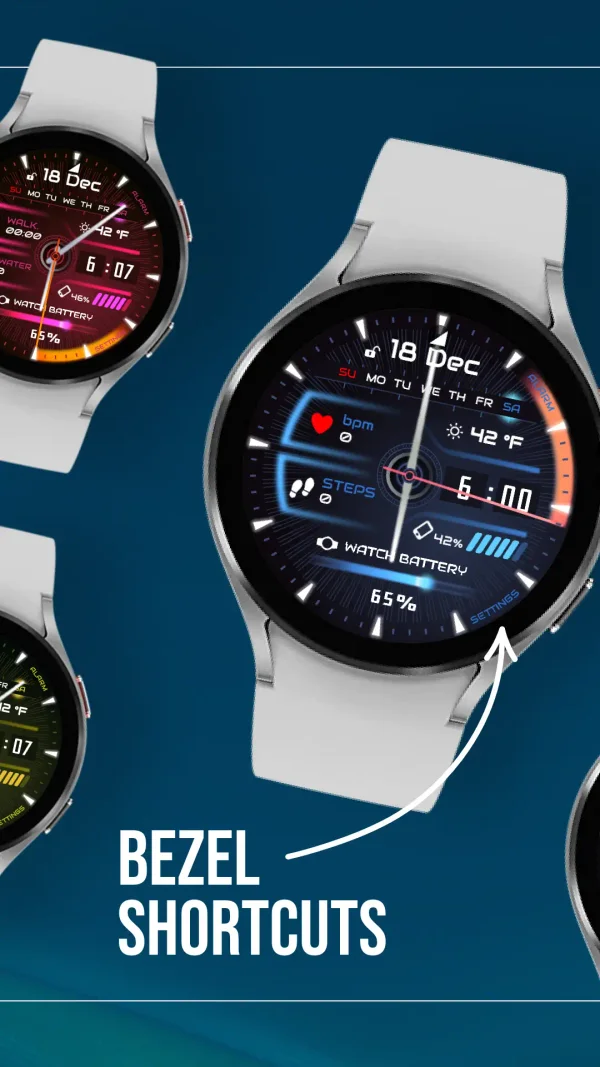
• Çerçeve kısayolları:
• Alarm
• Ayarlar
• Telefonu bul
• Kronometre
• Harita *(Google Map'in akıllı saate yüklenmesi gerekir)
• El feneri
• Zamanlayıcı
★ YENİ Çerçeve kısayolları (Premium) ★
Çerçeve kısayolları, mevcut komplikasyon konumlarından herhangi birini kaldırmadan ekranınıza eklemeniz için size daha fazla seçenek sunar
Şu anda takip edilen kısayolları destekliyoruz:
• Alarm
• Ayarlar
• Telefonu bul
• Kronometre
• Harita *(Google Map'in akıllı saate yüklenmesi gerekir)
• El feneri
• Zamanlayıcı
★ OS 3.0 desteği kullanın!
• Tamamen bağımsız! (iPhone ve Android uyumlu)
• Göstergeler için harici komplikasyon verileri
★ Tüm WearOS akıllı saatleriyle uyumlu (Premium)
• Dış komplikasyonlar
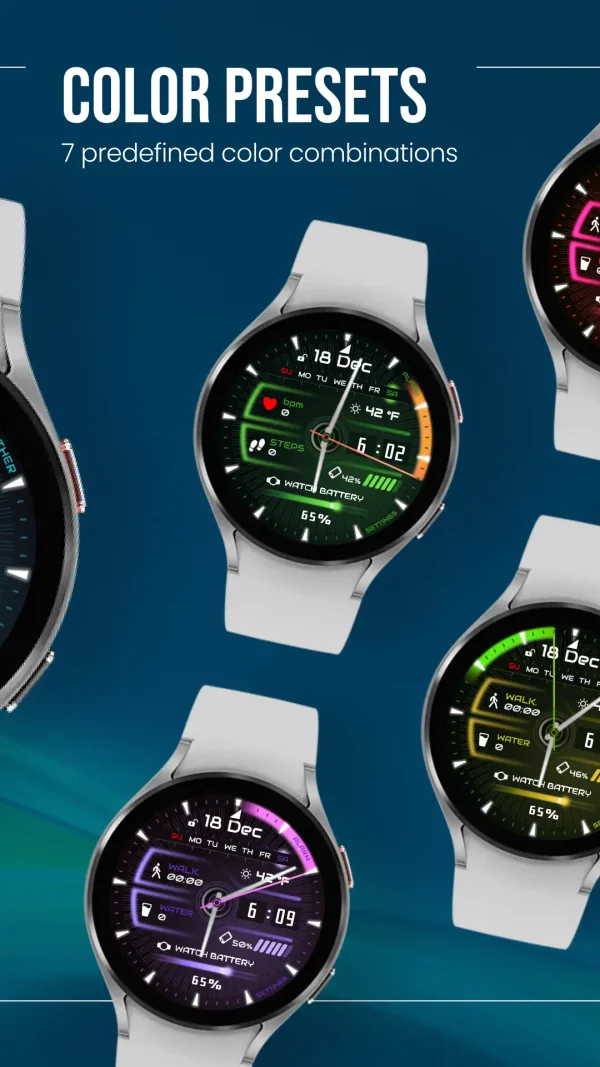
• Rengi değiştir
• 24 saat formatı
• Baştaki sıfır
• Ekran ZAMANI
• Elleri Göster/Gizle
• Tahmin etmek
• Tam ortam modu seçeneği
• Dokunarak renk ön ayarını değiştirin
• Dokunun göstergesi
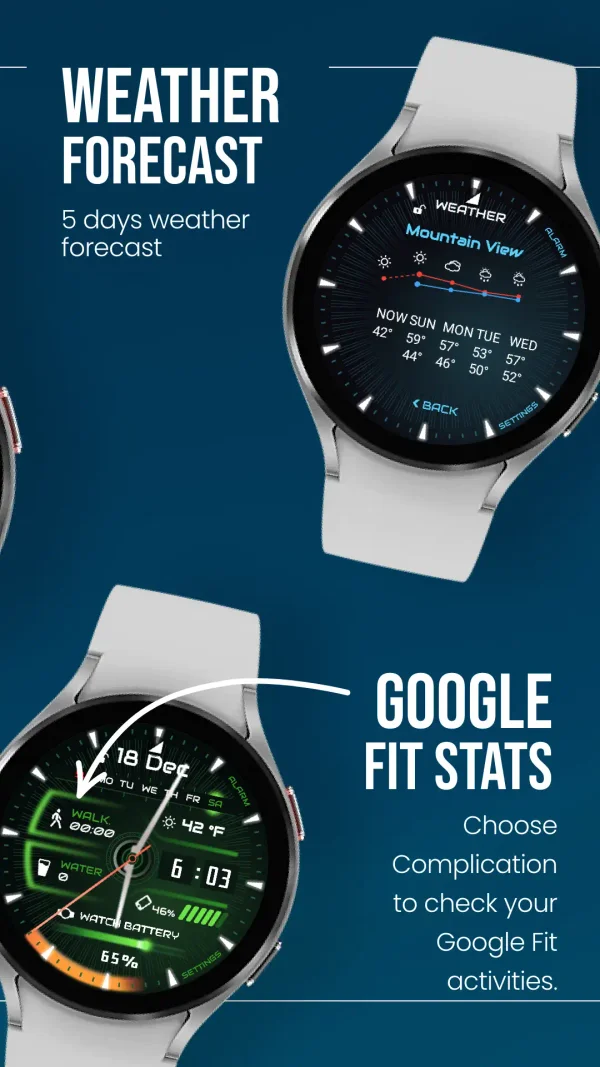
• Google FIT entegrasyonu
• Hava durumu ayarları (konum, sağlayıcılar, frekans güncellemesi, birimler)
• YENİ! Çerçeve kısayolları
• Her saat başı bip sesi (saat zili)
• Her saat başı titret
Google Fit komplikasyonları (Premium) (Google Fit yetkisi gerektirir):
• Adımlar
• Mesafe
• Yürüyüş
• Koşma
• Bisiklet
• Kalori
• Uyum istatistikleri
• Su sayacı
• Kahve tezgahı
★ Cihaz sensörü komplikasyonları:
• Kalp Atış Hızı monitörü komplikasyonu
• Yerleşik Adımlar komplikasyona karşı
★ SSS
S: Saat kadranlarınız Samsung Active 4 ve Samsung Active 4 Classic'i destekliyor mu?
C: Evet, saat yüzlerimiz WearOS akıllı saatleri destekler.
S: Saat yüzü nasıl kurulur?
C: Şu adımları izleyin:
1. Saatinizde Google Play Store uygulamasını açın
2. Saat yüzünü arayın
3. Yükle düğmesine basın
S: Uygulamayı telefonumdan satın aldım, saatim için tekrar satın almam gerekir mi?
C: Yeniden satın almanız gerekmemelidir. Bazen Play Store'un uygulamayı zaten satın aldığınızı anlaması biraz daha uzun sürebilir. Herhangi bir ek sipariş Google tarafından otomatik olarak geri ödenir, parayı geri alırsınız.
S: Yerleşik bir komplikasyonda adımları veya etkinlik verilerini neden göremiyorum?
C: Bazı saat yüzlerimiz Yerleşik adımlar ve Google Fit adımlarıyla birlikte gelir. Yerleşik adımları seçerseniz, etkinlik tanıma izni verdiğinizden emin olun. Google Fit adımları karmaşıklığını seçerseniz, lütfen verilerinizi günlüğe kaydetmesi için Google Fit'e izin verebileceğiniz saat yüzü tamamlayıcı uygulamasını kullanın.
Diğer SSS burada bulabilirsiniz:
https://richface.watch/faq
!! Uygulamayla ilgili herhangi bir sorun yaşarsanız lütfen bizimle iletişime geçin !!
richface.watch@gmail.com
★ İZİNLER Açıklandı
https://www.richface.watch/privacy
Orijinal metni göster
★ Inventor Watch Face is fully Wear OS 3.0 supported
Clean futuristic design with new additional features such as Bezel shortcuts, beep sound on every hour, auto HeartRate, etc ....
This watch face supports only WearOS by Google.
NOT SUPPORTED: Samsung S2/S3/Watch on Tizen OS, Huawei Watch GT/GT2, Xiaomi Amazfit GTS, Xiaomi Pace, Xiaomi Bip and others watches.
★ How to select a complication in the desired position ★
- Long tap on the watch face
- System shows icon "gear" for the watch face settings. Tap on it
- Select "Customize" option
- Select "Complications" option
- Select the desired position
- Select built-in complication or
- Select "External Complication"
• Select any third party complication
You are ready to go.
★ DISCLAIMER ★
The FREE version doesn't have a tap functionality. It just shows data and the user is not able to change it until unlock the PREMIUM version.
The FREE version has basic options such as phone battery and watch battery indicators. The phone battery requires the connection with Android Phone device.
★ NEW options (Premium) ★
• Vibrate on every hour
• Beep sound on every hour
• Auto HeartRate monitor
• Bezel shortcuts:
• Alarm
• Settings
• Find phone
• Stopwatch
• Map *(Google Map needs to be installed on the smartwatch)
• Flashlight
• Timer
★ NEW Bezel shortcuts (Premium) ★
Bezel shortcuts gives you more options to add on your screen without removing any of current complication positions
Currently, we are supporting followed shortcuts:
• Alarm
• Settings
• Find phone
• Stopwatch
• Map *(Google Map needs to be installed on the smartwatch)
• Flashlight
• Timer
★ Wear OS 3.0 support!
• Fully standalone! (iPhone and Android compatible)
• External complication data for the indicators
★ Compatible with all WearOS smartwatches (Premium)
• External complications
• Change color
• 24 hour format
• Leading zero
• Screen time
• Show/Hide hands
• Forecast
• Full ambient mode option
• Change color preset on tap
• Tap indicator
• Google FIT integration
• Weather settings (location, providers, frequency update, units)
• NEW! Bezel shortcuts
• Beep sound on every hour (hour chime)
• Vibrate on every hour
Google Fit complications (Premium) (requires Google Fit authorisation) :
• Steps
• Distance
• Walking
• Running
• Biking
• Calories
• Fit statistics
• Water counter
• Coffee counter
★ Device sensor complications:
• Heart Rate monitor complication
• Built-in Steps counter complication
★ FAQ
Q: Do your watch faces support Samsung Active 4 and Samsung Active 4 Classic?
A: Yes, our watch faces supports WearOS smartwatches.
Q: How to install the watch face?
A: Follow these steps:
1. Open the Google Play Store app on your watch
2. Search for the watch face
3. Press the install button
Q: I bought the app on my phone, do I have to buy it again for my watch?
A: You should not have to buy it again. Sometimes the Play Store takes a bit longer to figure out that you already bought the app. Any additional order will automatically be refunded by Google, you will receive the money back.
Q: Why I can not see steps or activity data in a built-in complication?
A: Some of our watch faces come with Built-in steps and Google Fit steps. If you select built-in steps, ensure that you grant activity recognition permission. If you select Google Fit steps complication, please use the watch face companion app where you can grant permission on Google Fit to log your data.
Other FAQ find here:
https://richface.watch/faq
!! Please contact us if you have any trouble with the app !!
richface.watch@gmail.com
★ PERMISSIONS Explained
https://www.richface.watch/privacy
Veri güvenliği
Bu uygulamanın topladığı ve paylaştığı veriler hakkında RichFace tarafından Google Play üzerinde yapılan beyan.
- Üçüncü taraflarla veri paylaşımı yokGeliştiricilerin, veri paylaşımını nasıl beyan ettikleri hakkında daha fazla bilgi edinin
- Veri toplanamadıGeliştiricilerin, veri toplamayı nasıl beyan ettikleri hakkında daha fazla bilgi edinin
- Veriler şifrelenmiyor
- Veriler silinemiyor
Yenilikler
12.10.2023
Fixed an external complication with range type
Geliştirici iletişim bilgileri
- Web sitesirichface.watch
- E-postarichface.watch@gmail.com
- Gizlilik politikasırichface.watch
- AdresZentagasse 6/20 1050 Wien Austria
Bilgiler
- Sunan
- RichFace
- Kategori
- Kişiselleştirme
- Güncellendi
- 12.10.2023
- Yayın tarihi
- 18.12.2021
- Yaş sınırı
- PEGI 3
- Fiyat
- ₺68,99
- Paket adı
- watch.richface.androidwear.inventor