SELPHY Photo Layout
Canon Inc.- Rating 3+Batasan usia
- FotografiKategori
- 9/10/2026Diperbarui
- GratisHarga
Tertaut ke halaman resmi jp.co.canon.ic.photolayout di Google Play. Terakhir diperiksa pada 26/11/2026.
Tangkapan layar

Tentang aplikasi ini
Terjemahan otomatis oleh Google. Bahasa asli: Inggris (Amerika Serikat).
Aplikasi untuk membuat / menyimpan tata letak menggunakan gambar yang disimpan di perangkat seluler Anda.
SELPHY Photo Layout adalah aplikasi yang memungkinkan Anda membuat/menyimpan tata letak gambar untuk dicetak dengan SELPHY menggunakan gambar yang tersimpan di ponsel pintar atau tablet Anda.
[Fitur Utama]
- Hubungkan ponsel pintar atau tablet Anda secara nirkabel dengan printer SELPHY dan nikmati pencetakan foto berkualitas tinggi.
(Canon PRINT harus diinstal secara terpisah untuk CP1300, CP1200, CP910, dan CP900.)
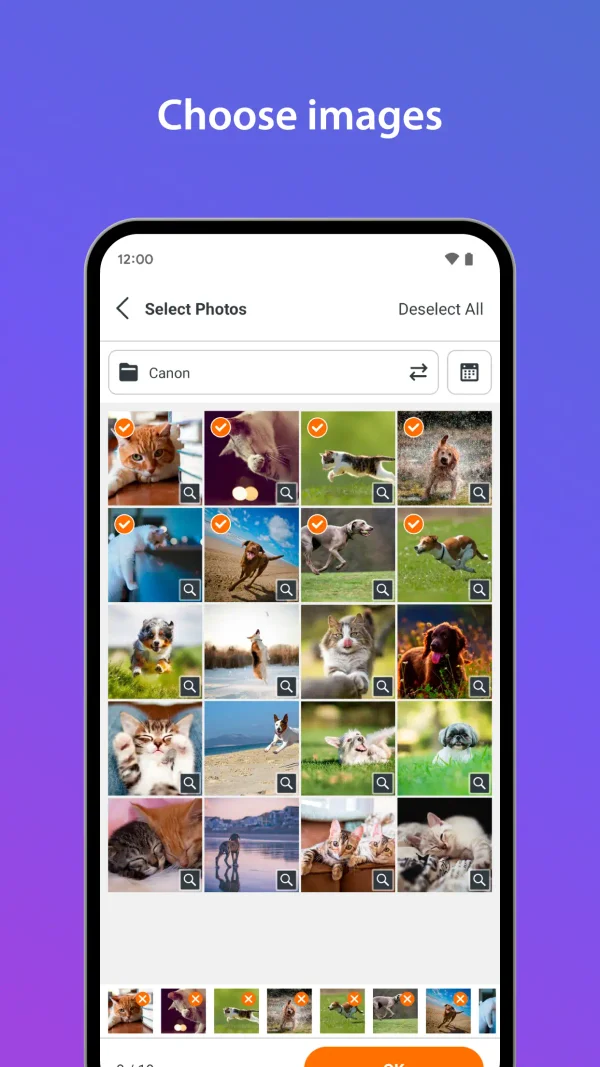
- Cetak foto dengan mudah langsung dari menu ‘Foto’.
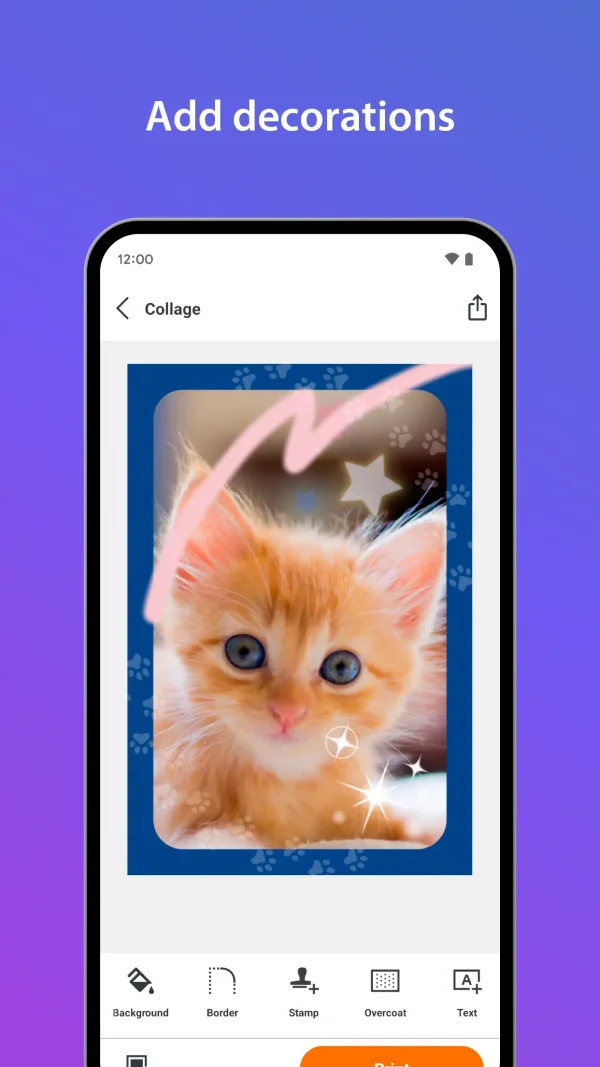
- Hiasi dan tata letak foto Anda secara bebas dengan menu ‘Kolase’ sebelum mencetak.
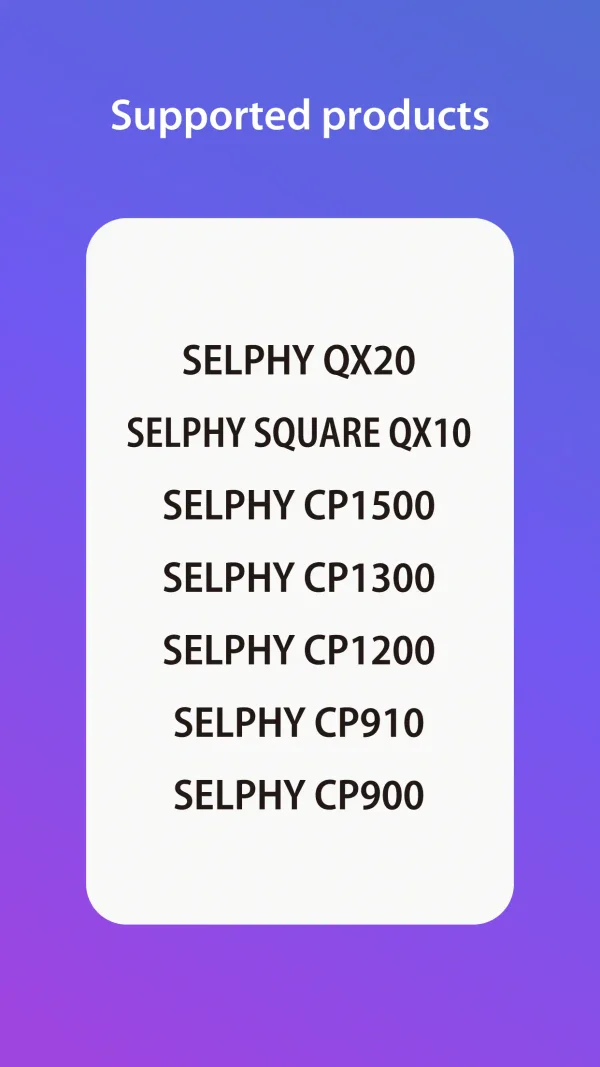
[Produk yang Didukung]
< Seri SELPHY CP >
- CP1500, CP1300, CP1200, CP910, CP900
< Seri SELPHY QX >
- QX20, SQUARE QX10
[Persyaratan Sistem]
- Android 13/14/15/16/17
[Gambar yang Didukung]
- JPEG, PNG, HEIF
[Tata Letak / Fungsi yang Didukung]
< Seri SELPHY CP >
- Foto (Cetak foto asli tanpa modifikasi dengan mudah.)
- Kolase (Bersenang-senanglah mendekorasi atau mengatur beberapa foto sebelum Anda mencetak.)
- Foto ID (Cetak foto ID seperti paspor dan SIM dari foto selfie.)
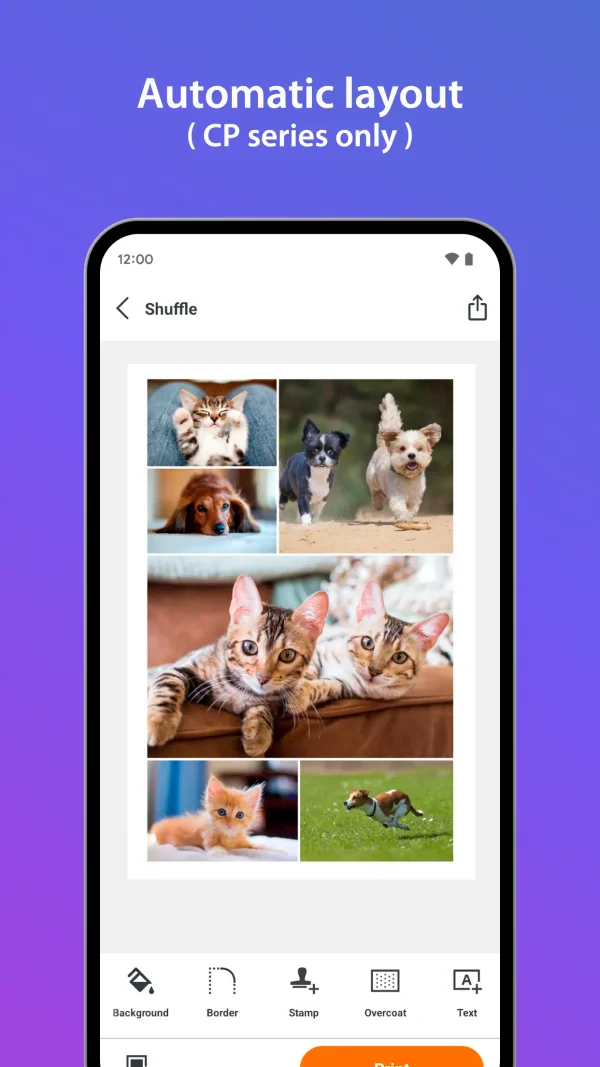
- Acak (Pilih hingga 20 gambar, dan gambar tersebut akan secara otomatis diatur dan dicetak pada satu lembar.)
- Ukuran Kustom (Cetak dalam ukuran foto apa pun)
- Ubin (bagi foto menjadi beberapa ubin untuk dicetak besar)
- Jepret (Ambil foto di tempat, hias, dan cetak)
- Bookmark (Cetak dalam tata letak gaya bookmark)
- Tata Letak (Cukup pilih foto untuk digabungkan dengan bingkai dan cetak)
- Cetak Ulang (Cetak salinan tambahan dari koleksi yang telah Anda cetak sebelumnya.)
- Fitur Dekorasi Kolase (Termasuk stempel, bingkai, teks, alat melukis, dan kode QR tersemat.)
- Pemrosesan Lapisan Pola (Hanya untuk CP1500).
< Seri SELPHY QX >
- Foto (Cetak foto asli yang tidak dimodifikasi dengan mudah.)
- Kolase (Bersenang-senanglah menghias atau mengatur beberapa foto sebelum Anda mencetak.)
- Ukuran Kustom (Cetak dalam ukuran foto apa pun)
- Jepret (Ambil foto di tempat, hias, dan cetak)
- Tata Letak (Cukup pilih foto untuk digabungkan dengan bingkai dan cetak)
- Cetak Ulang (Cetak salinan tambahan dari koleksi yang telah Anda cetak sebelumnya.)
- Fitur Dekorasi Kolase (Termasuk stempel, bingkai, dan teks.)
- Pemrosesan Lapisan Pola.
- Pencetakan Hybrid Kartu & Persegi / Pencetakan Tanpa Batas & Dengan Batas (Hanya untuk QX20).
[Ukuran Kertas yang Didukung]
- Semua ukuran kertas khusus SELPHY yang tersedia untuk dibeli *2
< Seri SELPHY CP >
- Ukuran Kartu Pos
- Ukuran L (3R)
- Ukuran Kartu
< Seri SELPHY QX >
- Kertas Stiker Persegi untuk QX.
- Kertas Stiker Kartu untuk QX (Hanya untuk QX20).
*1: ketersediaan mungkin berbeda tergantung wilayah.
[Catatan Penting]
- Jika aplikasi tidak berfungsi dengan benar, coba lagi setelah menutup aplikasi.
- Fitur dan layanan yang tersedia dalam aplikasi ini mungkin berbeda tergantung pada model, negara atau wilayah, dan lingkungan.
- Kunjungi halaman web Canon setempat Anda untuk detail lebih lanjut.
Tampilkan teks asli
SELPHY Photo Layout is an application that allows you to create/save layouts of images to be printed with SELPHY using images stored on your smartphone or tablet.
[Key Features]
- Connect your smartphone or tablet wirelessly with SELPHY printers and enjoy high-quality photo printing.
("Canon PRINT" must be installed separately for CP1300, CP1200, CP910, and CP900.)
- Easily print photos directly from the ‘Photos’ menu.
- Decorate and layout your photos freely with the ‘Collage’ menu before printing.
[Supported Products]
< SELPHY CP Series >
- CP1500, CP1300, CP1200, CP910, CP900
< SELPHY QX Series >
- QX20, SQUARE QX10
[System requirement]
- Android 13/14/15/16/17
[Supported Images]
- JPEG, PNG, HEIF
[Supported Layouts / Functions ]
< SELPHY CP Series >
- Photos (Easily print an unmodified original photo.)
- Collage (Have fun decorating or arranging multiple photos before you print.)
- ID Photo (Print ID photos such as passport and driver’s license pictures from selfies.)
- Shuffle (Select up to 20 images, and they will be automatically arranged and printed on one sheet.)
- Custom Size (Print in any photo size)
- Tiling (split the photo into multiple tiles to print large)
- Snap a shot (Take a photo on the spot, decorate, and print)
- Bookmark (Print in a bookmark-style layout)
- Layout (Simply choose a photo to combine with a frame and print)
- Reprint (Print additional copies from your previously printed collection.)
- Collage Decoration Features (Include stamps, frames, text, paint tools, and embedded QR codes.)
- Pattern Overcoat Processing (Only for CP1500).
< SELPHY QX Series >
- Photos (Easily print an unmodified original photo.)
- Collage (Have fun decorating or arranging multiple photos before you print.)
- Custom Size (Print in any photo size)
- Snap a shot (Take a photo on the spot, decorate, and print)
- Layout (Simply choose a photo to combine with a frame and print)
- Reprint (Print additional copies from your previously printed collection.)
- Collage Decoration Features (Include stamps, frames, and text.)
- Pattern Overcoat Processing.
- Card & Square Hybrid Printing / Borderless & Bordered Printing (Only for QX20).
[Supported Paper Size]
- All available SELPHY-specific paper sizes for purchase *2
< SELPHY CP Series >
- Postcard Size
- L (3R) Size
- Card Size
< SELPHY QX Series >
- Square Sticker Paper for QX.
- Card Sticker Paper for QX (Only for QX20).
*1: availability may differ depending on region.
[Important Notes]
- If application does not operate properly, try again after shutting down the application.
- Features and services available in this application may differ depending on the model, country or region, and environment.
- Visit your local Canon Web pages for more details.
Keamanan data
Yang dinyatakan Canon Inc. di Google Play tentang data yang dikumpulkan dan dibagikan aplikasi ini.
- Tidak ada data yang dibagikan kepada pihak ketigaPelajari lebih lanjut cara developer menyatakan pembagian data
- Aplikasi ini dapat mengumpulkan jenis data berikutPerkiraan lokasi
- Data dienkripsi saat dalam pengiriman
- Anda dapat meminta agar data dihapus
Yang baru
9/10/2026
- Added support for downloading additional decorative content (stamps and photo frames).
- You can now save "Filter" and "Adjust Color" settings as presets.
- You can now print photos shared from other apps.
- Improved usability.
[Ver.4.4.0]
Kontak pengembang
- Situs webglobal.canon
- Emailselphyphotolayout@mail.canon
- Kebijakan Privasissw.imaging-saas.canon
- Alamat3-30-2, SHIMOMARUKO OTA-KU, 東京都 146-0092 Japan
Informasi
- Ditawarkan oleh
- Google Commerce Ltd
- Kategori
- Fotografi
- Diperbarui
- 9/10/2026
- Dirilis
- 3/9/2018
- Batasan usia
- Rating 3+
- Harga
- Gratis
- Nama paket
- jp.co.canon.ic.photolayout
Aplikasi serupa
-
 Teleprompter for Video
Produktivitas
-
 HomeByMe
Gaya Hidup
-
 InFrame - Editor Foto Bingkai
Fotografi
-
 Easy-PhotoPrint Editor
Fotografi
-
 Canon Camera Connect
Fotografi
-
 Nelko
Alat
-
 Sony | Creators' App
Fotografi
-
 Foto Grid - Edit foto & Kolase
Fotografi
-
 CEWE: Photobooks & Photo Print
Fotografi
-
 Sony | Imaging Edge Mobile
Fotografi
-
 PICNIC: Edit Foto AI & Kolase
Fotografi
-
 OldRoll - Vintage Film Camera
Fotografi