Alterante
Dirancang untuk iPhone, iPad, iPod touch
Gratis · Pembelian dalam aplikasi
- Batasan usia4+
- KategoriProduktivitas
- PengembangAlterante
- BahasaInggris+ 2 lainnya
- Ukuran11,6 MB
Tertaut ke halaman resmi App Store
Download.org tidak menyimpan file Alterante apa pun. Tombol ini membuka halaman aplikasi di App Store, tempat Alterante menerbitkannya. Halaman terakhir diperiksa pada 15/11/2026.
Tangkapan layar
Tentang
Pengembang belum menyediakan teks ini dalam bahasa Anda.
Overview
--------
Alterante allows you to set up your own private personal cloud on your Mac/PC and access all your files from your phone or tablet. Alterante automatically discovers, organizes, and protects all your files across all your computers, and makes them instantly accessible from any device using this mobile app or using any modern web browser.
Mobile features
-------------
- All your files from all your computers become instantly accessible on your iPad/iPhone.
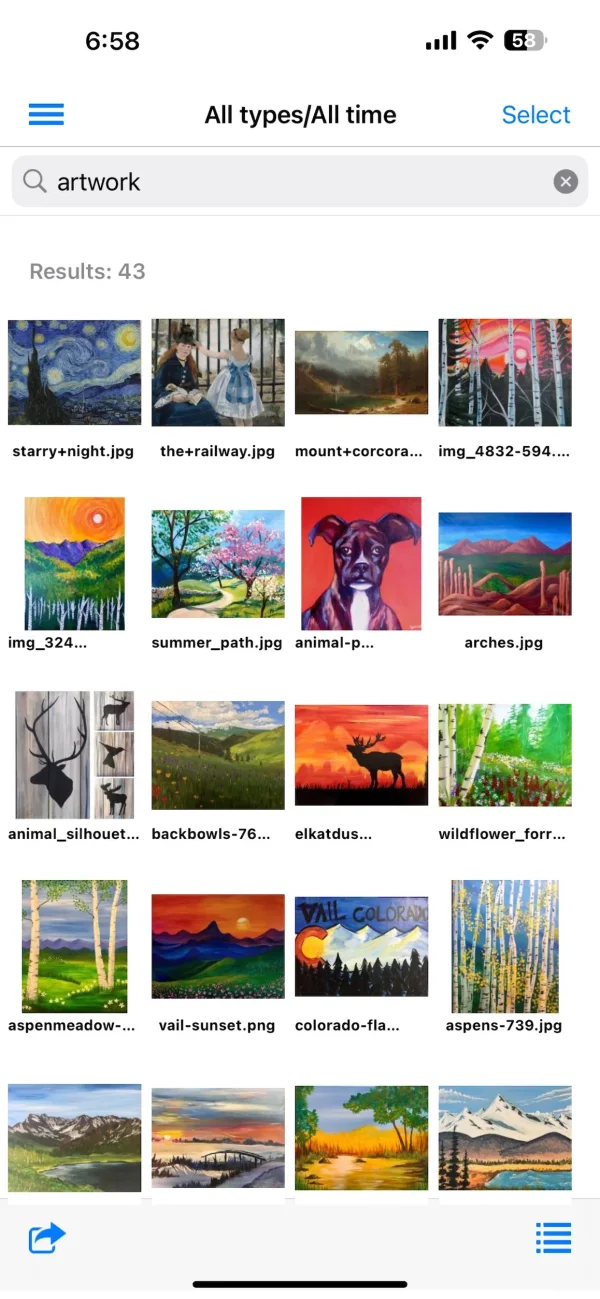
- Easy to find any file, using keyword search and recommendations made by Alterante.
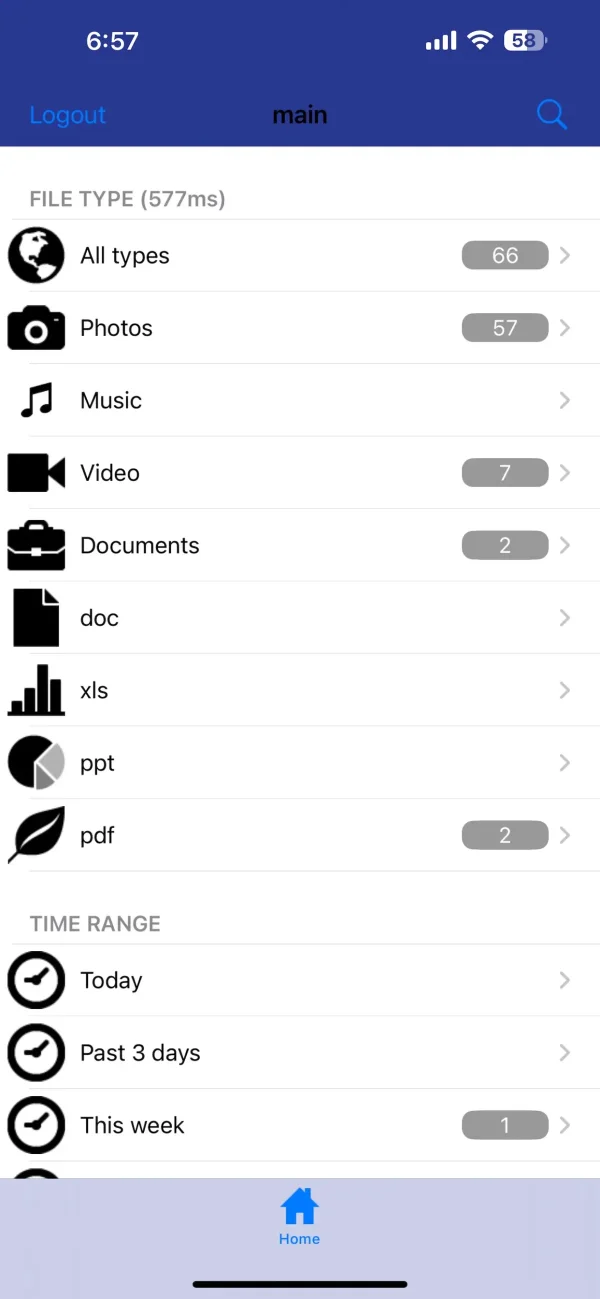
- All your files are automatically organized by filetype & date range . For example, you can quickly find all the XLS documents you created this week on multiple computers.
- View photos, watch videos, open any Office/PDF document right on your mobile device.
- With a single click, share any photo or document via email, or post them on Facebook/Twitter.
- Launch a video, play a song, or watch a photo on your computer, using this app as your remote control. Works great as a remote control for your living room media server computer!
- Save files locally to your mobile device for offline access (e.g. Photos will be stored in Photo Gallery).
- Add your own searchable custom tags to any group of files for quick access.
- Access all your files from any remote location.
Quick Setup instructions
---------------------
1. Install Alterante Mobile app on your iPad/iPhone
2. Download and Install Alterante your computer (installing on more computers is better, so you can access all the files on all computers)
Download instructions available at:
https://www.alterante.com/download.htm?id=1
3. Launch mobile app, click Choose Server, select your PC and login with user/password created in PC/Mac setup (Step 2).
4. All files should be visible on your mobile app.
Yang baru
Versi 1.0.33 · 1/10/2025
Fixed: Issue connecting to remote server when on 4G/5G network.
Privasi aplikasi
Yang dinyatakan Alterante di App Store tentang cara aplikasi ini menangani data.
-
Data tidak dikumpulkan
Pengembang tidak mengumpulkan data apa pun dari aplikasi ini.
Praktik privasi dapat bervariasi, misalnya berdasarkan fitur yang Anda gunakan atau usia Anda.
Informasi
- Penjual
- Alterante LLC
- Kategori
- Produktivitas
- Versi
- 1.0.33
- Diperbarui
- 1/10/2025
- Dirilis
- 31/12/2013
- Ukuran
- 11,6 MB
- Memerlukan
- iOS 13.0 atau yang lebih baru
- Batasan usia
- 4+
- Harga
- Gratis
- Pembelian dalam aplikasi
- Ya
- Bahasa
- Inggris, Tionghoa Sederhana, Spanyol
- Hak cipta
- © 2013-2025 Alterante Inc