AurisPEQ
System-wide EQ
Dirancang untuk iPhone, iPad
Gratis · Pembelian dalam aplikasi
- Batasan usia4+
- KategoriMusik
- PengembangLUIGI DI MAURO
- BahasaInggris+ 5 lainnya
- Ukuran12,0 MB
Tertaut ke halaman resmi App Store
Download.org tidak menyimpan file AurisPEQ apa pun. Tombol ini membuka halaman aplikasi di App Store, tempat LUIGI DI MAURO menerbitkannya. Halaman terakhir diperiksa pada 28/11/2026.
Tangkapan layar
Tentang
Pengembang belum menyediakan teks ini dalam bahasa Anda.
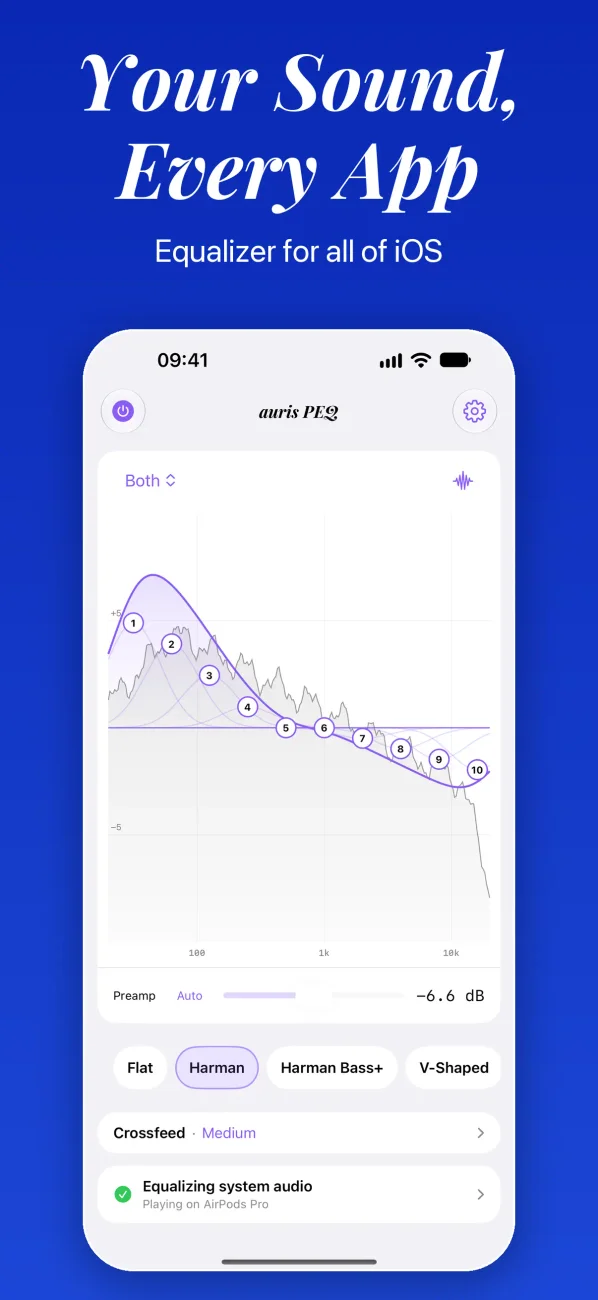
AurisPEQ is a system-wide equalizer for iPhone. It shows up in Control Center as an audio output, like a speaker. Pick it there, and the audio of your apps goes through your EQ before it reaches the headphones or speaker you were using before.
What you can do
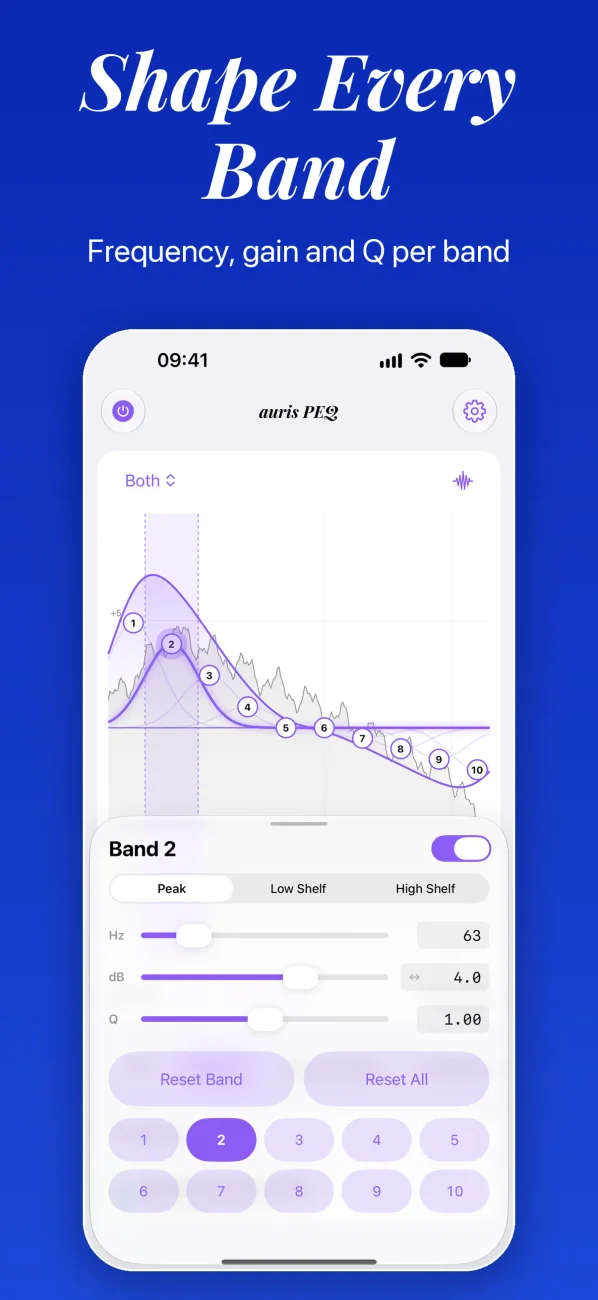
• Shape the sound with 5 to 15 parametric bands per channel: frequency, gain and Q for each one, edited by dragging the curve or typing the values.
• Set each ear on its own: Both, Left or Right, plus a Balance control.
• See the music spectrum behind the curve, with a before and after view to compare.
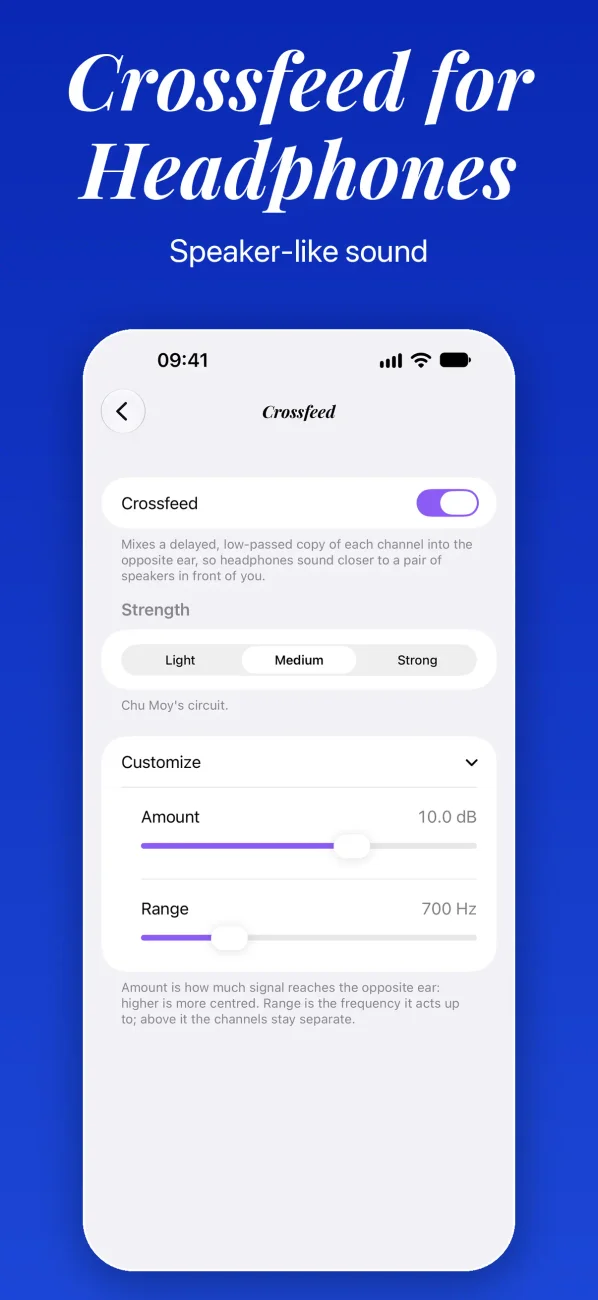
• Use crossfeed with headphones: it mixes a little of each channel into the other ear, so they sound closer to speakers in front of you. It pauses on its own when you play through speakers.
• Import your headphone correction from AutoEQ, Equalizer APO, Peace, squig.link and GraphicEQ files. Export your EQ as an Equalizer APO text file.
• Keep presets: built-in ones, your own and imported ones. Your own presets can sync across your devices with iCloud, if you turn it on.
• Each output remembers its own preset and crossfeed setting.
• Bypass the EQ and crossfeed with one tap, in the app or from Control Center. The audio keeps playing.
• A Home Screen widget switches presets without opening the app.
How it works
Keep AurisPEQ open or in the app switcher. If you swipe it away, the audio is not equalized until you open the app and pick AurisPEQ again. When you turn the equalizer off, the app stops processing and iOS can suspend it, so it uses no battery.
Good to know
• Requires iOS 27 or later.
• Some apps that play video can make iOS drop the connection, for example Spotify with Canvas on, or a YouTube video. In Spotify, turn Canvas off in the settings if this happens.
• AurisPEQ does not work through CarPlay yet.
AurisPEQ is free. Tips are optional, one-time, and unlock nothing: every feature is already yours. It is made by one person.
Yang baru
Versi 1.0.4 · 27/11/2026
• Undo and Redo for curve edits, including a shake of the iPhone.
• Duplicate a preset by touching and holding it.
• Manage Presets: reorder them and hide the built-in ones you do not use. The widget follows the same order.
Thanks for using AurisPEQ!
Privasi aplikasi
Yang dinyatakan LUIGI DI MAURO di App Store tentang cara aplikasi ini menangani data.
-
Data tidak dikumpulkan
Pengembang tidak mengumpulkan data apa pun dari aplikasi ini.
Praktik privasi dapat bervariasi, misalnya berdasarkan fitur yang Anda gunakan atau usia Anda.
Informasi
- Penjual
- LUIGI DI MAURO
- Kategori
- Musik
- Versi
- 1.0.4
- Diperbarui
- 27/11/2026
- Dirilis
- 11/11/2026
- Ukuran
- 12,0 MB
- Memerlukan
- iOS 27.0 atau yang lebih baru
- Batasan usia
- 4+
- Harga
- Gratis
- Pembelian dalam aplikasi
- Ya
- Bahasa
- Inggris, Prancis, Jerman, Italia, Jepang, Spanyol
- Hak cipta
- © 2026 Luigi Di Mauro
Mungkin Anda juga suka
-
 EffectDeckMusik
-
 HiByMusicMusik
-
 Equalizer & Bass Booster FXEQ, Peningkatan Volume
-
 Boom: Bass Booster & EqualizerMusik
-
 PlexampMusik
-
 Flacbox: Pemutar Musik Hi-ResEqualizer Audio Profesional
-
 Penambah volume: Bass BoosterPengeras suara musik ekualizer
-
 WiiM HomeMusik
-
 Equalizer - Volume Booster EQMusik
-
 Bass Booster EQ + Volume BoostMusik