AurisPEQ
System-wide EQ
Được thiết kế cho iPhone, iPad
Miễn phí · Mua hàng trong ứng dụng
- Độ tuổi4+
- Danh mụcNhạc
- Nhà phát triểnLUIGI DI MAURO
- Ngôn ngữTiếng Anh+ 5 ngôn ngữ khác
- Kích thước12,0 MB
Liên kết đến trang App Store chính thức
Download.org không lưu trữ tệp nào của AurisPEQ. Nút này mở trang ứng dụng trên App Store, nơi LUIGI DI MAURO phát hành ứng dụng. Trang được kiểm tra lần cuối: 28/11/2026.
Ảnh chụp màn hình
Giới thiệu
Nhà phát triển chưa cung cấp nội dung này bằng ngôn ngữ của bạn.
AurisPEQ is a system-wide equalizer for iPhone. It shows up in Control Center as an audio output, like a speaker. Pick it there, and the audio of your apps goes through your EQ before it reaches the headphones or speaker you were using before.
What you can do
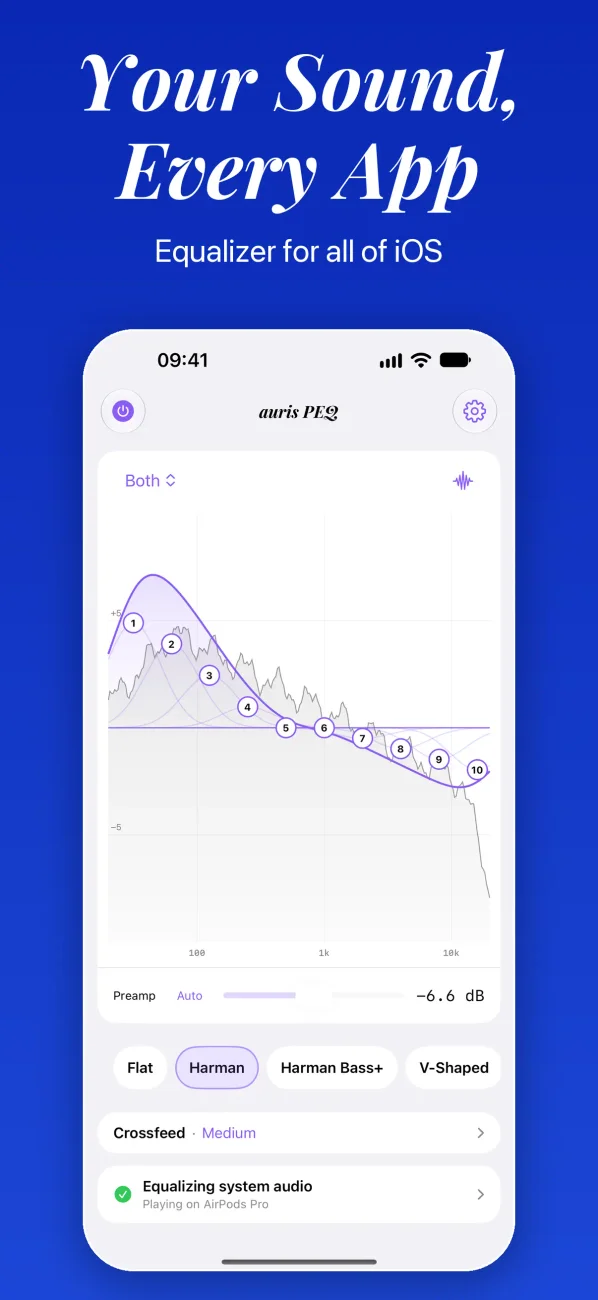
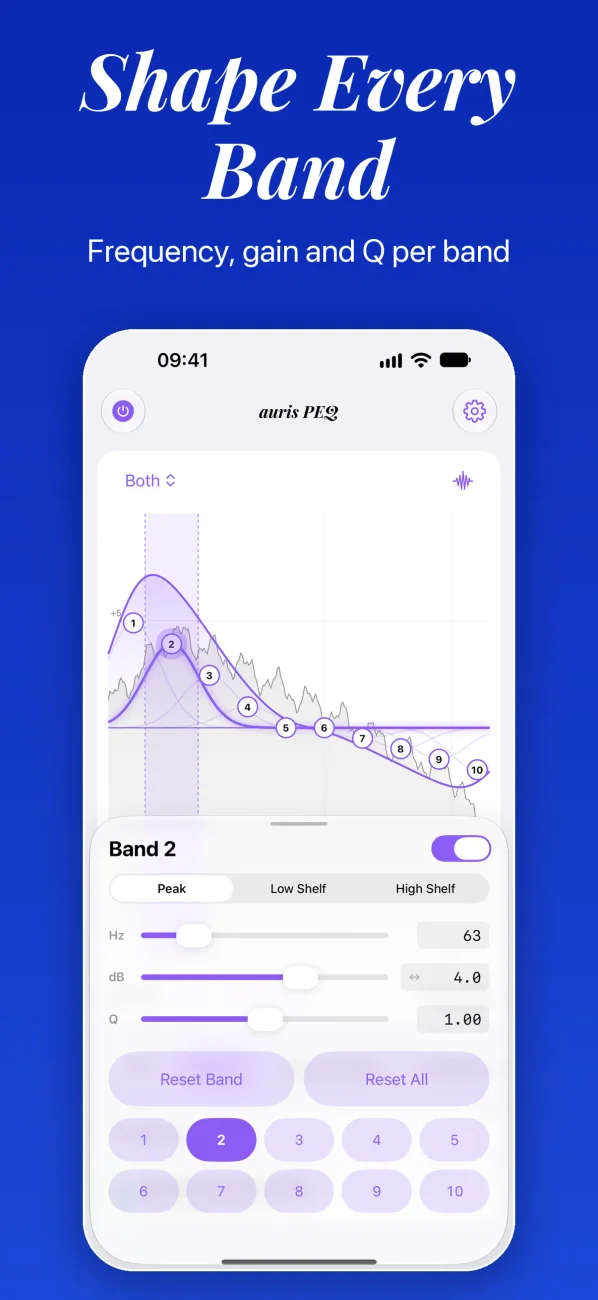
• Shape the sound with 5 to 15 parametric bands per channel: frequency, gain and Q for each one, edited by dragging the curve or typing the values.
• Set each ear on its own: Both, Left or Right, plus a Balance control.
• See the music spectrum behind the curve, with a before and after view to compare.
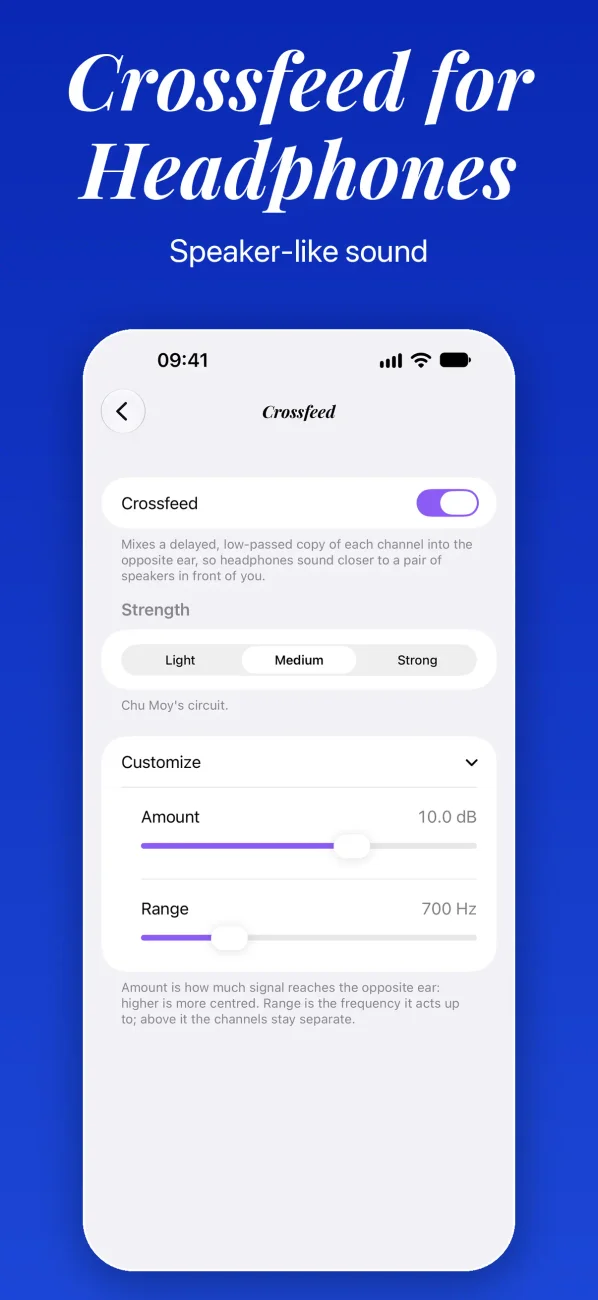
• Use crossfeed with headphones: it mixes a little of each channel into the other ear, so they sound closer to speakers in front of you. It pauses on its own when you play through speakers.
• Import your headphone correction from AutoEQ, Equalizer APO, Peace, squig.link and GraphicEQ files. Export your EQ as an Equalizer APO text file.
• Keep presets: built-in ones, your own and imported ones. Your own presets can sync across your devices with iCloud, if you turn it on.
• Each output remembers its own preset and crossfeed setting.
• Bypass the EQ and crossfeed with one tap, in the app or from Control Center. The audio keeps playing.
• A Home Screen widget switches presets without opening the app.
How it works
Keep AurisPEQ open or in the app switcher. If you swipe it away, the audio is not equalized until you open the app and pick AurisPEQ again. When you turn the equalizer off, the app stops processing and iOS can suspend it, so it uses no battery.
Good to know
• Requires iOS 27 or later.
• Some apps that play video can make iOS drop the connection, for example Spotify with Canvas on, or a YouTube video. In Spotify, turn Canvas off in the settings if this happens.
• AurisPEQ does not work through CarPlay yet.
AurisPEQ is free. Tips are optional, one-time, and unlock nothing: every feature is already yours. It is made by one person.
Có gì mới
Phiên bản 1.0.4 · 27/11/2026
• Undo and Redo for curve edits, including a shake of the iPhone.
• Duplicate a preset by touching and holding it.
• Manage Presets: reorder them and hide the built-in ones you do not use. The widget follows the same order.
Thanks for using AurisPEQ!
Quyền riêng tư của ứng dụng
Những gì LUIGI DI MAURO khai báo trên App Store về cách ứng dụng này xử lý dữ liệu.
-
Dữ liệu không được thu thập
Nhà phát triển không thu thập bất kỳ dữ liệu nào từ ứng dụng này.
Phương thức đảm bảo quyền riêng tư có thể khác nhau, chẳng hạn như tuỳ theo các tính năng bạn sử dụng hoặc độ tuổi của bạn.
Thông tin
- Người bán
- LUIGI DI MAURO
- Danh mục
- Nhạc
- Phiên bản
- 1.0.4
- Cập nhật
- 27/11/2026
- Phát hành
- 11/11/2026
- Kích thước
- 12,0 MB
- Yêu cầu
- iOS 27.0 trở lên
- Độ tuổi
- 4+
- Giá
- Miễn phí
- Mua hàng trong ứng dụng
- Có
- Ngôn ngữ
- Tiếng Anh, Tiếng Pháp, Tiếng Đức, Tiếng Ý, Tiếng Nhật, Tiếng Tây Ban Nha
- Bản quyền
- © 2026 Luigi Di Mauro
Có thể bạn cũng thích
-
 EffectDeckNhạc
-
 HiByMusicNhạc
-
 Equalizer & Bass Booster FXNhạc
-
 Boom: Bass Booster & EqualizerNhạc
-
 PlexampNhạc
-
 Flacbox: Máy nghe nhạc Hi-Resbộ cân bằng âm thanh, hiệu ứng
-
 Volume Booster: Audio Boost upSound amplifier & enhancer 8D
-
 WiiM HomeNhạc
-
 Equalizer - Volume Booster EQNhạc
-
 Bass Booster EQ + Volume BoostNhạc