Better Notes: PDF Notebooks
Write, annotate, and organize
Dirancang untuk iPhone, iPad
Gratis · Pembelian dalam aplikasi
- Batasan usia4+
- KategoriProduktivitas
- PengembangAlberto Gragera
- Ukuran9,5 MB
Tertaut ke halaman resmi App Store
Download.org tidak menyimpan file Better Notes: PDF Notebooks apa pun. Tombol ini membuka halaman aplikasi di App Store, tempat Alberto Gragera menerbitkannya. Halaman terakhir diperiksa pada 23/11/2026.
Tangkapan layar
Tentang
Pengembang belum menyediakan teks ini dalam bahasa Anda.
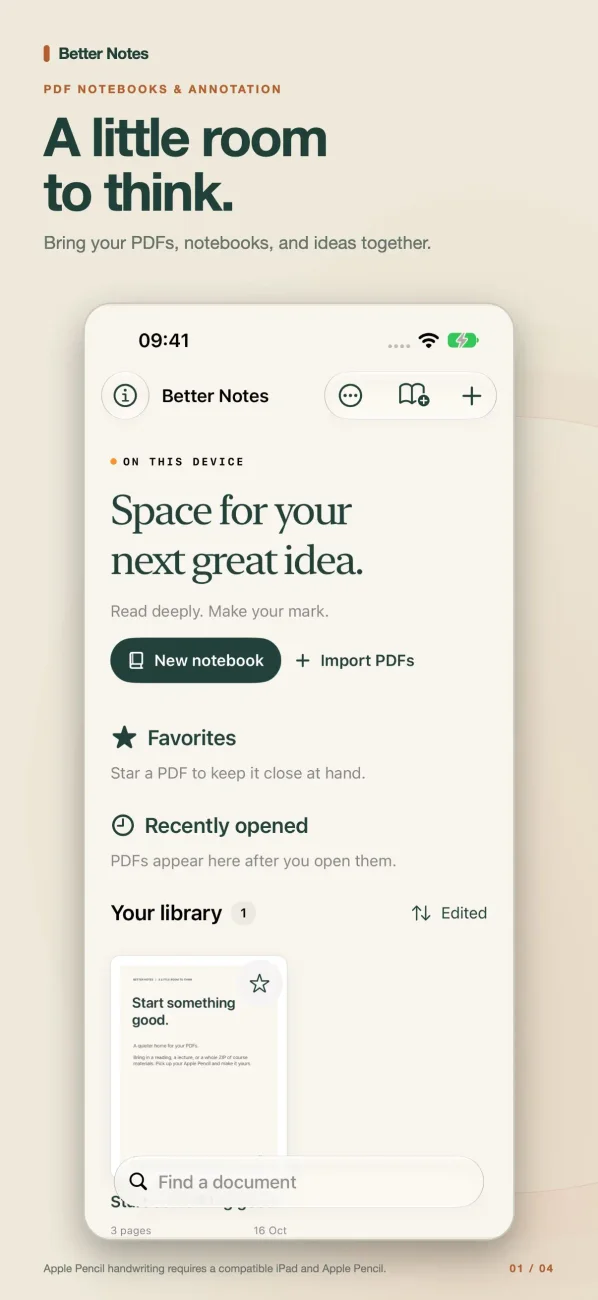
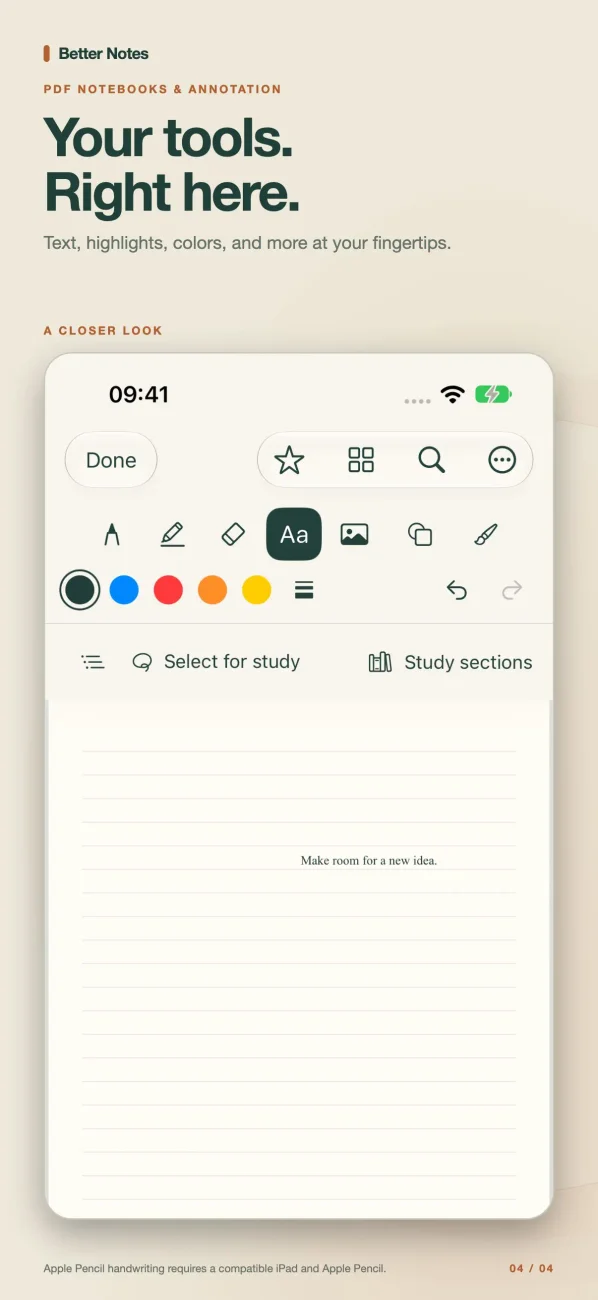
Make room for your ideas with Better Notes. Create PDF notebooks, annotate documents, and organize your work on iPhone and iPad.
• Create notebooks with customizable covers and blank, ruled, grid, or dot-grid pages.
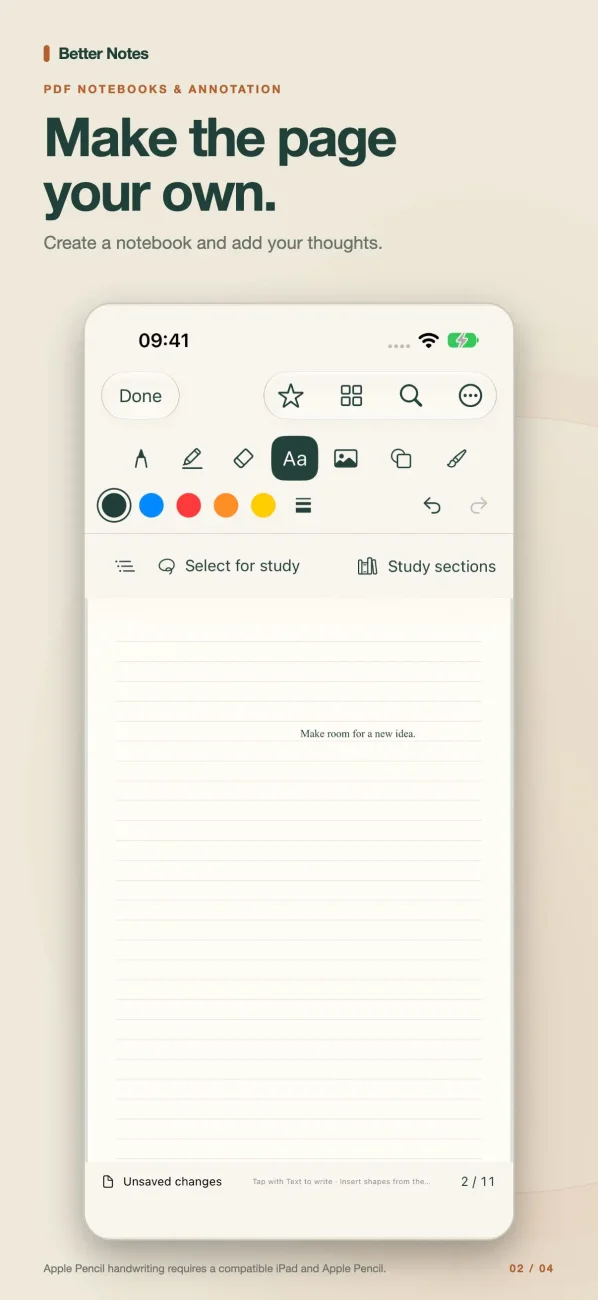
• Write and draw with Apple Pencil on compatible iPads, or add typed text with your finger.
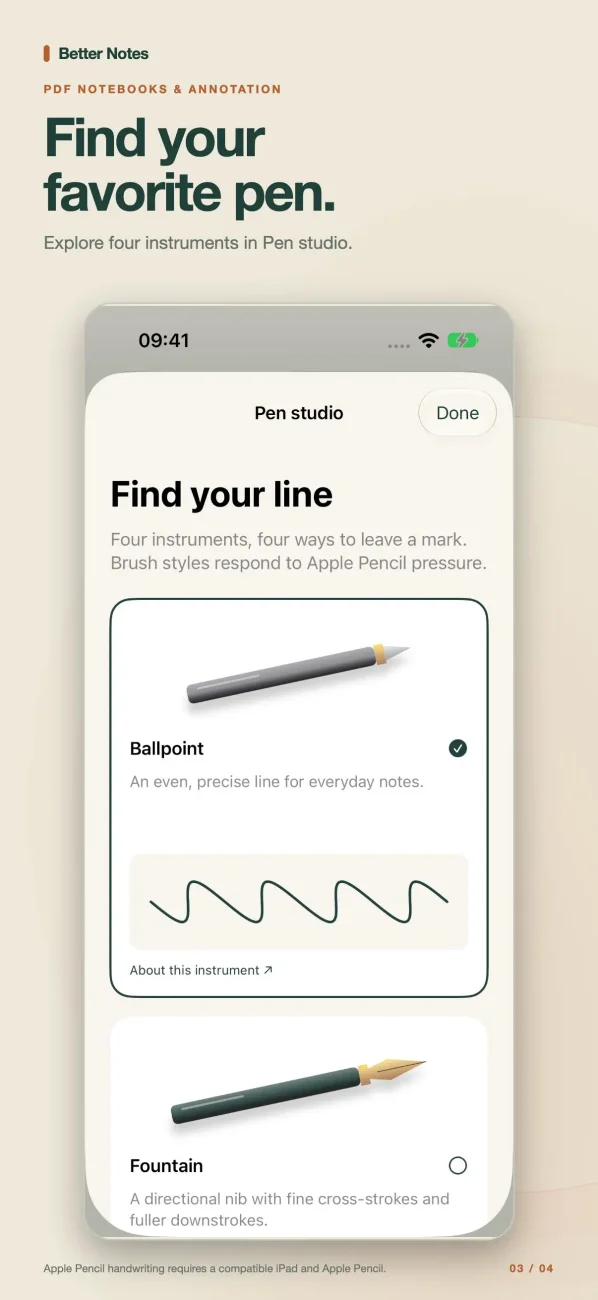
• Choose pen styles, highlight, erase, and insert basic shapes.
• Import PDFs and ZIP archives of PDFs while preserving folder structure.
• Organize documents into folders and favorites, and copy links to individual pages.
• Add Continue Reading and Favorites Home Screen widgets in small, medium, and large sizes; tap to return to a saved page.
• Search library folders, PDF text, annotations, study captures, voice notes, and bookmarks, with on-device recognition of page images and handwriting. Recognition may miss words, and initial indexing can take time.
• Use Apple Pencil on compatible iPads to lasso and move app-created ink within a page, with undo and redo.
• Find page voice notes from waveform badges and recording counts.
• Keep documents in your iCloud Drive when available, with local storage when it is not.
• Record or import voice notes on document pages, edit transcripts, and search titles and transcripts.
• Transcribe on-device when supported by your device and language; play recordings and edit transcripts manually otherwise.
• Sync voice audio and note metadata through your iCloud account when available.
• Save page bookmarks, resume reading, and reorder or delete notebook pages with undo.
• Share your work as PDFs; voice notes and study captures remain separate from PDF exports.
Apple Pencil handwriting requires compatible iPad hardware. iCloud synchronization requires an Apple Account and available iCloud storage; upload and download timing is controlled by iOS. Password-protected PDFs and encrypted, multipart, or ZIP64 archives are not supported.
Free to use, with optional tips that do not unlock features. No subscriptions.
Yang baru
Versi 1.3.1 · 15/11/2026
On iOS and iPadOS 27.1 or later, page thumbnails use a compact companion pane. Show or hide thumbnails with the sidebar button or close them from the pane. Your visibility preference is remembered, focus mode hides thumbnails, and toggling them keeps your current page. Earlier OS versions keep their existing reader layout.
Privasi aplikasi
Yang dinyatakan Alberto Gragera di App Store tentang cara aplikasi ini menangani data.
-
Data tidak dikumpulkan
Pengembang tidak mengumpulkan data apa pun dari aplikasi ini.
Praktik privasi dapat bervariasi, misalnya berdasarkan fitur yang Anda gunakan atau usia Anda.
Informasi
- Penjual
- Alberto Gragera
- Kategori
- Produktivitas
- Versi
- 1.3.1
- Diperbarui
- 15/11/2026
- Dirilis
- 19/10/2026
- Ukuran
- 9,5 MB
- Memerlukan
- iOS 17.0 atau yang lebih baru
- Batasan usia
- 4+
- Harga
- Gratis
- Pembelian dalam aplikasi
- Ya
- Hak cipta
- © 2026 Alberto Gragera
Mungkin Anda juga suka
-
 dots: moodboard plannerProduktivitas
-
 Rhizo: Freeform Mind MapProduktivitas
-
 Infinity - Nested CanvasProduktivitas
-
 NibPactProduktivitas
-
 CARLOG AI: Car Expense TrackerProduktivitas
-
 Notebook - Journal & PlannerProduktivitas
-
 Paper and PageProduktivitas
-
 Notebook ListsProduktivitas
-
 My Notes & CardsProduktivitas
-
 NoteFolio: Digital NotebookProduktivitas