Better Notes: PDF Notebooks
Write, annotate, and organize
Designed for iPhone, iPad
Free · In-app purchases
- Age rating4+
- CategoryProductivity
- DeveloperAlberto Gragera
- Size9.5 MB
Links to the official App Store page
Download.org hosts no file of Better Notes: PDF Notebooks. The button opens its official App Store page, published by Alberto Gragera. Listing last checked on Nov 23, 2026.
Screenshots
About
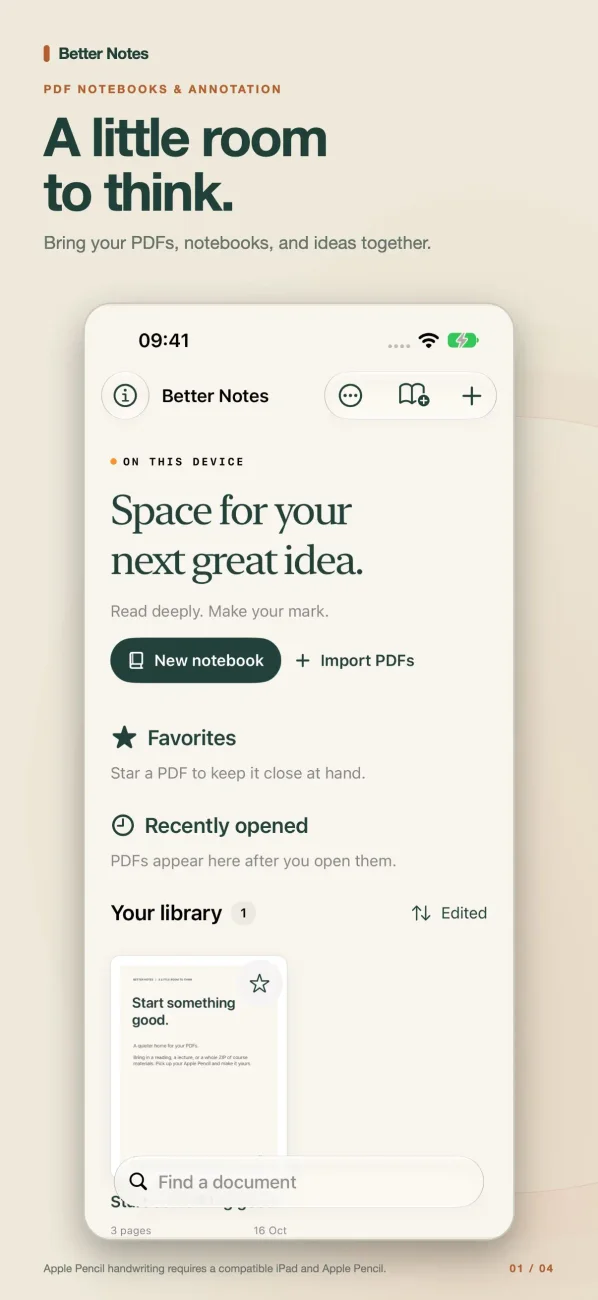
Make room for your ideas with Better Notes. Create PDF notebooks, annotate documents, and organize your work on iPhone and iPad.
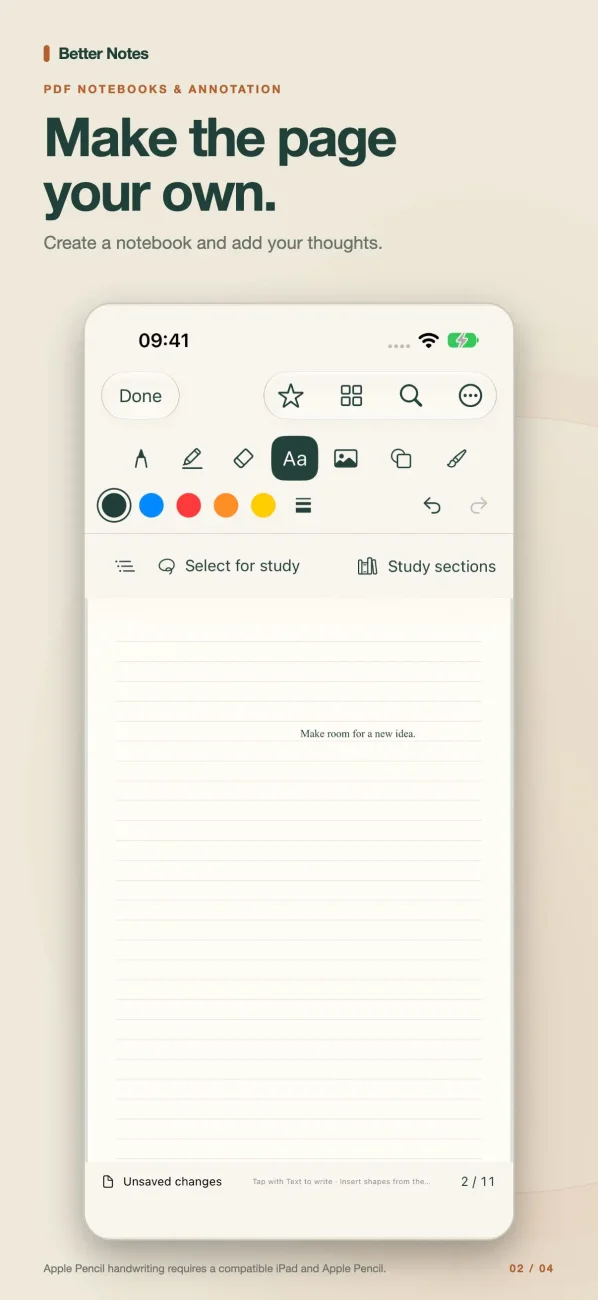
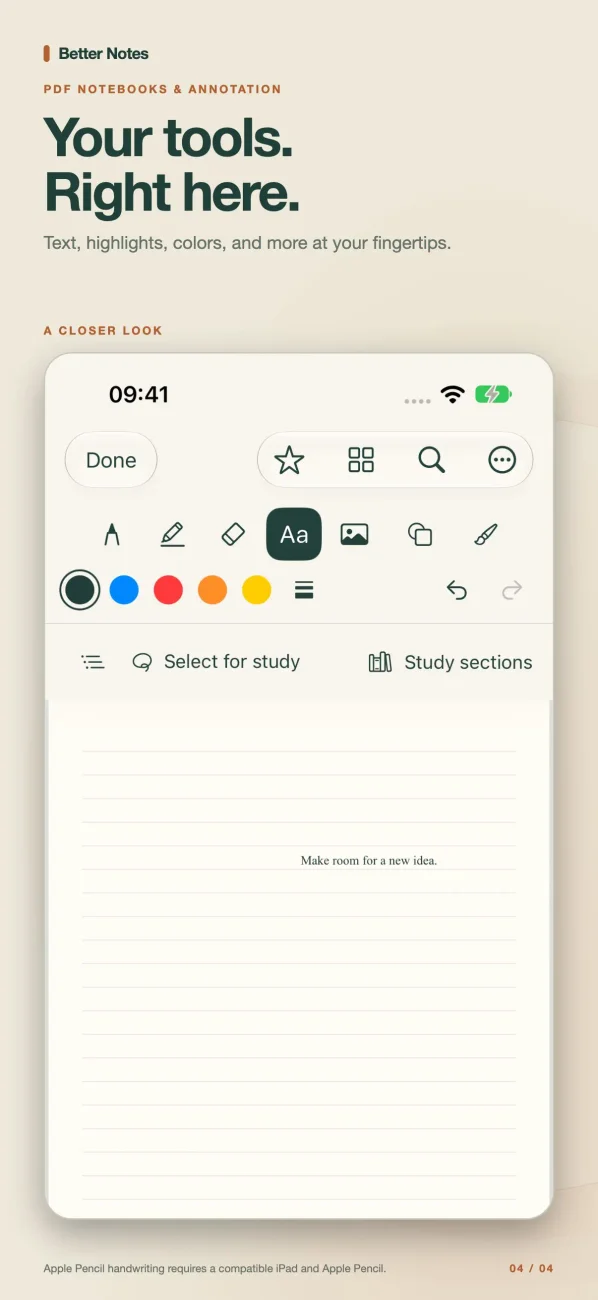
• Create notebooks with customizable covers and blank, ruled, grid, or dot-grid pages.
• Write and draw with Apple Pencil on compatible iPads, or add typed text with your finger.
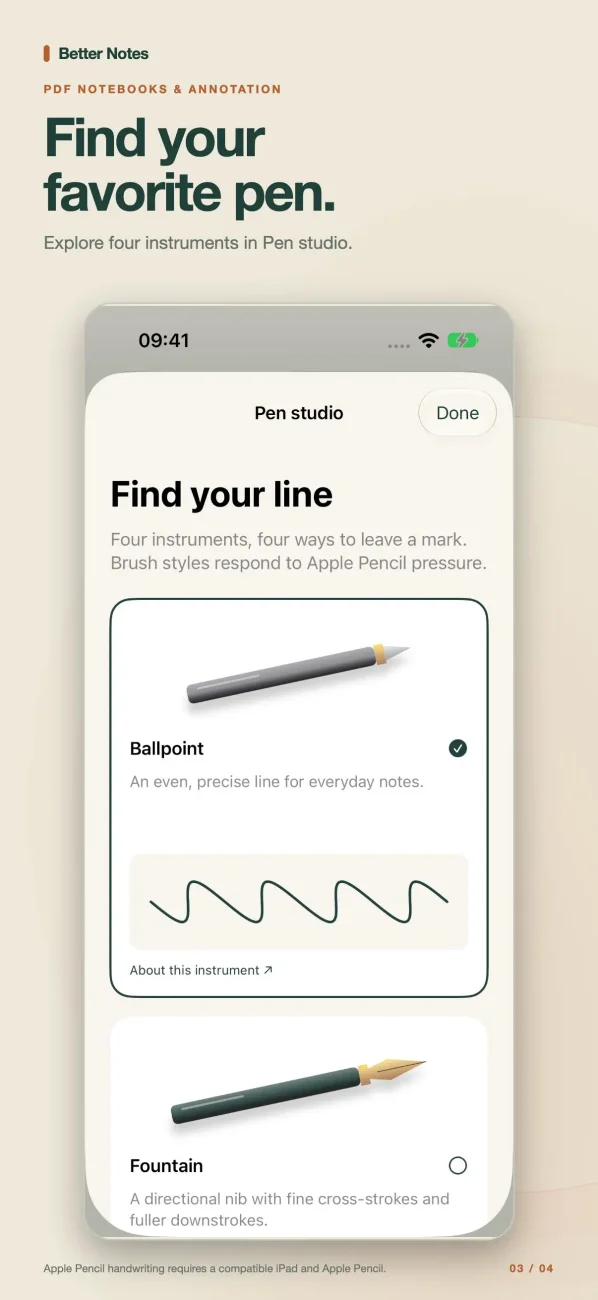
• Choose pen styles, highlight, erase, and insert basic shapes.
• Import PDFs and ZIP archives of PDFs while preserving folder structure.
• Organize documents into folders and favorites, and copy links to individual pages.
• Add Continue Reading and Favorites Home Screen widgets in small, medium, and large sizes; tap to return to a saved page.
• Search library folders, PDF text, annotations, study captures, voice notes, and bookmarks, with on-device recognition of page images and handwriting. Recognition may miss words, and initial indexing can take time.
• Use Apple Pencil on compatible iPads to lasso and move app-created ink within a page, with undo and redo.
• Find page voice notes from waveform badges and recording counts.
• Keep documents in your iCloud Drive when available, with local storage when it is not.
• Record or import voice notes on document pages, edit transcripts, and search titles and transcripts.
• Transcribe on-device when supported by your device and language; play recordings and edit transcripts manually otherwise.
• Sync voice audio and note metadata through your iCloud account when available.
• Save page bookmarks, resume reading, and reorder or delete notebook pages with undo.
• Share your work as PDFs; voice notes and study captures remain separate from PDF exports.
Apple Pencil handwriting requires compatible iPad hardware. iCloud synchronization requires an Apple Account and available iCloud storage; upload and download timing is controlled by iOS. Password-protected PDFs and encrypted, multipart, or ZIP64 archives are not supported.
Free to use, with optional tips that do not unlock features. No subscriptions.
What’s new
Version 1.3.1 · Nov 15, 2026
On iOS and iPadOS 27.1 or later, page thumbnails use a compact companion pane. Show or hide thumbnails with the sidebar button or close them from the pane. Your visibility preference is remembered, focus mode hides thumbnails, and toggling them keeps your current page. Earlier OS versions keep their existing reader layout.
App privacy
What Alberto Gragera declares on the App Store about how this app handles data.
-
Data not collected
The developer does not collect any data from this app.
Privacy practices may vary, for example with the features you use or your age.
Information
- Seller
- Alberto Gragera
- Category
- Productivity
- Version
- 1.3.1
- Updated
- Nov 15, 2026
- Released
- Oct 19, 2026
- Size
- 9.5 MB
- Requires
- iOS 17.0 or later
- Age rating
- 4+
- Price
- Free
- In-app purchases
- Yes
- Copyright
- © 2026 Alberto Gragera
You might also like
-
 dots: moodboard plannerTo-dos, stickers & group plans
-
 Rhizo: Freeform Mind MapGive ideas room to connect.
-
 Infinity - Nested CanvasExpand Endlessly
-
 NibPactNotes and Contracts
-
 CARLOG AI: Car Expense TrackerFuel Log, Mileage & Service +
-
 Notebook - Journal & PlannerHandwritten notes–no clutter.
-
 Paper and PagePaper for Your Next Idea
-
 Notebook ListsProductivity
-
 My Notes & CardsLists, photos, pins, & sketch
-
 NoteFolio: Digital NotebookPencil-First Notes, No Clutter