Better Notes: PDF Notebooks
Write, annotate, and organize
iPhone, iPad向けに設計
無料 · アプリ内課金
- 対象年齢4+
- カテゴリ仕事効率化
- 開発元Alberto Gragera
- サイズ9.5 MB
App Storeの公式ページにリンクしています
Download.orgはBetter Notes: PDF Notebooksのファイルを一切ホストしていません。ボタンを押すと、Alberto Grageraが公開しているApp Storeのアプリページが開きます。ページの最終確認:2026/11/23。
スクリーンショット
概要
開発元はこのテキストをお使いの言語で提供していません。
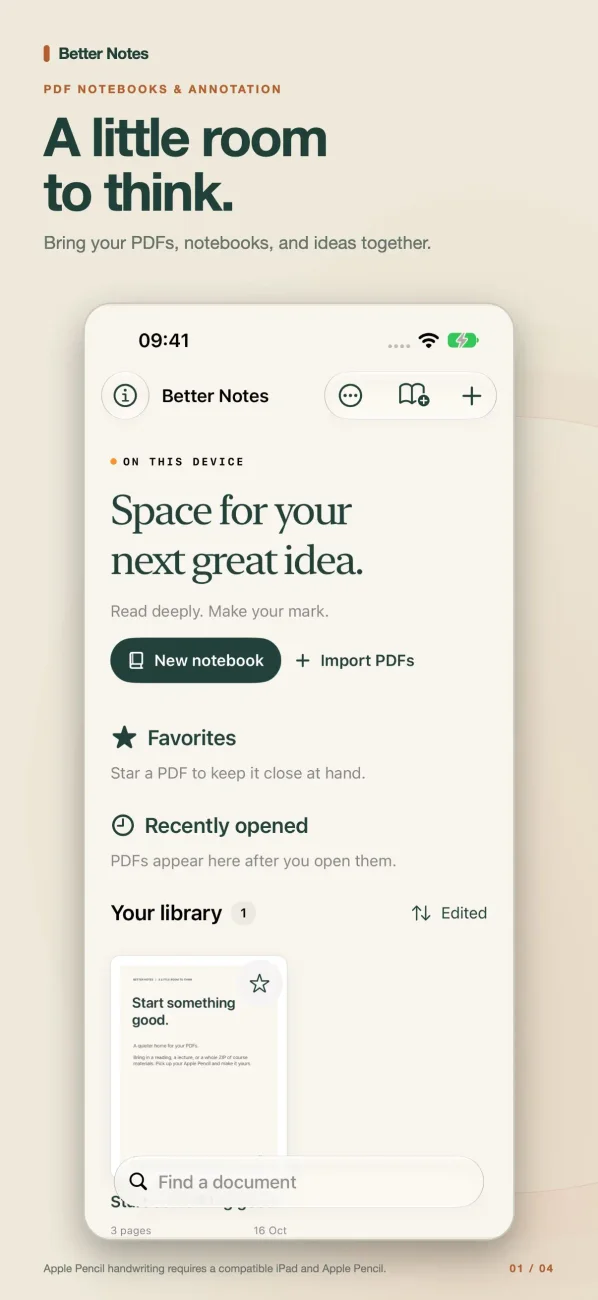
Make room for your ideas with Better Notes. Create PDF notebooks, annotate documents, and organize your work on iPhone and iPad.
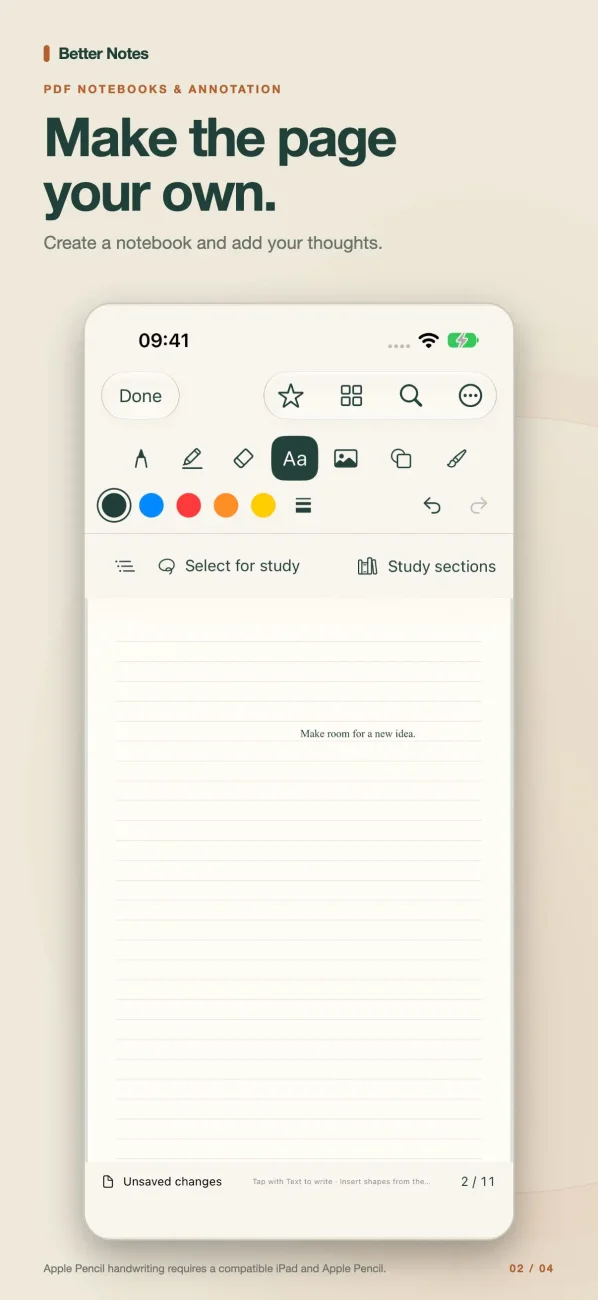
• Create notebooks with customizable covers and blank, ruled, grid, or dot-grid pages.
• Write and draw with Apple Pencil on compatible iPads, or add typed text with your finger.
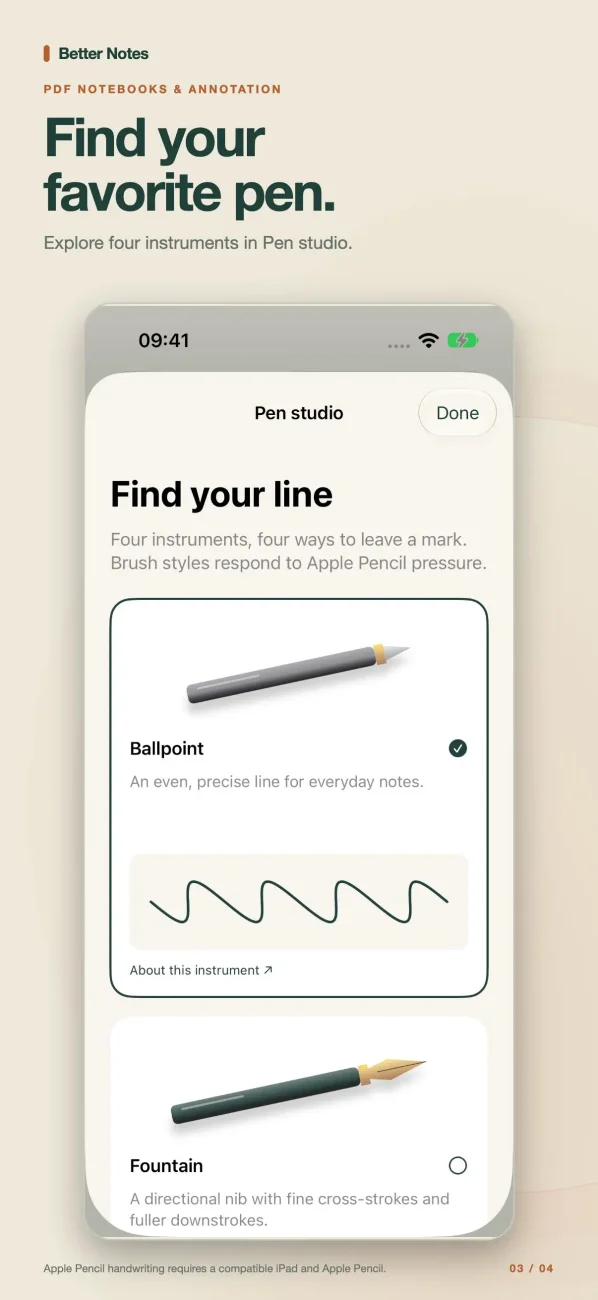
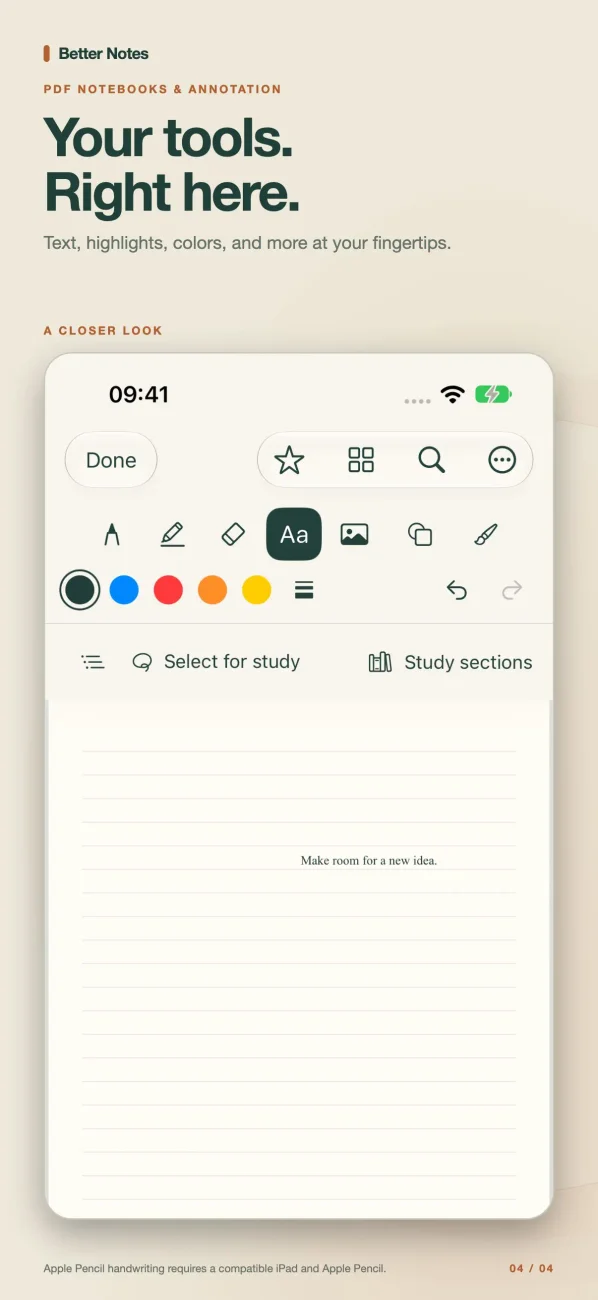
• Choose pen styles, highlight, erase, and insert basic shapes.
• Import PDFs and ZIP archives of PDFs while preserving folder structure.
• Organize documents into folders and favorites, and copy links to individual pages.
• Add Continue Reading and Favorites Home Screen widgets in small, medium, and large sizes; tap to return to a saved page.
• Search library folders, PDF text, annotations, study captures, voice notes, and bookmarks, with on-device recognition of page images and handwriting. Recognition may miss words, and initial indexing can take time.
• Use Apple Pencil on compatible iPads to lasso and move app-created ink within a page, with undo and redo.
• Find page voice notes from waveform badges and recording counts.
• Keep documents in your iCloud Drive when available, with local storage when it is not.
• Record or import voice notes on document pages, edit transcripts, and search titles and transcripts.
• Transcribe on-device when supported by your device and language; play recordings and edit transcripts manually otherwise.
• Sync voice audio and note metadata through your iCloud account when available.
• Save page bookmarks, resume reading, and reorder or delete notebook pages with undo.
• Share your work as PDFs; voice notes and study captures remain separate from PDF exports.
Apple Pencil handwriting requires compatible iPad hardware. iCloud synchronization requires an Apple Account and available iCloud storage; upload and download timing is controlled by iOS. Password-protected PDFs and encrypted, multipart, or ZIP64 archives are not supported.
Free to use, with optional tips that do not unlock features. No subscriptions.
新機能
バージョン 1.3.1 · 2026/11/15
On iOS and iPadOS 27.1 or later, page thumbnails use a compact companion pane. Show or hide thumbnails with the sidebar button or close them from the pane. Your visibility preference is remembered, focus mode hides thumbnails, and toggling them keeps your current page. Earlier OS versions keep their existing reader layout.
アプリのプライバシー
このアプリのデータの取り扱いについて、Alberto GrageraがApp Storeで申告している内容です。
-
データの収集なし
開発元はこのアプリからデータを収集しません。
プライバシーの取り扱いは、ご利用の機能やお客様の年齢などに応じて異なる場合があります。
情報
- 販売元
- Alberto Gragera
- カテゴリ
- 仕事効率化
- バージョン
- 1.3.1
- 更新日
- 2026/11/15
- リリース
- 2026/10/19
- サイズ
- 9.5 MB
- 必要条件
- iOS 17.0以降
- 対象年齢
- 4+
- 価格
- 無料
- アプリ内課金
- あり
- 著作権
- © 2026 Alberto Gragera