Code Editor
IDE, JSON Viewer & Web Preview
Dirancang untuk iPhone, iPad, Mac
Gratis · Pembelian dalam aplikasi
- Batasan usia4+
- KategoriAlat Pengembang
- PengembangHurryApp LTD
- BahasaInggris+ 16 lainnya
- Ukuran126,5 MB
Tertaut ke halaman resmi App Store
Download.org tidak menyimpan file Code Editor apa pun. Tombol ini membuka halaman aplikasi di App Store, tempat HurryApp LTD menerbitkannya. Halaman terakhir diperiksa pada 23/11/2026.
Tangkapan layar
Tentang
Pengembang belum menyediakan teks ini dalam bahasa Anda.
Write code, run Python and preview web pages on iPhone and iPad. Code Editor brings your scripts, websites, JSON and text files into one project workspace.
EDIT CODE AND TEXT
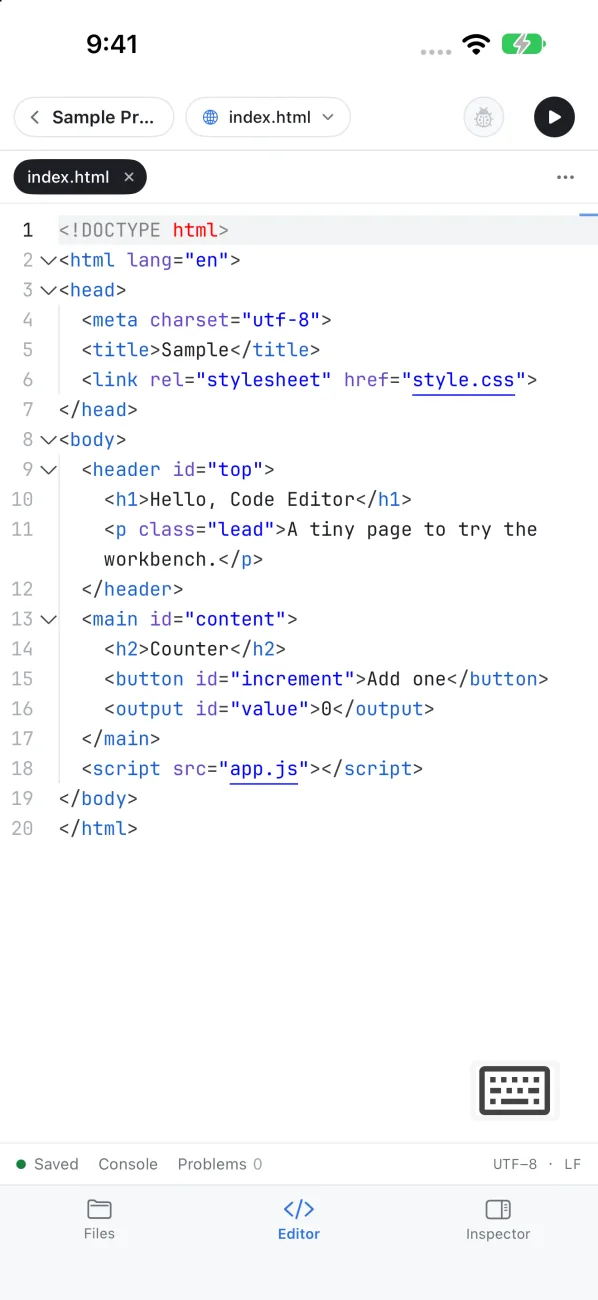
Work with Python, Markdown, JavaScript, TypeScript, HTML, CSS, JSON, PHP, XML and other text formats. Use syntax highlighting, code completion suggestions, find and replace, themes and adjustable fonts. Keep multiple files open and compare code in a split editor.
RUN PYTHON LOCALLY
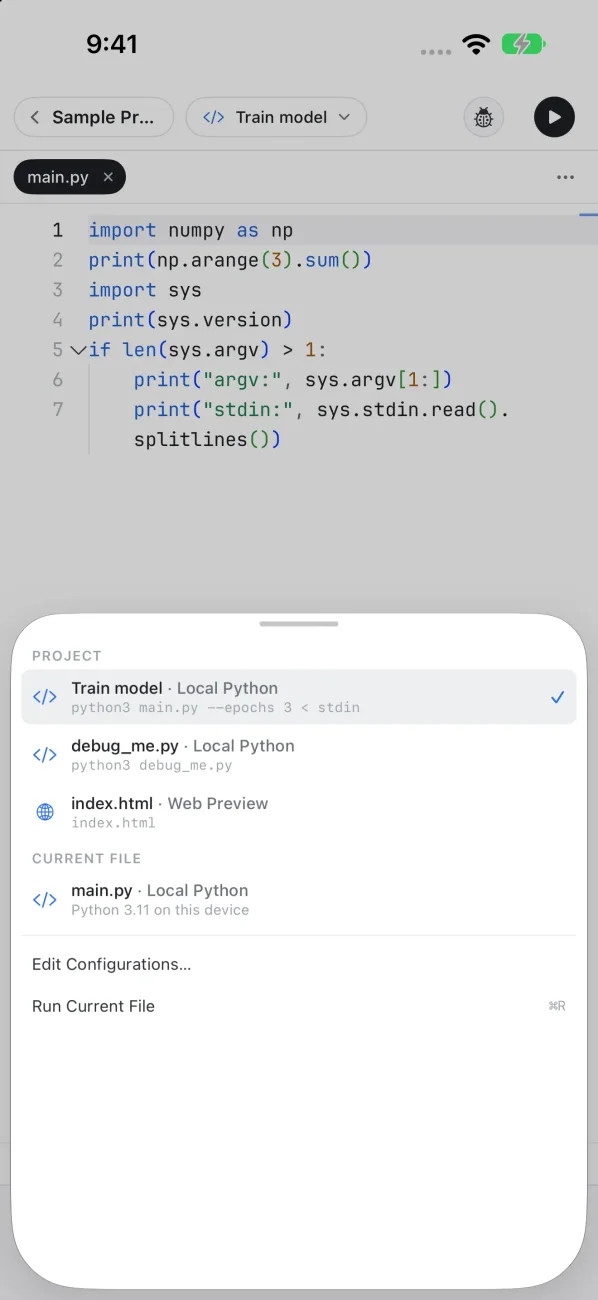
Python is built into the app. Run scripts on your device and work with included libraries such as NumPy, pandas and matplotlib. Use the built-in debugger while developing your Python projects.
CREATE AND PREVIEW WEB PAGES
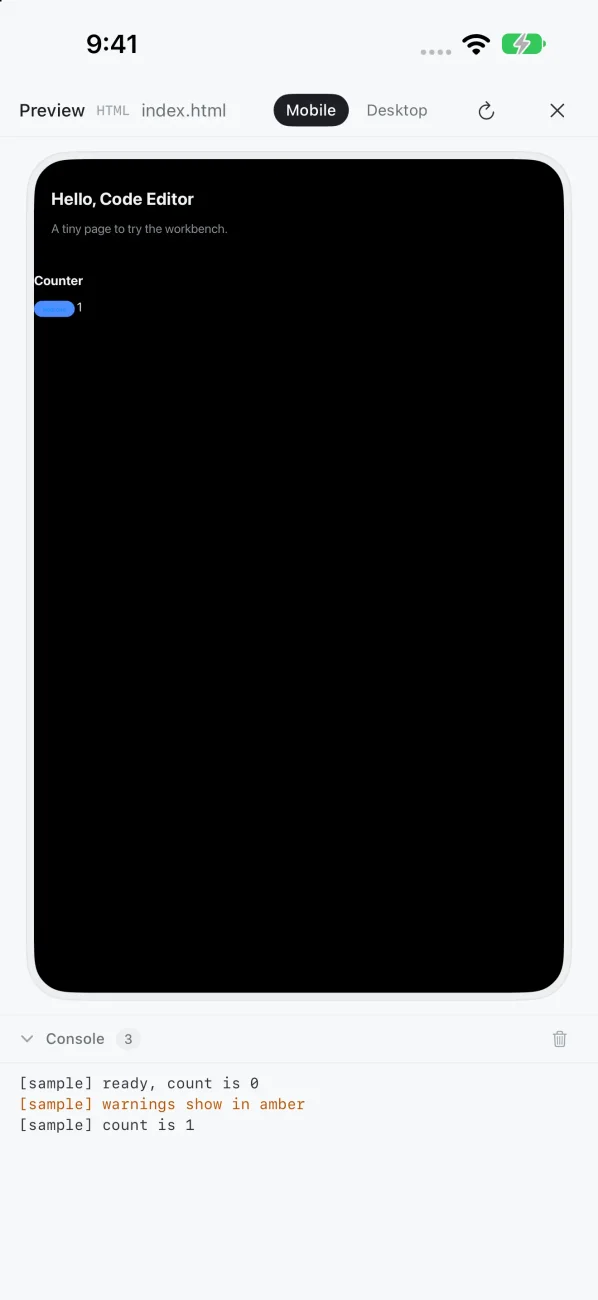
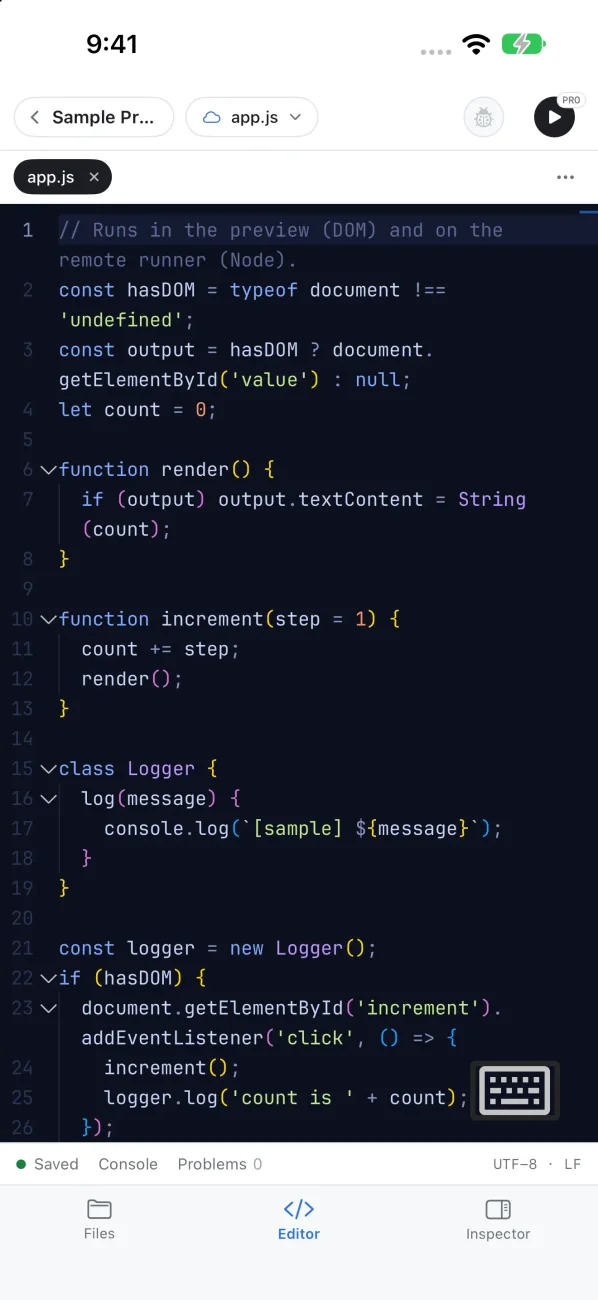
Write HTML, CSS and JavaScript and open the result in the web preview. Keep your page, styles and scripts together in a project so you can edit and test them in one workspace.
READ JSON AND PLAIN TEXT
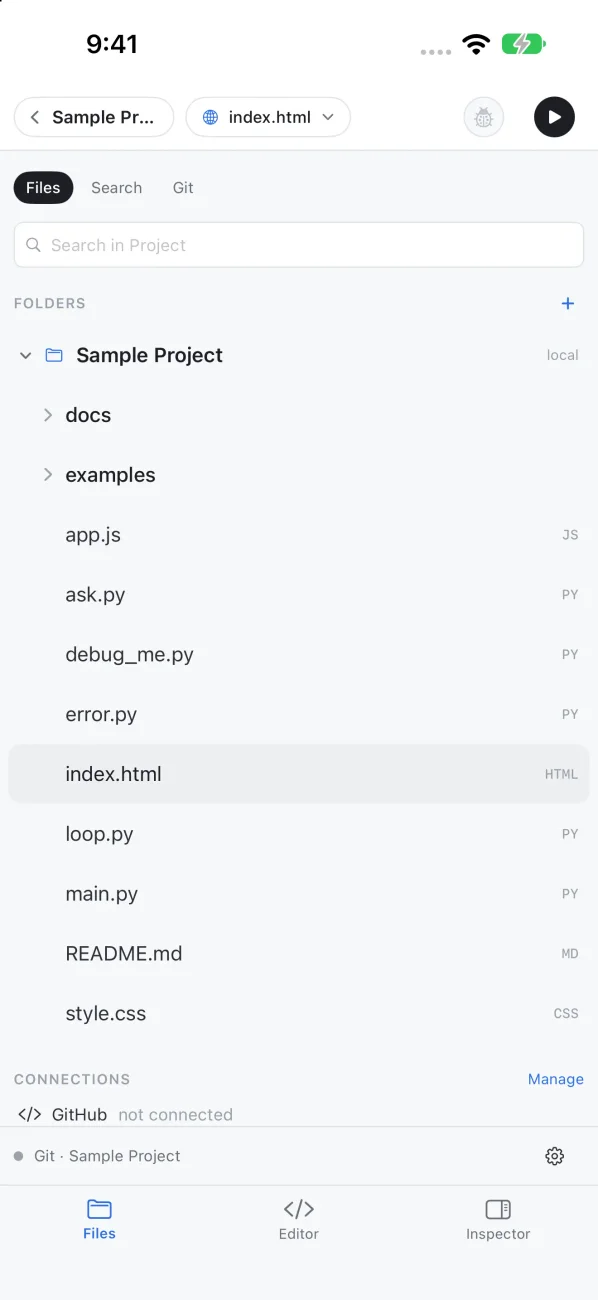
Open and edit JSON, XML, configuration and plain text files with syntax highlighting where supported. Work directly with file contents and organise related files into folders and projects.
WORK WITH CONNECTED FILES
Access projects through GitHub, SFTP, WebDAV and S3 connections. Use the project browser and search tools to move between files.
SIRI AND SHORTCUTS
Use Siri or the Shortcuts app to open New File, Projects and Settings in Code Editor on the device you are using. New File opens the normal file-creation flow so you can choose its name and location.
WIDGETS FOR PROJECTS AND ACTIONS
Add a Small or Medium widget to your Home Screen. Reopen a recent iCloud project or jump into the app to create a file or browse projects. Small shows one recent iCloud project; Medium shows up to three.
CHOOSE PROJECTS FOR ICLOUD
Create a new iCloud project or copy an existing project with local folders to iCloud Drive. Access those projects and their files in Code Editor on iPhone, iPad and Mac signed in to the same iCloud account. Only projects you explicitly create or copy to iCloud are stored there; other local and connected projects stay where they are. iCloud Drive must be enabled, and synchronisation depends on network availability.
FREE FEATURES AND PRO
The editor, themes, folders and projects, connections, embedded Python, web preview, debugger and split editor are free. A Pro subscription unlocks code execution on the remote runner. Remote execution requires an internet connection; it is separate from the built-in Python runtime and web preview.
Privacy Policy: https://www.iubenda.com/privacy-policy/81015424
Terms of Service: https://www.apple.com/legal/internet-services/itunes/dev/stdeula
Yang baru
Versi 27.0.2 · 22/11/2026
Bug fixes.
Privasi aplikasi
Yang dinyatakan HurryApp LTD di App Store tentang cara aplikasi ini menangani data.
-
Data tidak dikumpulkan
Pengembang tidak mengumpulkan data apa pun dari aplikasi ini.
Praktik privasi dapat bervariasi, misalnya berdasarkan fitur yang Anda gunakan atau usia Anda.
Informasi
- Penjual
- HurryApp LTD
- Kategori
- Alat Pengembang
- Versi
- 27.0.2
- Diperbarui
- 22/11/2026
- Dirilis
- 1/3/2023
- Ukuran
- 126,5 MB
- Memerlukan
- iOS 18.0 atau yang lebih baru
- Batasan usia
- 4+
- Harga
- Gratis
- Pembelian dalam aplikasi
- Ya
- Bahasa
- Inggris, Dansk (Denmark), Belanda, Suomi (Finlandia), Prancis, Jerman, Yunani, Italia, Jepang, Korea, Bokmål Norsk, Polski (Polandia) + 5 lainnya
- Hak cipta
- © RF 2023
Mungkin Anda juga suka
-
 CodeMaster - Mobile Coding IDEEditor kode, SSH & SFTP
-
 NeoServer SSH Client|TerminalMosh|SFTP|Docker|Server|PuTTY
-
 ServerCat - SSH Terminal & VPSAlat Pengembang
-
 La Terminal: Klien Mosh & SSHSFTP, File + Agen AI
-
 Python IDE & Jupyter – JunoAlat Pengembang
-
 Spider Proxy - HTTP(S) CatcherAlat Pengembang
-
 Stream HTTP SnifferAlat Pengembang
-
 Hodor - HTTP(s) Packet SnifferTangkap paket dan uji API
-
 SQLPro Studio: SQL DatabaseAlat Pengembang
-
 Koneksi Internet Uji KecepatanInternet & Cellular Scanner