Code Editor
IDE, JSON Viewer & Web Preview
Designed for iPhone, iPad, Mac
Free · In-app purchases
- Age rating4+
- CategoryDeveloper Tools
- DeveloperHurryApp LTD
- LanguagesEnglish+ 16 more
- Size126.5 MB
Links to the official App Store page
Download.org hosts no file of Code Editor. The button opens its official App Store page, published by HurryApp LTD. Listing last checked on Nov 23, 2026.
Screenshots
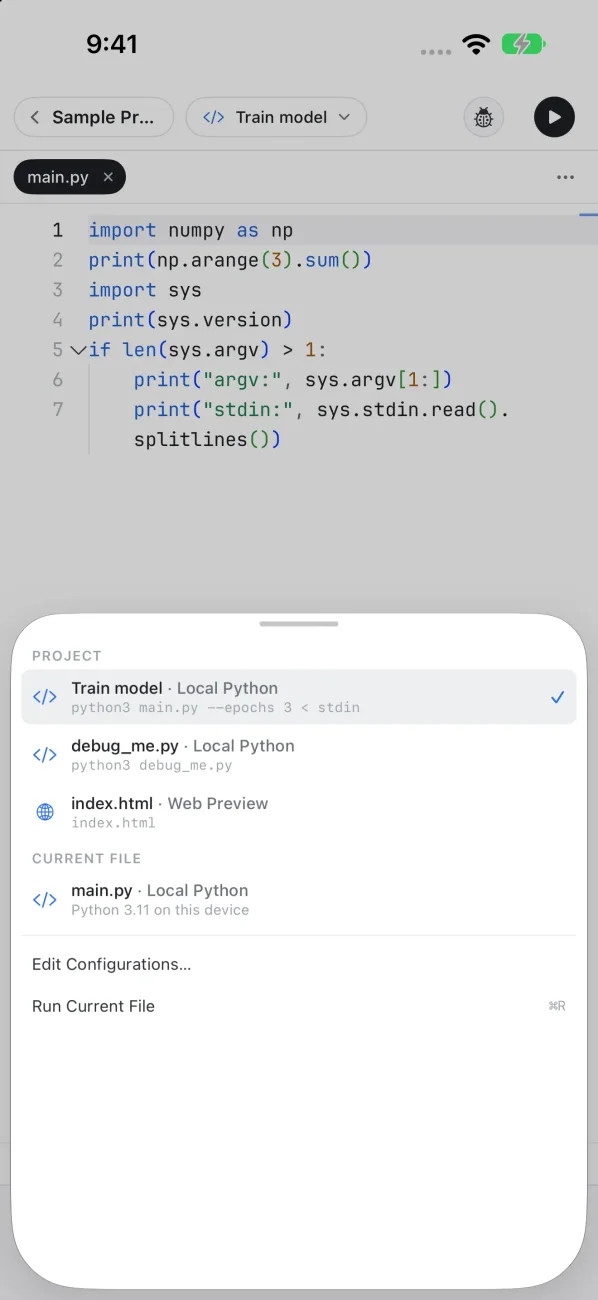
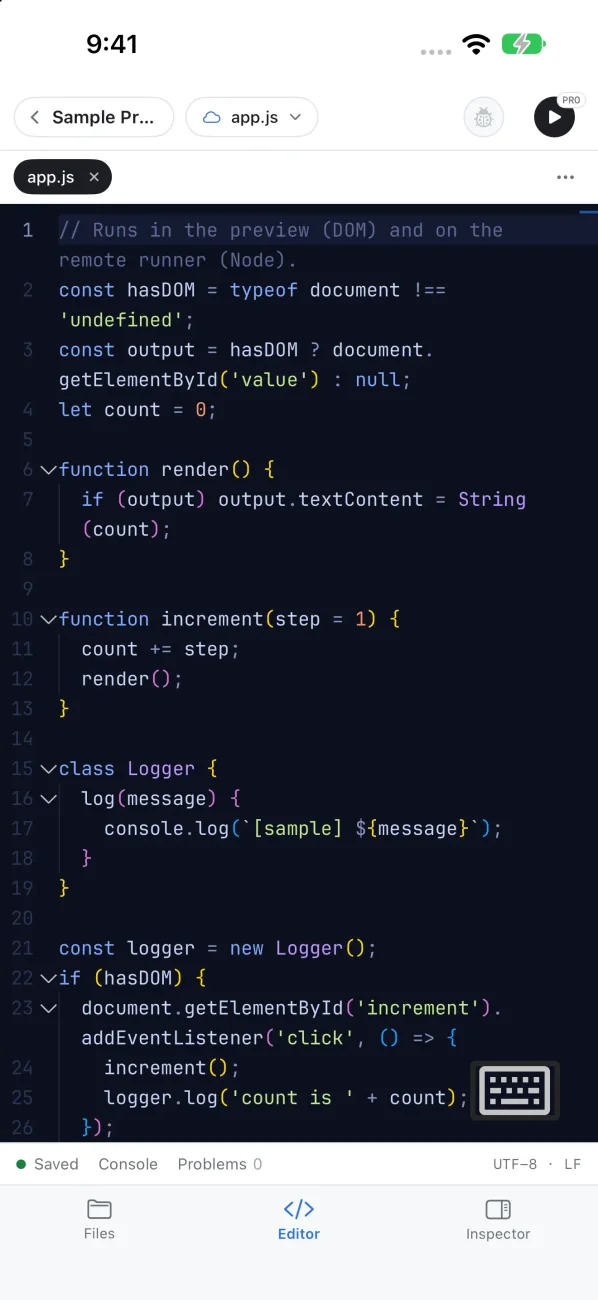
About
Write code, run Python and preview web pages on iPhone and iPad. Code Editor brings your scripts, websites, JSON and text files into one project workspace.
EDIT CODE AND TEXT
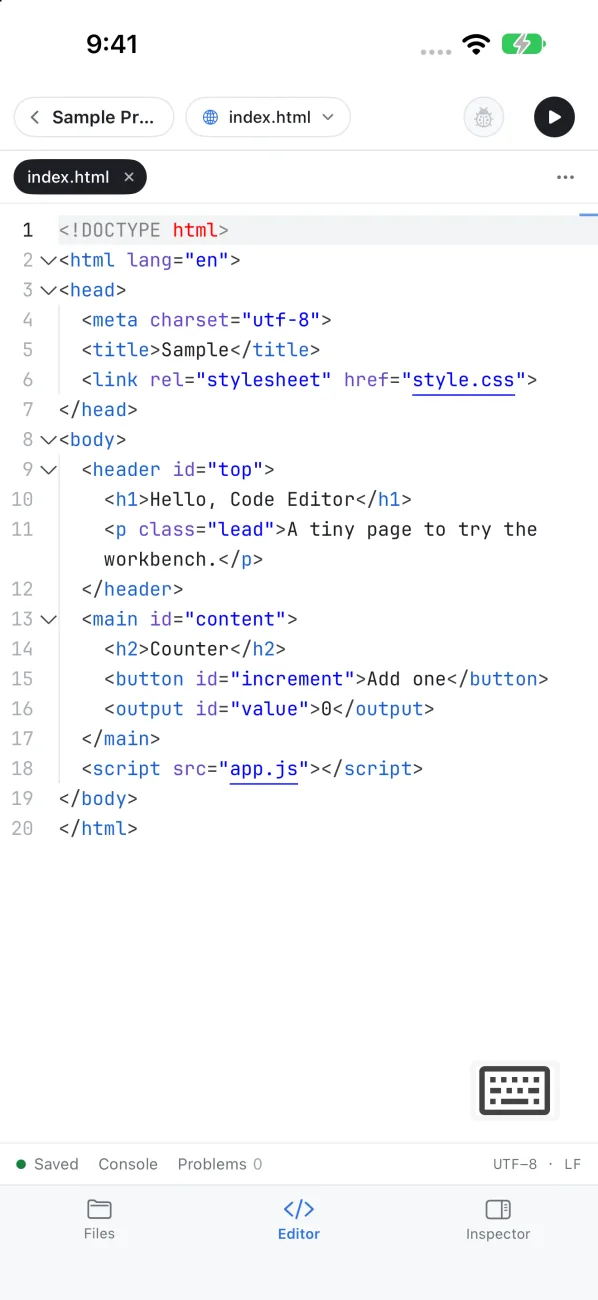
Work with Python, Markdown, JavaScript, TypeScript, HTML, CSS, JSON, PHP, XML and other text formats. Use syntax highlighting, code completion suggestions, find and replace, themes and adjustable fonts. Keep multiple files open and compare code in a split editor.
RUN PYTHON LOCALLY
Python is built into the app. Run scripts on your device and work with included libraries such as NumPy, pandas and matplotlib. Use the built-in debugger while developing your Python projects.
CREATE AND PREVIEW WEB PAGES
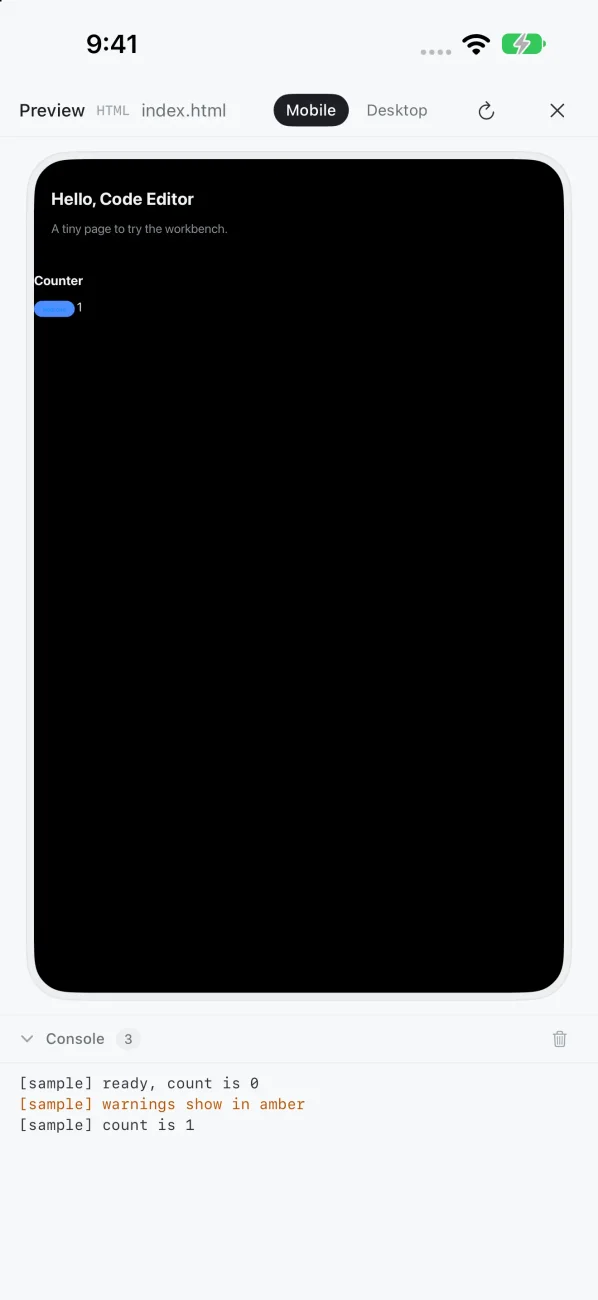
Write HTML, CSS and JavaScript and open the result in the web preview. Keep your page, styles and scripts together in a project so you can edit and test them in one workspace.
READ JSON AND PLAIN TEXT
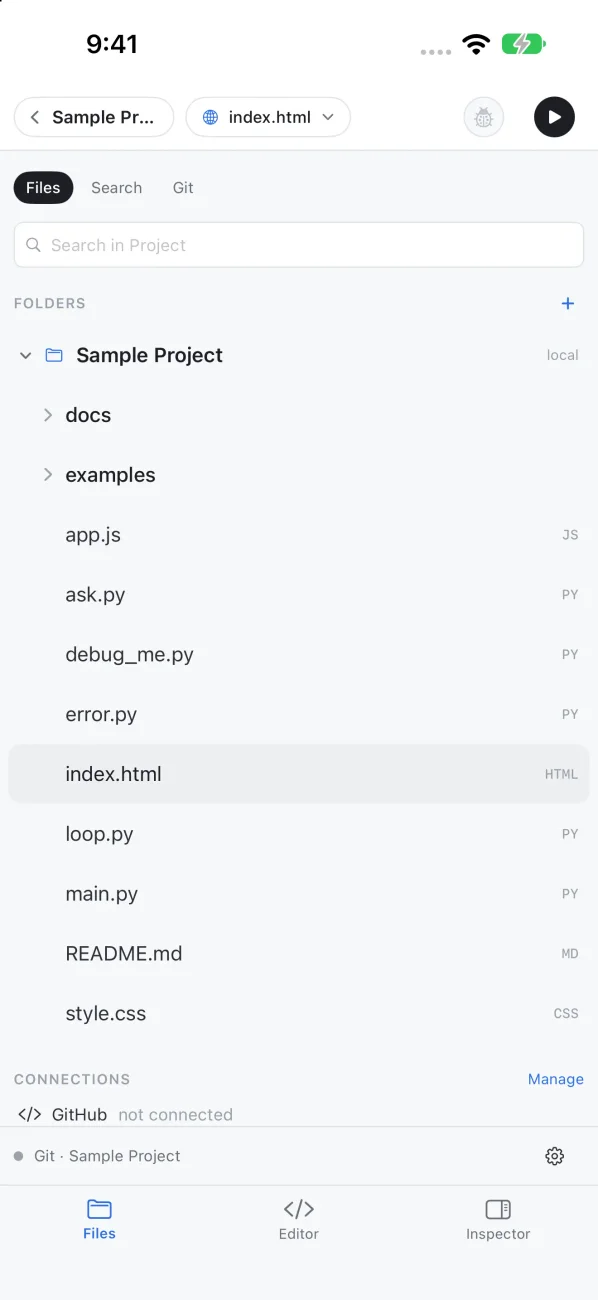
Open and edit JSON, XML, configuration and plain text files with syntax highlighting where supported. Work directly with file contents and organise related files into folders and projects.
WORK WITH CONNECTED FILES
Access projects through GitHub, SFTP, WebDAV and S3 connections. Use the project browser and search tools to move between files.
SIRI AND SHORTCUTS
Use Siri or the Shortcuts app to open New File, Projects and Settings in Code Editor on the device you are using. New File opens the normal file-creation flow so you can choose its name and location.
WIDGETS FOR PROJECTS AND ACTIONS
Add a Small or Medium widget to your Home Screen. Reopen a recent iCloud project or jump into the app to create a file or browse projects. Small shows one recent iCloud project; Medium shows up to three.
CHOOSE PROJECTS FOR ICLOUD
Create a new iCloud project or copy an existing project with local folders to iCloud Drive. Access those projects and their files in Code Editor on iPhone, iPad and Mac signed in to the same iCloud account. Only projects you explicitly create or copy to iCloud are stored there; other local and connected projects stay where they are. iCloud Drive must be enabled, and synchronisation depends on network availability.
FREE FEATURES AND PRO
The editor, themes, folders and projects, connections, embedded Python, web preview, debugger and split editor are free. A Pro subscription unlocks code execution on the remote runner. Remote execution requires an internet connection; it is separate from the built-in Python runtime and web preview.
Privacy Policy: https://www.iubenda.com/privacy-policy/81015424
Terms of Service: https://www.apple.com/legal/internet-services/itunes/dev/stdeula
What’s new
Version 27.0.2 · Nov 22, 2026
Bug fixes.
App privacy
What HurryApp LTD declares on the App Store about how this app handles data.
-
Data not collected
The developer does not collect any data from this app.
Privacy practices may vary, for example with the features you use or your age.
Information
- Seller
- HurryApp LTD
- Category
- Developer Tools
- Version
- 27.0.2
- Updated
- Nov 22, 2026
- Released
- Mar 1, 2023
- Size
- 126.5 MB
- Requires
- iOS 18.0 or later
- Age rating
- 4+
- Price
- Free
- In-app purchases
- Yes
- Languages
- English, Danish, Dutch, Finnish, French, German, Greek, Italian, Japanese, Korean, Norwegian Bokmål, Polish + 5 more
- Copyright
- © RF 2023
You might also like
-
 CodeMaster - Mobile Coding IDECode Editor & Compile SFTP SSH
-
 NeoServer SSH Mosh TerminalSFTP Client Docker Monitor Cli
-
 ServerCat - SSH Terminal & VPSDeveloper Tools
-
 La Terminal: Mosh & SSH ClientSFTP, Files + AI Agent Remote
-
 Python IDE & Jupyter – JunoPython 3 compiler & notebooks
-
 Spider Proxy - HTTP(S) CatcherHTTP(S) Catcher,Rewrite,Replay
-
 Stream HTTP SnifferHTTP Sniffer / Request Replay
-
 Hodor - HTTP(s) Packet SnifferFlutter Capture & API Testing
-
 SQLPro Studio: SQL DatabaseMySQL, Postgres & SQL Server
-
 WiFi Tester & Network AnalyzerInternet & Cellular Scanner