
CodePaw: Learn to Code
Build websites, apps and games
Dirancang untuk iPhone, iPad, Mac
- Batasan usia4+
- KategoriPendidikan
- PengembangChristopher Vanderplank
- BahasaInggris
- Ukuran448,6 MB
CodePaw: Learn to Code mungkin sedang tidak tersedia di App Store
Halaman di toko tidak dapat dijangkau saat terakhir kami periksa. Tautan tetap mengarah ke halaman resmi App Store.
Tangkapan layar
Tentang
Pengembang belum menyediakan teks ini dalam bahasa Anda.
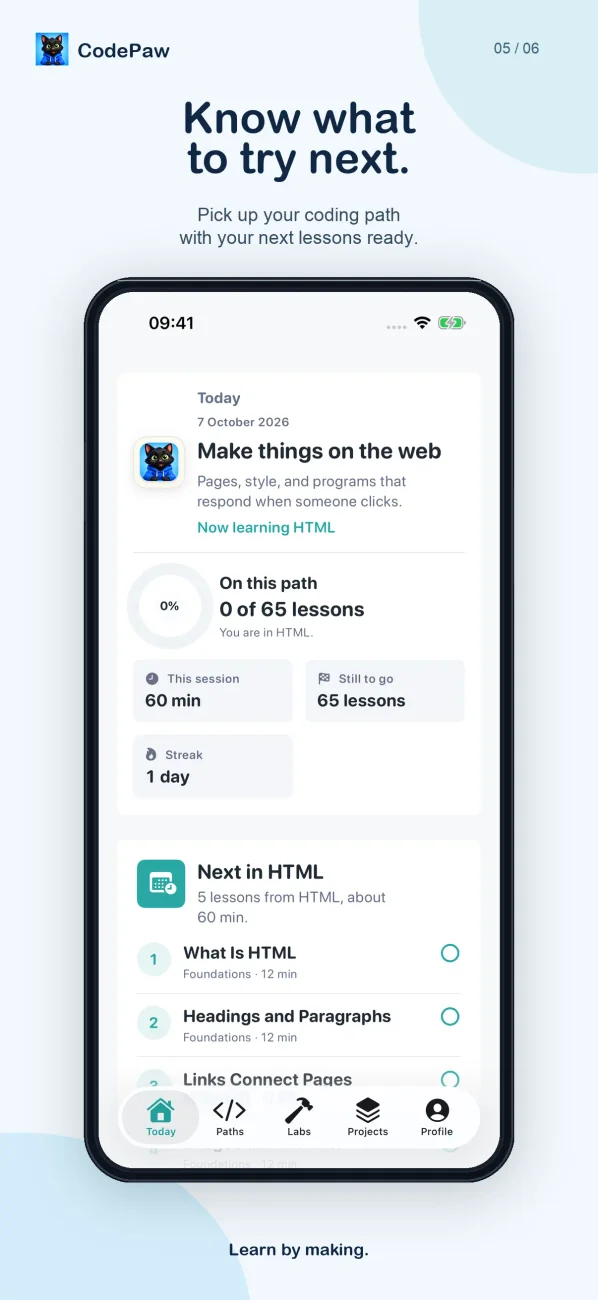
Learn to code by making things with CodePaw. Follow a coding path, try a guided lab and build projects of your own on iPhone, iPad and Mac.
Every coding path, lesson, lab and project workspace is free. No subscriptions, in-app purchases, sign-up or ads.
FIVE CODING PATHS
Make things on the web, learn Python, build apps with Swift, work with information and learn how to build software well. Explore HTML, CSS, JavaScript, Python, Swift, SQL, algorithms, testing, Git and software design.
BUILD, RUN AND EXPERIMENT
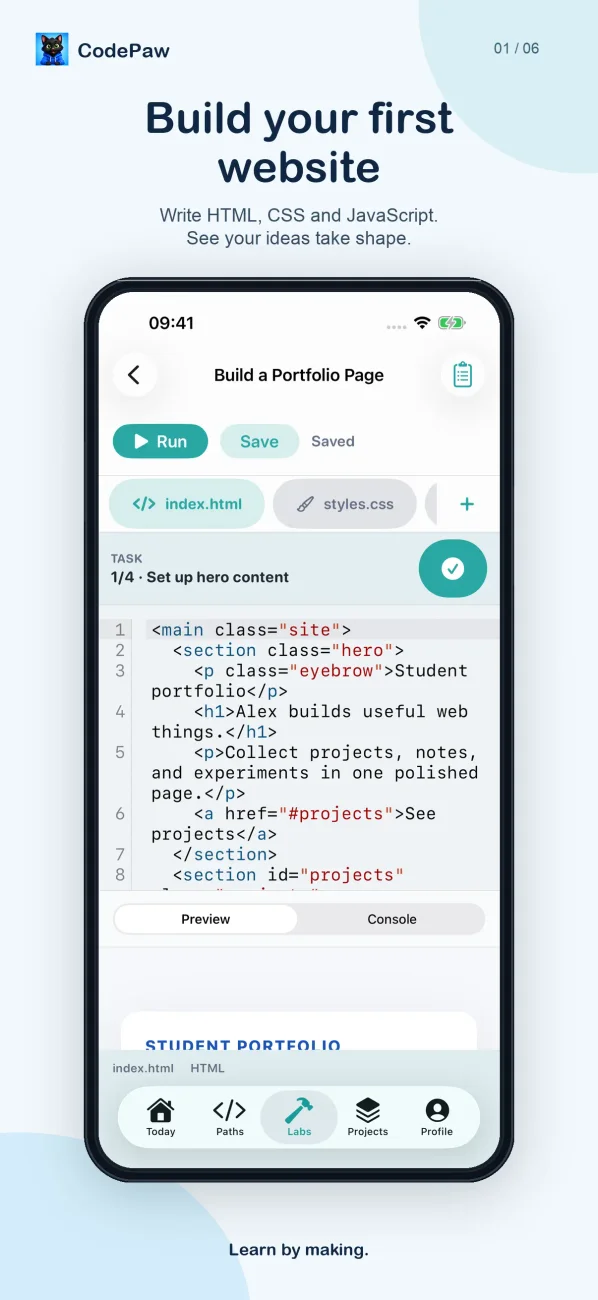
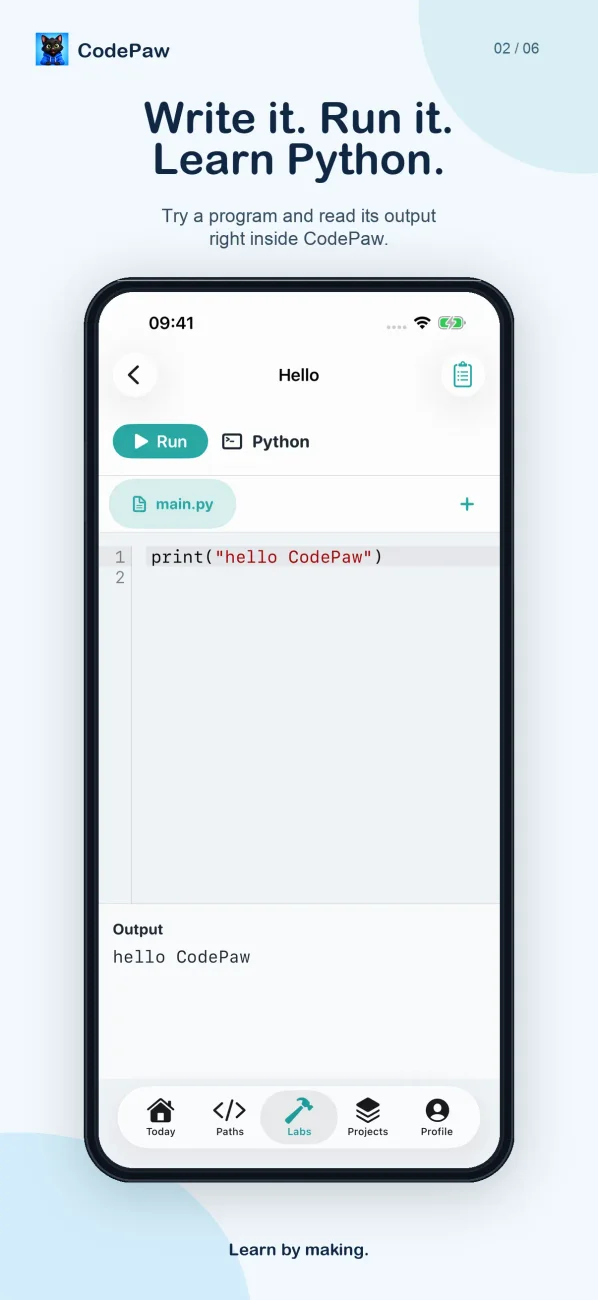
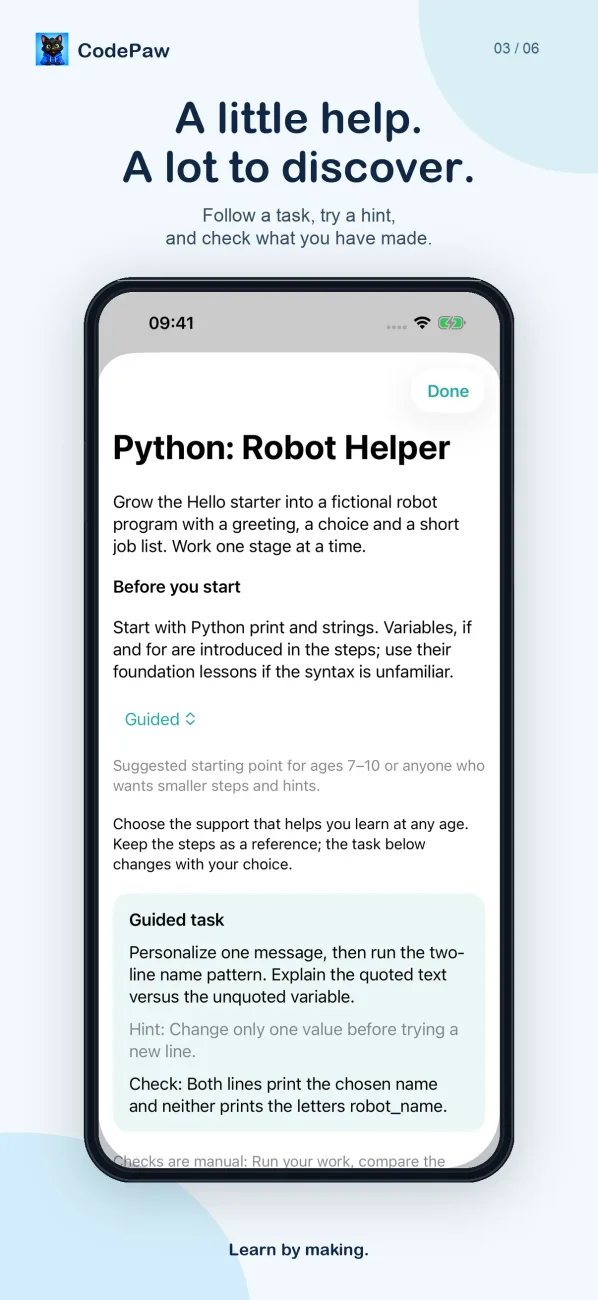
Write and preview websites, run Python, try Swift with a screen preview, and query data with SQL. Guided web projects help you plan, predict, build, fix bugs and make your own design decisions.
LABS AND YOUR OWN PROJECTS
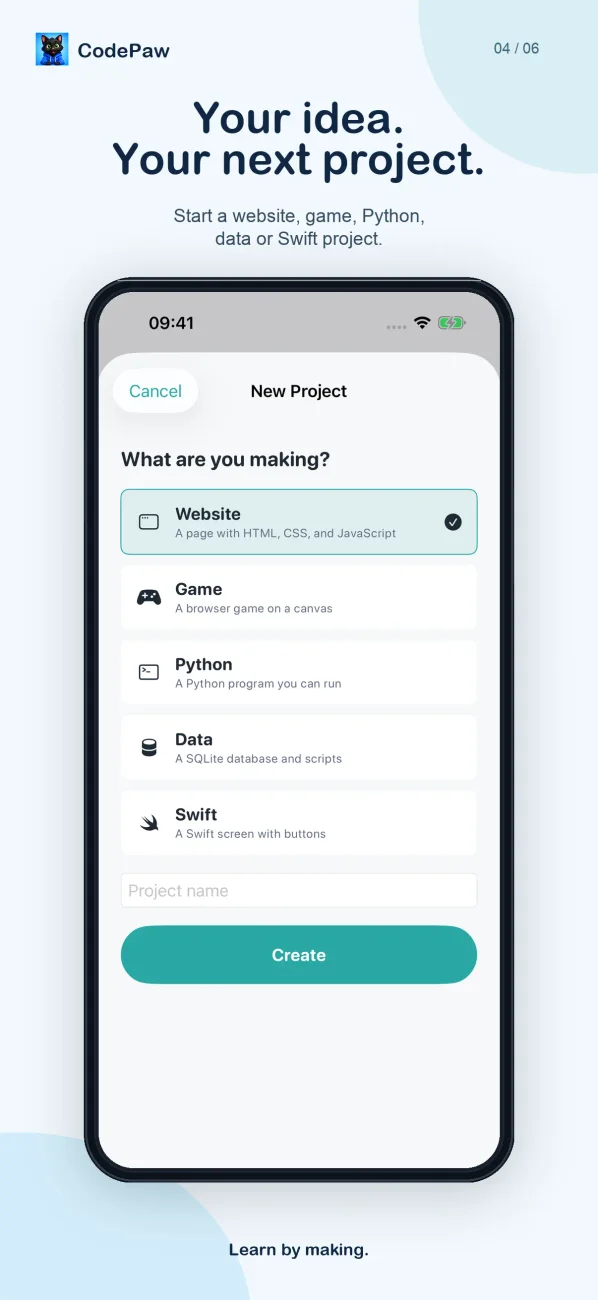
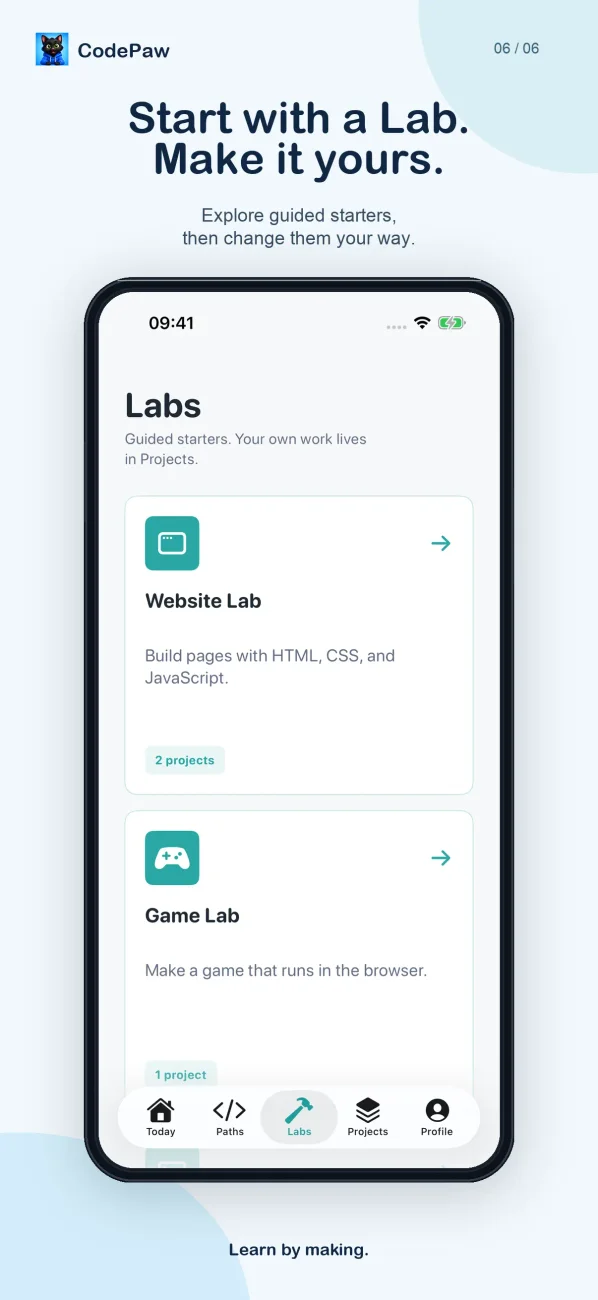
Start with a Website, Game, Python, Data or Swift lab. When you have an idea of your own, create a project in a blank workspace and keep developing it.
A CLEAR NEXT STEP
Today keeps you with the path and course you are already taking. Pick up the next lesson, see your progress and return to the projects you are building.
PRACTISE AND REFLECT
Use quizzes, flashcards and course notebooks to revisit what you have learned. Track completed lessons and earn private course certificates.
PRIVATE BY DESIGN
CodePaw needs no account. Learning data is stored on your device and can sync through your private iCloud account when available. Installed lessons and coding work without Apple Intelligence.
OPTIONAL ON-DEVICE HELP
On compatible devices, Apple Intelligence offers coding conversations and lesson help. AI features require an eligible age status and device support. AI responses can make mistakes, so check important information with a trusted adult or source.
CodePaw 2.0 focuses entirely on coding. The previous school-subject lessons are no longer included.
Privacy Policy: https://codepaw.app/privacy-policy.html
Terms of Use: https://www.apple.com/legal/internet-services/itunes/dev/stdeula/
Yang baru
Versi 2.0.0 · 20/10/2026
CodePaw is now completely free and focused on coding.
- Every coding path, lesson, lab and project workspace is included, with no subscription or in-app purchases.
- Follow five paths: the web, Python, Swift, information and building software well.
- Start with guided Website, Game, Python, Data and Swift labs, or create a project of your own.
- Today keeps you with the path and course you are already taking.
- The previous maths and other school-subject lessons have been removed.
Privasi aplikasi
Yang dinyatakan Christopher Vanderplank di App Store tentang cara aplikasi ini menangani data.
-
Data tidak dikumpulkan
Pengembang tidak mengumpulkan data apa pun dari aplikasi ini.
Praktik privasi dapat bervariasi, misalnya berdasarkan fitur yang Anda gunakan atau usia Anda.
Informasi
- Penjual
- Christopher Vanderplank
- Kategori
- Pendidikan
- Versi
- 2.0.0
- Diperbarui
- 20/10/2026
- Dirilis
- 8/4/2026
- Ukuran
- 448,6 MB
- Memerlukan
- iOS 26.0 atau yang lebih baru
- Batasan usia
- 4+
- Bahasa
- Inggris
- Hak cipta
- © 2026 Chris Vanderplank Intrepid-Developer
Mungkin Anda juga suka
-
 Spaced Learning - FikraPendidikan
-
 Vokibi: Learn English WordsPendidikan
-
 My Driving Instructor JourneyPendidikan
-
 ClearRead - Dyslexia ReaderPendidikan
-
 PidginPalPendidikan
-
 Learn Electronics & ArduinoPendidikan
-
 Learn Portuguese with ReWordPendidikan
-
 Phonics, reading kindergartenPendidikan
-
 German language for kids FunPendidikan
-
 Learn & Code: CodenQuestPendidikan