DexoPad
HID Remote for Any Computer
Dirancang untuk iPhone, iPad, iPod touch
Gratis
- Batasan usia4+
- KategoriKegunaan
- PengembangPalmblock Technology Co., Limited
- BahasaInggris
- Ukuran31,1 MB
Tertaut ke halaman resmi App Store
Download.org tidak menyimpan file DexoPad apa pun. Tombol ini membuka halaman aplikasi di App Store, tempat Palmblock Technology Co., Limited menerbitkannya. Halaman terakhir diperiksa pada 16/11/2026.
Tangkapan layar

Tentang
Pengembang belum menyediakan teks ini dalam bahasa Anda.
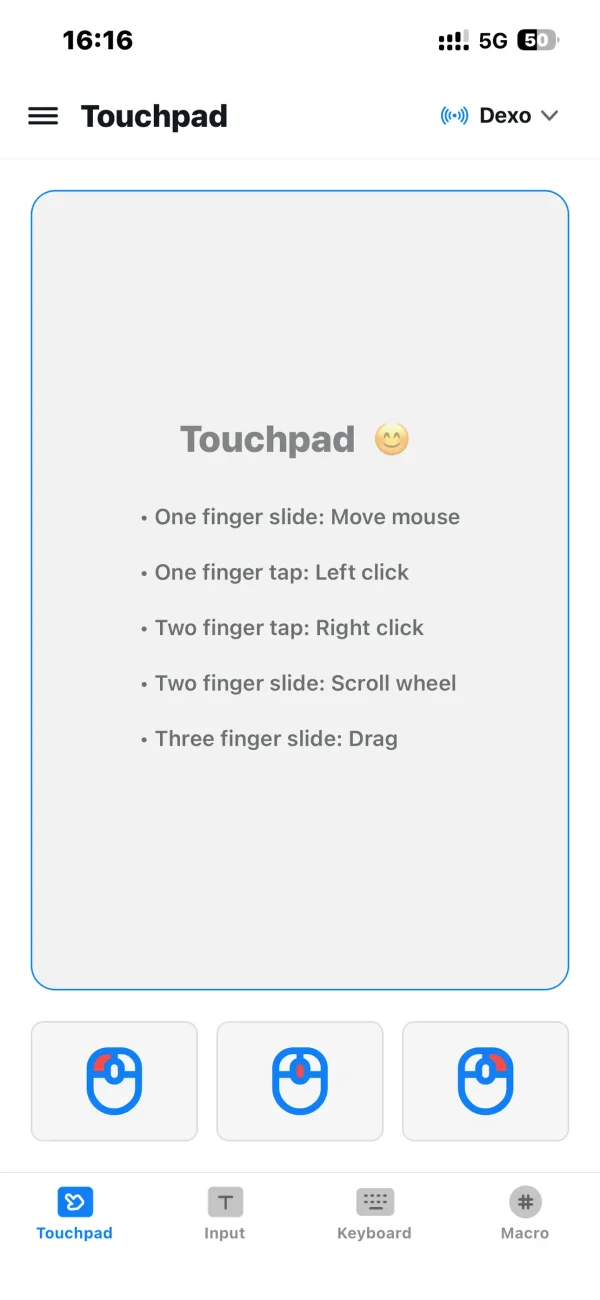
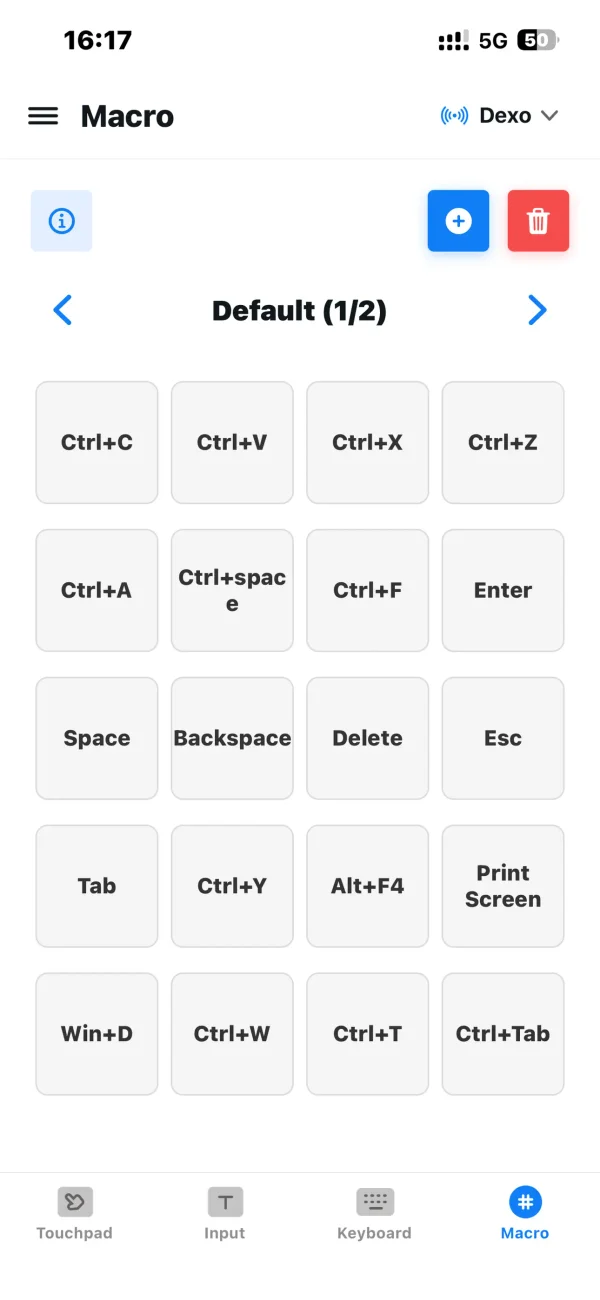
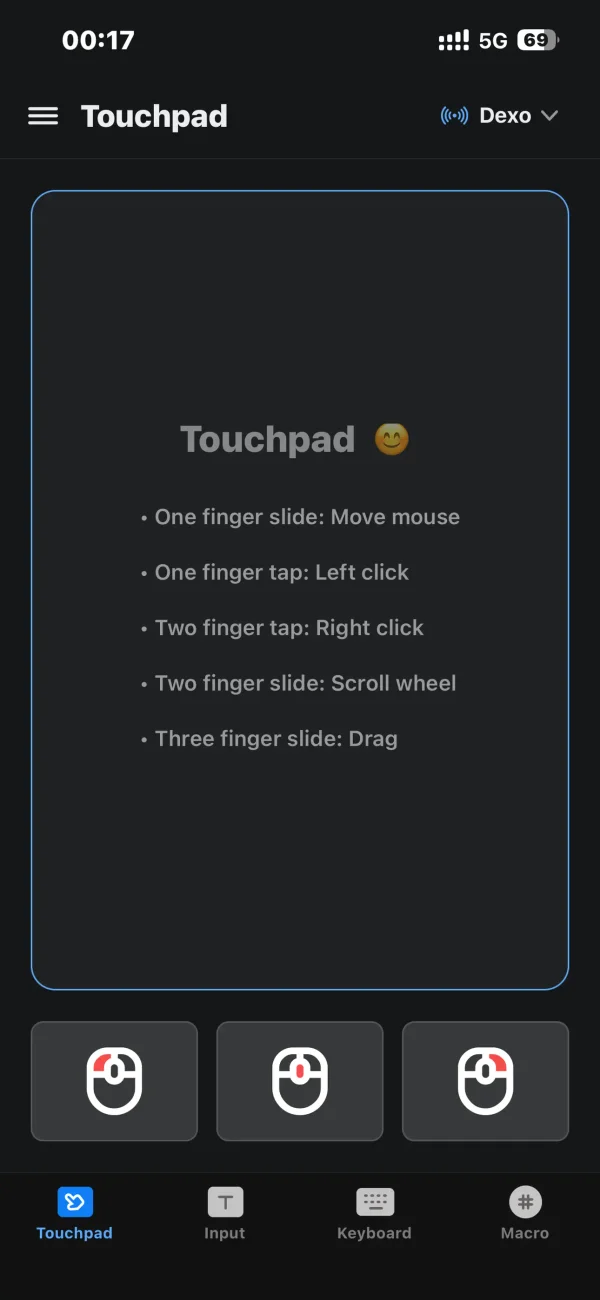
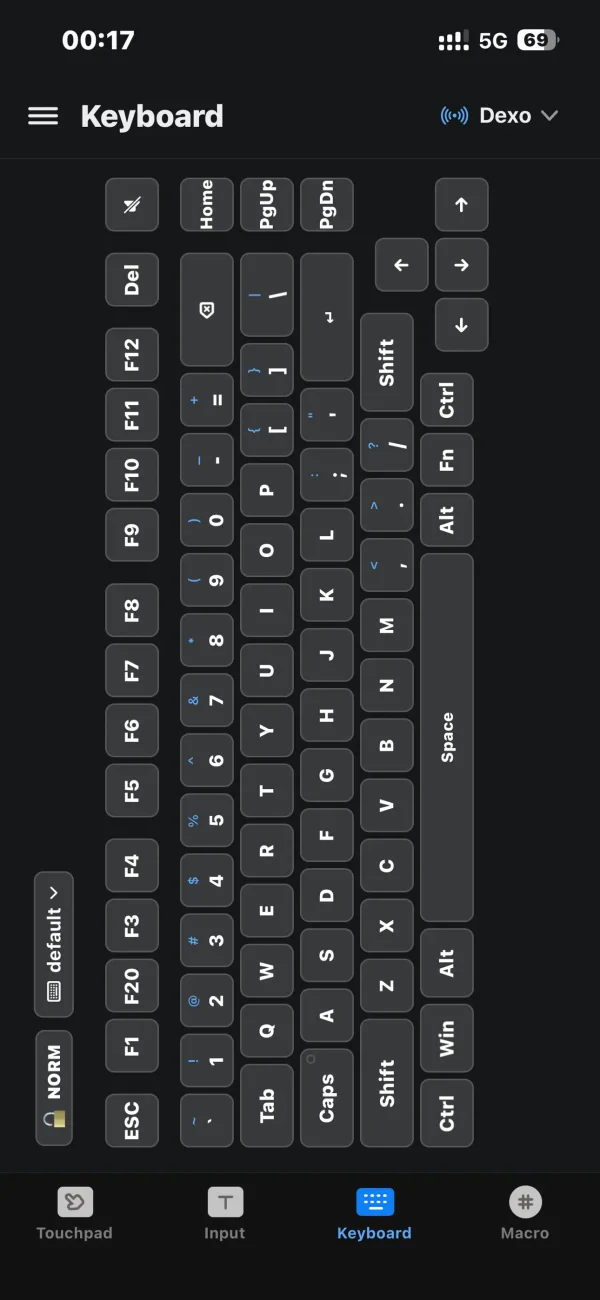
DexoPad is a companion app for the DexoPad hardware dongle — a wireless BLE-to-USB HID bridge that turns your iPhone or iPad into a keyboard, trackpad, and shortcut controller for any computer. The DexoPad dongle (sold separately) plugs into your target computer's USB port and communicates with the app over Bluetooth Low Energy — no drivers, no companion software, no network configuration required.
Because the DexoPad dongle presents itself to your computer as a standard USB keyboard and mouse (HID), it works everywhere: Windows, macOS, Linux, ChromeOS, and even at the BIOS/UEFI level before any operating system boots. Type into BIOS setup, navigate boot menus, unlock encrypted drives, or run keyboard-only servers — DexoPad works when nothing else can.
Key features:
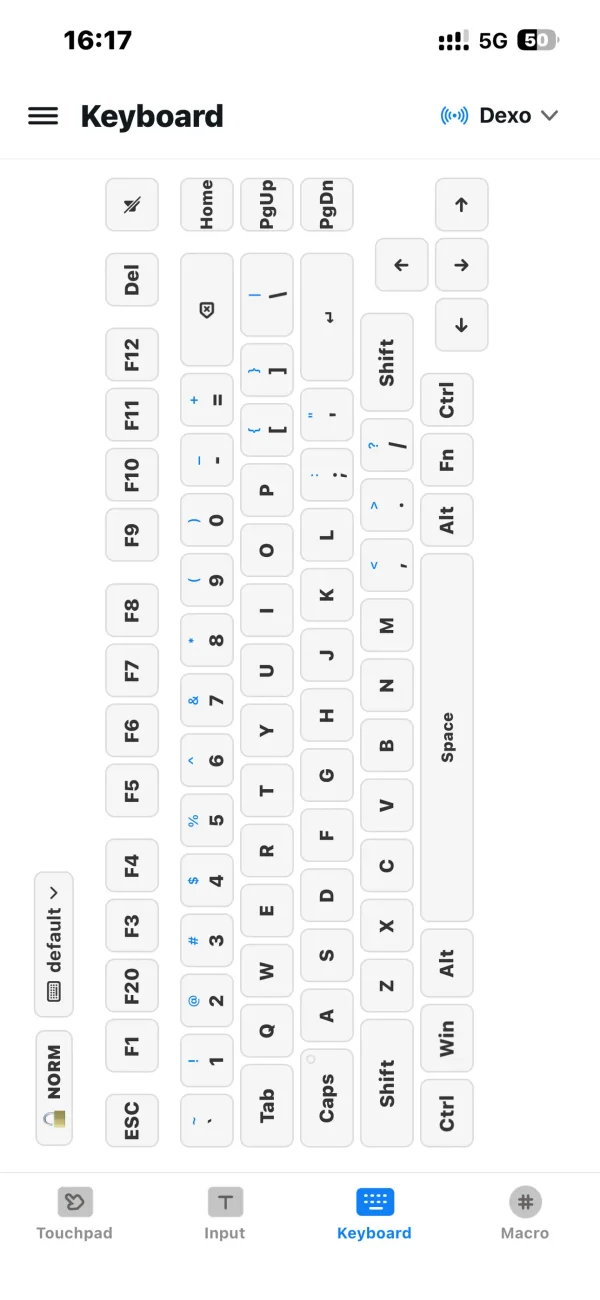
• Full keyboard input with modifier combos: Ctrl+C, Cmd+V, Ctrl+Alt+Del, Win+R, and every F-key (F1–F12) plus arrow, Home/End, PageUp/Down, and Insert/Delete.
• Precision touchpad with two-finger scroll, tap-to-click, drag, and left/right/middle mouse buttons.
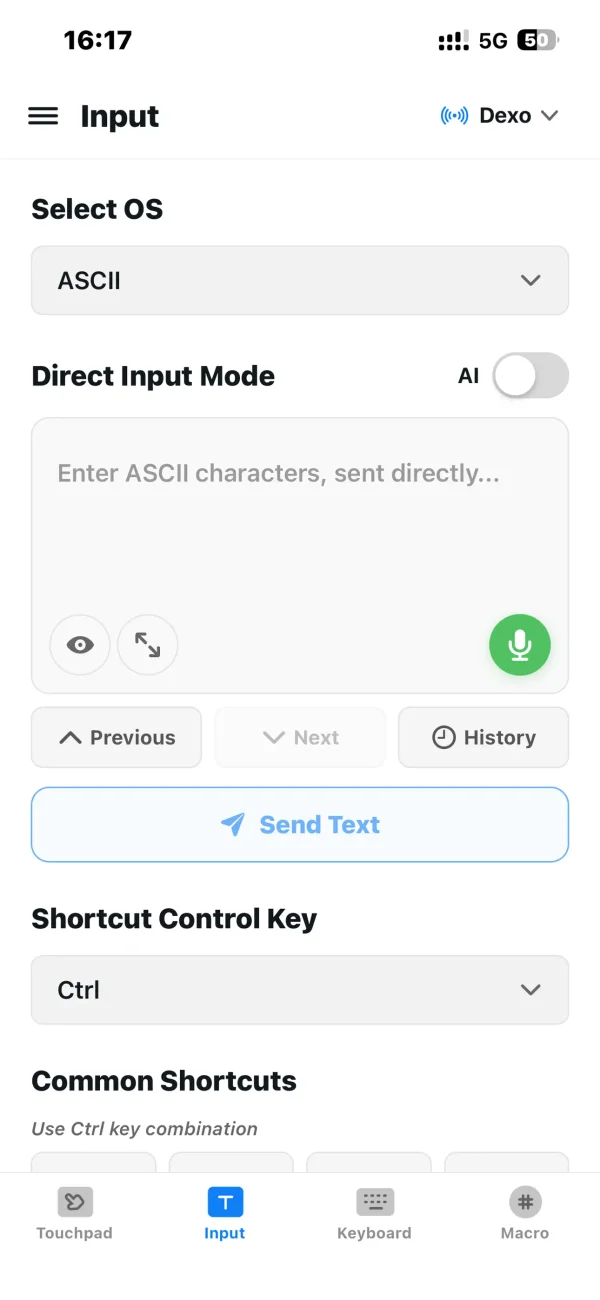
• Multi-OS Unicode input: Type Chinese, Japanese, Korean, emoji, and other Unicode characters into any target OS — DexoPad handles keyboard layout translation for Windows (Alt+Numpad), macOS (Unicode Hex Input), and Linux (Ctrl+Shift+U).
• ASCII mode for pre-OS environments: Send raw HID scancodes when no IME is available (BIOS, GRUB, recovery consoles, embedded systems).
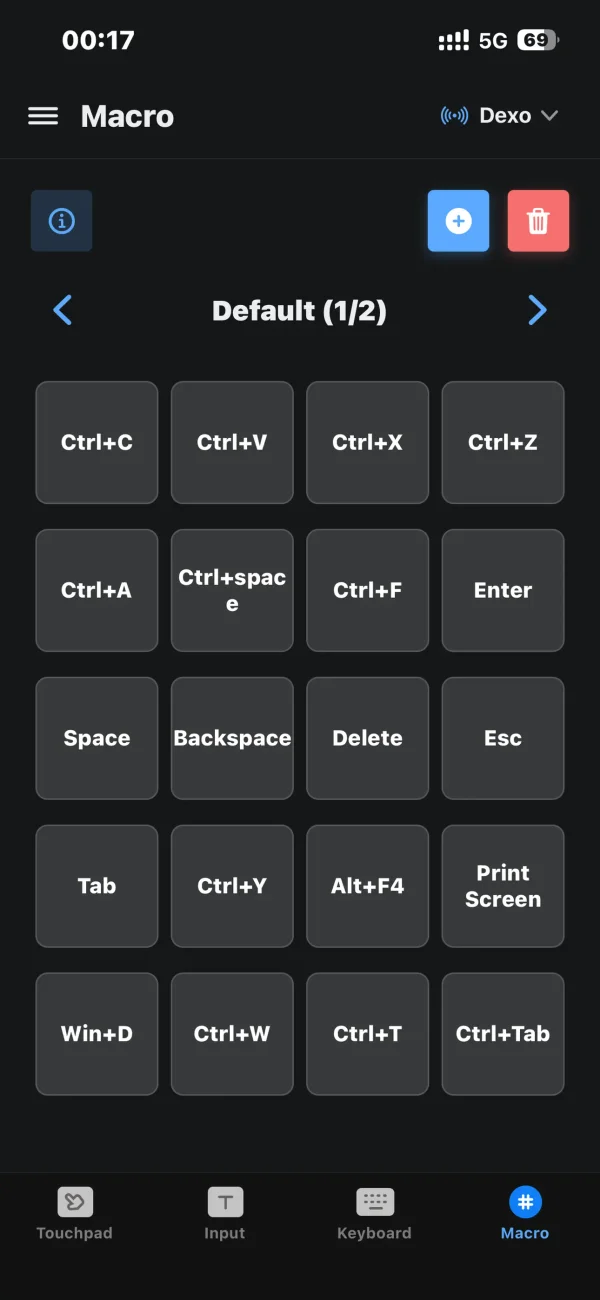
• Custom shortcut buttons: Save your favorite key combinations as one-tap actions.
• Low-latency BLE: Real-time typing and pointer control over Bluetooth.
• Multi-device pairing: Manage several DexoPad dongles from one iPhone.
Perfect for:
• Remote IT support and system administration
• Developers working with headless machines and embedded devices
• Presenters who need a discrete, wireless remote
• Anyone who wants their phone to double as a keyboard/mouse for a nearby computer
Privasi aplikasi
Yang dinyatakan Palmblock Technology Co., Limited di App Store tentang cara aplikasi ini menangani data.
-
Data yang ditautkan dengan Anda
Dapat dikumpulkan dan ditautkan dengan identitas Anda.
- Info kontak
- Pengenal
- Data penggunaan
-
Data yang tidak ditautkan dengan Anda
Dapat dikumpulkan, tetapi tidak ditautkan dengan identitas Anda.
- Pengenal
- Diagnostik
Praktik privasi dapat bervariasi, misalnya berdasarkan fitur yang Anda gunakan atau usia Anda.
Informasi
- Penjual
- PalmBlock Technology Co., Limited
- Kategori
- Kegunaan
- Versi
- 1.0
- Diperbarui
- 13/8/2026
- Dirilis
- 13/8/2026
- Ukuran
- 31,1 MB
- Memerlukan
- iOS 15.1 atau yang lebih baru
- Batasan usia
- 4+
- Harga
- Gratis
- Bahasa
- Inggris
- Hak cipta
- © 2026 PalmBlock Technology Co., Limited
Mungkin Anda juga suka
-
 MakaGiC L7Kegunaan
-
 MyOwnKeyboard PHONEKegunaan
-
 Morrell NMSKegunaan
-
 Sidrion Pointer: TouchpadKegunaan
-
 PadKeysKegunaan
-
 Pocket Board Keyboard & MouseBluetooth, Trackpad & Angka
-
 MeshView - 3D & VR ViewerKegunaan
-
 TranslateOff:Local AI modelKegunaan
-
 Simple Ruler inch/cmKegunaan
-
 Life Recorder: Rekam masa laluPerekam suara retroaktif