- Batasan usia4+
- KategoriProduktivitas
- PengembangSeunghwa BAEK
- Ukuran4,8 MB
Tertaut ke halaman resmi App Store
Download.org tidak menyimpan file DingLoop - Loop Timer apa pun. Tombol ini membuka halaman aplikasi di App Store, tempat Seunghwa BAEK menerbitkannya. Halaman terakhir diperiksa pada 12/11/2026.
Tangkapan layar

Tentang
Pengembang belum menyediakan teks ini dalam bahasa Anda.
DingLoop is a loop alarm app that makes repeating alarms simple to set up and keep going.
With an intuitive dial, color buttons and drag-and-drop, you can build your own alarm loop without any complicated setup.
It's a great fit for anything that runs on a steady rhythm — studying, workouts, work routines, breaks, stretching or cooking.
1. **Non-stop repeating alarms**
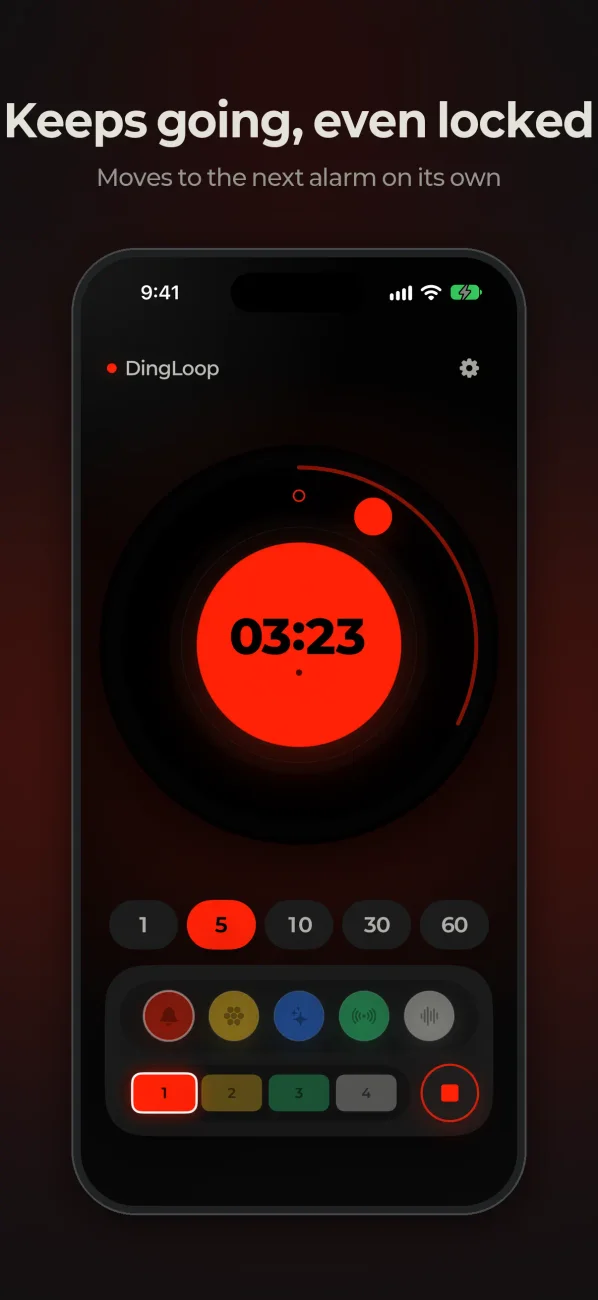
Alarms sound at the interval you set and move on to the next one automatically — no Stop button needed. The loop keeps repeating until you stop it, even when the screen is off, the iPhone is locked, or you're using another app.
2. **Five alarm sounds**
Choose from red (Ding), yellow (Pop), blue (Chime), green (Beep), and your own recorded voice (Voice). Each sound keeps its own interval, set in minutes or seconds (up to 360) in Settings.
3. **Your own alarm loop**
Drag alarm buttons into the loop box below to repeat up to 4 alarms in order. For example, the red alarm is followed by the yellow one, then the blue one, and around again.
4. **Start with the Play button**
Tap the Play button beside the loop box to start from the first slot. While the loop runs, the slot that plays next is highlighted so you can follow along at a glance.
5. **Your voice as an alarm**
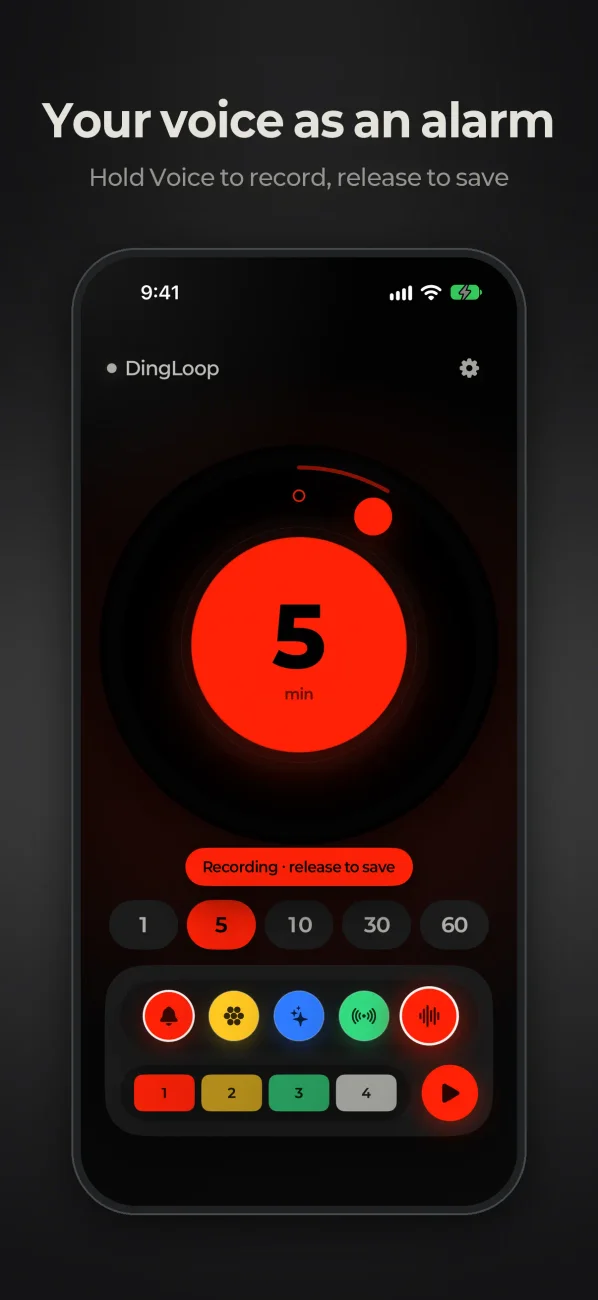
Press and hold the Voice button to record, and release to save (up to 10 seconds). Your recorded voice can join the loop like any other alarm.
6. **Lock Screen and Dynamic Island**
See the running loop on the Lock Screen and in the Dynamic Island. Swipe it away to stop the loop right away.
7. **Korean / English**
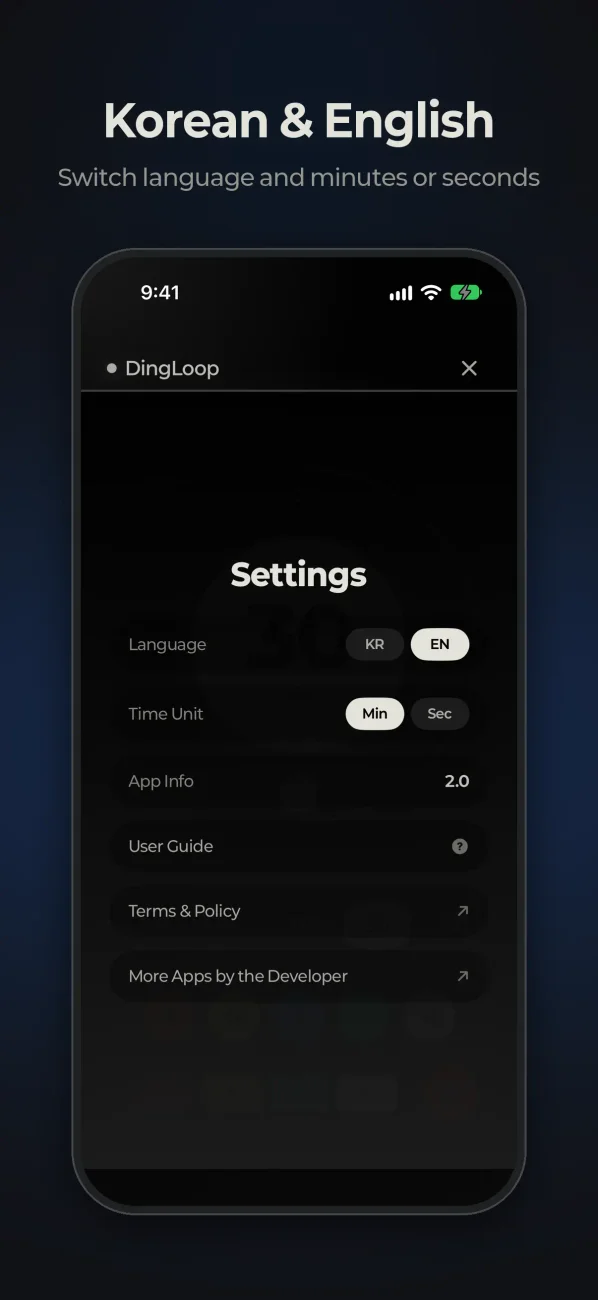
Switch the app's language anytime in Settings.
※ Alarm sounds follow your media volume, not your ringer volume. They play in Silent mode, but not with media volume at zero. Quitting the app completely also stops the loop.
Yang baru
Versi 2.0 · 29/10/2026
DingLoop 2.0
• One simple mode: the loop keeps going until you stop it, even when the screen is off or you're using another app.
• New Beep sound — you can now use five sounds: Ding, Pop, Chime, Beep and Voice.
• Put up to 4 sounds in the loop box, then tap the Play button to play them in order from slot 1.
• While the loop runs, the slot that plays next is highlighted.
• Press and hold the Voice button to record your own voice as an alarm.
• See the loop on the Lock Screen and in the Dynamic Island, and swipe it away to stop it right away.
• Settings now open from the icon at the top right, and the user guide has been refreshed.
Privasi aplikasi
Yang dinyatakan Seunghwa BAEK di App Store tentang cara aplikasi ini menangani data.
-
Data yang tidak ditautkan dengan Anda
Dapat dikumpulkan, tetapi tidak ditautkan dengan identitas Anda.
- Konten pengguna
Praktik privasi dapat bervariasi, misalnya berdasarkan fitur yang Anda gunakan atau usia Anda.
Informasi
- Penjual
- Seunghwa BAEK
- Kategori
- Produktivitas
- Versi
- 2.0
- Diperbarui
- 29/10/2026
- Dirilis
- 1/6/2026
- Ukuran
- 4,8 MB
- Memerlukan
- iOS 26.0 atau yang lebih baru
- Batasan usia
- 4+
- Harga
- Gratis
- Hak cipta
- © 2026 DingLoop. All rights reserved.
Mungkin Anda juga suka
-
 Cycler - Interval ReminderProduktivitas
-
 Timer interval & pengulanganInterval timer & reminders
-
 Zen Pomodoro & Flow TimerProduktivitas
-
 SmartLoop TimerProduktivitas
-
 DoBeDoBeProduktivitas
-
 Rerun TimerProduktivitas
-
 Capsla: Timer Pomodoro & FokusBelajar & Blokir Aplikasi
-
 TaskTimer: Reminders & AlarmsProduktivitas
-
 TimeCountsProduktivitas
-
 Blobodoro: Pomodoro TimerProduktivitas