- Độ tuổi4+
- Danh mụcHiệu Suất
- Nhà phát triểnSeunghwa BAEK
- Kích thước4,8 MB
Liên kết đến trang App Store chính thức
Download.org không lưu trữ tệp nào của DingLoop - Loop Timer. Nút này mở trang ứng dụng trên App Store, nơi Seunghwa BAEK phát hành ứng dụng. Trang được kiểm tra lần cuối: 12/11/2026.
Ảnh chụp màn hình

Giới thiệu
Nhà phát triển chưa cung cấp nội dung này bằng ngôn ngữ của bạn.
DingLoop is a loop alarm app that makes repeating alarms simple to set up and keep going.
With an intuitive dial, color buttons and drag-and-drop, you can build your own alarm loop without any complicated setup.
It's a great fit for anything that runs on a steady rhythm — studying, workouts, work routines, breaks, stretching or cooking.
1. **Non-stop repeating alarms**
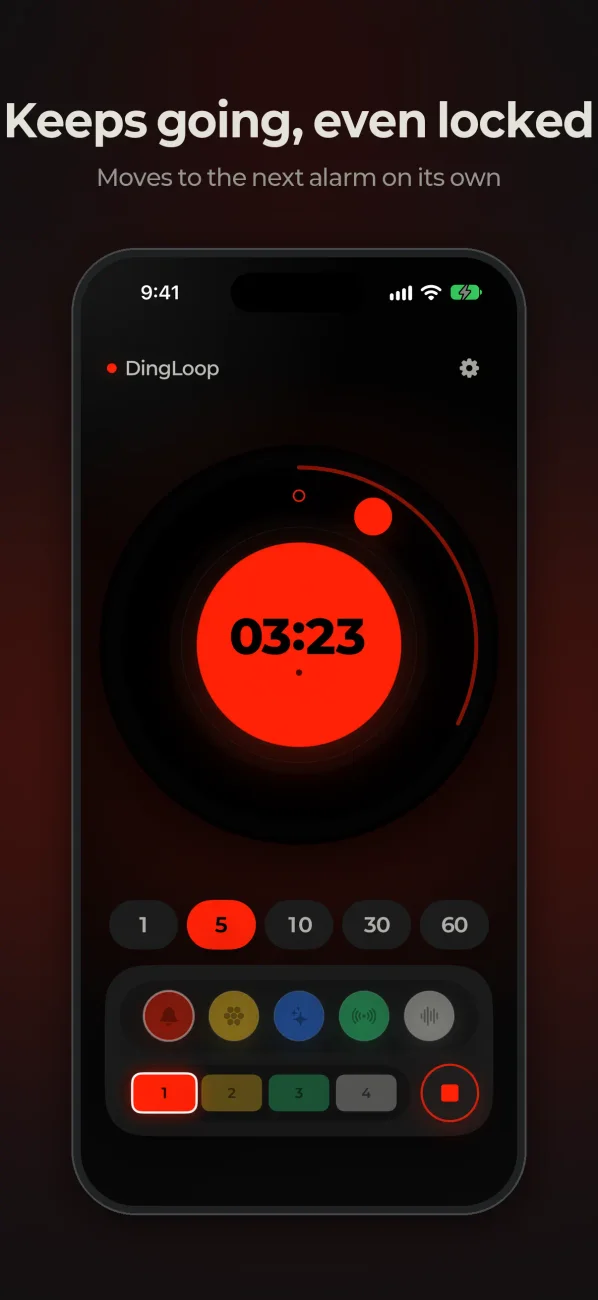
Alarms sound at the interval you set and move on to the next one automatically — no Stop button needed. The loop keeps repeating until you stop it, even when the screen is off, the iPhone is locked, or you're using another app.
2. **Five alarm sounds**
Choose from red (Ding), yellow (Pop), blue (Chime), green (Beep), and your own recorded voice (Voice). Each sound keeps its own interval, set in minutes or seconds (up to 360) in Settings.
3. **Your own alarm loop**
Drag alarm buttons into the loop box below to repeat up to 4 alarms in order. For example, the red alarm is followed by the yellow one, then the blue one, and around again.
4. **Start with the Play button**
Tap the Play button beside the loop box to start from the first slot. While the loop runs, the slot that plays next is highlighted so you can follow along at a glance.
5. **Your voice as an alarm**
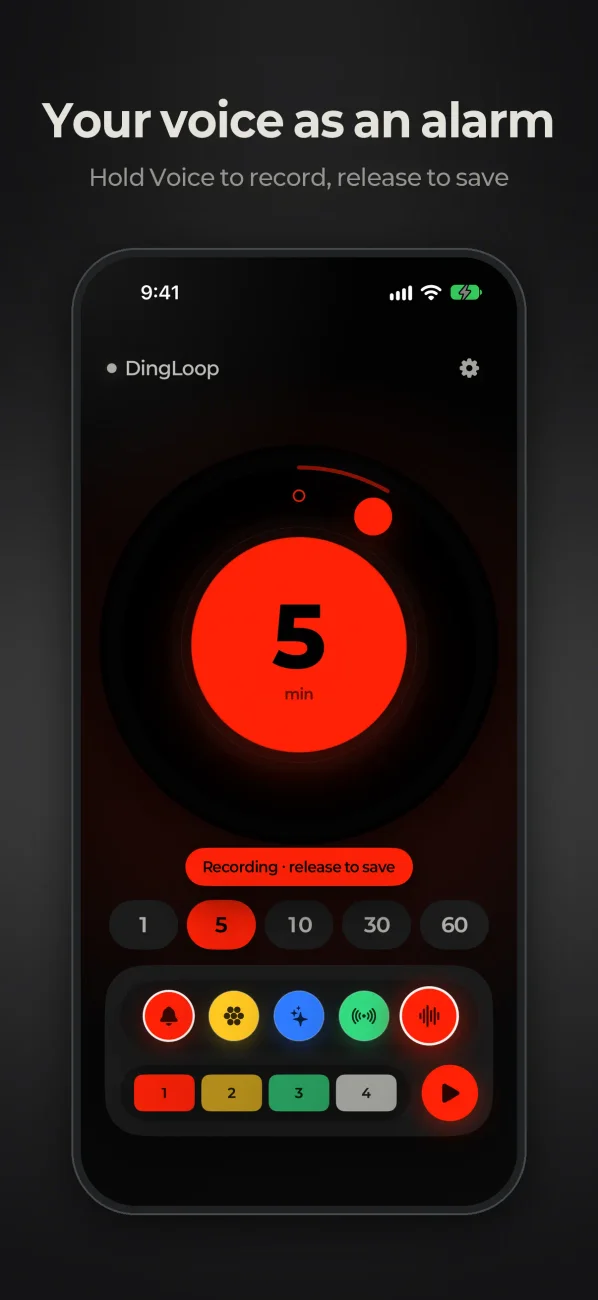
Press and hold the Voice button to record, and release to save (up to 10 seconds). Your recorded voice can join the loop like any other alarm.
6. **Lock Screen and Dynamic Island**
See the running loop on the Lock Screen and in the Dynamic Island. Swipe it away to stop the loop right away.
7. **Korean / English**
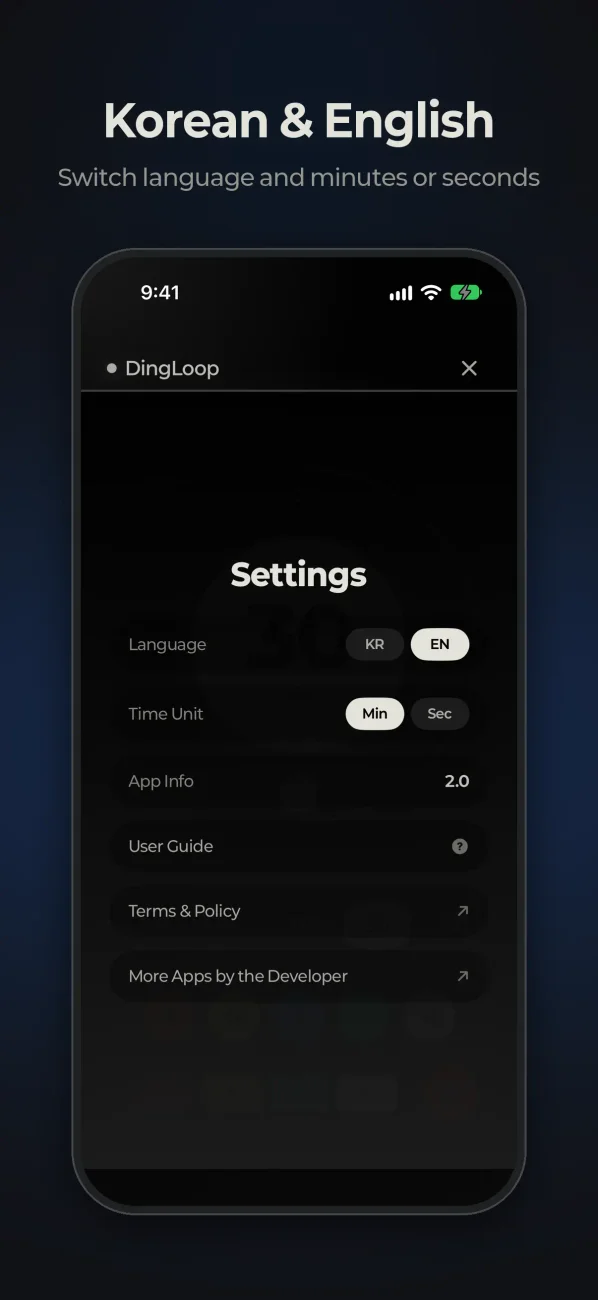
Switch the app's language anytime in Settings.
※ Alarm sounds follow your media volume, not your ringer volume. They play in Silent mode, but not with media volume at zero. Quitting the app completely also stops the loop.
Có gì mới
Phiên bản 2.0 · 29/10/2026
DingLoop 2.0
• One simple mode: the loop keeps going until you stop it, even when the screen is off or you're using another app.
• New Beep sound — you can now use five sounds: Ding, Pop, Chime, Beep and Voice.
• Put up to 4 sounds in the loop box, then tap the Play button to play them in order from slot 1.
• While the loop runs, the slot that plays next is highlighted.
• Press and hold the Voice button to record your own voice as an alarm.
• See the loop on the Lock Screen and in the Dynamic Island, and swipe it away to stop it right away.
• Settings now open from the icon at the top right, and the user guide has been refreshed.
Quyền riêng tư của ứng dụng
Những gì Seunghwa BAEK khai báo trên App Store về cách ứng dụng này xử lý dữ liệu.
-
Dữ liệu không liên kết với bạn
Có thể được thu thập nhưng không liên kết với danh tính của bạn.
- Nội dung của người dùng
Phương thức đảm bảo quyền riêng tư có thể khác nhau, chẳng hạn như tuỳ theo các tính năng bạn sử dụng hoặc độ tuổi của bạn.
Thông tin
- Người bán
- Seunghwa BAEK
- Danh mục
- Hiệu Suất
- Phiên bản
- 2.0
- Cập nhật
- 29/10/2026
- Phát hành
- 01/06/2026
- Kích thước
- 4,8 MB
- Yêu cầu
- iOS 26.0 trở lên
- Độ tuổi
- 4+
- Giá
- Miễn phí
- Bản quyền
- © 2026 DingLoop. All rights reserved.
Có thể bạn cũng thích
-
 Cycler - Interval ReminderHiệu Suất
-
 Hẹn giờ khoảng & lặp lạiInterval timer & reminders
-
 Zen Pomodoro & Flow TimerHiệu Suất
-
 SmartLoop TimerHiệu Suất
-
 DoBeDoBeỨng dụng quản lý mục tiêu
-
 Rerun TimerHiệu Suất
-
 Capsla: Pomodoro tập trungHẹn giờ học & chặn ứng dụng
-
 TaskTimer: Reminders & AlarmsHiệu Suất
-
 TimeCountsHiệu Suất
-
 Blobodoro: Pomodoro TimerHiệu Suất