DingLoop - Loop Timer
Focus & Routine Timer
iPhone için tasarlandı
Ücretsiz
- Yaş sınırı4+
- KategoriÜretkenlik
- GeliştiriciSeunghwa BAEK
- Boyut4,8 MB
Resmi App Store sayfasına bağlanır
Download.org, DingLoop - Loop Timer için hiçbir dosya barındırmaz. Düğme, uygulamanın App Store üzerindeki sayfasını açar; uygulamayı orada Seunghwa BAEK yayınlar. Sayfanın son kontrolü: 12.11.2026.
Ekran görüntüleri

Hakkında
Geliştirici bu metni dilinizde sunmamış.
DingLoop is a loop alarm app that makes repeating alarms simple to set up and keep going.
With an intuitive dial, color buttons and drag-and-drop, you can build your own alarm loop without any complicated setup.
It's a great fit for anything that runs on a steady rhythm — studying, workouts, work routines, breaks, stretching or cooking.
1. **Non-stop repeating alarms**
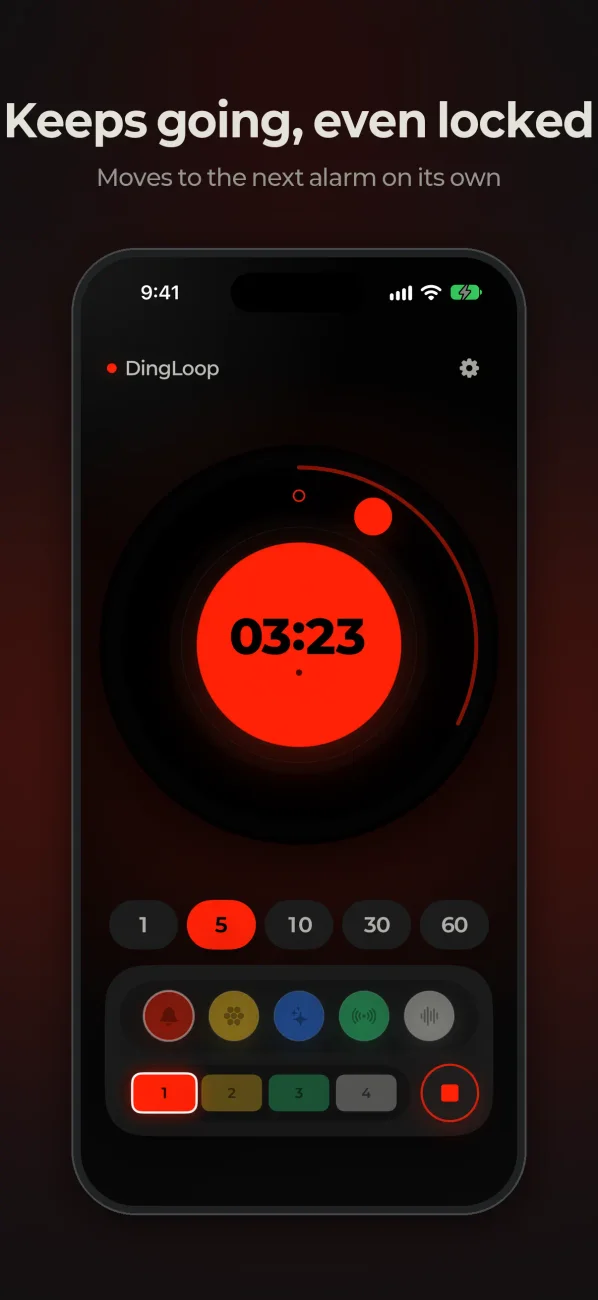
Alarms sound at the interval you set and move on to the next one automatically — no Stop button needed. The loop keeps repeating until you stop it, even when the screen is off, the iPhone is locked, or you're using another app.
2. **Five alarm sounds**
Choose from red (Ding), yellow (Pop), blue (Chime), green (Beep), and your own recorded voice (Voice). Each sound keeps its own interval, set in minutes or seconds (up to 360) in Settings.
3. **Your own alarm loop**
Drag alarm buttons into the loop box below to repeat up to 4 alarms in order. For example, the red alarm is followed by the yellow one, then the blue one, and around again.
4. **Start with the Play button**
Tap the Play button beside the loop box to start from the first slot. While the loop runs, the slot that plays next is highlighted so you can follow along at a glance.
5. **Your voice as an alarm**
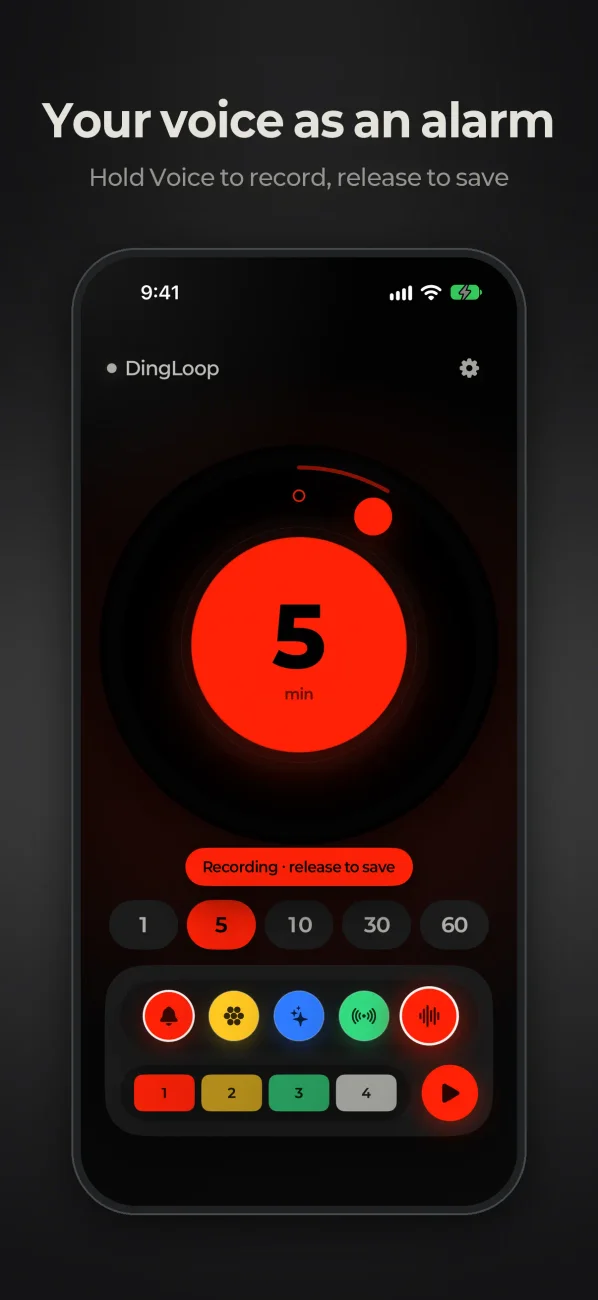
Press and hold the Voice button to record, and release to save (up to 10 seconds). Your recorded voice can join the loop like any other alarm.
6. **Lock Screen and Dynamic Island**
See the running loop on the Lock Screen and in the Dynamic Island. Swipe it away to stop the loop right away.
7. **Korean / English**
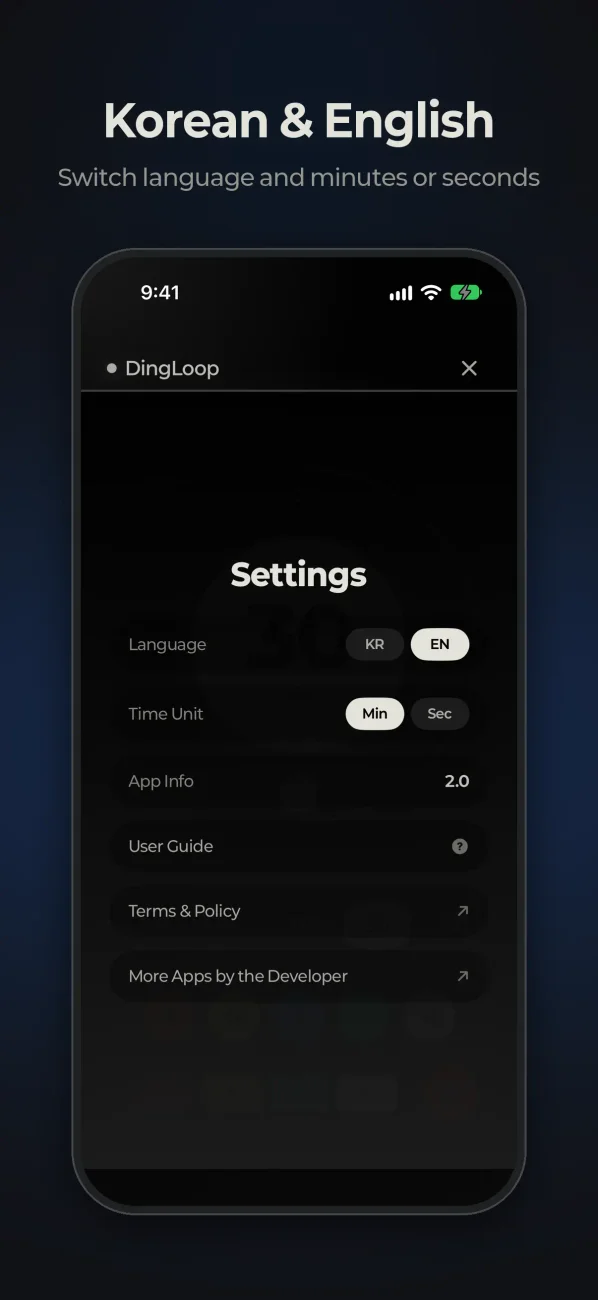
Switch the app's language anytime in Settings.
※ Alarm sounds follow your media volume, not your ringer volume. They play in Silent mode, but not with media volume at zero. Quitting the app completely also stops the loop.
Yenilikler
Sürüm 2.0 · 29.10.2026
DingLoop 2.0
• One simple mode: the loop keeps going until you stop it, even when the screen is off or you're using another app.
• New Beep sound — you can now use five sounds: Ding, Pop, Chime, Beep and Voice.
• Put up to 4 sounds in the loop box, then tap the Play button to play them in order from slot 1.
• While the loop runs, the slot that plays next is highlighted.
• Press and hold the Voice button to record your own voice as an alarm.
• See the loop on the Lock Screen and in the Dynamic Island, and swipe it away to stop it right away.
• Settings now open from the icon at the top right, and the user guide has been refreshed.
Uygulama gizliliği
Bu uygulamanın verileri nasıl işlediği hakkında Seunghwa BAEK tarafından App Store üzerinde yapılan beyan.
-
Sizinle ilişkilendirilmeyen veriler
Toplanabilir ancak kimliğinizle ilişkilendirilmez.
- Kullanıcı içeriği
Gizlilik uygulamaları, örneğin kullandığınız özelliklere veya yaşınıza göre değişiklik gösterebilir.
Bilgiler
- Satıcı
- Seunghwa BAEK
- Kategori
- Üretkenlik
- Sürüm
- 2.0
- Güncellendi
- 29.10.2026
- Yayın tarihi
- 01.06.2026
- Boyut
- 4,8 MB
- Gereksinim
- iOS 26.0 veya sonrası
- Yaş sınırı
- 4+
- Fiyat
- Ücretsiz
- Telif hakkı
- © 2026 DingLoop. All rights reserved.
Bunları da beğenebilirsiniz
-
 Cycler - Interval ReminderÜretkenlik
-
 Tekrarlı aralık zamanlayıcıInterval timer & reminders
-
 Zen Pomodoro & Flow TimerÜretkenlik
-
 SmartLoop TimerÜretkenlik
-
 DoBeDoBeÜretkenlik
-
 Rerun TimerÜretkenlik
-
 Capsla: Pomodoro Odak SayacıDers ve Uygulama Engelleme
-
 TaskTimer: Reminders & AlarmsÜretkenlik
-
 TimeCountsÜretkenlik
-
 Blobodoro: Pomodoro TimerÜretkenlik