Document Scanner: PDF GO
AI Scanner App, Scan PDF, Docs
Dirancang untuk iPhone, iPad
Gratis · Pembelian dalam aplikasi
- Batasan usia4+
- KategoriBisnis
- PengembangArima Jain
- BahasaInggris
- Ukuran13,8 MB
Tertaut ke halaman resmi App Store
Download.org tidak menyimpan file Document Scanner: PDF GO apa pun. Tombol ini membuka halaman aplikasi di App Store, tempat Arima Jain menerbitkannya. Halaman terakhir diperiksa pada 15/11/2026.
Tangkapan layar

Tentang
Pengembang belum menyediakan teks ini dalam bahasa Anda.
PDF GO – Scan & Sign PDF Docs
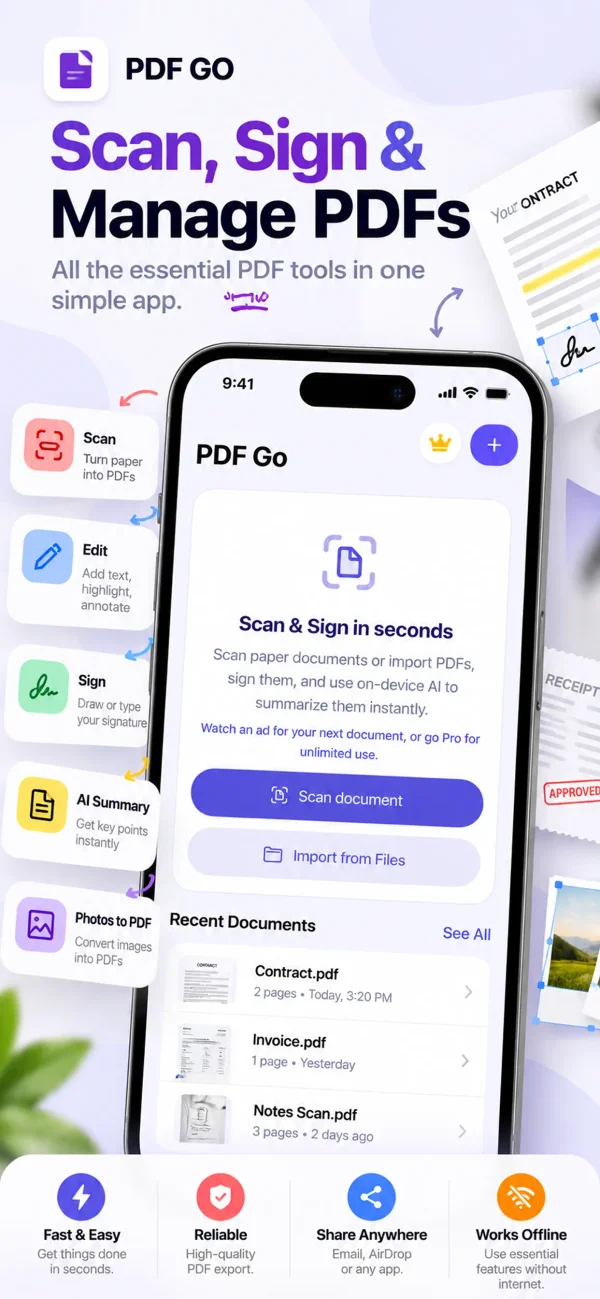
Scan documents, edit PDFs, sign files, and manage all your paperwork in one powerful app.
Turn your iPhone into a portable document scanner and create high-quality PDF files in seconds. Whether you’re scanning receipts, contracts, notes, invoices, IDs, or forms, PDF GO makes it easy to digitize, edit, sign, summarize, and share documents from anywhere.
Perfect for students, professionals, freelancers, business owners, and anyone who works with PDFs.
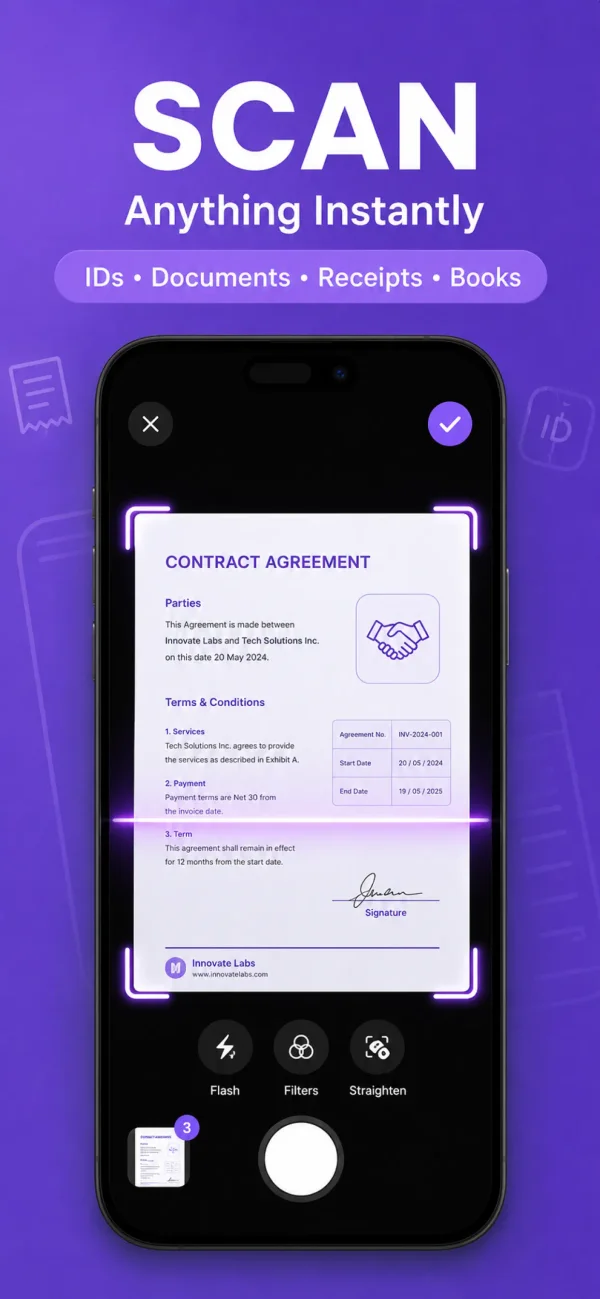
Scan Documents
Capture crystal-clear PDF scans with your camera.
• Scan documents instantly
• Auto-detect document edges
• Smart crop and perspective correction
• Enhance scan quality automatically
• Save scans as high-quality PDFs
• Scan receipts, invoices, notes, IDs, books, and contracts
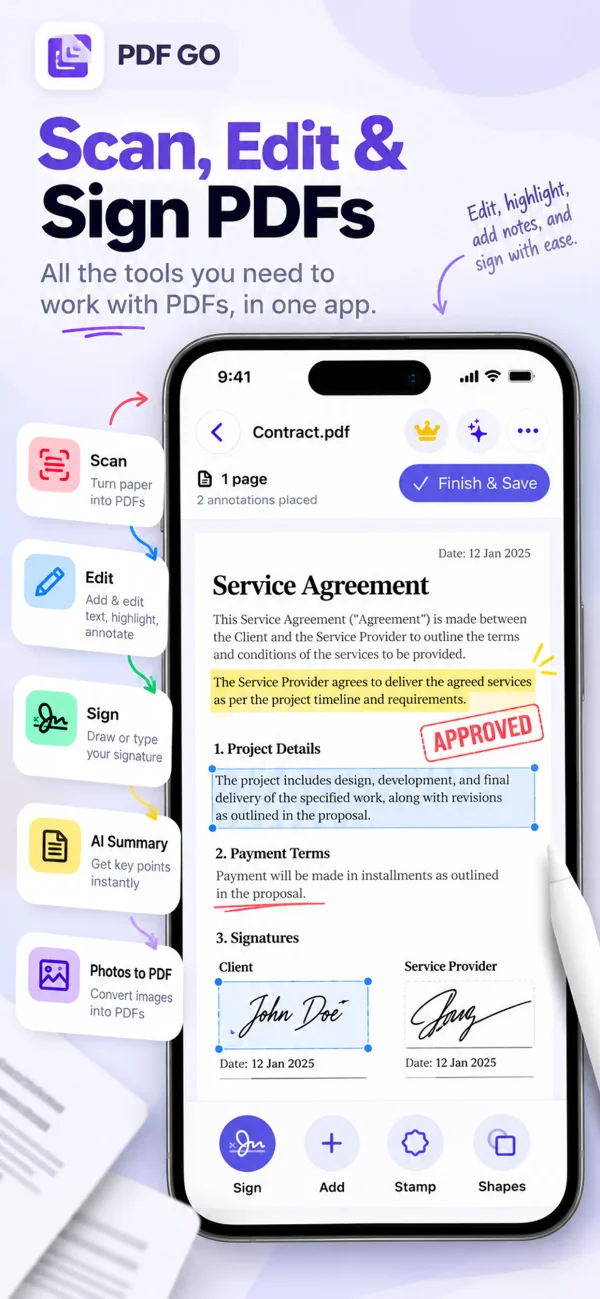
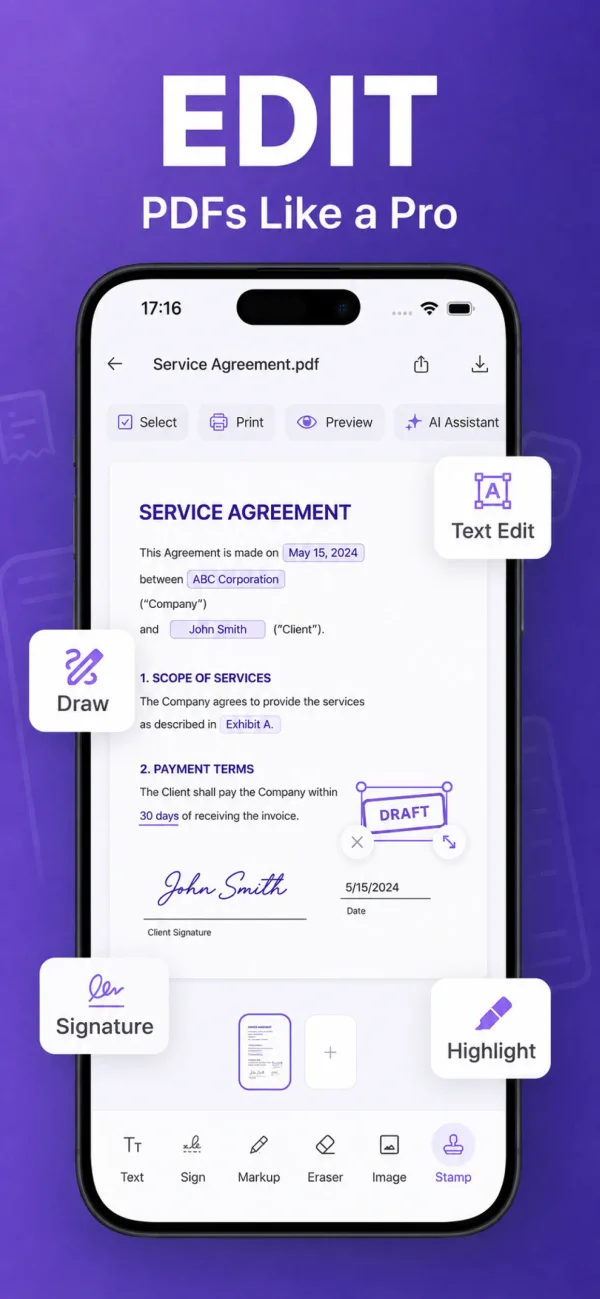
Edit PDF Documents
Modify your PDF files whenever you need.
• Add and edit text
• Highlight important information
• Annotate and mark up documents
• Fill out PDF forms
• Organize pages with ease
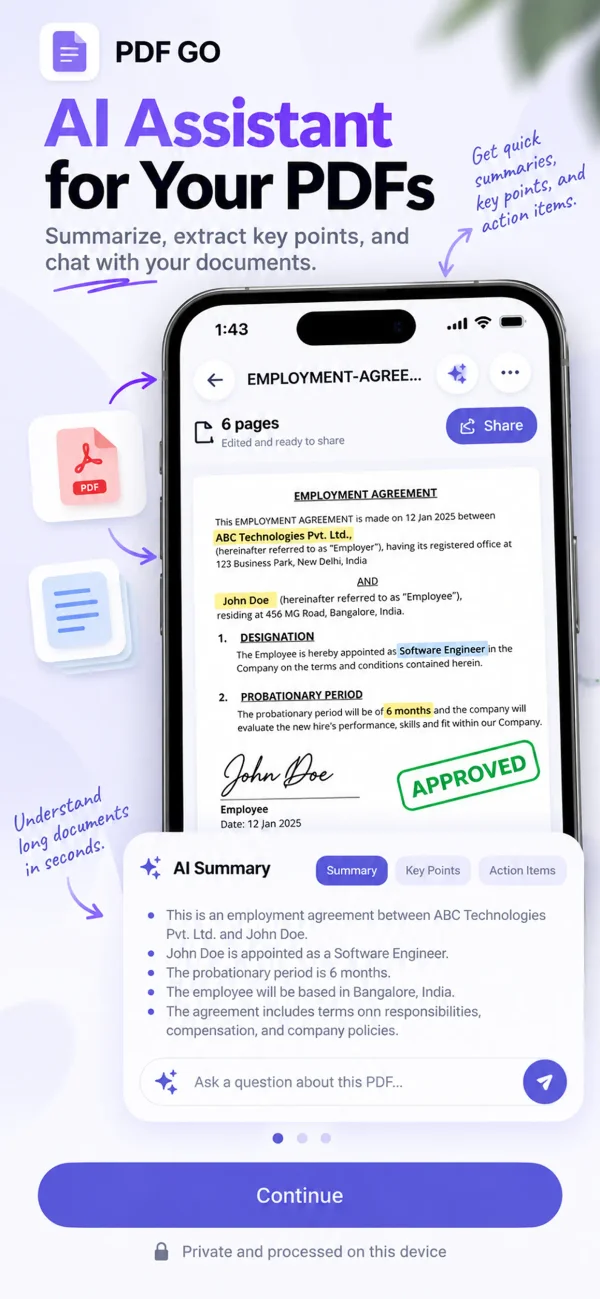
AI PDF Assistant
Save time with intelligent document analysis.
• AI-powered PDF summaries
• Extract key points instantly
• Generate meeting notes from PDFs
• Find important action items
• Understand long documents in seconds
• Perfect for reports, contracts, research papers, and study notes
Sign PDF Documents
Sign documents in seconds with a professional e-signature experience.
• Draw your signature with your finger
• Create elegant typed signatures
• Place signatures anywhere in a PDF
• Resize and reposition signatures
• Sign contracts, agreements, and forms
Convert Images to PDF
Create PDFs from your photos in just a few taps.
• Convert photos to PDF
• Combine multiple images into one PDF
• Create shareable documents instantly
More Powerful PDF Tools
• Rearrange document pages
• Share PDFs instantly
• Export high-quality PDF files
Why Choose PDF GO?
• Fast document scanner
• Powerful PDF editor
• AI document summaries
• AI key notes & highlights
• Easy electronic signatures
• Clean and intuitive interface
• Works offline for core PDF features
• High-quality PDF export
• Quick document sharing
• Simple, reliable, and efficient
Download PDF GO today and make scanning, editing, signing, and understanding PDFs easier than ever.
Privacy Policy:https://digitalhole.github.io/DHPrivacy.html
Terms of Use:https://www.apple.com/legal/internet-services/itunes/dev/stdeula/
Yang baru
Versi 1.2 · 2/10/2026
• iOS 27 Ready
• Performance improvement
• Improved User Experience
Privasi aplikasi
Yang dinyatakan Arima Jain di App Store tentang cara aplikasi ini menangani data.
-
Data yang digunakan untuk melacak Anda
Dapat digunakan untuk melacak Anda di aplikasi dan situs web milik perusahaan lain.
- Data penggunaan
-
Data yang tidak ditautkan dengan Anda
Dapat dikumpulkan, tetapi tidak ditautkan dengan identitas Anda.
- Data penggunaan
Praktik privasi dapat bervariasi, misalnya berdasarkan fitur yang Anda gunakan atau usia Anda.
Informasi
- Penjual
- Arima Jain
- Kategori
- Bisnis
- Versi
- 1.2
- Diperbarui
- 2/10/2026
- Dirilis
- 2/7/2026
- Ukuran
- 13,8 MB
- Memerlukan
- iOS 17.0 atau yang lebih baru
- Batasan usia
- 4+
- Harga
- Gratis
- Pembelian dalam aplikasi
- Ya
- Bahasa
- Inggris
- Hak cipta
- © Arima Jain
Mungkin Anda juga suka
-
 Recapio - Audio Video to TextProduktivitas
-
 Vocal Notes - Speech to TextProduktivitas
-
 Klippy - Clipboard ManagerProduktivitas
-
 PST Viewer for OutlookProduktivitas
-
 Copy History: ClipboardProduktivitas
-
 Clipo - Clipboard & KeyboardProduktivitas
-
 Compound Interest & WithdrawalKeuangan
-
 Hourfall: Waktu LayarPenggunaan App & Timer Fokus
-
 ScanviteProduktivitas
-
 Auditext – Audio and TextProduktivitas