EffortlessShot
How-tos and menus, just shoot
Dirancang untuk iPhone, iPod touch
Gratis · Pembelian dalam aplikasi
- Batasan usia4+
- KategoriProduktivitas
- PengembangTakeru Narita
- BahasaJepang+ 1 lainnya
- Ukuran38,6 MB
Tertaut ke halaman resmi App Store
Download.org tidak menyimpan file EffortlessShot apa pun. Tombol ini membuka halaman aplikasi di App Store, tempat Takeru Narita menerbitkannya. Halaman terakhir diperiksa pada 16/11/2026.
Tangkapan layar

Tentang
Pengembang belum menyediakan teks ini dalam bahasa Anda.
A how-to. A shift plan. A menu. Anything that is a row of photos with a note beside each one — EffortlessShot makes it on the spot.
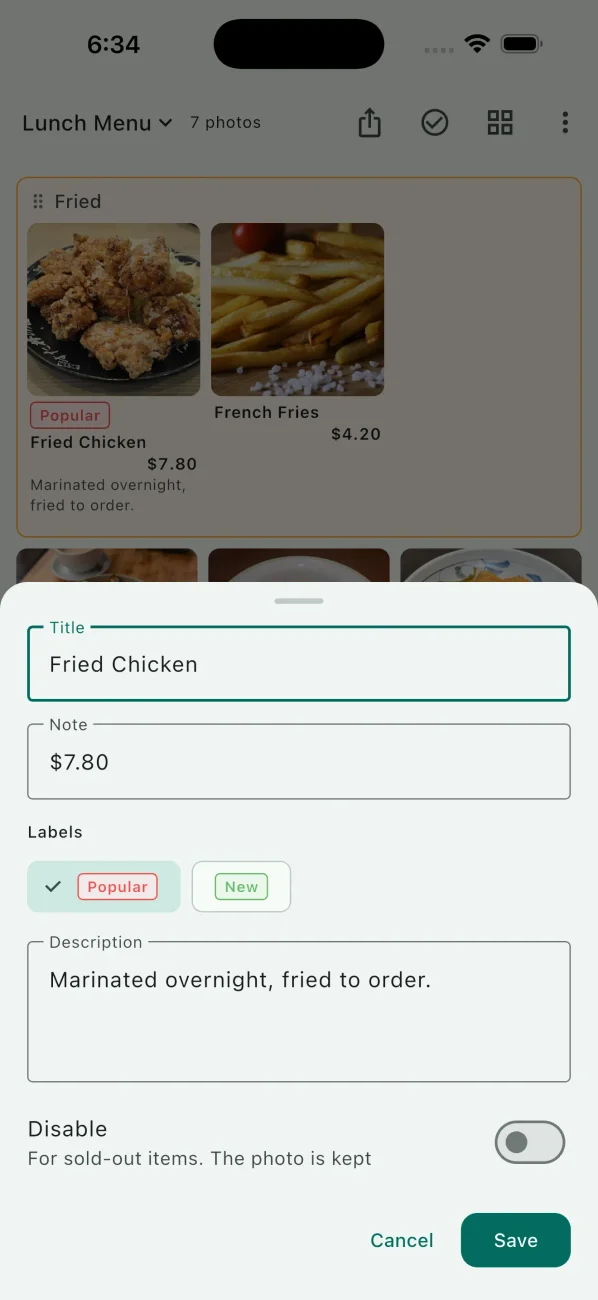
Tap a slot and the camera opens; the photo lands in that slot. Give each one a title and a description, so whoever reads it later knows what they are looking at.
WHAT PEOPLE MAKE WITH IT
- Step-by-step work instructions, in the order you shot them
- Site records and progress logs
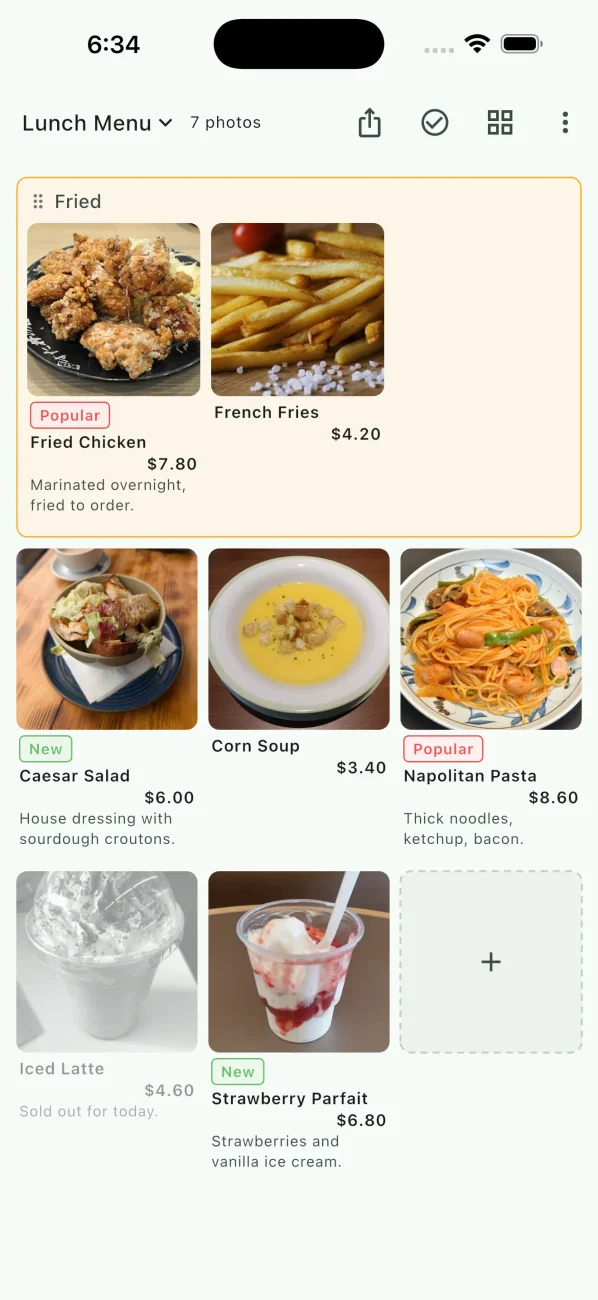
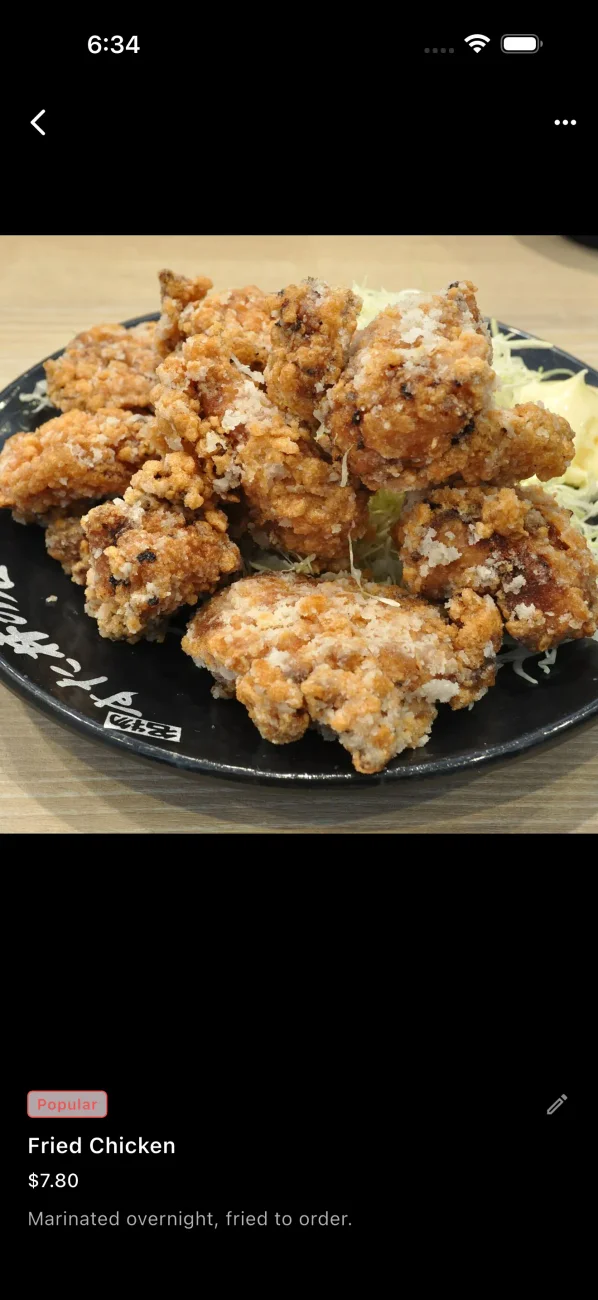
- Menus and product lists: photo, name, price, sold-out greyed out
- Repair and assembly records
- Shopping and stock lists
WHAT IT DOES
- Tap a slot to shoot. Grids of 2 to 5 columns
- A title and description per photo, shown in full — made to be printed
- Continuous shooting: it keeps going until you close the camera
- Insert a photo between two others; drag to reorder
- Group consecutive photos under a heading, with a colour of your choice
- Share a whole folder as a PDF (AirDrop, mail, Files)
- A short note per photo for a price or a duration, right-aligned so it reads as a table
- Labels such as "Popular" or "New", shared across every folder
- Grey out a sold-out photo — it is kept, and one tap brings it back
- Bring in screenshots (armed slot, share sheet, or pick from a list)
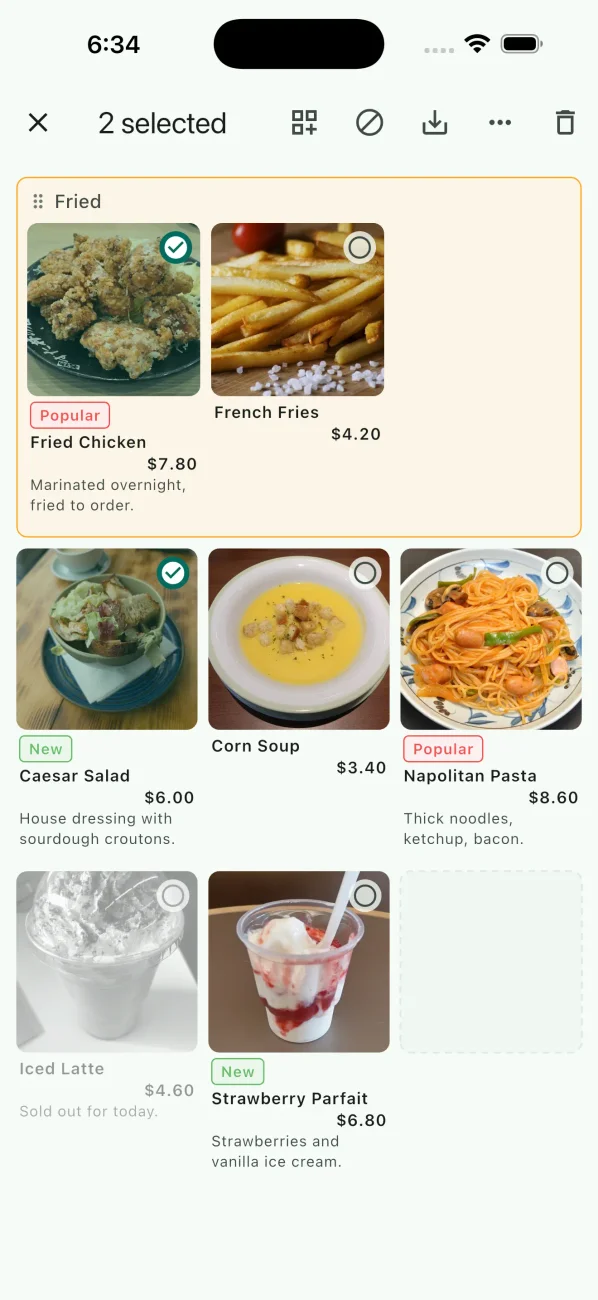
- Save selected photos back to your camera roll
YOUR PHOTOS STAY ON YOUR DEVICE
Photos and the text you write are stored only on your device. No account is needed, and it all works in airplane mode.
FREE, AND PREMIUM
Everything above works for free — shooting, captions, groups, PDF sharing.
You get two folders, enough to keep "work" and "shop" apart.
Premium (bought once, no subscription) adds
- As many folders as you like, one per job or per shop
- No ads
Nothing you have already shot is taken away if you never buy it.
Yang baru
Versi 1.1.0 · 16/9/2026
- The free version now shows one banner ad below the grid. Premium removes it.
- If you already own Premium, the app now says it was restored instead of
presenting it as a new purchase.
- Minor fixes.
Privasi aplikasi
Yang dinyatakan Takeru Narita di App Store tentang cara aplikasi ini menangani data.
-
Data yang digunakan untuk melacak Anda
Dapat digunakan untuk melacak Anda di aplikasi dan situs web milik perusahaan lain.
- Pengenal
-
Data yang ditautkan dengan Anda
Dapat dikumpulkan dan ditautkan dengan identitas Anda.
- Lokasi
- Pengenal
- Data penggunaan
-
Data yang tidak ditautkan dengan Anda
Dapat dikumpulkan, tetapi tidak ditautkan dengan identitas Anda.
- Pembelian
- Diagnostik
Praktik privasi dapat bervariasi, misalnya berdasarkan fitur yang Anda gunakan atau usia Anda.
Informasi
- Penjual
- Takeru Narita
- Kategori
- Produktivitas
- Versi
- 1.1.0
- Diperbarui
- 16/9/2026
- Dirilis
- 14/9/2026
- Ukuran
- 38,6 MB
- Memerlukan
- iOS 15.0 atau yang lebih baru
- Batasan usia
- 4+
- Harga
- Gratis
- Pembelian dalam aplikasi
- Ya
- Bahasa
- Jepang, Inggris
- Hak cipta
- © 2026 tsukuruya
Mungkin Anda juga suka
-
 SakuttoStepsProduktivitas
-
 JWT Guide AppProduktivitas
-
 Checkmate -マニュアル・チェックシート運用ツール-Produktivitas
-
 DojoウェブマニュアルProduktivitas
-
 ManualMaker / Manual creationProduktivitas
-
 コンダクターProduktivitas
-
 DaySche | Daily Task ManagerProduktivitas
-
 AnyPlanner: Jadwal & TugasRutinitas dan pengingat harian
-
 Pemindai Kode Batang & QRPemindai kode batang dan QR
-
 Tree人気スケジュール帳 仕事のスケジュール共有で予定管理Produktivitas