EffortlessShot
How-tos and menus, just shoot
Được thiết kế cho iPhone, iPod touch
Miễn phí · Mua hàng trong ứng dụng
- Độ tuổi4+
- Danh mụcHiệu Suất
- Nhà phát triểnTakeru Narita
- Ngôn ngữTiếng Nhật+ 1 ngôn ngữ khác
- Kích thước38,6 MB
Liên kết đến trang App Store chính thức
Download.org không lưu trữ tệp nào của EffortlessShot. Nút này mở trang ứng dụng trên App Store, nơi Takeru Narita phát hành ứng dụng. Trang được kiểm tra lần cuối: 16/11/2026.
Ảnh chụp màn hình

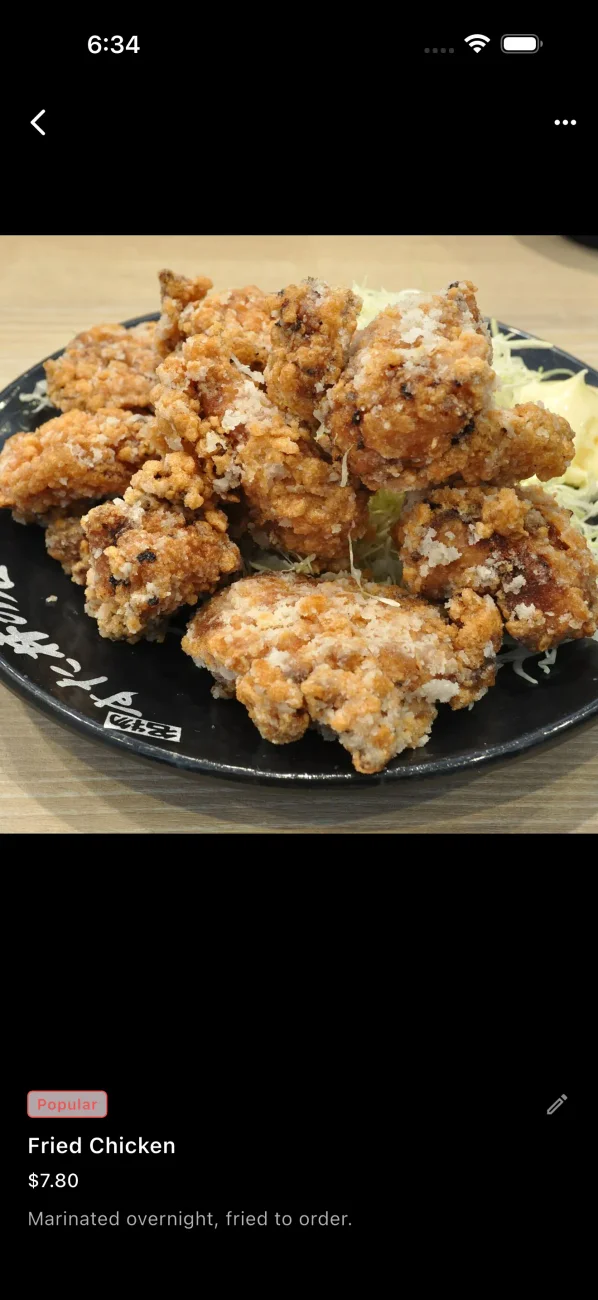
Giới thiệu
Nhà phát triển chưa cung cấp nội dung này bằng ngôn ngữ của bạn.
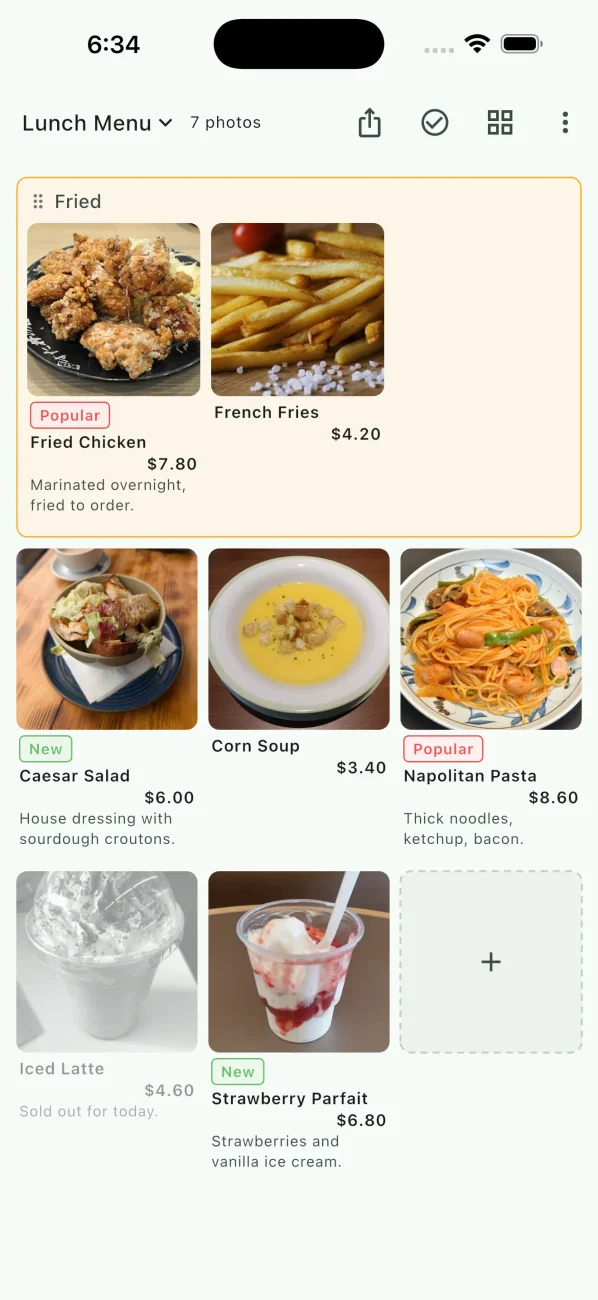
A how-to. A shift plan. A menu. Anything that is a row of photos with a note beside each one — EffortlessShot makes it on the spot.
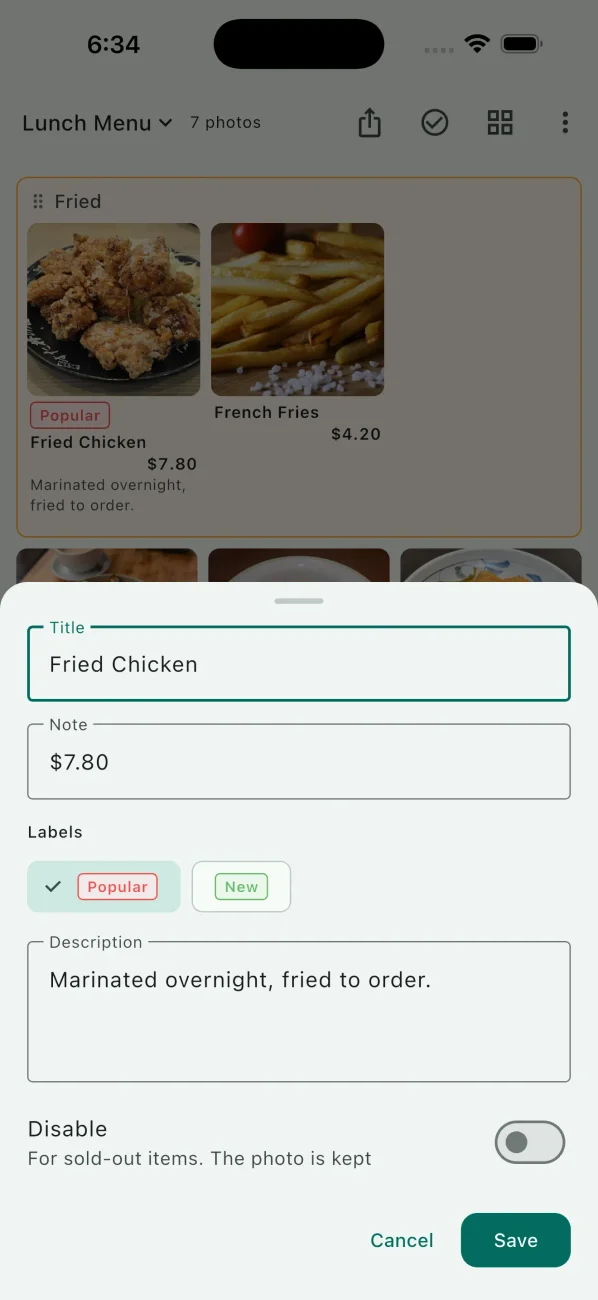
Tap a slot and the camera opens; the photo lands in that slot. Give each one a title and a description, so whoever reads it later knows what they are looking at.
WHAT PEOPLE MAKE WITH IT
- Step-by-step work instructions, in the order you shot them
- Site records and progress logs
- Menus and product lists: photo, name, price, sold-out greyed out
- Repair and assembly records
- Shopping and stock lists
WHAT IT DOES
- Tap a slot to shoot. Grids of 2 to 5 columns
- A title and description per photo, shown in full — made to be printed
- Continuous shooting: it keeps going until you close the camera
- Insert a photo between two others; drag to reorder
- Group consecutive photos under a heading, with a colour of your choice
- Share a whole folder as a PDF (AirDrop, mail, Files)
- A short note per photo for a price or a duration, right-aligned so it reads as a table
- Labels such as "Popular" or "New", shared across every folder
- Grey out a sold-out photo — it is kept, and one tap brings it back
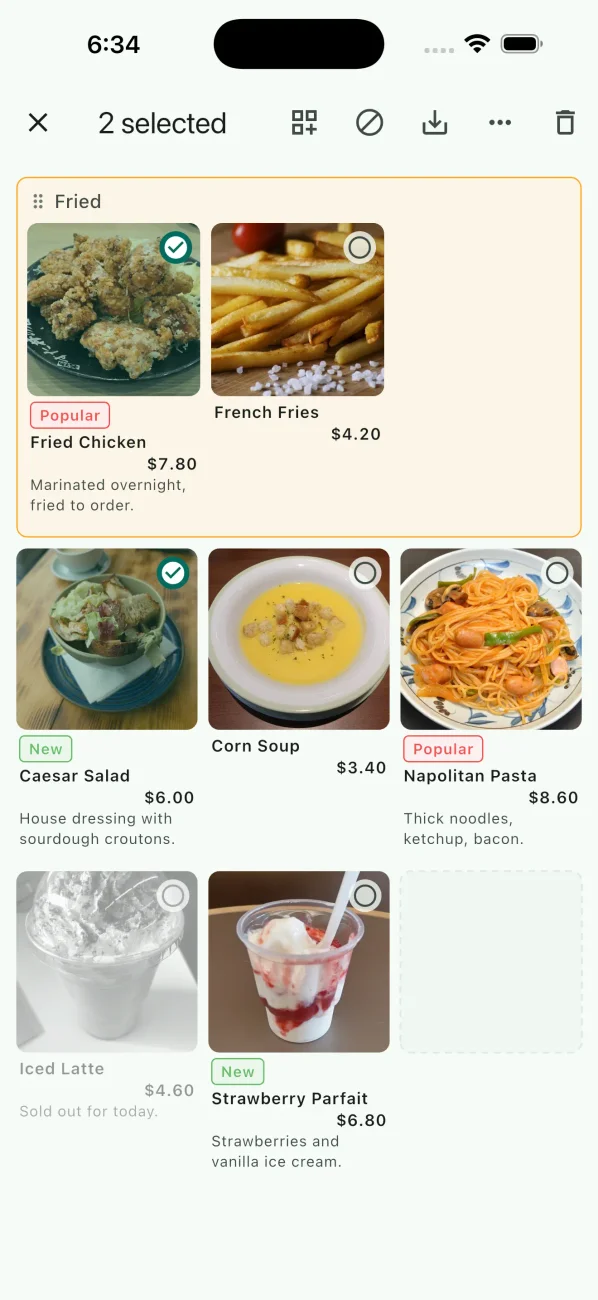
- Bring in screenshots (armed slot, share sheet, or pick from a list)
- Save selected photos back to your camera roll
YOUR PHOTOS STAY ON YOUR DEVICE
Photos and the text you write are stored only on your device. No account is needed, and it all works in airplane mode.
FREE, AND PREMIUM
Everything above works for free — shooting, captions, groups, PDF sharing.
You get two folders, enough to keep "work" and "shop" apart.
Premium (bought once, no subscription) adds
- As many folders as you like, one per job or per shop
- No ads
Nothing you have already shot is taken away if you never buy it.
Có gì mới
Phiên bản 1.1.0 · 16/09/2026
- The free version now shows one banner ad below the grid. Premium removes it.
- If you already own Premium, the app now says it was restored instead of
presenting it as a new purchase.
- Minor fixes.
Quyền riêng tư của ứng dụng
Những gì Takeru Narita khai báo trên App Store về cách ứng dụng này xử lý dữ liệu.
-
Dữ liệu được sử dụng để theo dõi bạn
Có thể được sử dụng để theo dõi bạn trên các ứng dụng và trang web do công ty khác sở hữu.
- Mã định danh
-
Dữ liệu liên kết với bạn
Có thể được thu thập và liên kết với danh tính của bạn.
- Vị trí
- Mã định danh
- Dữ liệu sử dụng
-
Dữ liệu không liên kết với bạn
Có thể được thu thập nhưng không liên kết với danh tính của bạn.
- Mục mua
- Chẩn đoán
Phương thức đảm bảo quyền riêng tư có thể khác nhau, chẳng hạn như tuỳ theo các tính năng bạn sử dụng hoặc độ tuổi của bạn.
Thông tin
- Người bán
- Takeru Narita
- Danh mục
- Hiệu Suất
- Phiên bản
- 1.1.0
- Cập nhật
- 16/09/2026
- Phát hành
- 14/09/2026
- Kích thước
- 38,6 MB
- Yêu cầu
- iOS 15.0 trở lên
- Độ tuổi
- 4+
- Giá
- Miễn phí
- Mua hàng trong ứng dụng
- Có
- Ngôn ngữ
- Tiếng Nhật, Tiếng Anh
- Bản quyền
- © 2026 tsukuruya
Có thể bạn cũng thích
-
 SakuttoStepsHiệu Suất
-
 JWT Guide AppHiệu Suất
-
 Checkmate -マニュアル・チェックシート運用ツール-Hiệu Suất
-
 DojoウェブマニュアルHiệu Suất
-
 ManualMaker / Manual creationHiệu Suất
-
 コンダクターHiệu Suất
-
 DaySche | Daily Task ManagerHiệu Suất
-
 AnyPlanner: Lịch & Công việcNhắc việc, thói quen mỗi ngày
-
 Máy đọc mã vạch - Máy quét QRỨng dụng Máy quét Mã QR
-
 Tree人気スケジュール帳 仕事のスケジュール共有で予定管理Hiệu Suất