- Batasan usia4+
- KategoriKegunaan
- PengembangPessTechnologies
- BahasaInggris+ 5 lainnya
- Ukuran37,4 MB
Tertaut ke halaman resmi App Store
Download.org tidak menyimpan file elios APP apa pun. Tombol ini membuka halaman aplikasi di App Store, tempat PessTechnologies menerbitkannya. Halaman terakhir diperiksa pada 16/11/2026.
Tangkapan layar
Tentang
Pengembang belum menyediakan teks ini dalam bahasa Anda.
Elios APP is the application that can handle the PESS Elios system via TCP / IP.
In this way we obtain a bi-directional link between the panel and your smartphone without having to send and receive numerous SMS
Once you create a profile, accessing to the control panel, will automatically learn all the programming. You now have the ability to manage the system by entering the same password used to access the keyboard.
There are no limits for the creation of profiles; 2 different layouts make this app customizable
The app can manage 2 languages : Italian and English by setting the language on the device’s menu.
The application can manage:
-Inputs: Status, enabling and disabling.
-Areas: Status, enabling and disabling, locking and unlocking, supervision ON / OFF.
-Alarms H24: status, enabling and disabling.
-Anomalies: Display all anomalies in the Elios system
-Functions: Status, enabling and disabling, locking and unlocking
-Events: Display up to 4000 events.
-Programmes: Status, enabling and disabling
Functionning:
Once installed and opened on the device the profiles screen will be displayed where the different profiles will be saved. To create a profile just click on the + displayed on the top right and choose the type of connection, direct or CLOUD.
Direct connection:
Requires the update of the Elios 1.00 or above.
A window will open to enter the data of the i.Lan board (WAN host and port and LAN host and port). The profile will be created when you click OK.
The APP can manage automatically the LAN and WAN depending on the device connection.
CLOUD connection:
Requires the update of the Elios 1.00 or above.
A window will open to enter the data of the CLOUD (Username, Password, panel ID ). The profile will be created when you click OK.
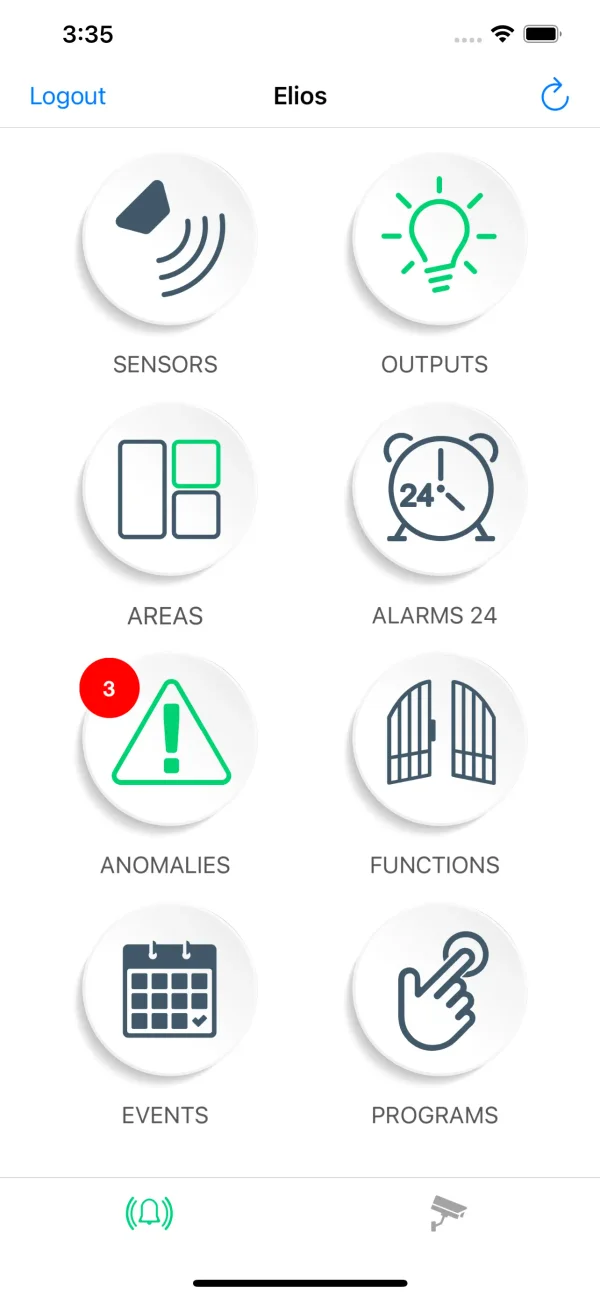
Every profile is a PESS Elios system. Clicking on one of them a password will be requested. Typing the password followed by a click on OK allow you the manage the system after few minutes. The following page will be the "MENU'" where the icons for inputs, outputs, areas, alarm H24, anomalies, functions, events and programmes will be displayed.
Yang baru
Versi 2.0.9 · 31/7/2026
Fixed an issue that could prevent videos saved on iSee from being displayed.
Preview of Display Improvements
Horus Bus Support
Minor Bug Fixes
Privasi aplikasi
Yang dinyatakan PessTechnologies di App Store tentang cara aplikasi ini menangani data.
-
Data tidak dikumpulkan
Pengembang tidak mengumpulkan data apa pun dari aplikasi ini.
Praktik privasi dapat bervariasi, misalnya berdasarkan fitur yang Anda gunakan atau usia Anda.
Informasi
- Penjual
- PESS Technologies Srl
- Kategori
- Kegunaan
- Versi
- 2.0.9
- Diperbarui
- 31/7/2026
- Dirilis
- 16/4/2016
- Ukuran
- 37,4 MB
- Memerlukan
- iOS 12.0 atau yang lebih baru
- Batasan usia
- 4+
- Harga
- Gratis
- Bahasa
- Inggris, Prancis, Jerman, Yunani, Italia, Spanyol
- Hak cipta
- © PESS Technologies Srl