FlickMe: One-Hand Keyboard
Japanese flick input
Dirancang untuk iPhone
Rp 59ribu
- Batasan usia4+
- KategoriKegunaan
- PengembangBitta, Inc.
- BahasaJepang+ 1 lainnya
- Ukuran154,3 MB
Tertaut ke halaman resmi App Store
Download.org tidak menyimpan file FlickMe: One-Hand Keyboard apa pun. Tombol ini membuka halaman aplikasi di App Store, tempat Bitta, Inc. menerbitkannya. Halaman terakhir diperiksa pada 24/11/2026.
Tangkapan layar
Tentang
Pengembang belum menyediakan teks ini dalam bahasa Anda.
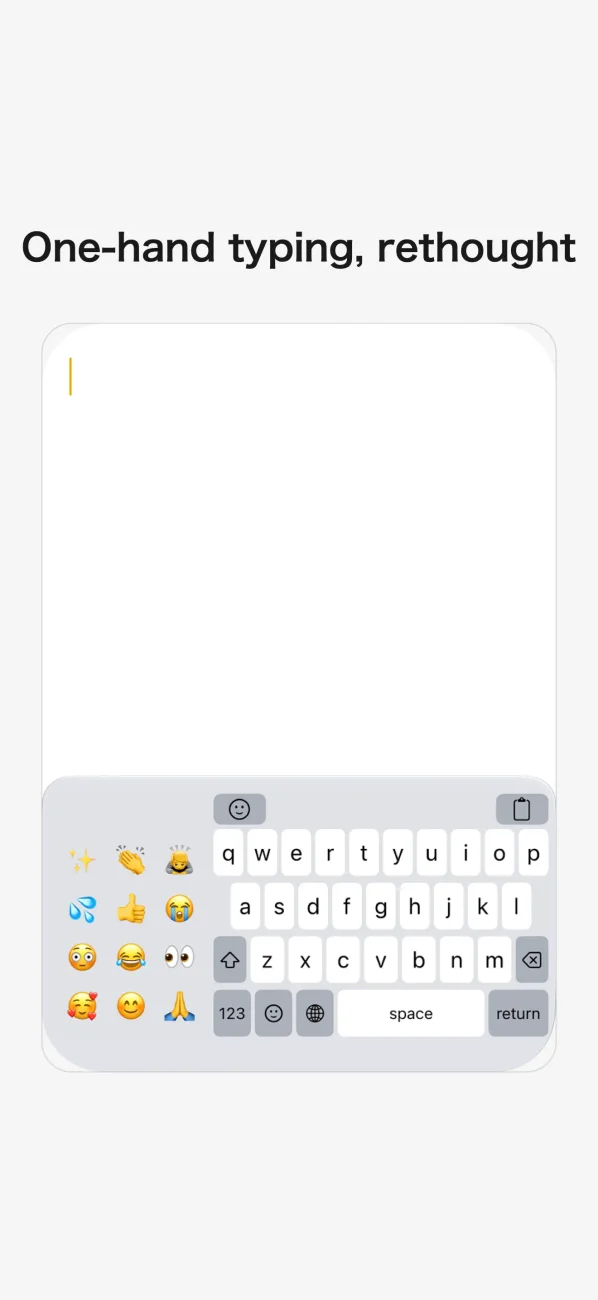
FlickMe is a Japanese flick keyboard for typing with one thumb.
KEYS
- Keys appear in the bottom-right corner at a fixed size.
- On iPhone Duo, they stay in the same place whether the device is folded or unfolded.
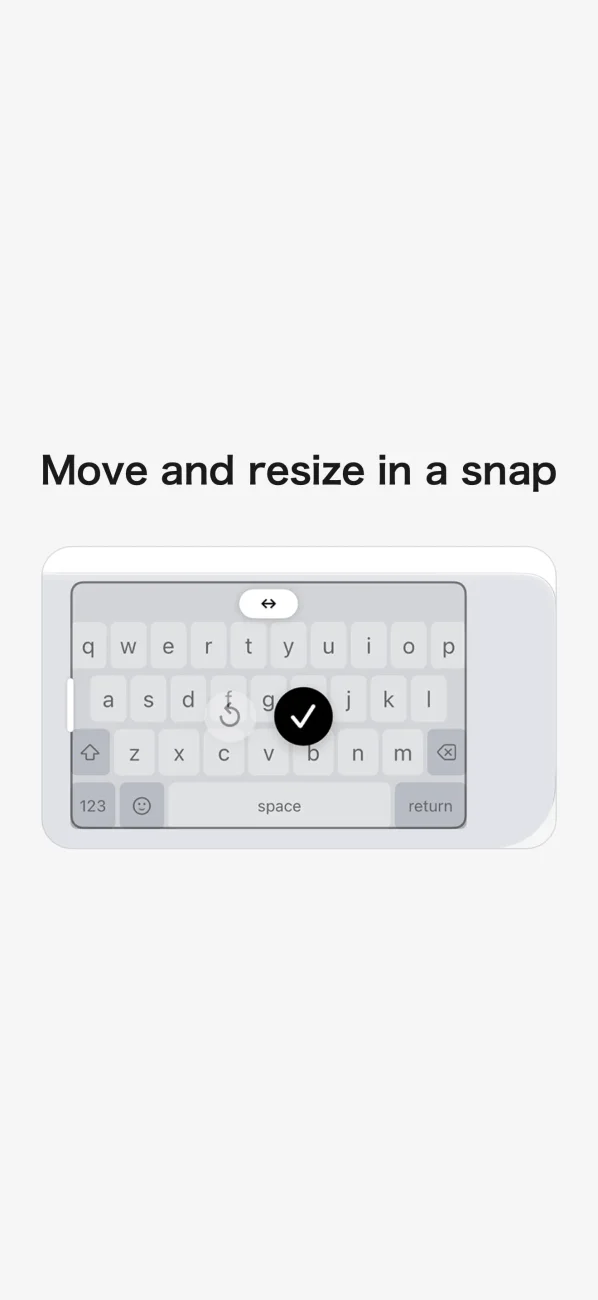
- Swipe outside the keys to move them left or right.
- Auto left/right (beta, iPhone Duo folded): the keyboard moves to the side of the hand holding it.
- Customize key size, position, colors, lettering, key sounds, haptic strength, and the emoji shown beside the keys.
INPUT
- Kana-kanji conversion and predictions run entirely on the device.
- Split the reading to convert only part of it.
- Halfwidth katakana, circled numbers, and other symbols appear as candidates.
- Words from your iPhone user dictionary appear as candidates.
- Long-press the space key and slide to move the cursor.
- Switch to numbers, letters, or flick-only input.
- Voice input in Japanese and English.
PASTE AND SAVED PHRASES
- Paste with one tap.
- Long-press paste to pick from your saved phrases. Add phrases and images in the app.
UNFOLDED (iPhone Duo)
- Optional two-hand layout with keys on both sides.
PRIVACY
- The keyboard makes no network connections. It does not send or store what you type or copy.
- Full Access is used for paste, haptics, saved phrases, voice input, and key sounds. Typing works without it.
- The app sends data only when you choose to: a hold recording for Auto left/right, or a conversion report you write. Neither identifies you.
OPEN SOURCE
AzooKeyKanaKanjiConverter (MIT) with its dictionary (Apache-2.0), and zenz-v3.2-xsmall (CC BY-SA 4.0). See Licenses in the app.
Terms of use: https://app.notion.com/p/jetdaizu/3fe45a5c600c807b8666da99f84b5ad9
Yang baru
Versi 1.2.2 · 20/11/2026
- Conversion is more accurate. Words that follow the previous sentence, and words with a missed small tsu or dakuten, now convert correctly.
- When a word doesn't convert the way you expected, you can now report it from the app or the candidate bar.
- You can now choose the emoji shown beside the keys.
- You can now split the text you want to convert.
- Symbols such as circled numbers and curly quotes now appear as candidates.
- "n" and "?" can now also be typed by flicking down.
- The customize screen is easier to read.
- Halfwidth katakana now appears as a candidate.
Privasi aplikasi
Yang dinyatakan Bitta, Inc. di App Store tentang cara aplikasi ini menangani data.
-
Data yang tidak ditautkan dengan Anda
Dapat dikumpulkan, tetapi tidak ditautkan dengan identitas Anda.
- Data lainnya
Praktik privasi dapat bervariasi, misalnya berdasarkan fitur yang Anda gunakan atau usia Anda.
Informasi
- Penjual
- Bitta, Inc.
- Kategori
- Kegunaan
- Versi
- 1.2.2
- Diperbarui
- 20/11/2026
- Dirilis
- 20/10/2026
- Ukuran
- 154,3 MB
- Memerlukan
- iOS 17.0 atau yang lebih baru
- Batasan usia
- 4+
- Harga
- Rp 59ribu
- Bahasa
- Jepang, Inggris
- Hak cipta
- © 2026 Bitta, Inc.
Mungkin Anda juga suka
-
 Deflector ◇Kegunaan
-
 KumiKey: 自由に配置できるフリックキーボードKegunaan
-
 Farroom: Remote DesktopKegunaan
-
 Parail - 2画面ブラウザ・画面分割Kegunaan
-
 MozcCo - サイズ調整できる日本語キーボードKegunaan
-
 Side SearchKegunaan
-
 BatteryBar: All Your BatteriesKegunaan
-
 CalCs - Calendar ComplicationsKegunaan
-
 CIO 公式アプリKegunaan
-
 Wider - Fullscreen BrowsingKegunaan