- Độ tuổi4+
- Danh mụcTiện Ích
- Nhà phát triểnBitta, Inc.
- Ngôn ngữTiếng Nhật+ 1 ngôn ngữ khác
- Kích thước154,3 MB
Liên kết đến trang App Store chính thức
Download.org không lưu trữ tệp nào của FlickMe: One-Hand Keyboard. Nút này mở trang ứng dụng trên App Store, nơi Bitta, Inc. phát hành ứng dụng. Trang được kiểm tra lần cuối: 25/11/2026.
Ảnh chụp màn hình
Giới thiệu
Nhà phát triển chưa cung cấp nội dung này bằng ngôn ngữ của bạn.
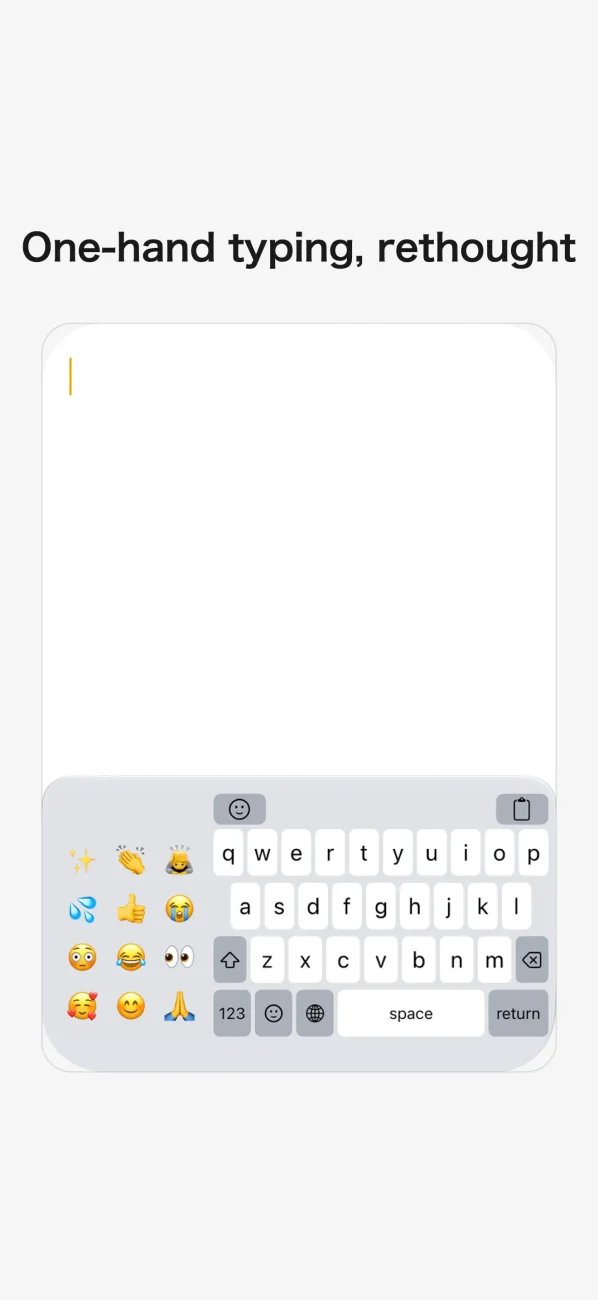
FlickMe is a Japanese flick keyboard for typing with one thumb.
KEYS
- Keys appear in the bottom-right corner at a fixed size.
- On iPhone Duo, they stay in the same place whether the device is folded or unfolded.
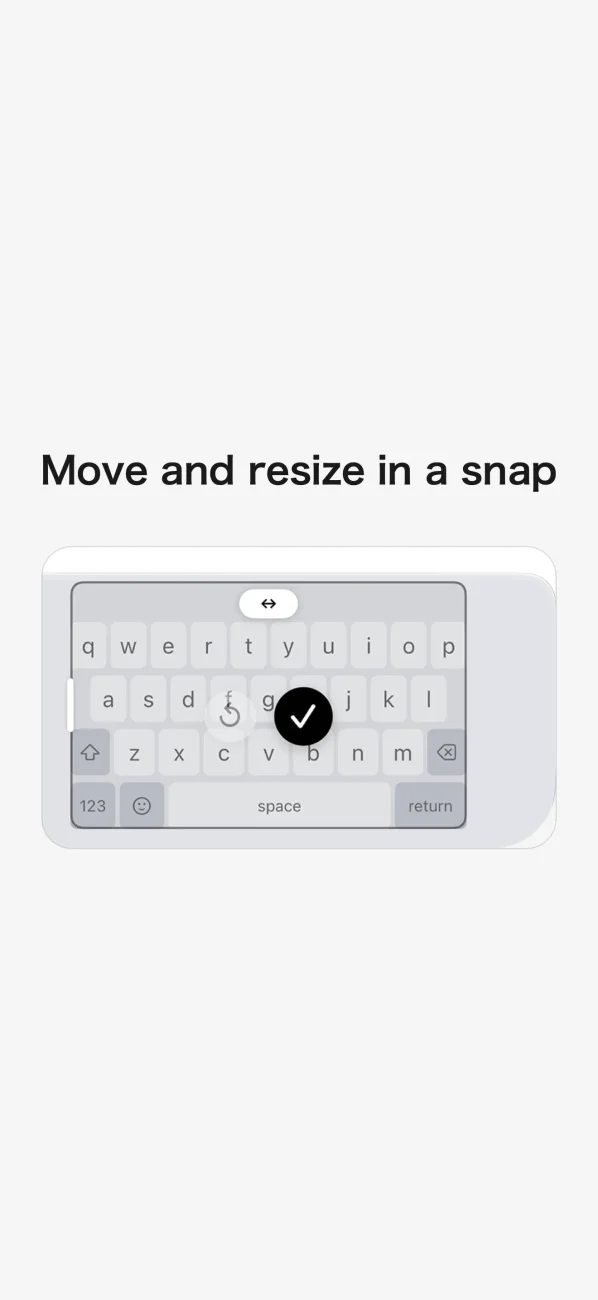
- Swipe outside the keys to move them left or right.
- Auto left/right (beta, iPhone Duo folded): the keyboard moves to the side of the hand holding it.
- Customize key size, position, colors, lettering, key sounds, haptic strength, and the emoji shown beside the keys.
INPUT
- Kana-kanji conversion and predictions run entirely on the device.
- Split the reading to convert only part of it.
- Halfwidth katakana, circled numbers, and other symbols appear as candidates.
- Words from your iPhone user dictionary appear as candidates.
- Long-press the space key and slide to move the cursor.
- Switch to numbers, letters, or flick-only input.
- Voice input in Japanese and English.
PASTE AND SAVED PHRASES
- Paste with one tap.
- Long-press paste to pick from your saved phrases. Add phrases and images in the app.
UNFOLDED (iPhone Duo)
- Optional two-hand layout with keys on both sides.
PRIVACY
- The keyboard makes no network connections. It does not send or store what you type or copy.
- Full Access is used for paste, haptics, saved phrases, voice input, and key sounds. Typing works without it.
- The app sends data only when you choose to: a hold recording for Auto left/right, or a conversion report you write. Neither identifies you.
OPEN SOURCE
AzooKeyKanaKanjiConverter (MIT) with its dictionary (Apache-2.0), and zenz-v3.2-xsmall (CC BY-SA 4.0). See Licenses in the app.
Terms of use: https://app.notion.com/p/jetdaizu/3fe45a5c600c807b8666da99f84b5ad9
Có gì mới
Phiên bản 1.2.2 · 20/11/2026
- Conversion is more accurate. Words that follow the previous sentence, and words with a missed small tsu or dakuten, now convert correctly.
- When a word doesn't convert the way you expected, you can now report it from the app or the candidate bar.
- You can now choose the emoji shown beside the keys.
- You can now split the text you want to convert.
- Symbols such as circled numbers and curly quotes now appear as candidates.
- "n" and "?" can now also be typed by flicking down.
- The customize screen is easier to read.
- Halfwidth katakana now appears as a candidate.
Quyền riêng tư của ứng dụng
Những gì Bitta, Inc. khai báo trên App Store về cách ứng dụng này xử lý dữ liệu.
-
Dữ liệu không liên kết với bạn
Có thể được thu thập nhưng không liên kết với danh tính của bạn.
- Dữ liệu khác
Phương thức đảm bảo quyền riêng tư có thể khác nhau, chẳng hạn như tuỳ theo các tính năng bạn sử dụng hoặc độ tuổi của bạn.
Thông tin
- Người bán
- Bitta, Inc.
- Danh mục
- Tiện Ích
- Phiên bản
- 1.2.2
- Cập nhật
- 20/11/2026
- Phát hành
- 20/10/2026
- Kích thước
- 154,3 MB
- Yêu cầu
- iOS 17.0 trở lên
- Độ tuổi
- 4+
- Giá
- 99.000đ
- Ngôn ngữ
- Tiếng Nhật, Tiếng Anh
- Bản quyền
- © 2026 Bitta, Inc.
Có thể bạn cũng thích
-
 Deflector ◇Tiện Ích
-
 KumiKey: 自由に配置できるフリックキーボードTiện Ích
-
 Farroom: Remote DesktopTiện Ích
-
 Parail - 2画面ブラウザ・画面分割Tiện Ích
-
 MozcCo - サイズ調整できる日本語キーボードTiện Ích
-
 Side SearchTiện Ích
-
 BatteryBar: All Your BatteriesTiện Ích
-
 CalCs - Calendar ComplicationsTiện Ích
-
 CIO 公式アプリTiện Ích
-
 Wider - Fullscreen BrowsingTiện Ích