- Yaş sınırı4+
- KategoriYardımcılar
- GeliştiriciBitta, Inc.
- DillerJaponca+ 1 dil daha
- Boyut154,3 MB
FlickMe: One-Hand Keyboard şu anda App Store üzerinde mevcut olmayabilir
Son kontrolümüzde mağaza sayfasına ulaşılamadı. Bağlantı yine de resmi App Store sayfasına gider.
Ekran görüntüleri
Hakkında
Geliştirici bu metni dilinizde sunmamış.
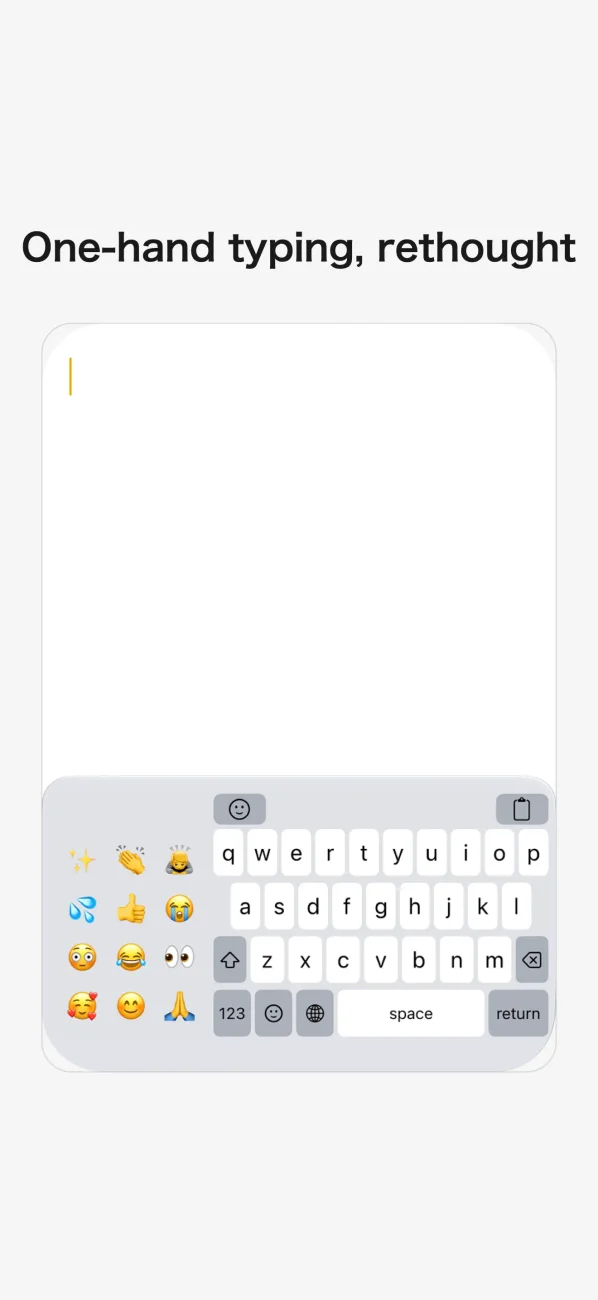
FlickMe is a Japanese flick keyboard for typing with one thumb.
KEYS
- Keys appear in the bottom-right corner at a fixed size.
- On iPhone Duo, they stay in the same place whether the device is folded or unfolded.
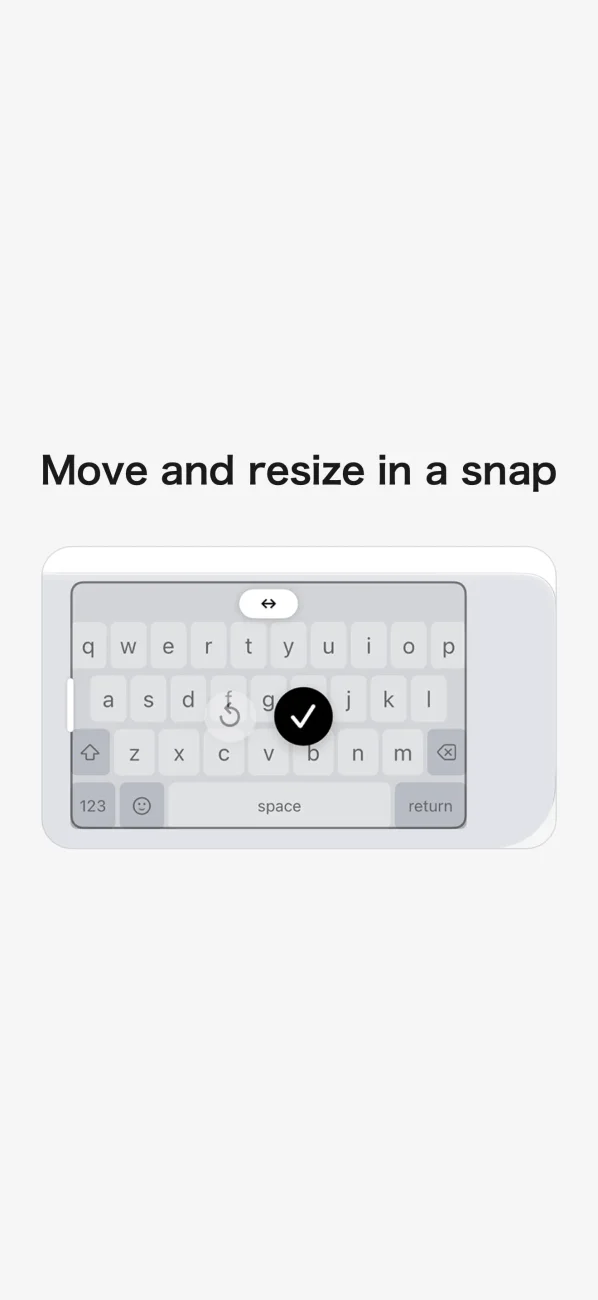
- Swipe outside the keys to move them left or right.
- Auto left/right (beta, iPhone Duo folded): the keyboard moves to the side of the hand holding it.
- Customize key size, position, colors, lettering, key sounds, haptic strength, and the emoji shown beside the keys.
INPUT
- Kana-kanji conversion and predictions run entirely on the device.
- Split the reading to convert only part of it.
- Halfwidth katakana, circled numbers, and other symbols appear as candidates.
- Words from your iPhone user dictionary appear as candidates.
- Long-press the space key and slide to move the cursor.
- Switch to numbers, letters, or flick-only input.
- Voice input in Japanese and English.
PASTE AND SAVED PHRASES
- Paste with one tap.
- Long-press paste to pick from your saved phrases. Add phrases and images in the app.
UNFOLDED (iPhone Duo)
- Optional two-hand layout with keys on both sides.
PRIVACY
- The keyboard makes no network connections. It does not send or store what you type or copy.
- Full Access is used for paste, haptics, saved phrases, voice input, and key sounds. Typing works without it.
- The app sends data only when you choose to: a hold recording for Auto left/right, or a conversion report you write. Neither identifies you.
OPEN SOURCE
AzooKeyKanaKanjiConverter (MIT) with its dictionary (Apache-2.0), and zenz-v3.2-xsmall (CC BY-SA 4.0). See Licenses in the app.
Terms of use: https://app.notion.com/p/jetdaizu/3fe45a5c600c807b8666da99f84b5ad9
Yenilikler
Sürüm 1.2.2 · 20.11.2026
- Conversion is more accurate. Words that follow the previous sentence, and words with a missed small tsu or dakuten, now convert correctly.
- When a word doesn't convert the way you expected, you can now report it from the app or the candidate bar.
- You can now choose the emoji shown beside the keys.
- You can now split the text you want to convert.
- Symbols such as circled numbers and curly quotes now appear as candidates.
- "n" and "?" can now also be typed by flicking down.
- The customize screen is easier to read.
- Halfwidth katakana now appears as a candidate.
Uygulama gizliliği
Bu uygulamanın verileri nasıl işlediği hakkında Bitta, Inc. tarafından App Store üzerinde yapılan beyan.
-
Sizinle ilişkilendirilmeyen veriler
Toplanabilir ancak kimliğinizle ilişkilendirilmez.
- Diğer veriler
Gizlilik uygulamaları, örneğin kullandığınız özelliklere veya yaşınıza göre değişiklik gösterebilir.
Bilgiler
- Satıcı
- Bitta, Inc.
- Kategori
- Yardımcılar
- Sürüm
- 1.2.2
- Güncellendi
- 20.11.2026
- Yayın tarihi
- 20.10.2026
- Boyut
- 154,3 MB
- Gereksinim
- iOS 17.0 veya sonrası
- Yaş sınırı
- 4+
- Diller
- Japonca, İngilizce
- Telif hakkı
- © 2026 Bitta, Inc.
Bunları da beğenebilirsiniz
-
 Deflector ◇Yardımcılar
-
 KumiKey: 自由に配置できるフリックキーボードYardımcılar
-
 Farroom: Remote DesktopYardımcılar
-
 Parail - 2画面ブラウザ・画面分割Yardımcılar
-
 MozcCo - サイズ調整できる日本語キーボードYardımcılar
-
 Side SearchYardımcılar
-
 BatteryBar: All Your BatteriesYardımcılar
-
 CalCs - Calendar ComplicationsYardımcılar
-
 CIO 公式アプリYardımcılar
-
 Wider - Fullscreen BrowsingYardımcılar