ForScan
Scan Paper into Clean Docs
Dirancang untuk iPhone, iPad
Gratis · Pembelian dalam aplikasi
- Batasan usia4+
- KategoriKegunaan
- Pengembang中山 王
- BahasaInggris+ 9 lainnya
- Ukuran2,9 MB
Tertaut ke halaman resmi App Store
Download.org tidak menyimpan file ForScan apa pun. Tombol ini membuka halaman aplikasi di App Store, tempat 中山 王 menerbitkannya. Halaman terakhir diperiksa pada 16/11/2026.
Tangkapan layar



Tentang
Pengembang belum menyediakan teks ini dalam bahasa Anda.
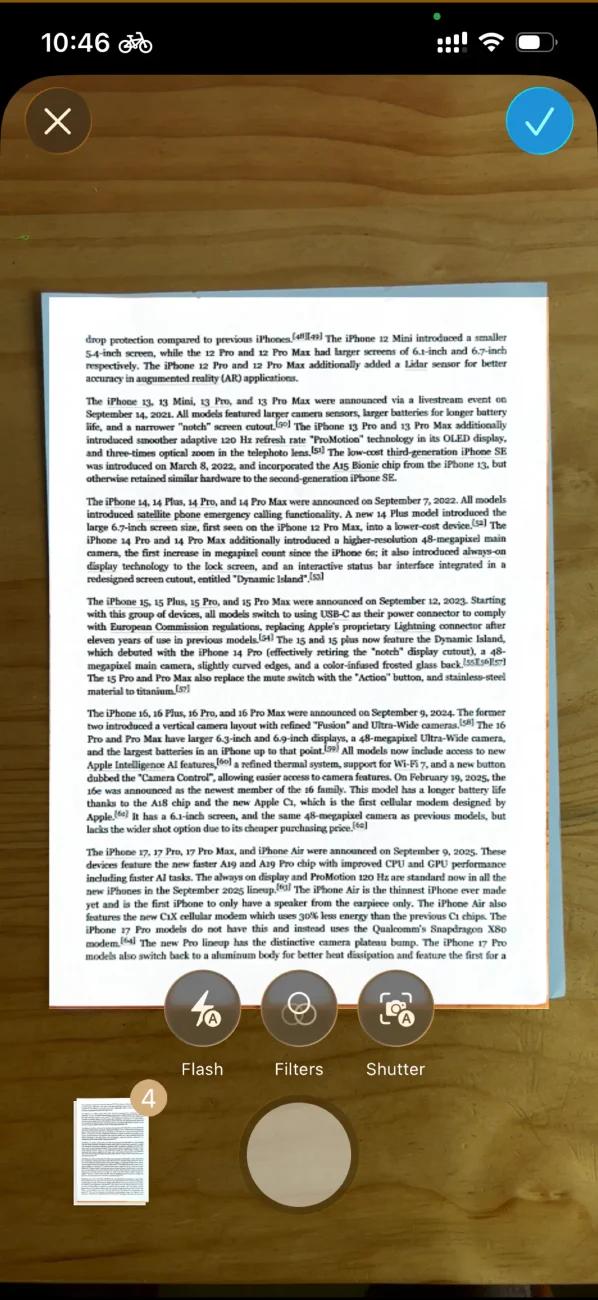
ForScan helps you turn multi-page paper into cleaner digital documents you can read, review, and reuse. It is built for books, contracts, study packets, and printed reference pages where page order and readable text matter.
What you can do in ForScan:
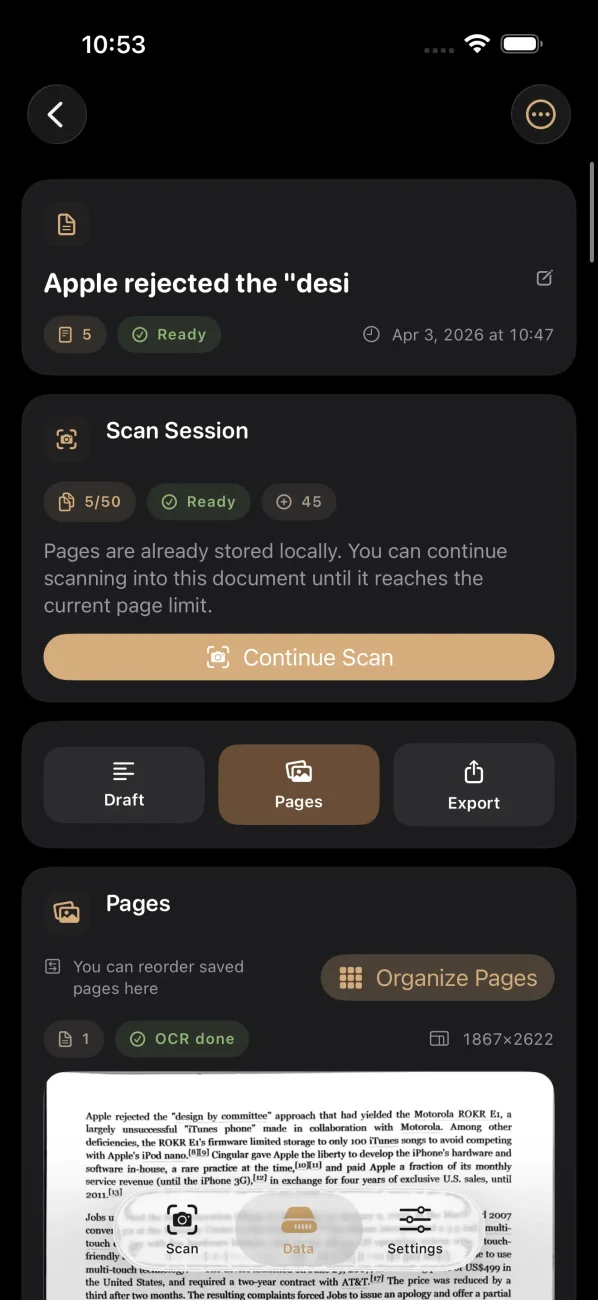
- Scan up to 50 pages free, or up to 500 with Pro, in one document
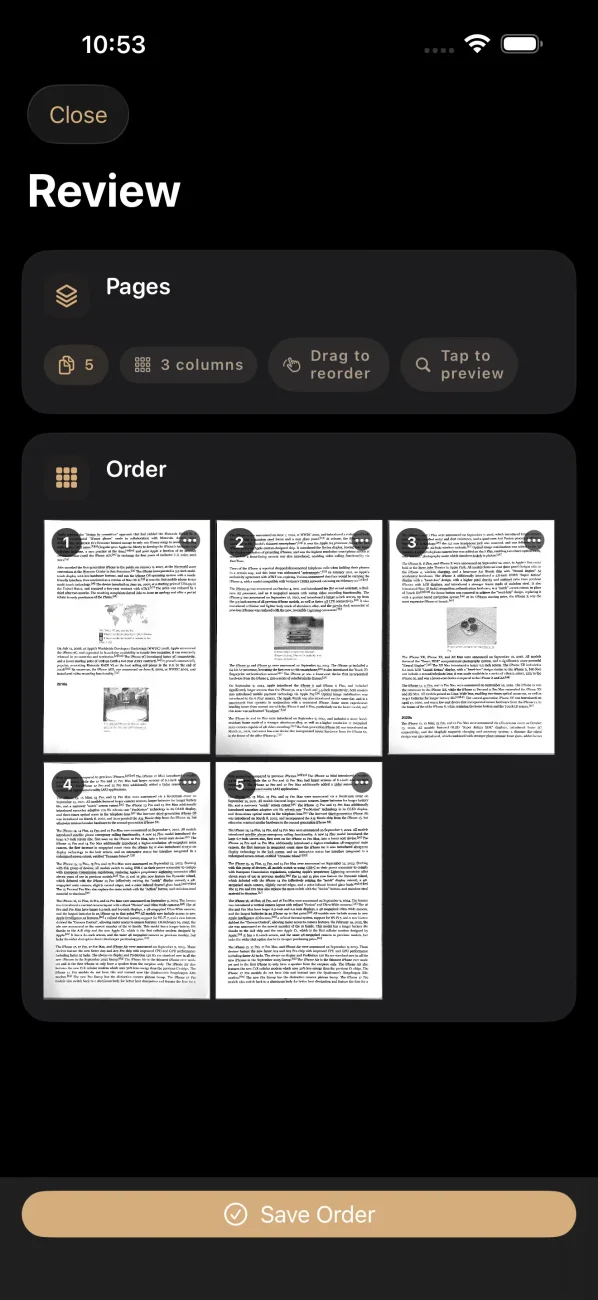
- Review, reorder, delete, or retake pages before OCR
- Merge printed pages into one document
- Rebuild paragraphs so text reads more naturally
- Check cleanup suggestions before export
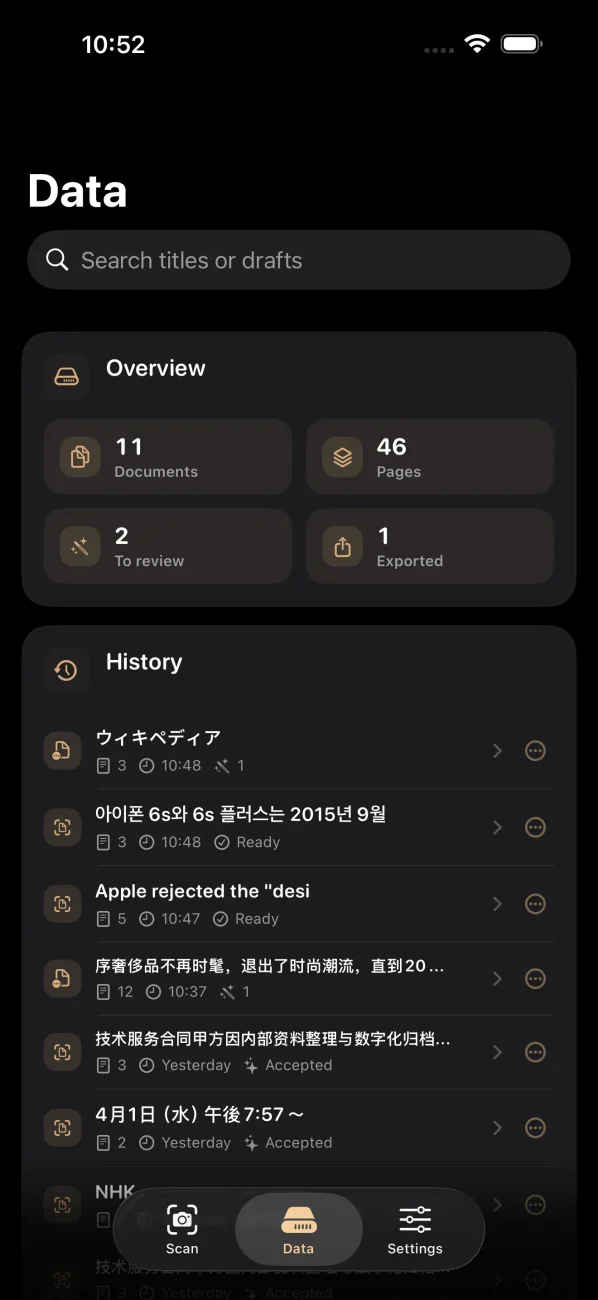
- Keep recent documents ready for another export
Free in version 1.2:
- Export the original scan as PDF
- Run local OCR and review text even offline
- Process and store documents on device by default
ForScan Pro:
- Export a reading PDF with cleaner text flow
- Export Markdown and TXT for notes, editing, and follow-up work
ForScan uses local OCR for the core workflow, so you can scan, recognize, and review printed pages even when you are offline. Keeping the main workflow on device helps private documents stay under your control unless you choose to export or share them.
Privacy Policy: https://wonderfulsuccess.github.io/ForScan-site/privacy-policy/
Terms of Use (Standard Apple EULA): https://www.apple.com/legal/internet-services/itunes/dev/stdeula/
Yang baru
Versi 1.2 · 26/10/2026
A clearer workflow, safer document handling, and smoother exports.
• Find recent documents faster and search their text. Browse your library side by side on iPad.
• Keep original colors, switch between grayscale and enhanced views, and zoom in on scanned pages.
• Recover scan drafts and deleted documents, undo text edits, and keep your edits when reordering or adding pages.
• Pause and retry text recognition. Export saved scans to PDF before recognition finishes, with export progress and cancellation.
• Scans exceeding the page limit are split into additional documents without discarding pages.
• Improved export explanations, subscription recovery, larger text layouts, dark appearance, and translations.
Scan PDF remains free. Text PDF, Markdown, and TXT exports require Pro.
Privasi aplikasi
Yang dinyatakan 中山 王 di App Store tentang cara aplikasi ini menangani data.
-
Data tidak dikumpulkan
Pengembang tidak mengumpulkan data apa pun dari aplikasi ini.
Praktik privasi dapat bervariasi, misalnya berdasarkan fitur yang Anda gunakan atau usia Anda.
Informasi
- Penjual
- 中山 王
- Kategori
- Kegunaan
- Versi
- 1.2
- Diperbarui
- 26/10/2026
- Dirilis
- 7/4/2026
- Ukuran
- 2,9 MB
- Memerlukan
- iOS 18.0 atau yang lebih baru
- Batasan usia
- 4+
- Harga
- Gratis
- Pembelian dalam aplikasi
- Ya
- Bahasa
- Inggris, Prancis, Jerman, Jepang, Korea, Portugis, Tionghoa Sederhana, Spanyol, Thai, Tionghoa Tradisional
- Hak cipta
- © 2026 Zhongshan Wang