ForScan
Scan Paper into Clean Docs
Được thiết kế cho iPhone, iPad
Miễn phí · Mua hàng trong ứng dụng
- Độ tuổi4+
- Danh mụcTiện Ích
- Nhà phát triển中山 王
- Ngôn ngữTiếng Anh+ 9 ngôn ngữ khác
- Kích thước2,9 MB
Liên kết đến trang App Store chính thức
Download.org không lưu trữ tệp nào của ForScan. Nút này mở trang ứng dụng trên App Store, nơi 中山 王 phát hành ứng dụng. Trang được kiểm tra lần cuối: 16/11/2026.
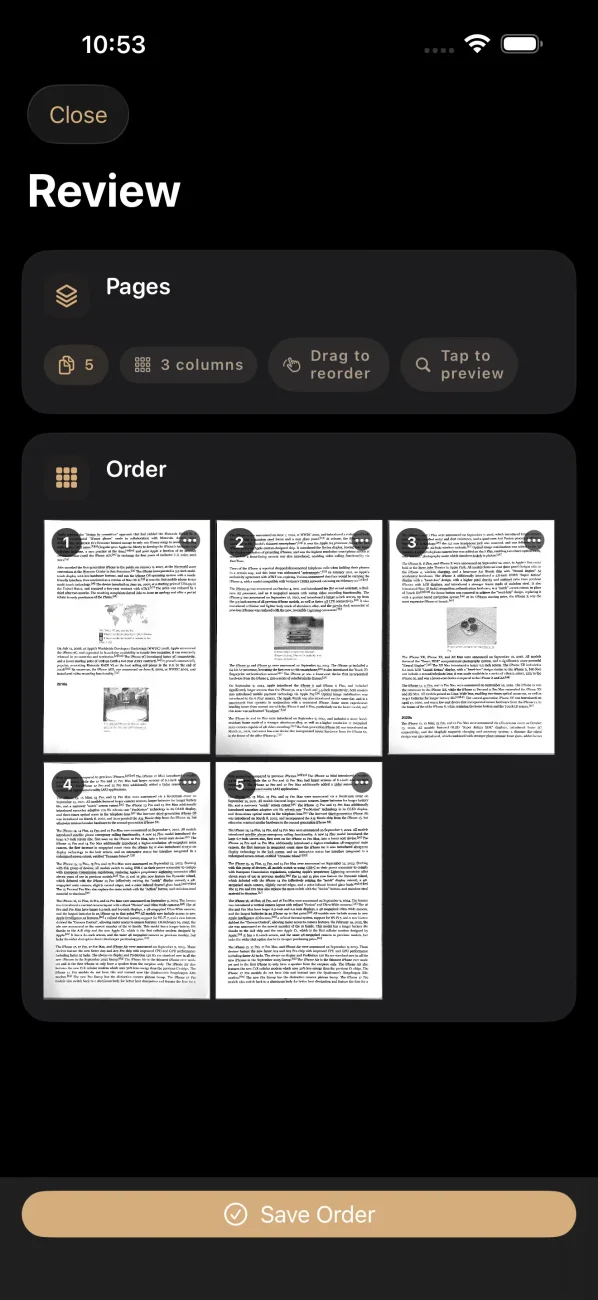
Ảnh chụp màn hình



Giới thiệu
Nhà phát triển chưa cung cấp nội dung này bằng ngôn ngữ của bạn.
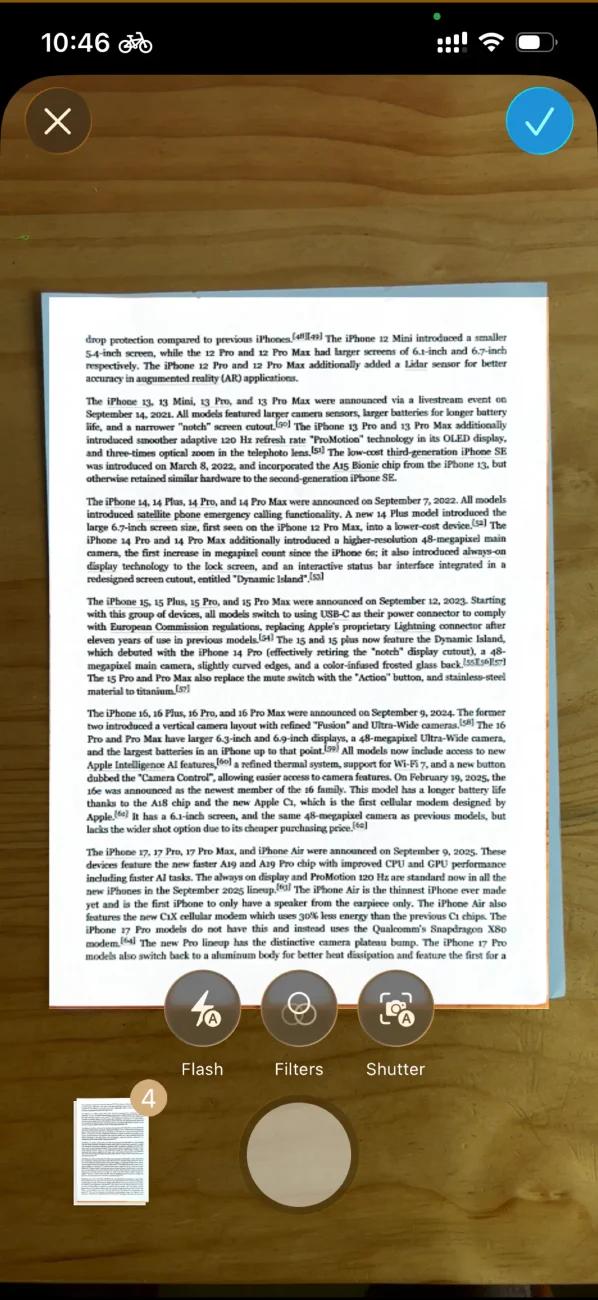
ForScan helps you turn multi-page paper into cleaner digital documents you can read, review, and reuse. It is built for books, contracts, study packets, and printed reference pages where page order and readable text matter.
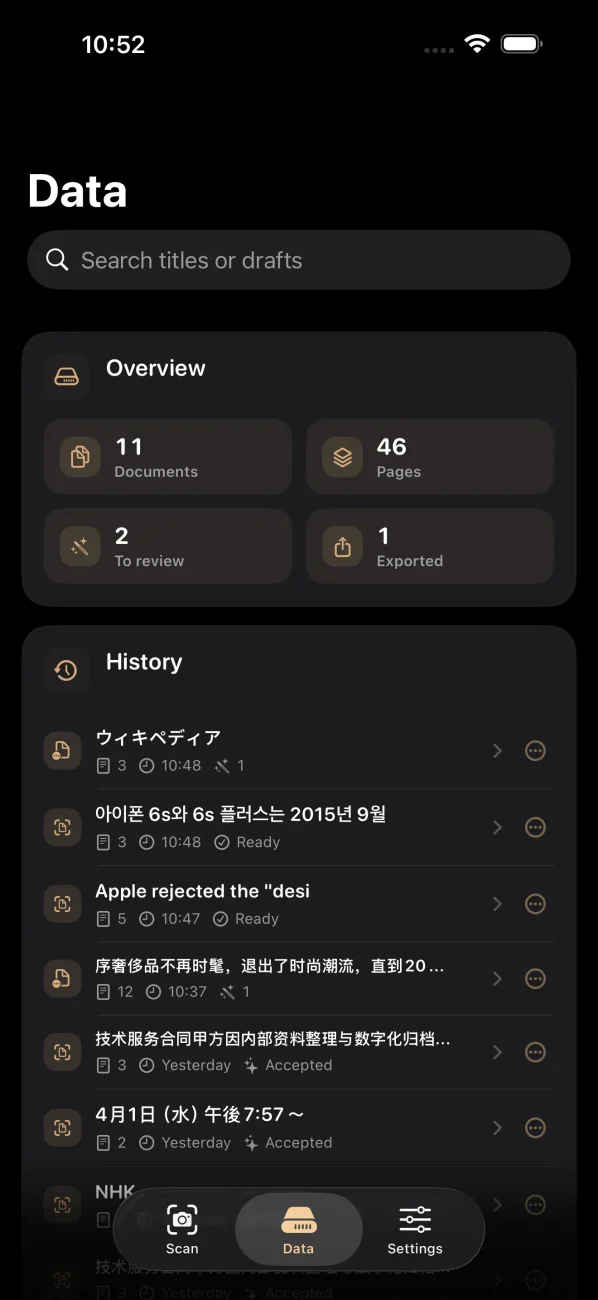
What you can do in ForScan:
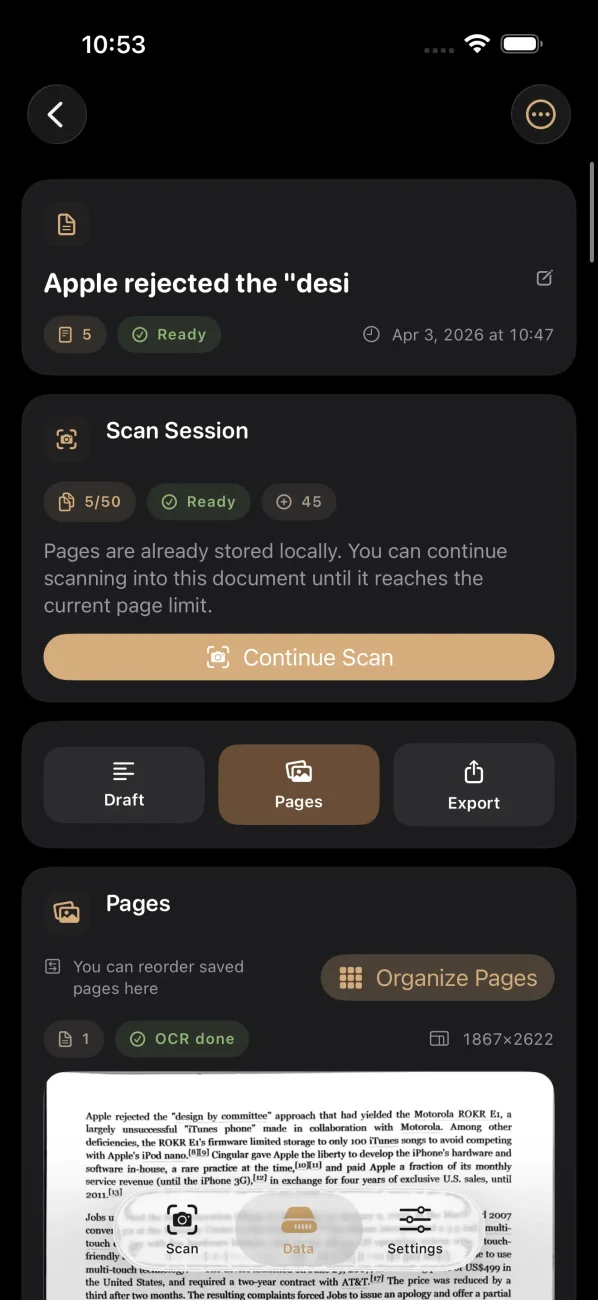
- Scan up to 50 pages free, or up to 500 with Pro, in one document
- Review, reorder, delete, or retake pages before OCR
- Merge printed pages into one document
- Rebuild paragraphs so text reads more naturally
- Check cleanup suggestions before export
- Keep recent documents ready for another export
Free in version 1.2:
- Export the original scan as PDF
- Run local OCR and review text even offline
- Process and store documents on device by default
ForScan Pro:
- Export a reading PDF with cleaner text flow
- Export Markdown and TXT for notes, editing, and follow-up work
ForScan uses local OCR for the core workflow, so you can scan, recognize, and review printed pages even when you are offline. Keeping the main workflow on device helps private documents stay under your control unless you choose to export or share them.
Privacy Policy: https://wonderfulsuccess.github.io/ForScan-site/privacy-policy/
Terms of Use (Standard Apple EULA): https://www.apple.com/legal/internet-services/itunes/dev/stdeula/
Có gì mới
Phiên bản 1.2 · 26/10/2026
A clearer workflow, safer document handling, and smoother exports.
• Find recent documents faster and search their text. Browse your library side by side on iPad.
• Keep original colors, switch between grayscale and enhanced views, and zoom in on scanned pages.
• Recover scan drafts and deleted documents, undo text edits, and keep your edits when reordering or adding pages.
• Pause and retry text recognition. Export saved scans to PDF before recognition finishes, with export progress and cancellation.
• Scans exceeding the page limit are split into additional documents without discarding pages.
• Improved export explanations, subscription recovery, larger text layouts, dark appearance, and translations.
Scan PDF remains free. Text PDF, Markdown, and TXT exports require Pro.
Quyền riêng tư của ứng dụng
Những gì 中山 王 khai báo trên App Store về cách ứng dụng này xử lý dữ liệu.
-
Dữ liệu không được thu thập
Nhà phát triển không thu thập bất kỳ dữ liệu nào từ ứng dụng này.
Phương thức đảm bảo quyền riêng tư có thể khác nhau, chẳng hạn như tuỳ theo các tính năng bạn sử dụng hoặc độ tuổi của bạn.
Thông tin
- Người bán
- 中山 王
- Danh mục
- Tiện Ích
- Phiên bản
- 1.2
- Cập nhật
- 26/10/2026
- Phát hành
- 07/04/2026
- Kích thước
- 2,9 MB
- Yêu cầu
- iOS 18.0 trở lên
- Độ tuổi
- 4+
- Giá
- Miễn phí
- Mua hàng trong ứng dụng
- Có
- Ngôn ngữ
- Tiếng Anh, Tiếng Pháp, Tiếng Đức, Tiếng Nhật, Tiếng Hàn, Tiếng Bồ Đào Nha, Tiếng Trung Giản thể, Tiếng Tây Ban Nha, Tiếng Thái, Tiếng Trung Phồn thể
- Bản quyền
- © 2026 Zhongshan Wang