ForScan
Scan Paper into Clean Docs
iPhone, iPad için tasarlandı
Ücretsiz · Uygulama içi satın alma
- Yaş sınırı4+
- KategoriYardımcılar
- Geliştirici中山 王
- Dillerİngilizce+ 9 dil daha
- Boyut2,9 MB
Resmi App Store sayfasına bağlanır
Download.org, ForScan için hiçbir dosya barındırmaz. Düğme, uygulamanın App Store üzerindeki sayfasını açar; uygulamayı orada 中山 王 yayınlar. Sayfanın son kontrolü: 16.11.2026.
Ekran görüntüleri


Hakkında
Geliştirici bu metni dilinizde sunmamış.
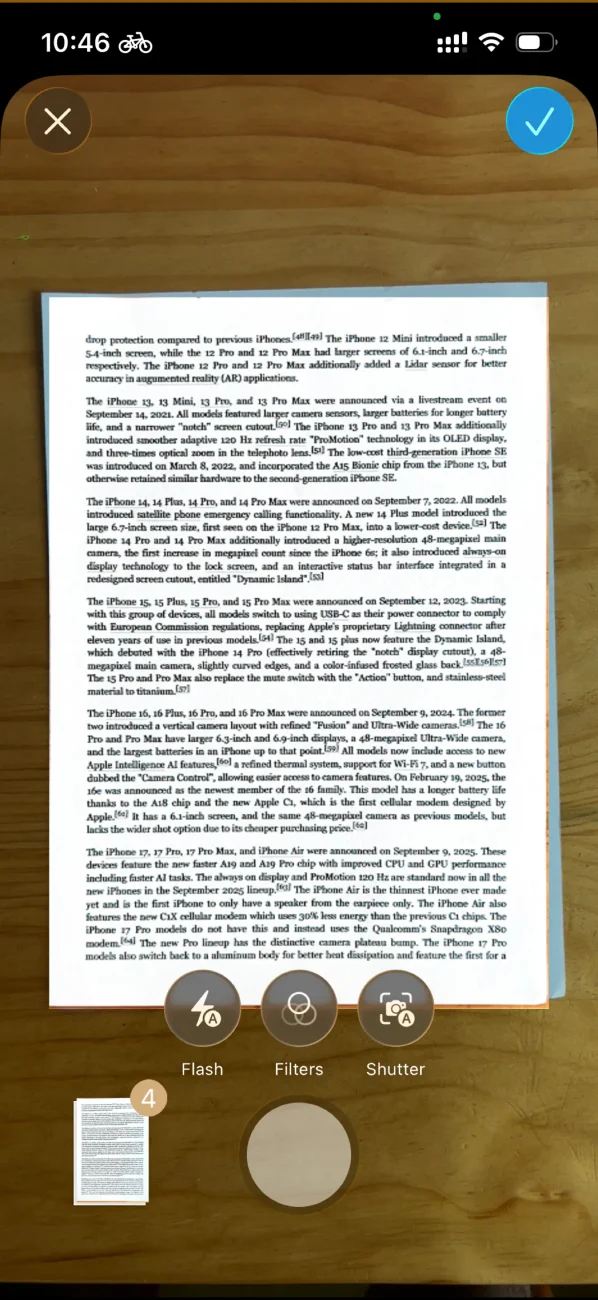
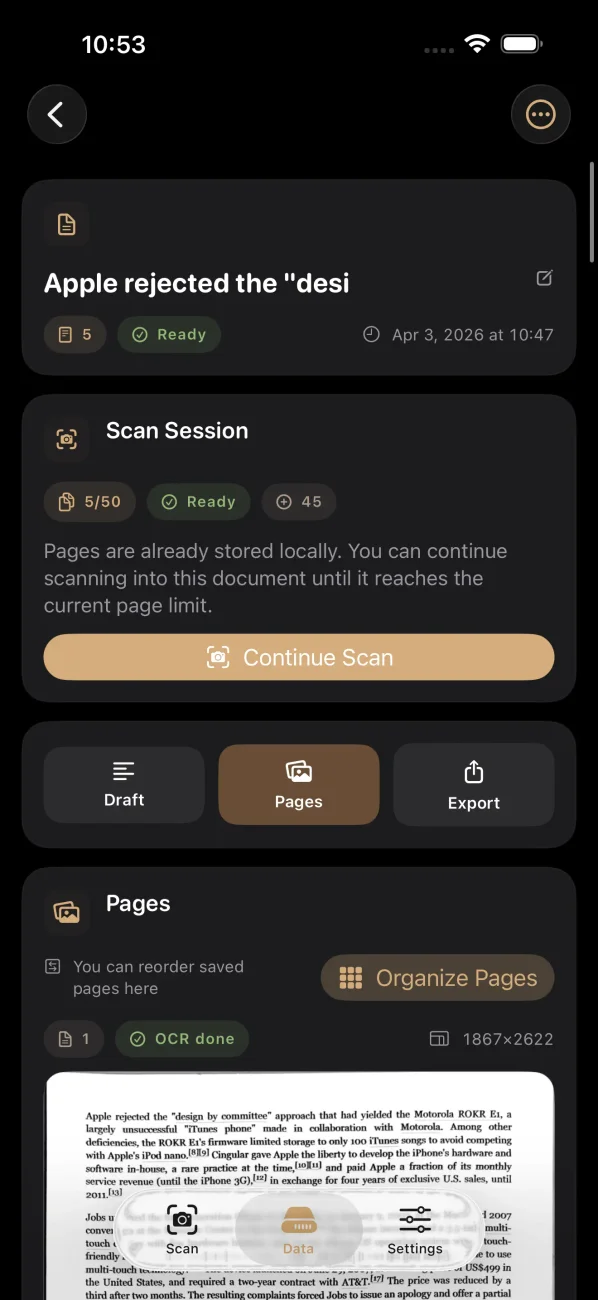
ForScan helps you turn multi-page paper into cleaner digital documents you can read, review, and reuse. It is built for books, contracts, study packets, and printed reference pages where page order and readable text matter.
What you can do in ForScan:
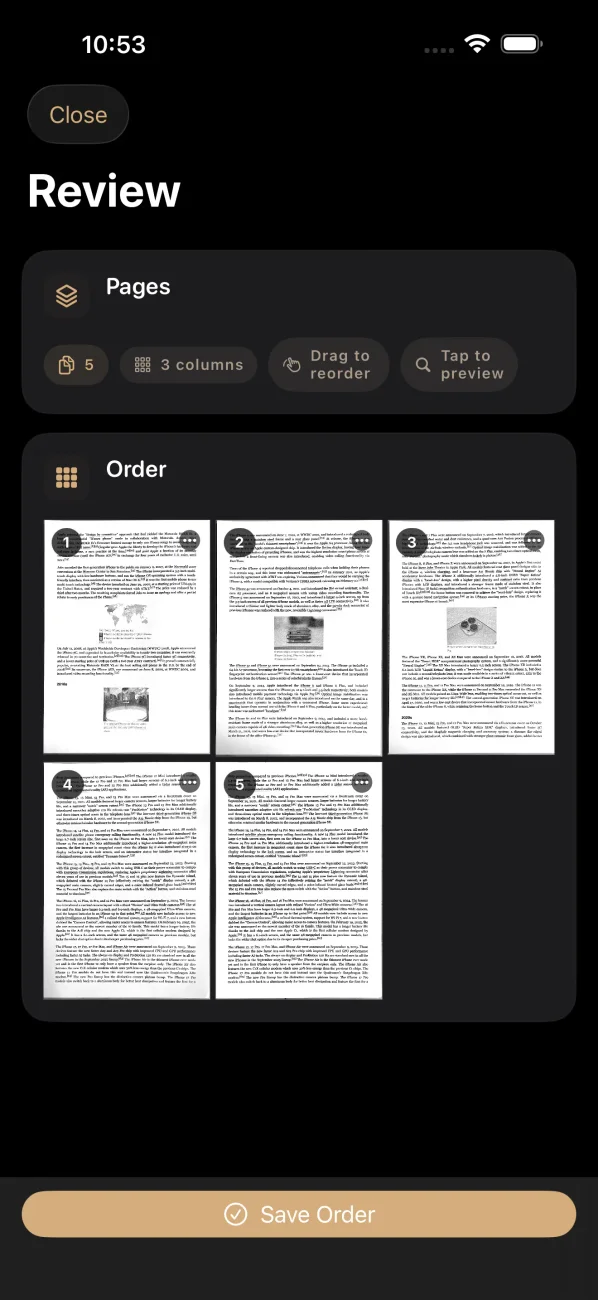
- Scan up to 50 pages free, or up to 500 with Pro, in one document
- Review, reorder, delete, or retake pages before OCR
- Merge printed pages into one document
- Rebuild paragraphs so text reads more naturally
- Check cleanup suggestions before export
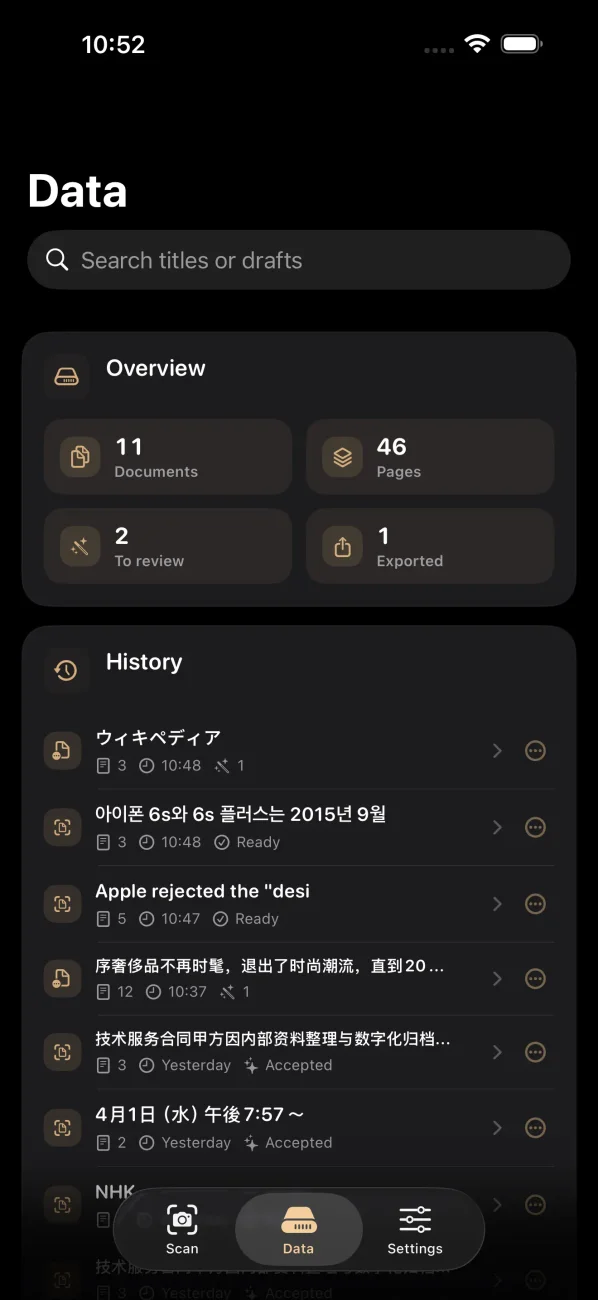
- Keep recent documents ready for another export
Free in version 1.2:
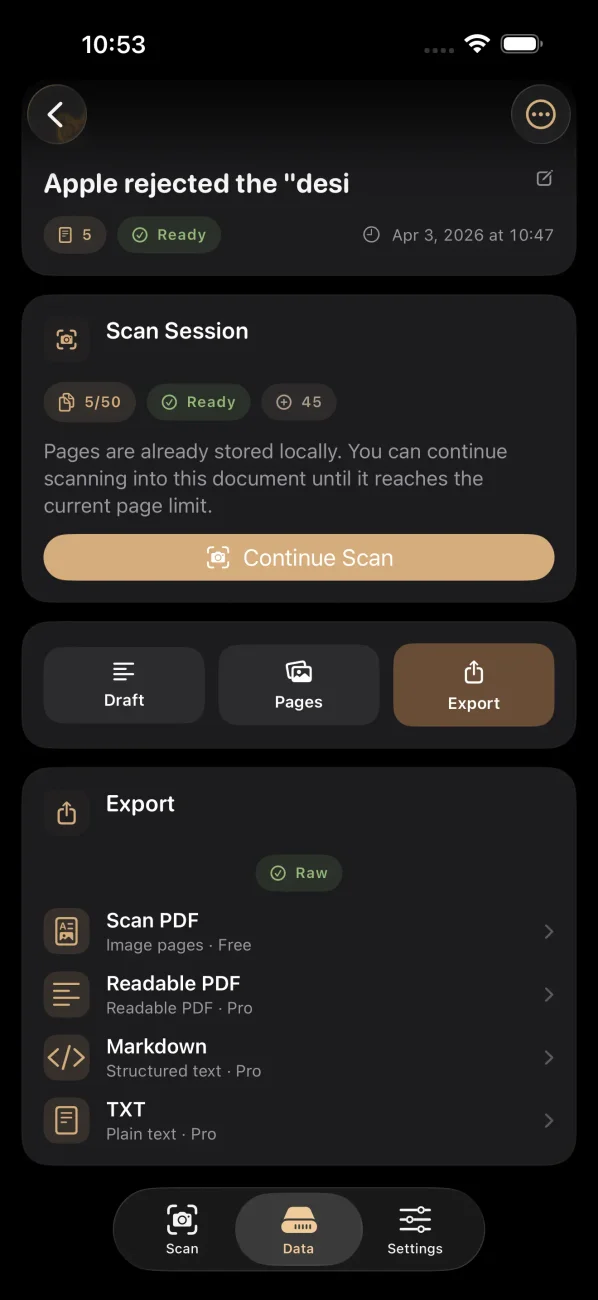
- Export the original scan as PDF
- Run local OCR and review text even offline
- Process and store documents on device by default
ForScan Pro:
- Export a reading PDF with cleaner text flow
- Export Markdown and TXT for notes, editing, and follow-up work
ForScan uses local OCR for the core workflow, so you can scan, recognize, and review printed pages even when you are offline. Keeping the main workflow on device helps private documents stay under your control unless you choose to export or share them.
Privacy Policy: https://wonderfulsuccess.github.io/ForScan-site/privacy-policy/
Terms of Use (Standard Apple EULA): https://www.apple.com/legal/internet-services/itunes/dev/stdeula/
Yenilikler
Sürüm 1.2 · 26.10.2026
A clearer workflow, safer document handling, and smoother exports.
• Find recent documents faster and search their text. Browse your library side by side on iPad.
• Keep original colors, switch between grayscale and enhanced views, and zoom in on scanned pages.
• Recover scan drafts and deleted documents, undo text edits, and keep your edits when reordering or adding pages.
• Pause and retry text recognition. Export saved scans to PDF before recognition finishes, with export progress and cancellation.
• Scans exceeding the page limit are split into additional documents without discarding pages.
• Improved export explanations, subscription recovery, larger text layouts, dark appearance, and translations.
Scan PDF remains free. Text PDF, Markdown, and TXT exports require Pro.
Uygulama gizliliği
Bu uygulamanın verileri nasıl işlediği hakkında 中山 王 tarafından App Store üzerinde yapılan beyan.
-
Veri toplanmıyor
Geliştirici bu uygulamadan hiçbir veri toplamıyor.
Gizlilik uygulamaları, örneğin kullandığınız özelliklere veya yaşınıza göre değişiklik gösterebilir.
Bilgiler
- Satıcı
- 中山 王
- Kategori
- Yardımcılar
- Sürüm
- 1.2
- Güncellendi
- 26.10.2026
- Yayın tarihi
- 07.04.2026
- Boyut
- 2,9 MB
- Gereksinim
- iOS 18.0 veya sonrası
- Yaş sınırı
- 4+
- Fiyat
- Ücretsiz
- Uygulama içi satın alma
- Evet
- Diller
- İngilizce, Fransızca, Almanca, Japonca, Korece, Portekizce, Basitleştirilmiş Çince, İspanyolca, Tayca, Geleneksel Çince
- Telif hakkı
- © 2026 Zhongshan Wang
Bunları da beğenebilirsiniz
-
 MyGarage: Car Service LogYardımcılar
-
 AI Car Doctor: OBD TeşhisOBD ile akıllı araç teşhisi
-
 Car Scanner ELM OBD2 327Yardımcılar
-
 MINI TPMS TOOLYardımcılar
-
 FORScan ViewerYardımcılar
-
 Garage Mate: Car CareYardımcılar
-
 Antenna CoverageYardımcılar
-
 Dura TPMSYardımcılar
-
 Feench: Feet Inch CalculatorYardımcılar
-
 JSNFCYardımcılar