
- Batasan usia4+
- KategoriProduktivitas
- PengembangManasin Ivan
- BahasaInggris+ 1 lainnya
- Ukuran35,8 MB
Tertaut ke halaman resmi App Store
Download.org tidak menyimpan file IM. CAD apa pun. Tombol ini membuka halaman aplikasi di App Store, tempat Manasin Ivan menerbitkannya. Halaman terakhir diperiksa pada 23/11/2026.
Tangkapan layar

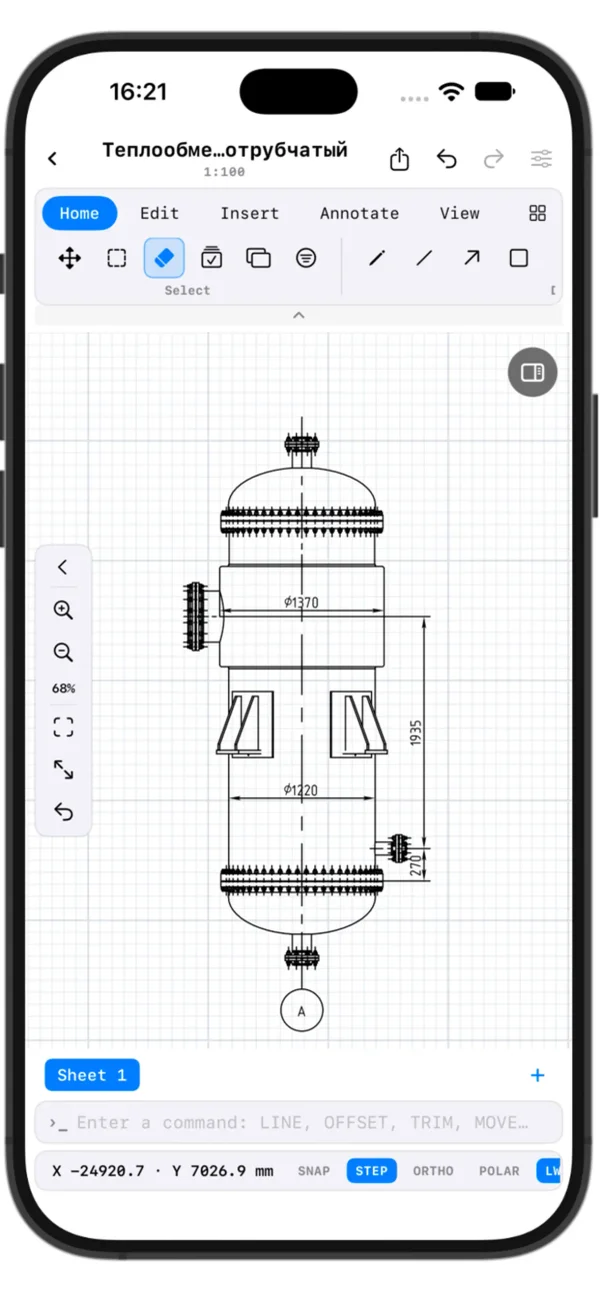
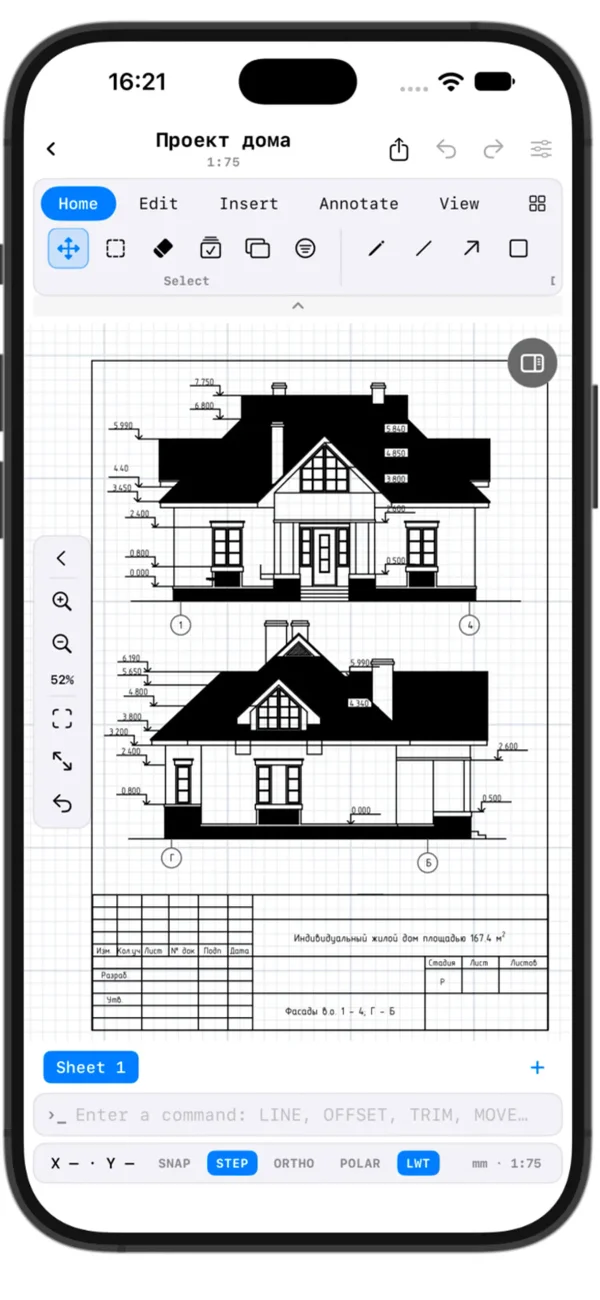
Tentang
Pengembang belum menyediakan teks ini dalam bahasa Anda.
Draw, design and document wherever you work: on site, in the office or on the road. The precision of professional CAD with the ease of a touch screen, on iPad, iPhone and Mac.
DRAWING AND EDITING
- Lines, polylines, arcs, circles, rectangles, curves and text
- Object snaps to endpoints, midpoints, centers, intersections and tangents
- Keyboard entry of coordinates, lengths and angles; command line with suggestions
- Move, copy, rotate, scale, mirror, offset, trim, extend, stretch and align
- Fillet and chamfer, arrays, blocks
- Undo and redo
ARCHITECTURE
- Walls, doors and windows, columns, stairs, elevators and roofs
- Rooms with automatic area calculation
- Grid lines and axis grids
- Section view along a line on the plan
- Furniture, kitchen and bathroom fixtures from the library
BUILDING SERVICES
- Piping and plumbing fixtures
- Electrical: outlets, lighting, panels
- Heating and ventilation
- Schedules for objects on the plan
SITE PLAN AND SECURITY SYSTEMS
- Surveillance cameras with coverage zones
- Intrusion and fire detectors with coverage check
- Access control, cable routes and equipment
- Fences, gates and wickets
DRAFTING STANDARDS
- Title blocks and borders with a title block editor
- Dimensions: linear, angular, radius and diameter, plus automatic dimensioning
- Annotation marks: level marks, leaders, detail callouts, slopes
- Hatches, standard line weights and fonts
- Tables and bills of materials
- Multiple sheets in one drawing; drawing and print scales
- ANSI and GOST sheet formats
SYMBOL LIBRARY
- Electrical schematics, instrumentation and control, piping and equipment
- Piping isometrics, symbols for mechanical drawings
- Furniture and interior
- Your own stencils from DXF files
SHARING DRAWINGS
- DXF import and export
- PDF and image underlays with automatic scale detection
- Insert a drawing from PDF as editable lines and text
- Export to PDF for printing and review
- Native .imdraw format
STAYING ORGANIZED
- Layers: visibility, locking, list of objects on a layer
- Folders and drawing search
- Trash: deleted drawings are kept for 30 days
- Send selected drawings and folders to iCloud to work on your other devices
EASE OF USE
- Draw with your finger or Apple Pencil
- Portrait and landscape orientation
- Labeled tool ribbon that collapses so the drawing fills the screen
- Inches and feet or millimeters and meters
- Sample drawings ready right after installation
Your drawings are stored on your device and in your iCloud. We do not collect or share your data.
Yang baru
Versi 1.51 · 21/11/2026
- Bug fixes;
- Added a drawing tool;
- Improved the project's visual design.
Privasi aplikasi
Yang dinyatakan Manasin Ivan di App Store tentang cara aplikasi ini menangani data.
-
Data tidak dikumpulkan
Pengembang tidak mengumpulkan data apa pun dari aplikasi ini.
Praktik privasi dapat bervariasi, misalnya berdasarkan fitur yang Anda gunakan atau usia Anda.
Informasi
- Penjual
- Manasin Ivan
- Kategori
- Produktivitas
- Versi
- 1.51
- Diperbarui
- 21/11/2026
- Dirilis
- 10/11/2026
- Ukuran
- 35,8 MB
- Memerlukan
- iOS 17.6 atau yang lebih baru
- Batasan usia
- 4+
- Harga
- Gratis
- Bahasa
- Inggris, Rusia
- Hak cipta
- © IM-EcoSystem
Mungkin Anda juga suka
-
 Floor Plan: Measure & 3DProduktivitas
-
 Room Planner 3D LiDAR ScannerProduktivitas
-
 xPlain2Me - draw doodle videoProduktivitas
-
 CADFast - dwg viewerProduktivitas
-
 Plantekn - Draw Floor PlansProduktivitas
-
 DWSIM SimulatorProduktivitas
-
 ЧП (чек-лист прораба)Produktivitas
-
 iPocket Draw LiteProduktivitas
-
 TTS Text To Speech: Read AloudProduktivitas
-
 TeamGanttProduktivitas