
- 対象年齢4+
- カテゴリ仕事効率化
- 開発元Manasin Ivan
- 言語英語ほか1言語
- サイズ35.8 MB
App Storeの公式ページにリンクしています
Download.orgはIM. CADのファイルを一切ホストしていません。ボタンを押すと、Manasin Ivanが公開しているApp Storeのアプリページが開きます。ページの最終確認:2026/11/23。
スクリーンショット

概要
開発元はこのテキストをお使いの言語で提供していません。
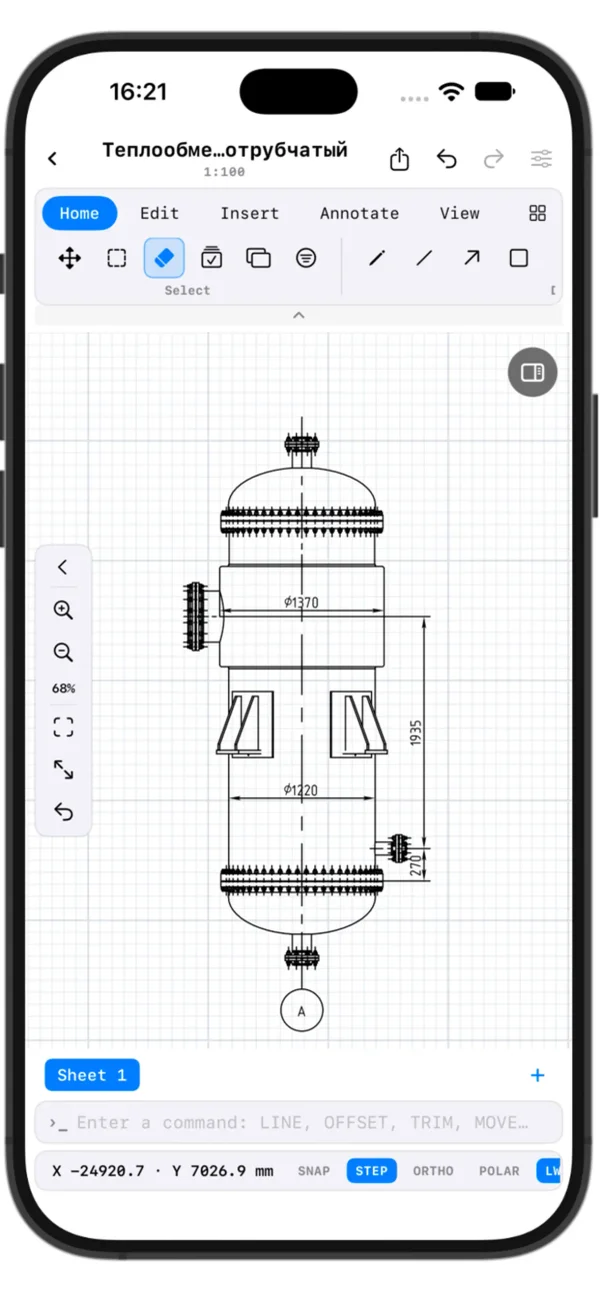
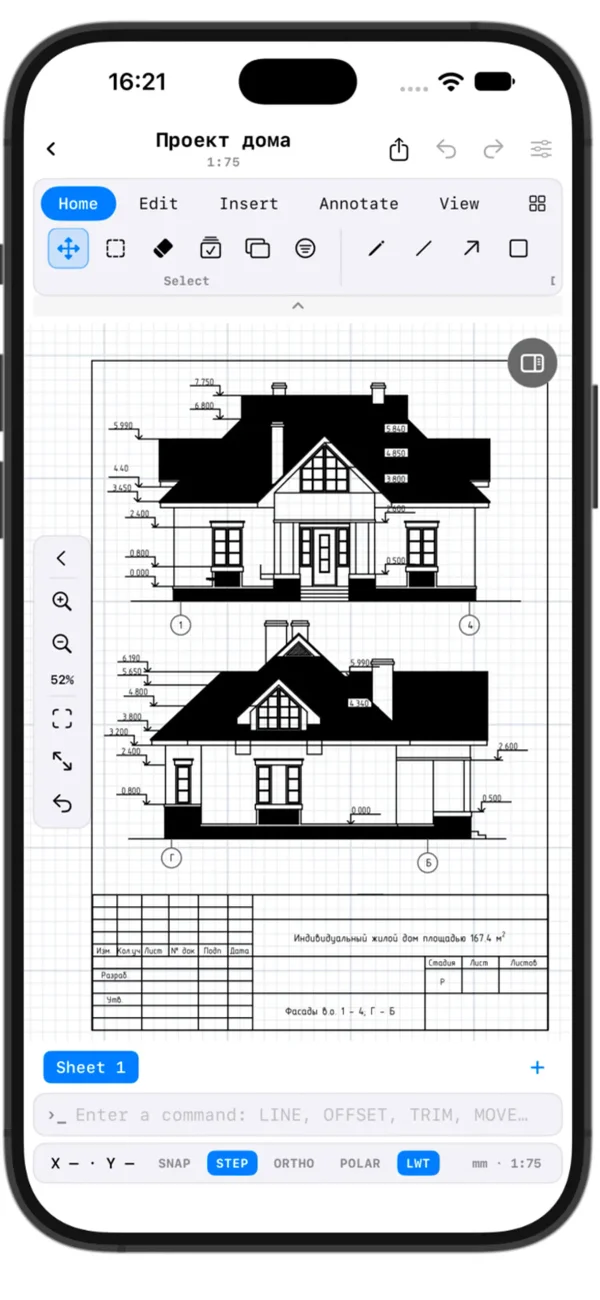
Draw, design and document wherever you work: on site, in the office or on the road. The precision of professional CAD with the ease of a touch screen, on iPad, iPhone and Mac.
DRAWING AND EDITING
- Lines, polylines, arcs, circles, rectangles, curves and text
- Object snaps to endpoints, midpoints, centers, intersections and tangents
- Keyboard entry of coordinates, lengths and angles; command line with suggestions
- Move, copy, rotate, scale, mirror, offset, trim, extend, stretch and align
- Fillet and chamfer, arrays, blocks
- Undo and redo
ARCHITECTURE
- Walls, doors and windows, columns, stairs, elevators and roofs
- Rooms with automatic area calculation
- Grid lines and axis grids
- Section view along a line on the plan
- Furniture, kitchen and bathroom fixtures from the library
BUILDING SERVICES
- Piping and plumbing fixtures
- Electrical: outlets, lighting, panels
- Heating and ventilation
- Schedules for objects on the plan
SITE PLAN AND SECURITY SYSTEMS
- Surveillance cameras with coverage zones
- Intrusion and fire detectors with coverage check
- Access control, cable routes and equipment
- Fences, gates and wickets
DRAFTING STANDARDS
- Title blocks and borders with a title block editor
- Dimensions: linear, angular, radius and diameter, plus automatic dimensioning
- Annotation marks: level marks, leaders, detail callouts, slopes
- Hatches, standard line weights and fonts
- Tables and bills of materials
- Multiple sheets in one drawing; drawing and print scales
- ANSI and GOST sheet formats
SYMBOL LIBRARY
- Electrical schematics, instrumentation and control, piping and equipment
- Piping isometrics, symbols for mechanical drawings
- Furniture and interior
- Your own stencils from DXF files
SHARING DRAWINGS
- DXF import and export
- PDF and image underlays with automatic scale detection
- Insert a drawing from PDF as editable lines and text
- Export to PDF for printing and review
- Native .imdraw format
STAYING ORGANIZED
- Layers: visibility, locking, list of objects on a layer
- Folders and drawing search
- Trash: deleted drawings are kept for 30 days
- Send selected drawings and folders to iCloud to work on your other devices
EASE OF USE
- Draw with your finger or Apple Pencil
- Portrait and landscape orientation
- Labeled tool ribbon that collapses so the drawing fills the screen
- Inches and feet or millimeters and meters
- Sample drawings ready right after installation
Your drawings are stored on your device and in your iCloud. We do not collect or share your data.
新機能
バージョン 1.51 · 2026/11/21
- Bug fixes;
- Added a drawing tool;
- Improved the project's visual design.
アプリのプライバシー
このアプリのデータの取り扱いについて、Manasin IvanがApp Storeで申告している内容です。
-
データの収集なし
開発元はこのアプリからデータを収集しません。
プライバシーの取り扱いは、ご利用の機能やお客様の年齢などに応じて異なる場合があります。
情報
- 販売元
- Manasin Ivan
- カテゴリ
- 仕事効率化
- バージョン
- 1.51
- 更新日
- 2026/11/21
- リリース
- 2026/11/10
- サイズ
- 35.8 MB
- 必要条件
- iOS 17.6以降
- 対象年齢
- 4+
- 価格
- 無料
- 言語
- 英語, ロシア語
- 著作権
- © IM-EcoSystem
こちらもおすすめ
-
 Floor Plan: Measure & 3D仕事効率化
-
 Room Planner 3D LiDAR Scanner仕事効率化
-
 xPlain2Me - draw doodle video仕事効率化
-
 CADFast - dwg viewer仕事効率化
-
 Plantekn - 間取り図・設計図・図面作成平面図・見取り図から3D家具配置まで
-
 DWSIM Simulator仕事効率化
-
 ЧП (чек-лист прораба)仕事効率化
-
 iPocket Draw Lite仕事効率化
-
 テキスト読み上げ音読人工知能-音声読み上げ機能,スピーチおんせいすぴーく:スピークpdf,どきゅめんと,本 変換
-
 TeamGantt仕事効率化