Image Compressor Offline
Fit photos under a size limit
Dirancang untuk iPhone, iPad
Gratis · Pembelian dalam aplikasi
- Batasan usia4+
- KategoriFoto & Video
- PengembangHayri Odabas
- BahasaInggris+ 11 lainnya
- Ukuran1,6 MB
Tertaut ke halaman resmi App Store
Download.org tidak menyimpan file Image Compressor Offline apa pun. Tombol ini membuka halaman aplikasi di App Store, tempat Hayri Odabas menerbitkannya. Halaman terakhir diperiksa pada 18/11/2026.
Tangkapan layar

Tentang
Pengembang belum menyediakan teks ini dalam bahasa Anda.
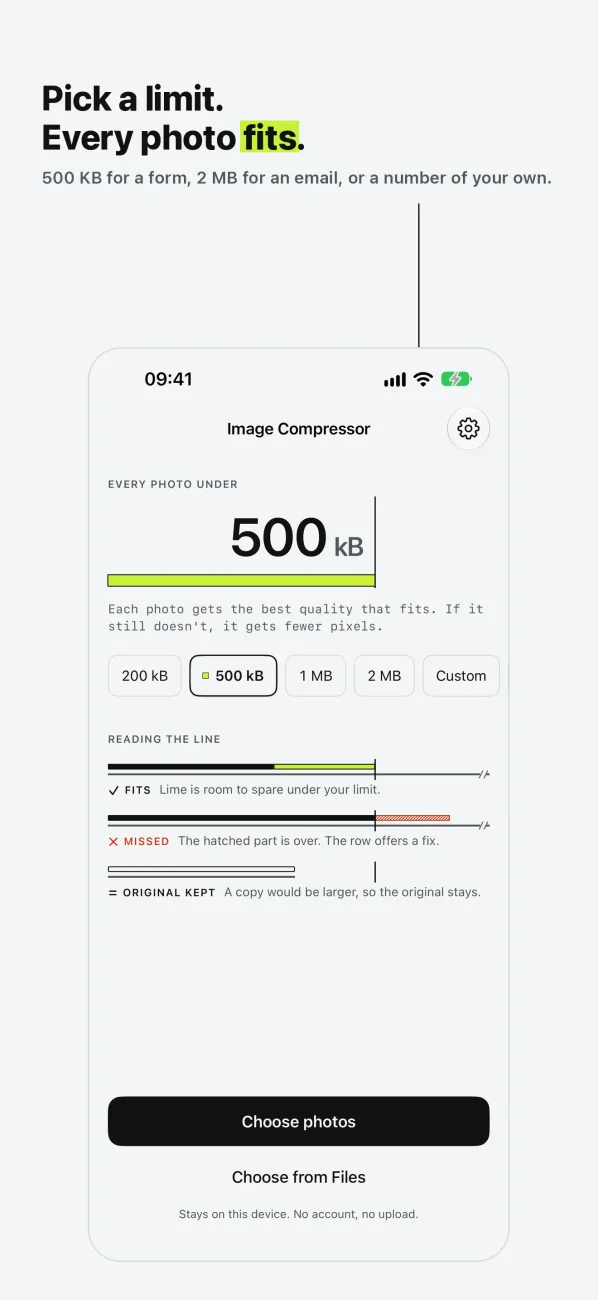
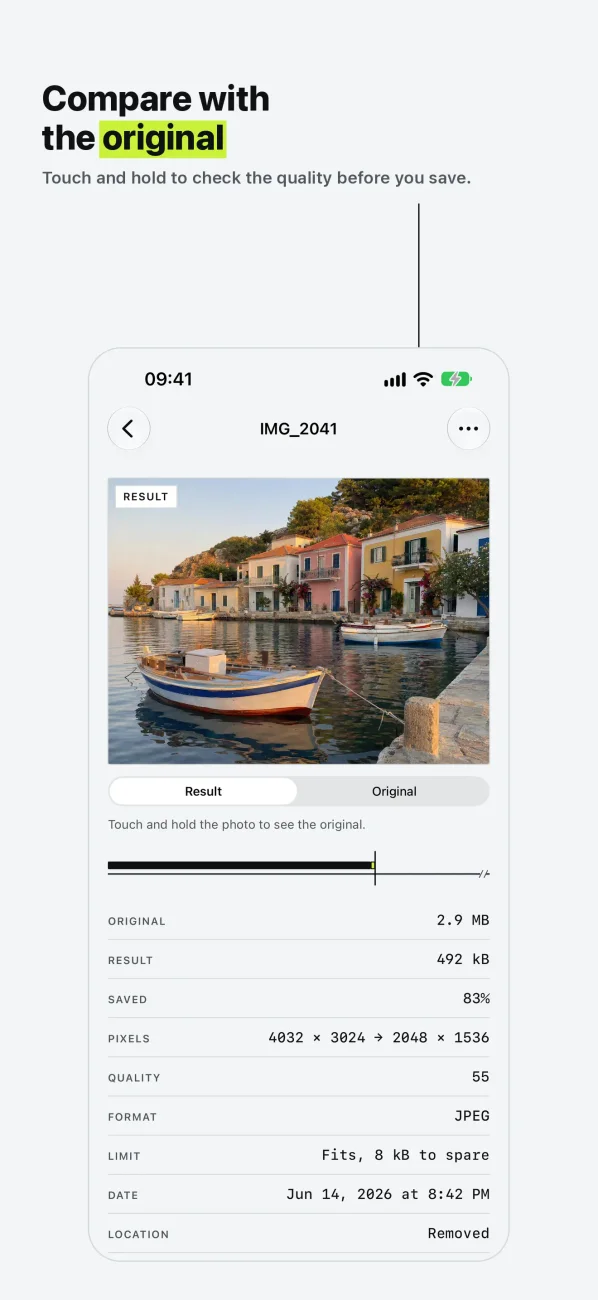
Image Compressor makes photos small enough for the place they are going. Pick a limit, such as 500 KB for an application form or 2 MB for an email, choose your photos, and each one is fitted under it right away. The app tries the highest quality first and uses fewer pixels only when quality alone is not enough.
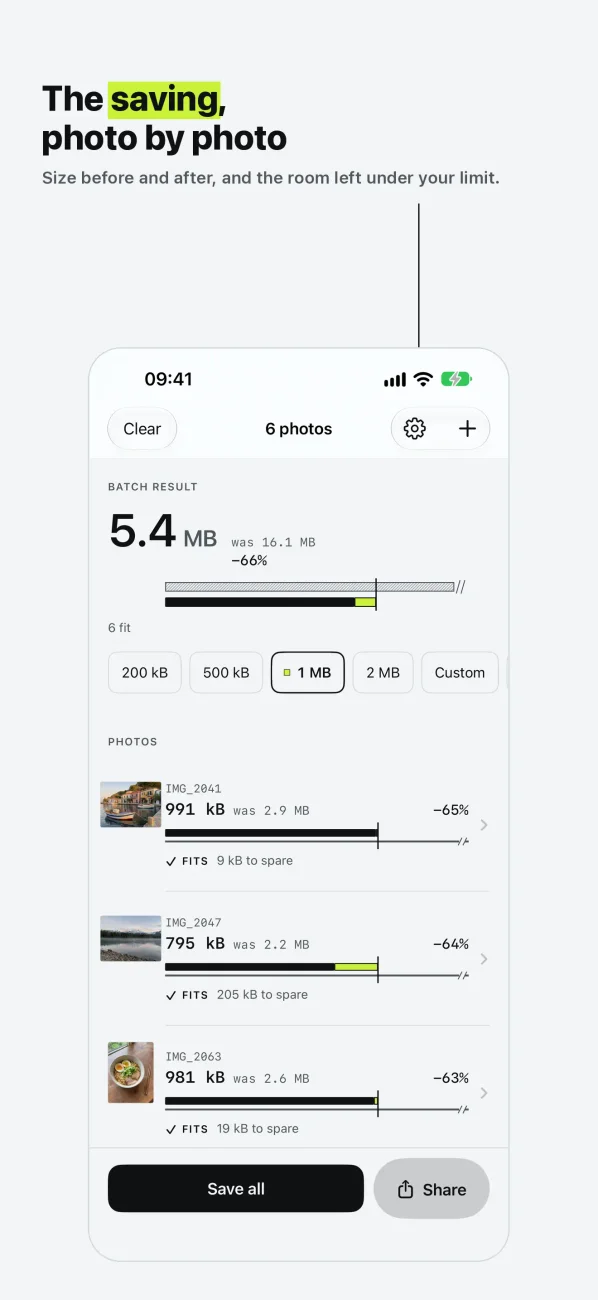
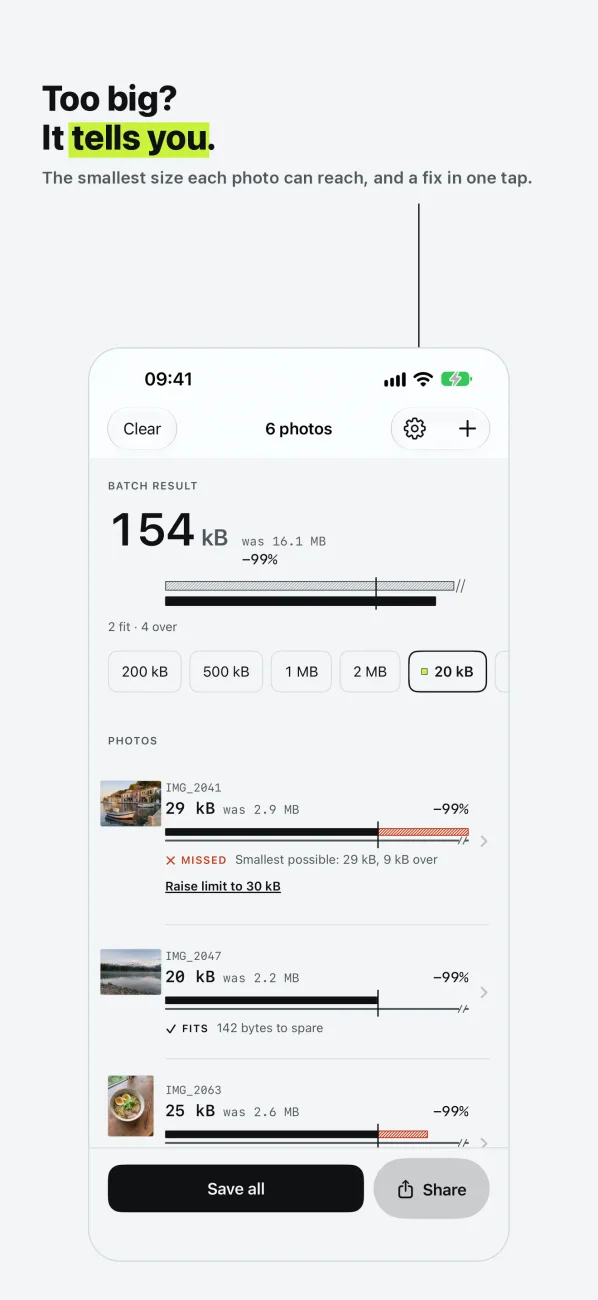
Every photo is measured against your limit on one vertical line. You see what it weighed before, what it weighs now and how much room is left. A photo that cannot fit tells you its smallest possible size and offers a one-tap fix. A photo that would only get bigger is left exactly as it was, so you never get back a larger file than you gave.
Copies keep the day they were taken, so they land in the right place in Photos. The location is removed unless you ask to keep it. You can also set the longest side in pixels and the format: JPEG, PNG or HEIC.
Save the whole batch to Photos in one tap, or send it through AirDrop, Mail or Files. Photos from Files keep their names.
Every photo is compressed on your iPhone or iPad itself; none of them is uploaded, no login screen exists, no ads appear, and compressing works with Wi-Fi switched off.
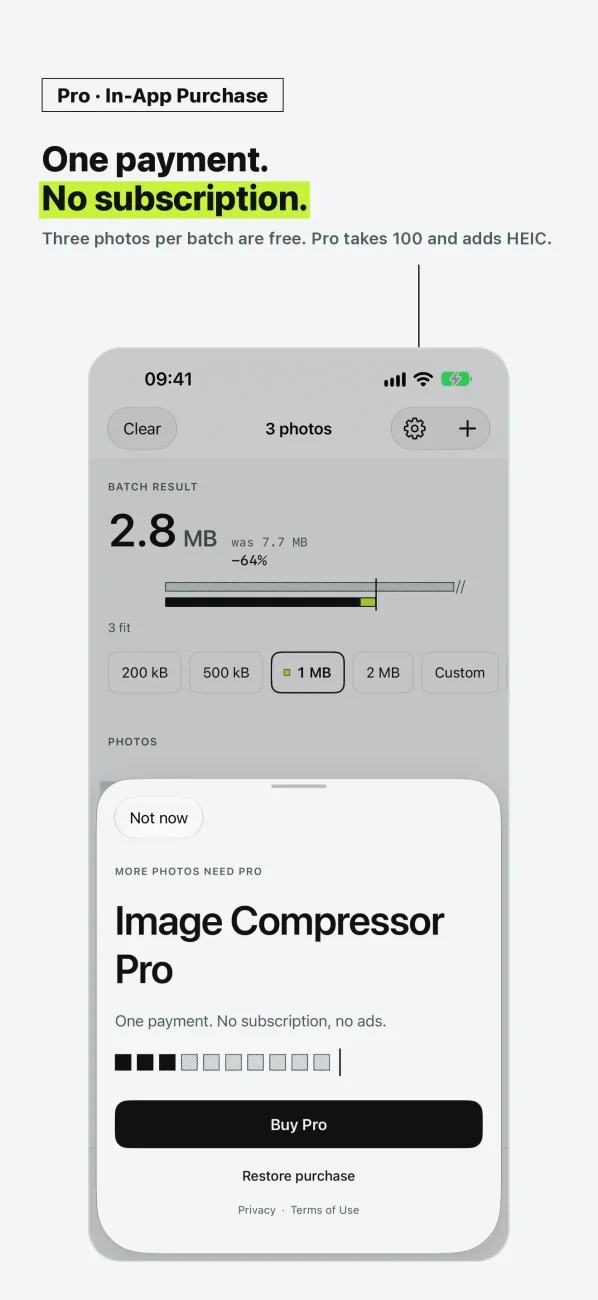
Three photos per batch are free, as often as you like. Image Compressor Pro takes a one-time payment with no renewal: batches of up to 100 photos and HEIC output, the format your iPhone camera uses, which usually keeps the same look in a noticeably smaller file.
Yang baru
Versi 1.2 · 12/11/2026
Image Compressor has been rebuilt around one idea: a size limit.
Pick 200 KB, 500 KB, 1 MB, 2 MB or your own number, and every photo is compressed to the best quality that fits, right as it arrives. A line on each photo shows the size before and after and the room left under your limit. If a photo cannot fit, it says how small it can get and offers a fix. If a copy would be larger, the original is kept.
Copies now keep their capture date, so they land on the right day in Photos. Save or share the whole batch in one tap, add photos from Files, choose the longest side, and stop or continue a long batch.
The app also has a new look and icon, a short opening and optional sounds.
Privasi aplikasi
Yang dinyatakan Hayri Odabas di App Store tentang cara aplikasi ini menangani data.
-
Data tidak dikumpulkan
Pengembang tidak mengumpulkan data apa pun dari aplikasi ini.
Praktik privasi dapat bervariasi, misalnya berdasarkan fitur yang Anda gunakan atau usia Anda.
Informasi
- Penjual
- Hayri Odabas
- Kategori
- Foto & Video
- Versi
- 1.2
- Diperbarui
- 12/11/2026
- Dirilis
- 24/9/2026
- Ukuran
- 1,6 MB
- Memerlukan
- iOS 17.0 atau yang lebih baru
- Batasan usia
- 4+
- Harga
- Gratis
- Pembelian dalam aplikasi
- Ya
- Bahasa
- Inggris, Belanda, Prancis, Jerman, Italia, Jepang, Korea, Portugis, Rusia, Tionghoa Sederhana, Spanyol, Turki
- Hak cipta
- © 2026 ImageCompressor
Mungkin Anda juga suka
-
 Tiny Click: Photo CompressorFoto & Video
-
 Shrinkaway: Kompres FotoPerkecil foto untuk diunggah
-
 Tiny Photo CompressorFoto & Video
-
 Mvbit : Status VideosFoto & Video
-
 PixLab AI Video Clip GeneratorEdit & Buat Video dengan AI
-
 Konverter Foto JPEG PNG HEICGambar Video Audio PDF HEIC
-
 Kompres & Ubah UkuranHemat Ruang, Optimizer
-
 Sniper Scope CameraFoto & Video
-
 Perkecil Ukuran Foto & GambarKompres Foto & Hemat Memori
-
 Image Compressor: KB/MB LimitFoto & Video