Image Converter & Tools
Compress, Resize & Batch
Dirancang untuk iPhone, iPad
Gratis
- Batasan usia9+
- KategoriKegunaan
- PengembangHarihar Creation
- BahasaInggris
- Ukuran48,9 MB
Tertaut ke halaman resmi App Store
Download.org tidak menyimpan file Image Converter & Tools apa pun. Tombol ini membuka halaman aplikasi di App Store, tempat Harihar Creation menerbitkannya. Halaman terakhir diperiksa pada 20/11/2026.
Tangkapan layar

Tentang
Pengembang belum menyediakan teks ini dalam bahasa Anda.
Convert, compress, resize and edit your images — all in one app.
Image Converter & Editor gives you the essential image tools you need to prepare photos for sharing, uploading, storing, publishing and everyday use.
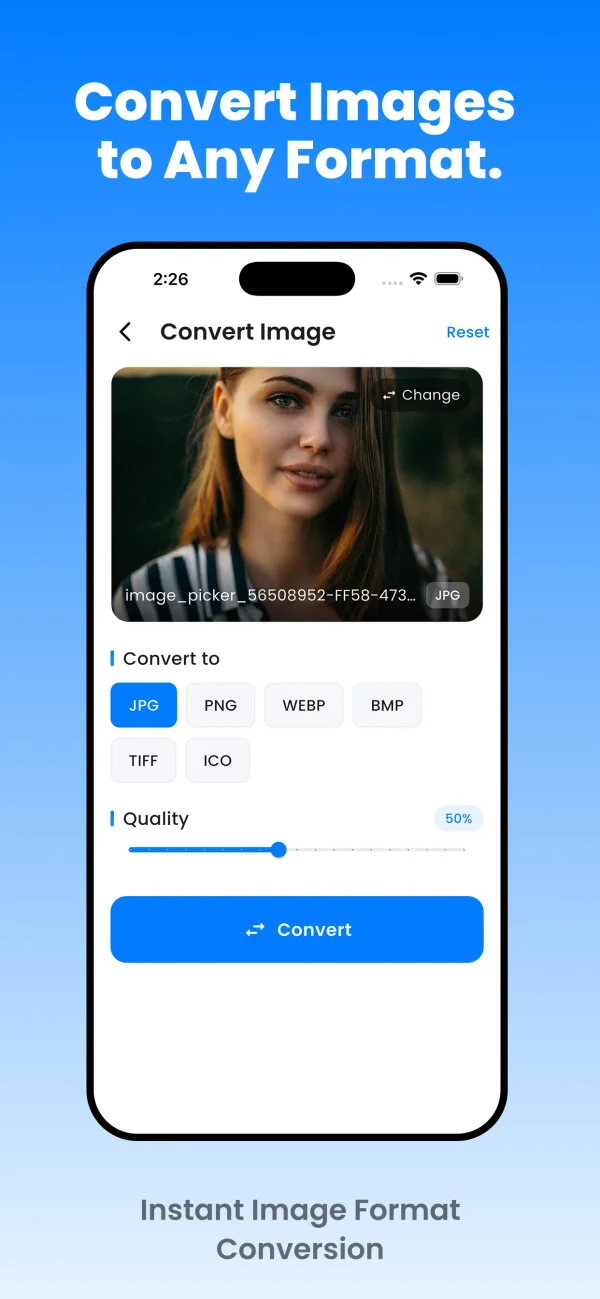
Convert image formats, reduce file size, resize photos, edit images, remove metadata, add watermarks and process multiple images at once — without sending your photos to a server.
IMAGE FORMAT CONVERTER
Convert your images between popular formats quickly and easily.
• JPG and JPEG
• PNG
• HEIC
• WebP
• BMP
• TIFF
• Convert images for sharing, uploading or compatibility
• Process multiple images in batch
Need to convert HEIC to JPG? PNG to JPG? WebP to PNG? Choose your output format and convert in a few taps.
COMPRESS IMAGES
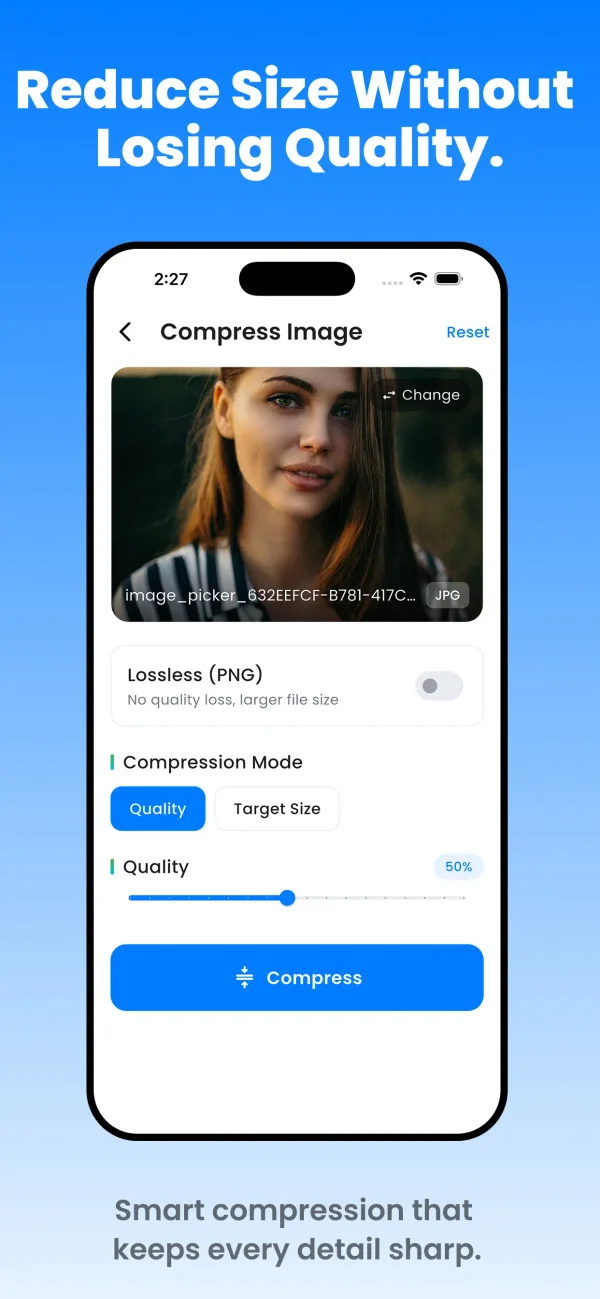
Reduce image file size while keeping the quality you need.
• Compress large photos
• Adjust compression quality
• Reduce file size before sharing
• Prepare images for uploads and forms
• Preview your results before saving
Make large MB images easier to send, upload and store.
RESIZE PHOTOS
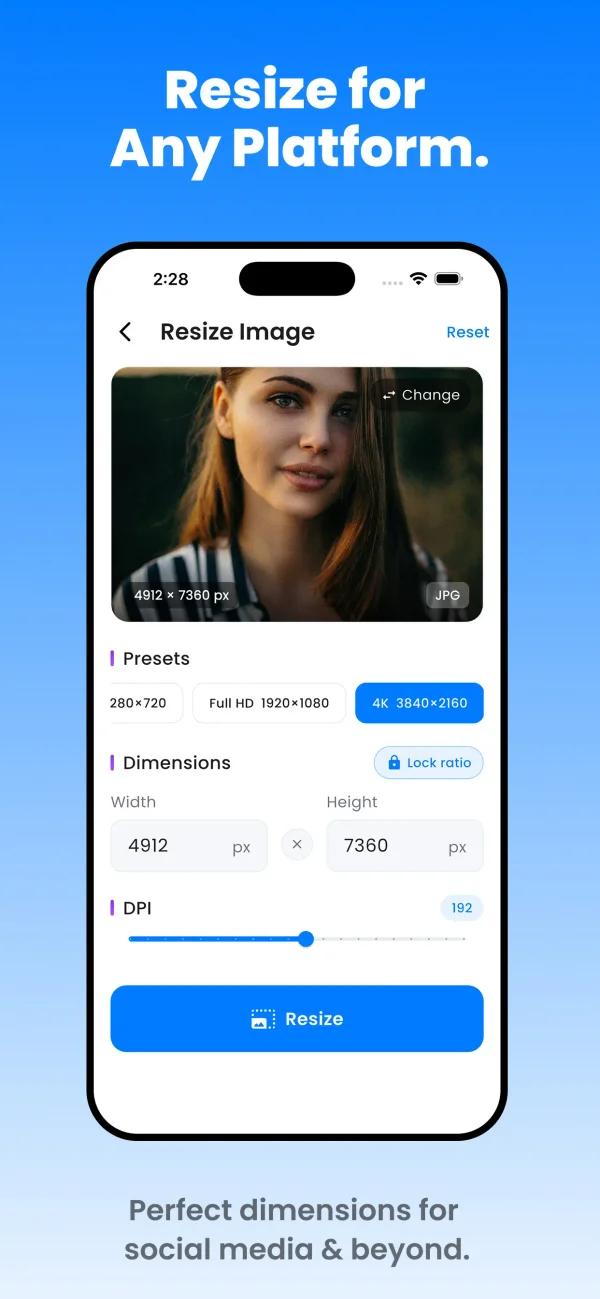
Change image dimensions quickly and precisely.
• Set custom width and height
• Resize by percentage
• Adjust image resolution
• Maintain aspect ratio
• Prepare images for different platforms and requirements
Resize photos for websites, documents, marketplaces, social media and more.
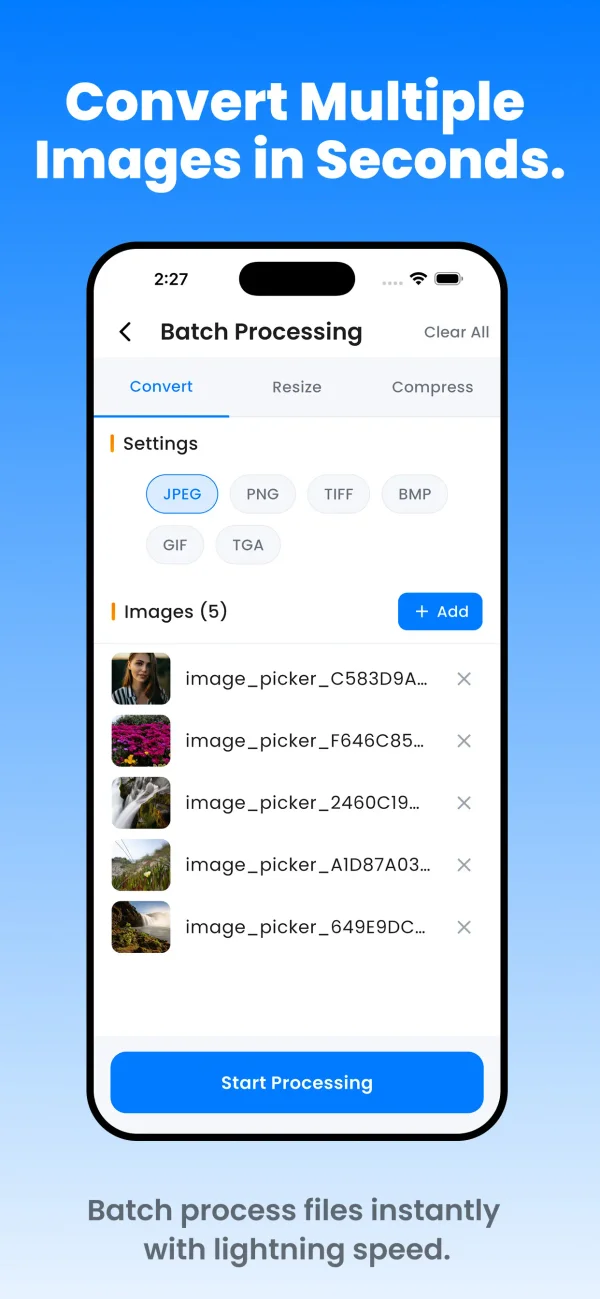
BATCH IMAGE PROCESSING
Work with multiple images at the same time.
• Batch convert images
• Batch compress photos
• Batch resize images
• Process large groups of photos faster
Perfect when you need to prepare an entire collection instead of editing images one by one.
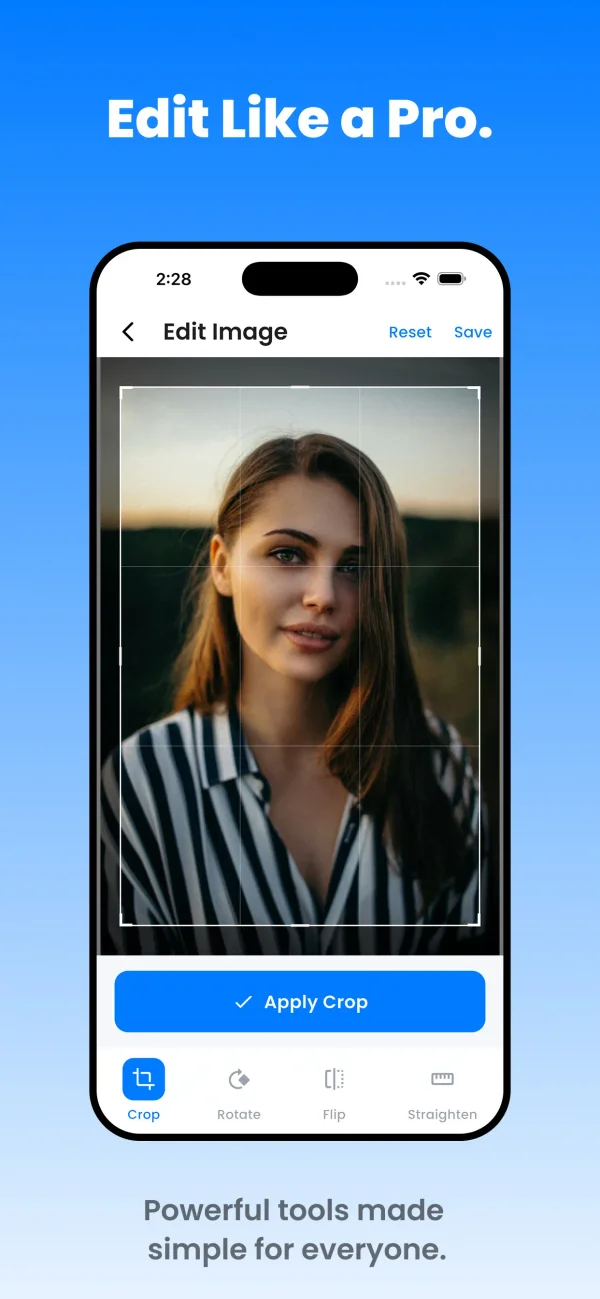
EDIT & ENHANCE PHOTOS
Make quick adjustments without opening a complicated photo editor.
• Crop images
• Rotate photos
• Adjust brightness and contrast
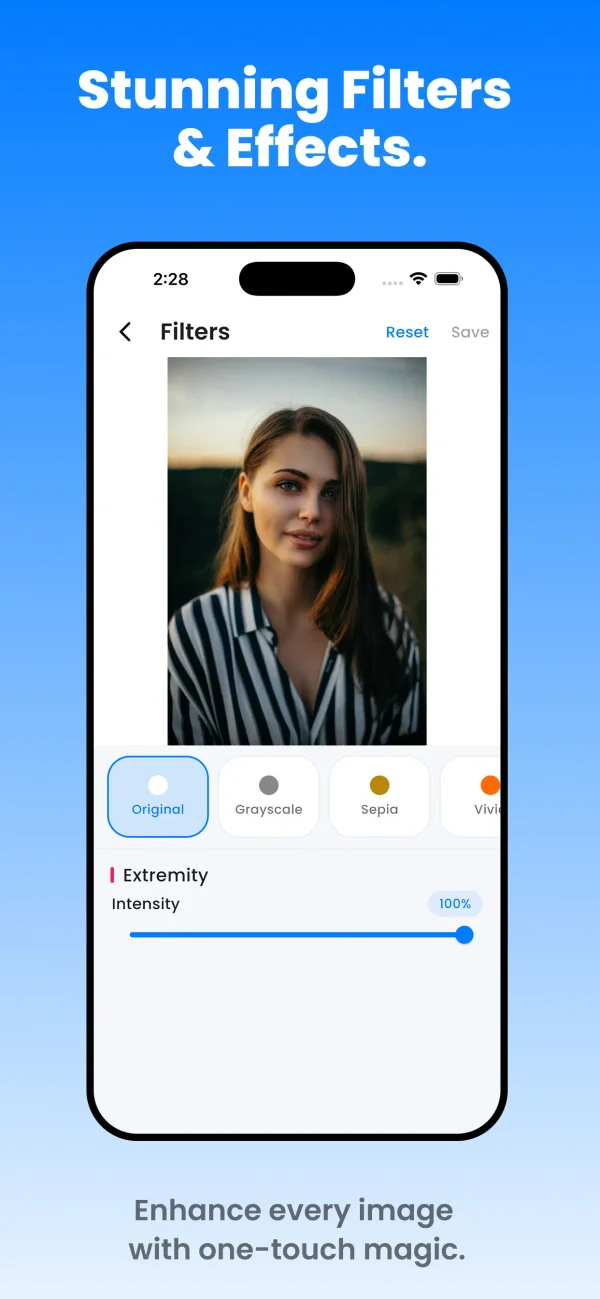
• Apply filters and effects
• Draw and annotate
• Add custom watermarks
Make simple image edits in seconds.
EXIF & METADATA TOOLS
See and manage information stored inside your images.
• View image metadata
• View EXIF information
• Edit supported metadata
• Remove sensitive metadata before sharing
• Help protect location and camera information
Keep control over the information attached to your photos.
QR CODE GENERATOR
Create QR codes quickly and export them as images.
Generate useful QR codes for links, text and other supported content, then save or share them directly.
BASE64 IMAGE TOOLS
Convert supported images to Base64 and decode Base64 image data when you need it.
Useful for developers, websites, testing and technical workflows.
FAST & PRIVATE
Your images stay on your device.
Image Converter & Editor processes your images directly on-device, so you don't need to upload your personal photos to a remote server.
That means:
• No image uploads
• No server processing
• Works without an internet connection for supported tools
• Faster processing
• Better privacy for your personal images
BUILT FOR EVERYDAY IMAGE TASKS
Whether you're converting an iPhone HEIC photo to JPG, reducing a large image for an upload, resizing product photos, preparing images for a website or processing hundreds of photos at once, Image Converter & Editor gives you the tools in one place.
Convert. Compress. Resize. Edit.
Your complete image toolkit, right on your device.
Yang baru
Versi 1.0.1 · 18/8/2026
- Bug Fix!!!
Privasi aplikasi
Yang dinyatakan Harihar Creation di App Store tentang cara aplikasi ini menangani data.
-
Data yang digunakan untuk melacak Anda
Dapat digunakan untuk melacak Anda di aplikasi dan situs web milik perusahaan lain.
- Data penggunaan
- Diagnostik
- Data lainnya
-
Data yang tidak ditautkan dengan Anda
Dapat dikumpulkan, tetapi tidak ditautkan dengan identitas Anda.
- Data penggunaan
- Diagnostik
- Data lainnya
Praktik privasi dapat bervariasi, misalnya berdasarkan fitur yang Anda gunakan atau usia Anda.
Informasi
- Penjual
- Harihar Creation
- Kategori
- Kegunaan
- Versi
- 1.0.1
- Diperbarui
- 18/8/2026
- Dirilis
- 21/7/2026
- Ukuran
- 48,9 MB
- Memerlukan
- iOS 16.6 atau yang lebih baru
- Batasan usia
- 9+
- Harga
- Gratis
- Bahasa
- Inggris
- Hak cipta
- © @HariharImageTools
Mungkin Anda juga suka
-
 Collex: Color Extraction ToolKegunaan
-
 ZIP & RAR Extractor Unzip FileKegunaan
-
 Keyboard NowKegunaan
-
 VibeSwitch KeyboardKegunaan
-
 Image Converter - FormatFlowKegunaan
-
 Image Compressor & ResizerKegunaan
-
 Clipboard App: Copy SmarterKegunaan
-
 Personas KeyboardKegunaan
-
 Cool Gifs 4UKegunaan
-
 Quick Image EditorKegunaan