- Batasan usia4+
- KategoriMusik
- PengembangRamon Smit
- BahasaInggris+ 1 lainnya
- Ukuran10,0 MB
Tertaut ke halaman resmi App Store
Download.org tidak menyimpan file Jeller apa pun. Tombol ini membuka halaman aplikasi di App Store, tempat Ramon Smit menerbitkannya. Halaman terakhir diperiksa pada 12/11/2026.
Tangkapan layar



Tentang
Pengembang belum menyediakan teks ini dalam bahasa Anda.
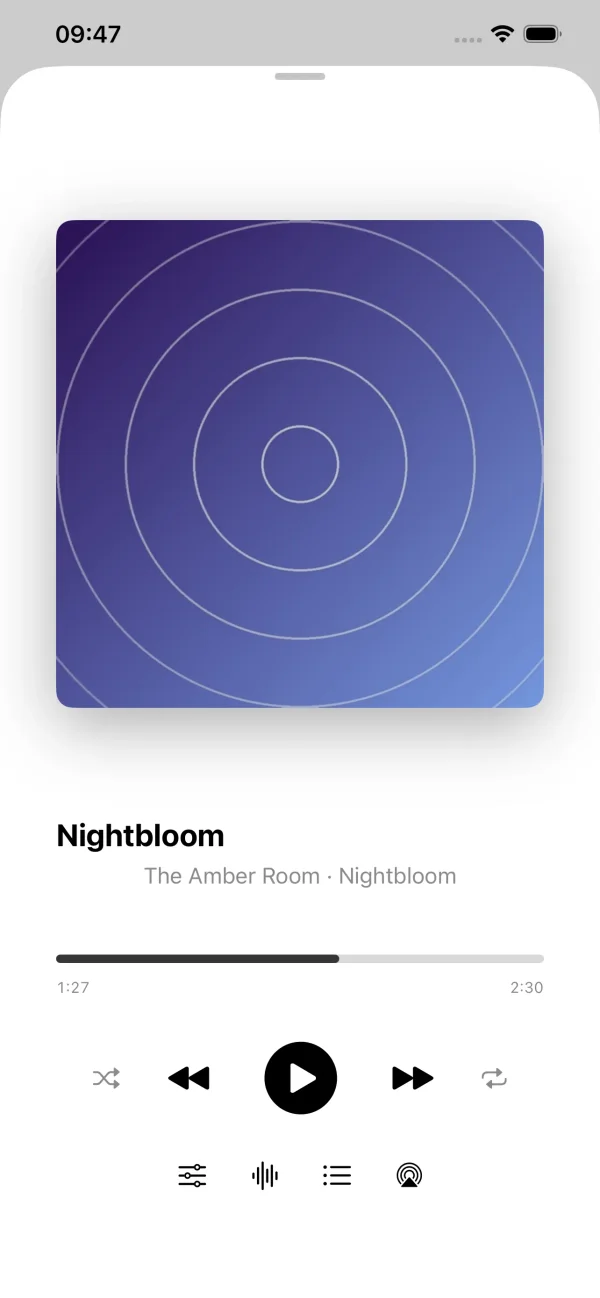
Jeller is a native music client for your own Jellyfin server, built specifically for
iPhone.
Browse your library the way you'd expect from a proper iOS app: Albums, Artists, Songs,
Playlists, Collections and Genres, with fast search and a Now Playing screen that shows
full-resolution cover art, synced lyrics and playback stats.
SOUND
• Built-in equalizer with presets and manual bands
• Loudness normalization using your files' ReplayGain tags, so albums don't jump in volume
• Gapless playback
• AirPlay support
YOUR LIBRARY
• Create and edit playlists and collections
• Favorite songs and albums
• Crop and replace album and artist artwork
• Browse by genre, jump between artists and albums in one tap
• See what's playing on your other devices and pick up where you left off
Jeller connects to a Jellyfin server you already run (or can set up in a few minutes). It
doesn't host or stream any content itself, so you'll need a Jellyfin server with a music
library to get started.
Yang baru
Versi 1.25 · 1/11/2026
Playback
• Gapless playback: the next track is preloaded. With the EQ on there's still a tiny gap between tracks.
• Queue: Play Next and Add to Queue for songs and albums. In Up Next you can drag to reorder, remove tracks and clear everything.
• ReplayGain: automatic, per track or per album, and it only ever lowers the volume. It now has an on/off switch that brings back your previous mode when you turn it on again.
• Output follows the sample rate of the source file.
• Compressor/limiter: the compressor now works on both stereo channels together with a soft knee, and hard clipping has been replaced by a soft limiter. EQ changes no longer reload the stream.
• Shuffle: the current track stays first, and turning on shuffle mid-album no longer skips tracks. A restored session keeps its shuffle order.
• Large playlists and favorites load page by page instead of stopping at 500 tracks, and scroll smoothly.
• Interruptions (calls, Siri) really pause playback and only resume when iOS asks for it. Playback pauses when your headphones or Bluetooth disconnect.
• The audio session is only activated when you first press play, not at launch.
Formats
• Opus plays directly again.
• Other transcodes (Vorbis, WavPack, APE, DSF…) now go through HLS/FLAC, without EQ and ReplayGain.
• Files above 96 kHz play without EQ.
• AIFF and CAF play directly.
Library
• Format badge
• Sharper artwork
• Search results sorted by relevance
• Album artists and "Appears On"
• No more limits on albums per artist, genre or collection
• Video playlists are hidden
Reliability
• After launch or a network change, Jeller retries loading with backoff instead of showing "offline" right away.
• Pausing while loading is respected.
• An expired session signs you out cleanly with a message.
• Favorite status is consistent across the app.
Privasi aplikasi
Yang dinyatakan Ramon Smit di App Store tentang cara aplikasi ini menangani data.
-
Data tidak dikumpulkan
Pengembang tidak mengumpulkan data apa pun dari aplikasi ini.
Praktik privasi dapat bervariasi, misalnya berdasarkan fitur yang Anda gunakan atau usia Anda.
Informasi
- Penjual
- Ramon Smit
- Kategori
- Musik
- Versi
- 1.25
- Diperbarui
- 1/11/2026
- Dirilis
- 20/10/2026
- Ukuran
- 10,0 MB
- Memerlukan
- iOS 17.0 atau yang lebih baru
- Batasan usia
- 4+
- Harga
- Gratis
- Bahasa
- Inggris, Belanda
- Hak cipta
- © 2026 Ramon Smit