- 対象年齢4+
- カテゴリミュージック
- 開発元Ramon Smit
- 言語英語ほか1言語
- サイズ10.0 MB
App Storeの公式ページにリンクしています
Download.orgはJellerのファイルを一切ホストしていません。ボタンを押すと、Ramon Smitが公開しているApp Storeのアプリページが開きます。ページの最終確認:2026/11/12。
スクリーンショット



概要
開発元はこのテキストをお使いの言語で提供していません。
Jeller is a native music client for your own Jellyfin server, built specifically for
iPhone.
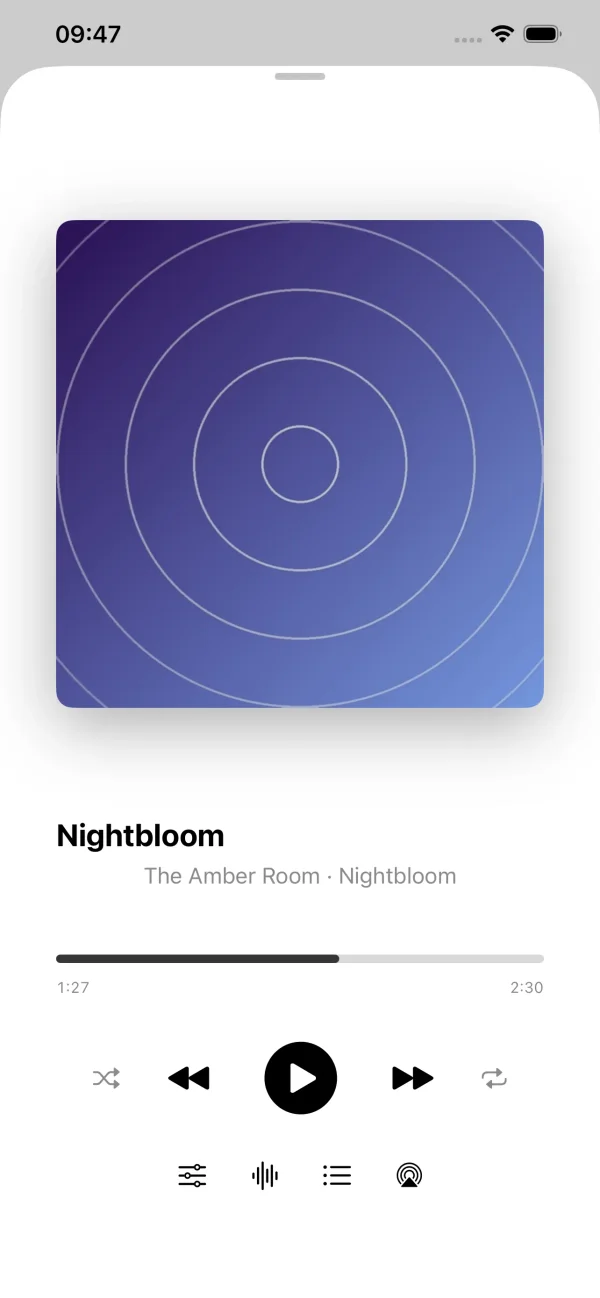
Browse your library the way you'd expect from a proper iOS app: Albums, Artists, Songs,
Playlists, Collections and Genres, with fast search and a Now Playing screen that shows
full-resolution cover art, synced lyrics and playback stats.
SOUND
• Built-in equalizer with presets and manual bands
• Loudness normalization using your files' ReplayGain tags, so albums don't jump in volume
• Gapless playback
• AirPlay support
YOUR LIBRARY
• Create and edit playlists and collections
• Favorite songs and albums
• Crop and replace album and artist artwork
• Browse by genre, jump between artists and albums in one tap
• See what's playing on your other devices and pick up where you left off
Jeller connects to a Jellyfin server you already run (or can set up in a few minutes). It
doesn't host or stream any content itself, so you'll need a Jellyfin server with a music
library to get started.
新機能
バージョン 1.25 · 2026/11/1
Playback
• Gapless playback: the next track is preloaded. With the EQ on there's still a tiny gap between tracks.
• Queue: Play Next and Add to Queue for songs and albums. In Up Next you can drag to reorder, remove tracks and clear everything.
• ReplayGain: automatic, per track or per album, and it only ever lowers the volume. It now has an on/off switch that brings back your previous mode when you turn it on again.
• Output follows the sample rate of the source file.
• Compressor/limiter: the compressor now works on both stereo channels together with a soft knee, and hard clipping has been replaced by a soft limiter. EQ changes no longer reload the stream.
• Shuffle: the current track stays first, and turning on shuffle mid-album no longer skips tracks. A restored session keeps its shuffle order.
• Large playlists and favorites load page by page instead of stopping at 500 tracks, and scroll smoothly.
• Interruptions (calls, Siri) really pause playback and only resume when iOS asks for it. Playback pauses when your headphones or Bluetooth disconnect.
• The audio session is only activated when you first press play, not at launch.
Formats
• Opus plays directly again.
• Other transcodes (Vorbis, WavPack, APE, DSF…) now go through HLS/FLAC, without EQ and ReplayGain.
• Files above 96 kHz play without EQ.
• AIFF and CAF play directly.
Library
• Format badge
• Sharper artwork
• Search results sorted by relevance
• Album artists and "Appears On"
• No more limits on albums per artist, genre or collection
• Video playlists are hidden
Reliability
• After launch or a network change, Jeller retries loading with backoff instead of showing "offline" right away.
• Pausing while loading is respected.
• An expired session signs you out cleanly with a message.
• Favorite status is consistent across the app.
アプリのプライバシー
このアプリのデータの取り扱いについて、Ramon SmitがApp Storeで申告している内容です。
-
データの収集なし
開発元はこのアプリからデータを収集しません。
プライバシーの取り扱いは、ご利用の機能やお客様の年齢などに応じて異なる場合があります。
情報
- 販売元
- Ramon Smit
- カテゴリ
- ミュージック
- バージョン
- 1.25
- 更新日
- 2026/11/1
- リリース
- 2026/10/20
- サイズ
- 10.0 MB
- 必要条件
- iOS 17.0以降
- 対象年齢
- 4+
- 価格
- 無料
- 言語
- 英語, オランダ語
- 著作権
- © 2026 Ramon Smit