- Batasan usia4+
- KategoriKegunaan
- PengembangGurwinder Singh
- BahasaInggris
- Ukuran1,5 MB
Tertaut ke halaman resmi App Store
Download.org tidak menyimpan file Kickstand Cam apa pun. Tombol ini membuka halaman aplikasi di App Store, tempat Gurwinder Singh menerbitkannya. Halaman terakhir diperiksa pada 23/11/2026.
Tangkapan layar
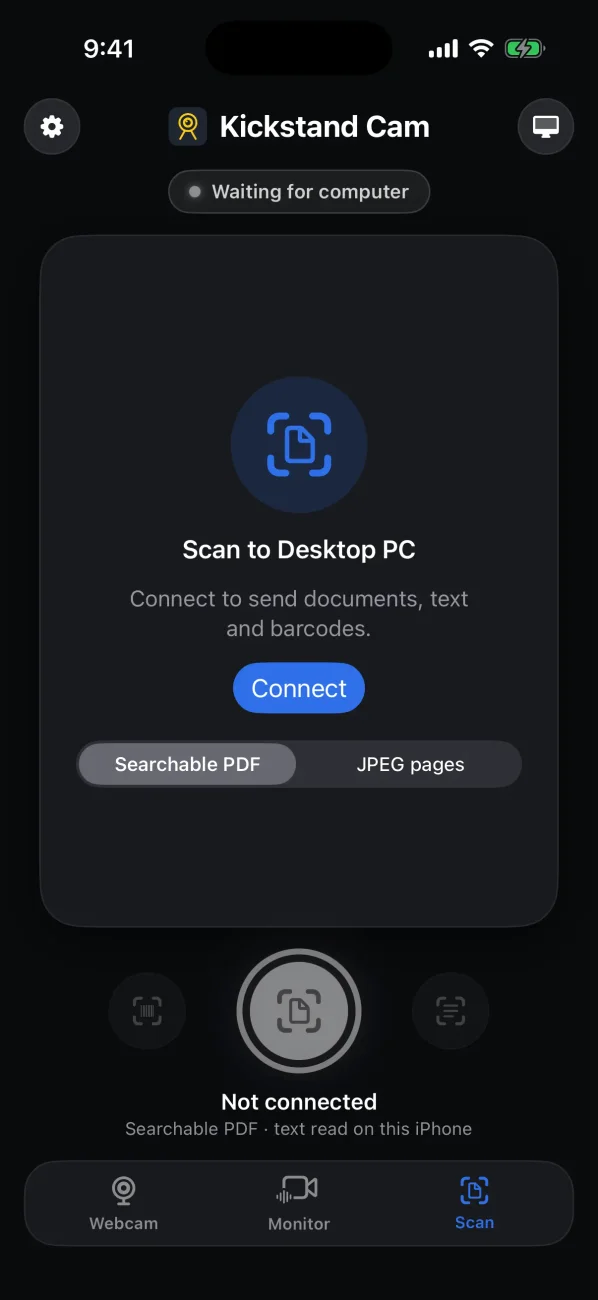

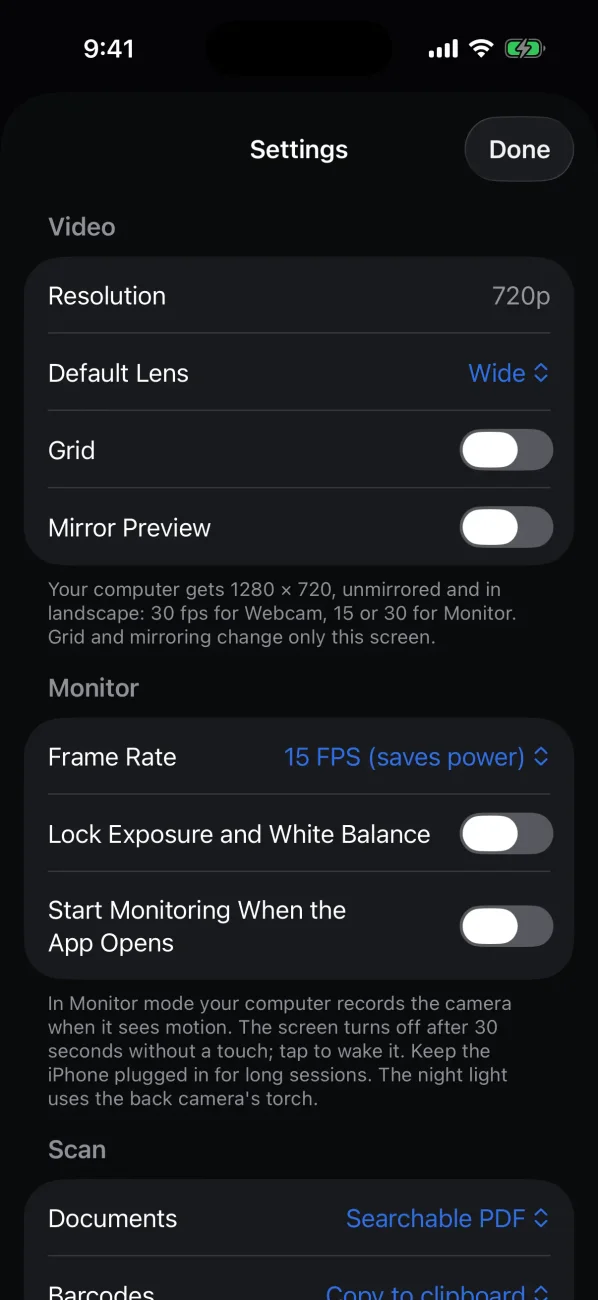

Tentang
Pengembang belum menyediakan teks ini dalam bahasa Anda.
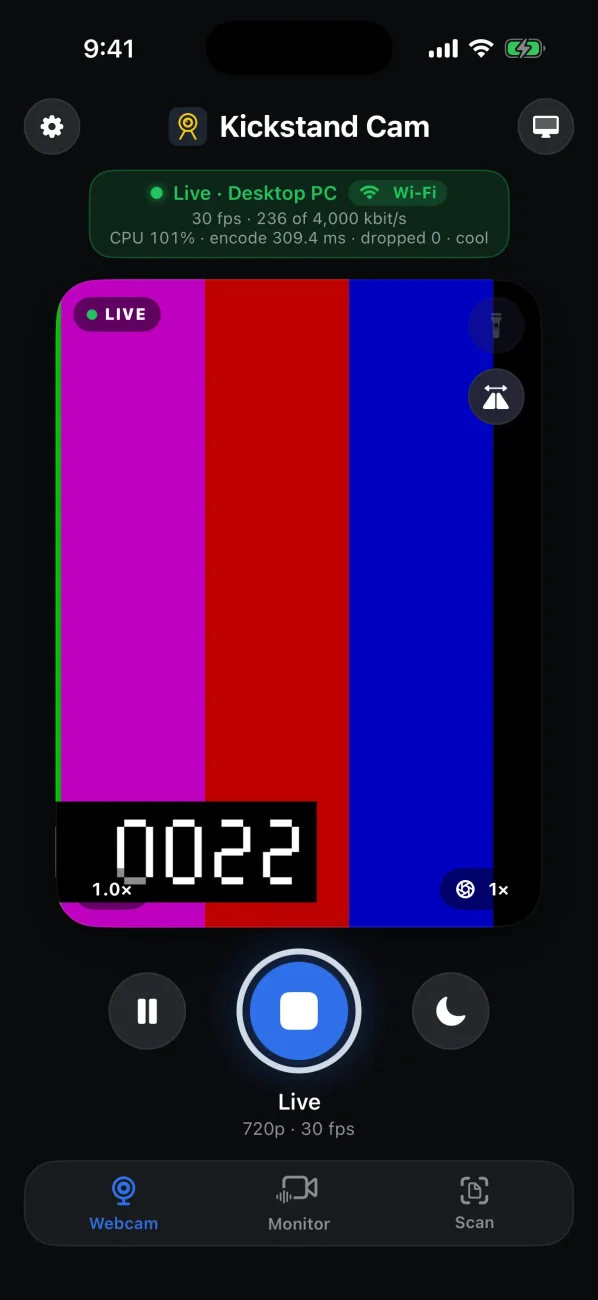
Kickstand Cam turns an iPhone you no longer use into a webcam, a camera monitor or a scanner for your own Windows PC or Mac. It works over Wi-Fi or a USB cable.
You need the Kickstand Cam companion app on your computer (Windows 11 or macOS 13 and later). Get it at kickstand.recno.app.
WEBCAM
• Your computer sees a camera named "Kickstand Cam". Use it in Teams, Zoom, Meet and OBS.
• 720p at 30 frames per second.
• Choose the lens, pinch to zoom, and turn on the torch from the phone.
• Pause from the phone or from the computer.
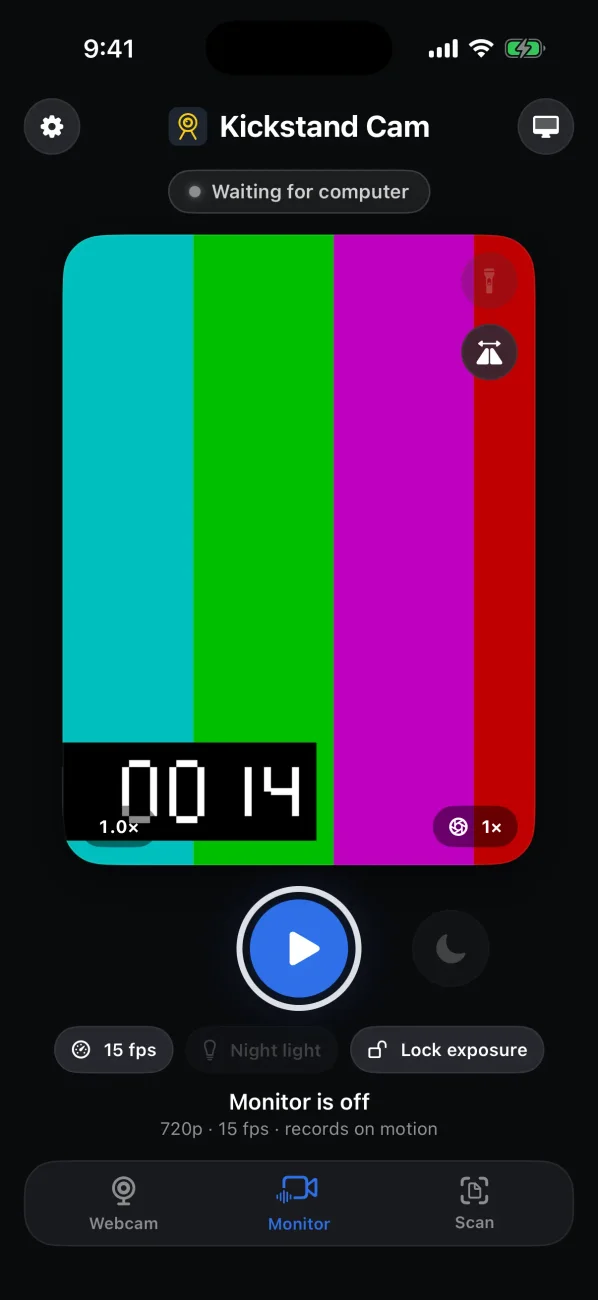
CAMERA MONITOR
• Your computer records the camera when it sees motion, and can notify you.
• Clips are saved on your computer, not on the phone and not in a cloud.
• Made to stay plugged in: 15 or 30 frames per second, a screen that turns itself off, a dimmed night light, and an exposure lock.
SCANNER
• Scan documents into a searchable PDF that is saved on your computer.
• Scan text only: it lands on your computer's clipboard.
• Scan barcodes and QR codes, and optionally have the computer type them into the app you are using.
• Text is recognized on the iPhone. Nothing goes to the cloud.
PRIVATE BY DESIGN
• No account and no sign-in. You pair once by scanning a QR code shown on your computer.
• Video goes from your phone to your computer, encrypted with TLS 1.3, and nowhere else.
• Only computers you paired can connect, even over a cable.
• No analytics, no advertising, no tracking.
GOOD TO KNOW
• Works on iPhone X and later with iOS 16 or later.
• Kickstand Cam must be open on the phone while it is in use.
• The phone and the computer must be on the same Wi-Fi network, or connected with a USB cable after pairing. On Windows the cable needs Apple Devices or iTunes.
Yang baru
Versi 1.1 · 18/11/2026
• A new "Set up your computer" page when you first open the app explains how to get the Kickstand Cam app for Windows or Mac, with a link you can open or send to your computer.
• The app is now called Kickstand Cam on your Home Screen.
• If the phone can't reach your computer while pairing or connecting, you can now open Settings or try again right from that screen.
• Pairing links that start with https://kickstand.recno.app/pair can now be scanned or pasted.
• Security and reliability fixes.
Privasi aplikasi
Yang dinyatakan Gurwinder Singh di App Store tentang cara aplikasi ini menangani data.
-
Data tidak dikumpulkan
Pengembang tidak mengumpulkan data apa pun dari aplikasi ini.
Praktik privasi dapat bervariasi, misalnya berdasarkan fitur yang Anda gunakan atau usia Anda.
Informasi
- Penjual
- Gurwinder Singh
- Kategori
- Kegunaan
- Versi
- 1.1
- Diperbarui
- 18/11/2026
- Dirilis
- 11/11/2026
- Ukuran
- 1,5 MB
- Memerlukan
- iOS 16.0 atau yang lebih baru
- Batasan usia
- 4+
- Harga
- Gratis
- Bahasa
- Inggris
- Hak cipta
- © 2026 Gurwinder Singh