
- 対象年齢4+
- カテゴリユーティリティ
- 開発元Gurwinder Singh
- 言語英語
- サイズ1.5 MB
App Storeの公式ページにリンクしています
Download.orgはKickstand Camのファイルを一切ホストしていません。ボタンを押すと、Gurwinder Singhが公開しているApp Storeのアプリページが開きます。ページの最終確認:2026/11/23。
スクリーンショット


概要
開発元はこのテキストをお使いの言語で提供していません。
Kickstand Cam turns an iPhone you no longer use into a webcam, a camera monitor or a scanner for your own Windows PC or Mac. It works over Wi-Fi or a USB cable.
You need the Kickstand Cam companion app on your computer (Windows 11 or macOS 13 and later). Get it at kickstand.recno.app.
WEBCAM
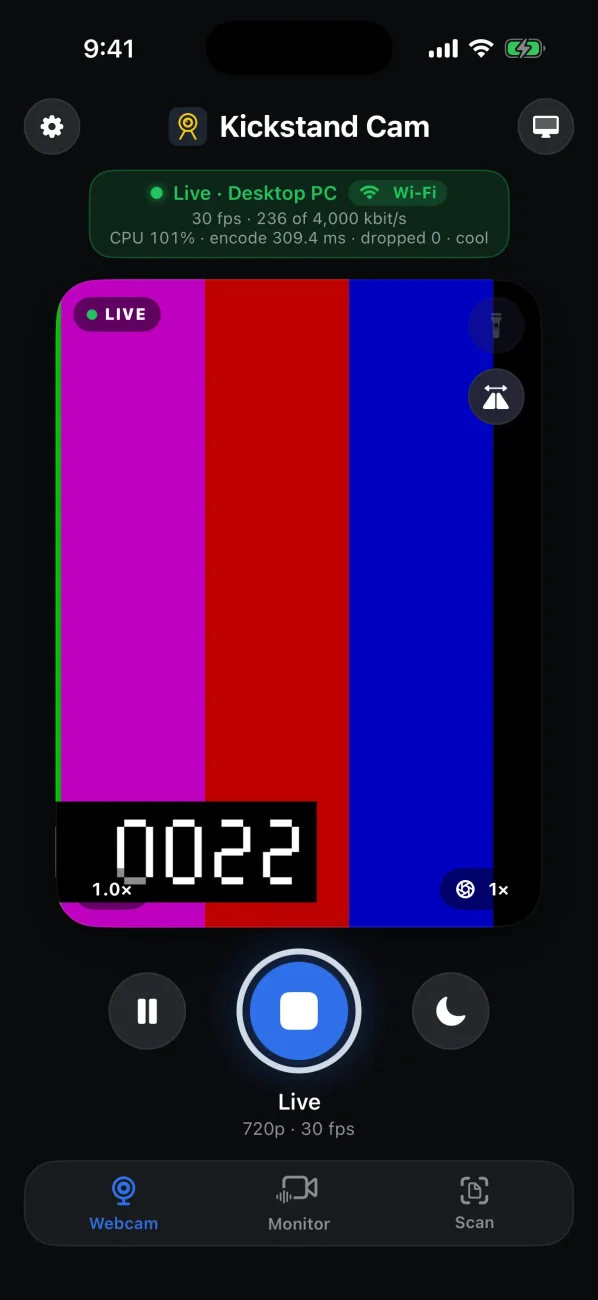
• Your computer sees a camera named "Kickstand Cam". Use it in Teams, Zoom, Meet and OBS.
• 720p at 30 frames per second.
• Choose the lens, pinch to zoom, and turn on the torch from the phone.
• Pause from the phone or from the computer.
CAMERA MONITOR
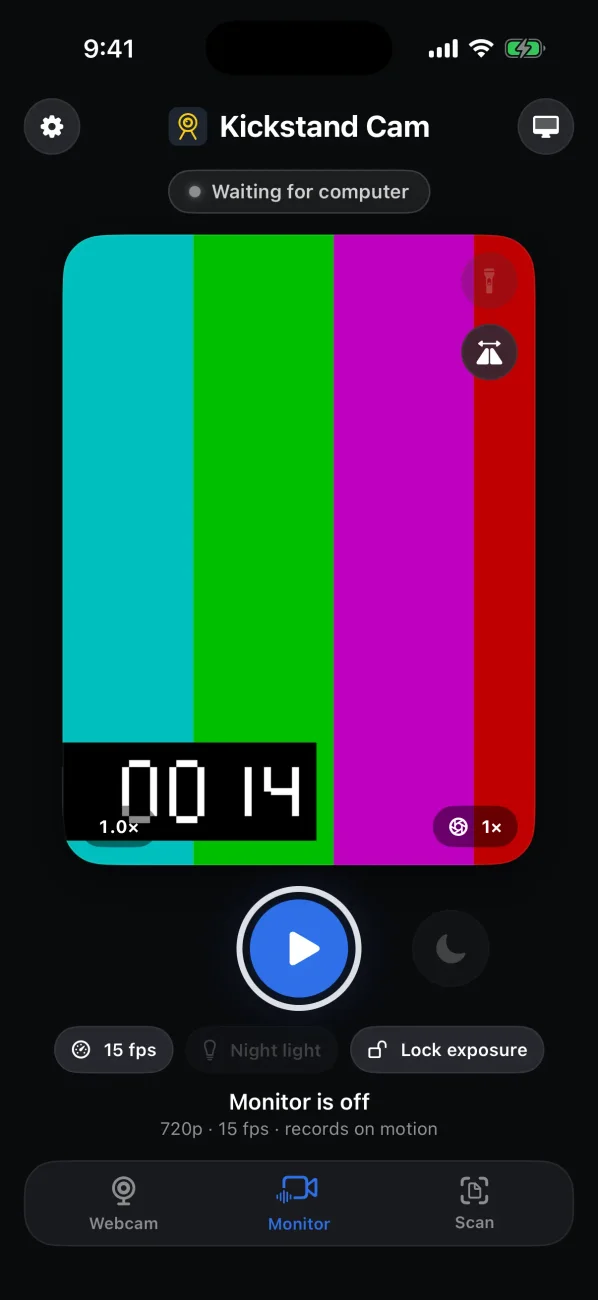
• Your computer records the camera when it sees motion, and can notify you.
• Clips are saved on your computer, not on the phone and not in a cloud.
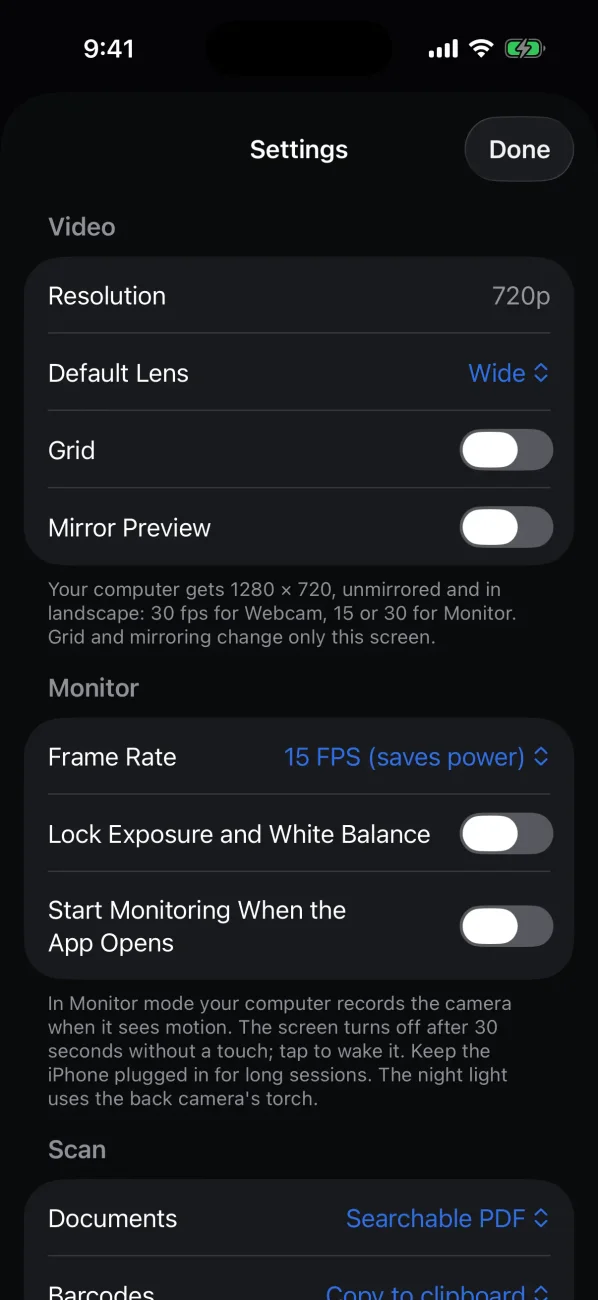
• Made to stay plugged in: 15 or 30 frames per second, a screen that turns itself off, a dimmed night light, and an exposure lock.
SCANNER
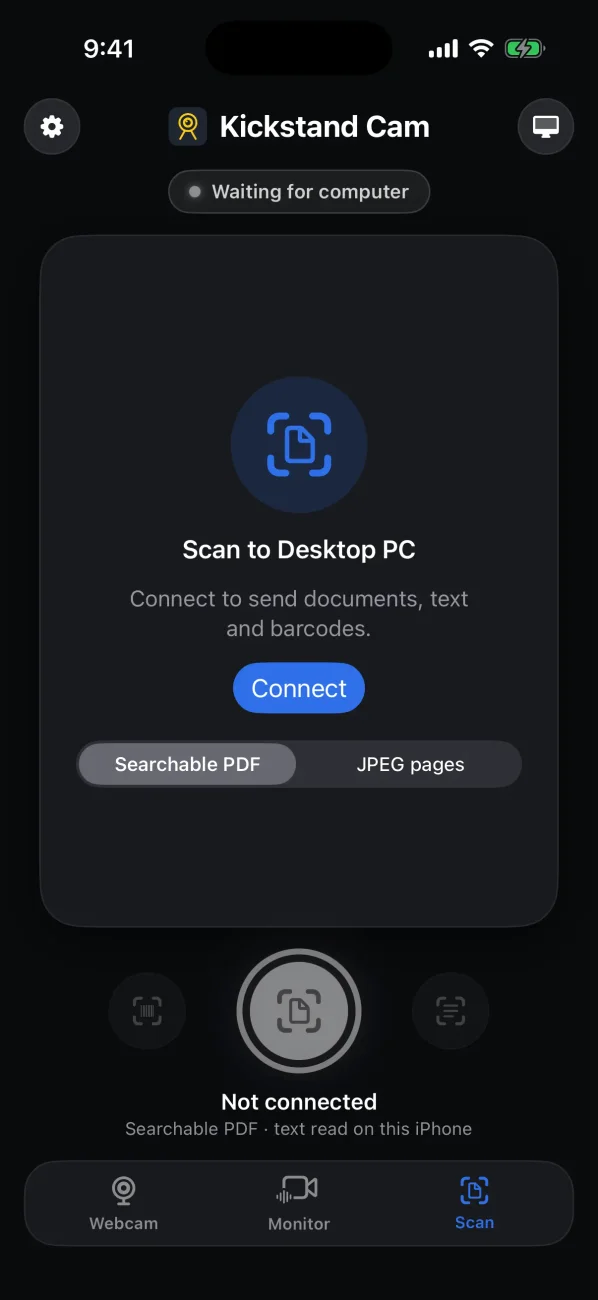
• Scan documents into a searchable PDF that is saved on your computer.
• Scan text only: it lands on your computer's clipboard.
• Scan barcodes and QR codes, and optionally have the computer type them into the app you are using.
• Text is recognized on the iPhone. Nothing goes to the cloud.
PRIVATE BY DESIGN
• No account and no sign-in. You pair once by scanning a QR code shown on your computer.
• Video goes from your phone to your computer, encrypted with TLS 1.3, and nowhere else.
• Only computers you paired can connect, even over a cable.
• No analytics, no advertising, no tracking.
GOOD TO KNOW
• Works on iPhone X and later with iOS 16 or later.
• Kickstand Cam must be open on the phone while it is in use.
• The phone and the computer must be on the same Wi-Fi network, or connected with a USB cable after pairing. On Windows the cable needs Apple Devices or iTunes.
新機能
バージョン 1.1 · 2026/11/18
• A new "Set up your computer" page when you first open the app explains how to get the Kickstand Cam app for Windows or Mac, with a link you can open or send to your computer.
• The app is now called Kickstand Cam on your Home Screen.
• If the phone can't reach your computer while pairing or connecting, you can now open Settings or try again right from that screen.
• Pairing links that start with https://kickstand.recno.app/pair can now be scanned or pasted.
• Security and reliability fixes.
アプリのプライバシー
このアプリのデータの取り扱いについて、Gurwinder SinghがApp Storeで申告している内容です。
-
データの収集なし
開発元はこのアプリからデータを収集しません。
プライバシーの取り扱いは、ご利用の機能やお客様の年齢などに応じて異なる場合があります。
情報
- 販売元
- Gurwinder Singh
- カテゴリ
- ユーティリティ
- バージョン
- 1.1
- 更新日
- 2026/11/18
- リリース
- 2026/11/11
- サイズ
- 1.5 MB
- 必要条件
- iOS 16.0以降
- 対象年齢
- 4+
- 価格
- 無料
- 言語
- 英語
- 著作権
- © 2026 Gurwinder Singh
こちらもおすすめ
-
 PhotoTagユーティリティ
-
 2DDocReaderユーティリティ
-
 2D-Doc Readerユーティリティ
-
 Jooleer Kalimbaユーティリティ
-
 FaceKit: Analyze & Improveユーティリティ
-
 StarDesk - リモートデスクトップ&リモートゲームスマホからPCを遠隔操作、低遅延でゲーム&仕事
-
 Universal TV Remote Control #Smart Remote for Any TV
-
 CleanMy®Phone: ストレージクリーナースマホクリーナー カメラロール 整理
-
 Malwarebytes - Mobile Securityユーティリティ