
- Độ tuổi4+
- Danh mụcTiện Ích
- Nhà phát triểnGurwinder Singh
- Ngôn ngữTiếng Anh
- Kích thước1,5 MB
Liên kết đến trang App Store chính thức
Download.org không lưu trữ tệp nào của Kickstand Cam. Nút này mở trang ứng dụng trên App Store, nơi Gurwinder Singh phát hành ứng dụng. Trang được kiểm tra lần cuối: 23/11/2026.
Ảnh chụp màn hình


Giới thiệu
Nhà phát triển chưa cung cấp nội dung này bằng ngôn ngữ của bạn.
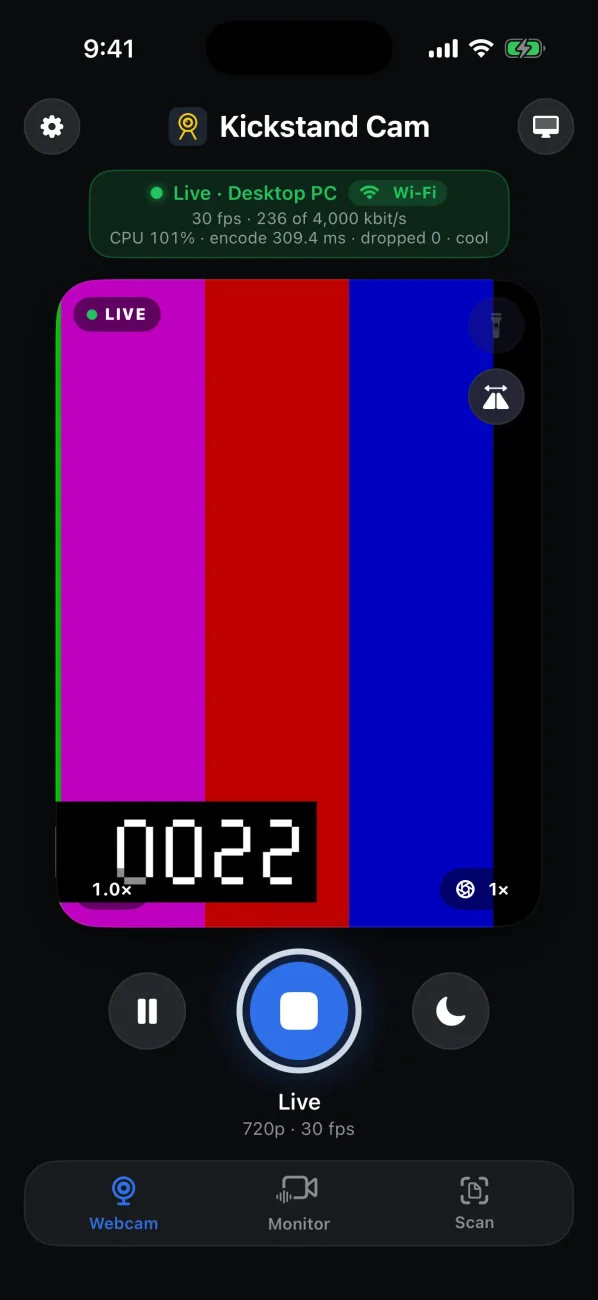
Kickstand Cam turns an iPhone you no longer use into a webcam, a camera monitor or a scanner for your own Windows PC or Mac. It works over Wi-Fi or a USB cable.
You need the Kickstand Cam companion app on your computer (Windows 11 or macOS 13 and later). Get it at kickstand.recno.app.
WEBCAM
• Your computer sees a camera named "Kickstand Cam". Use it in Teams, Zoom, Meet and OBS.
• 720p at 30 frames per second.
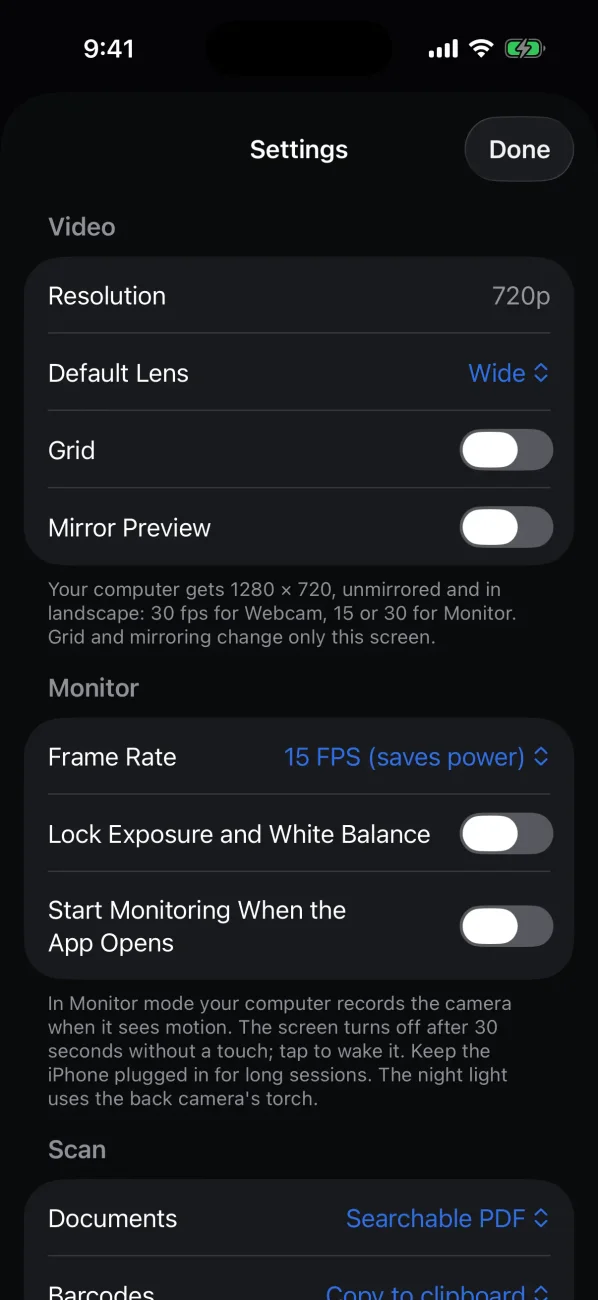
• Choose the lens, pinch to zoom, and turn on the torch from the phone.
• Pause from the phone or from the computer.
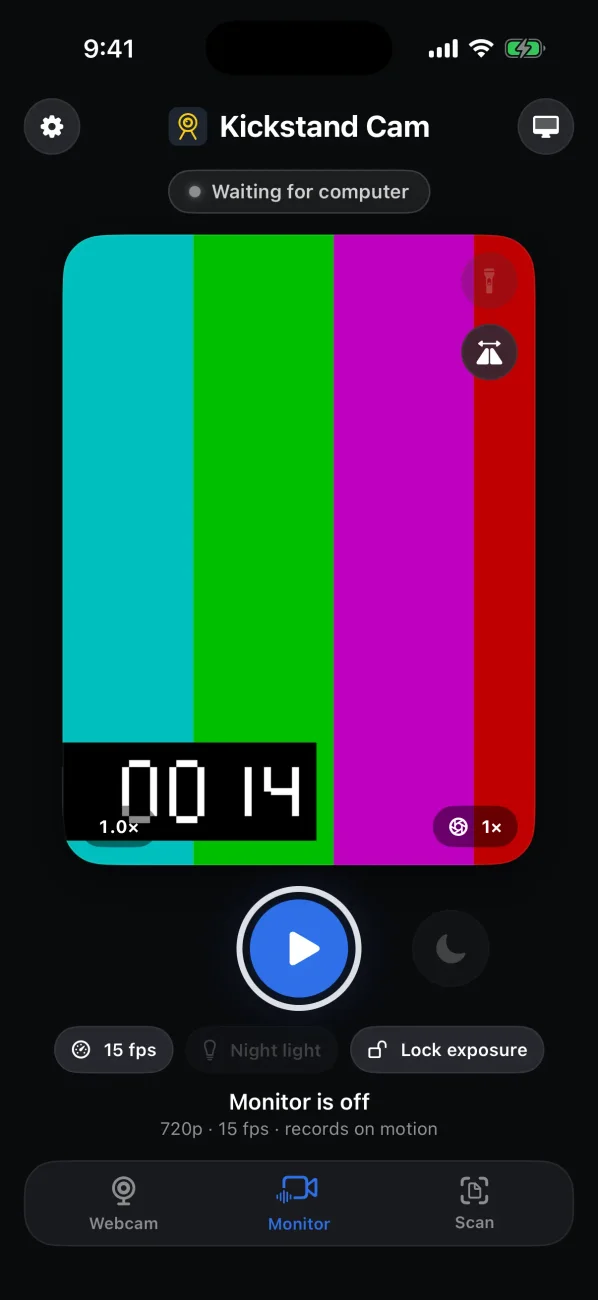
CAMERA MONITOR
• Your computer records the camera when it sees motion, and can notify you.
• Clips are saved on your computer, not on the phone and not in a cloud.
• Made to stay plugged in: 15 or 30 frames per second, a screen that turns itself off, a dimmed night light, and an exposure lock.
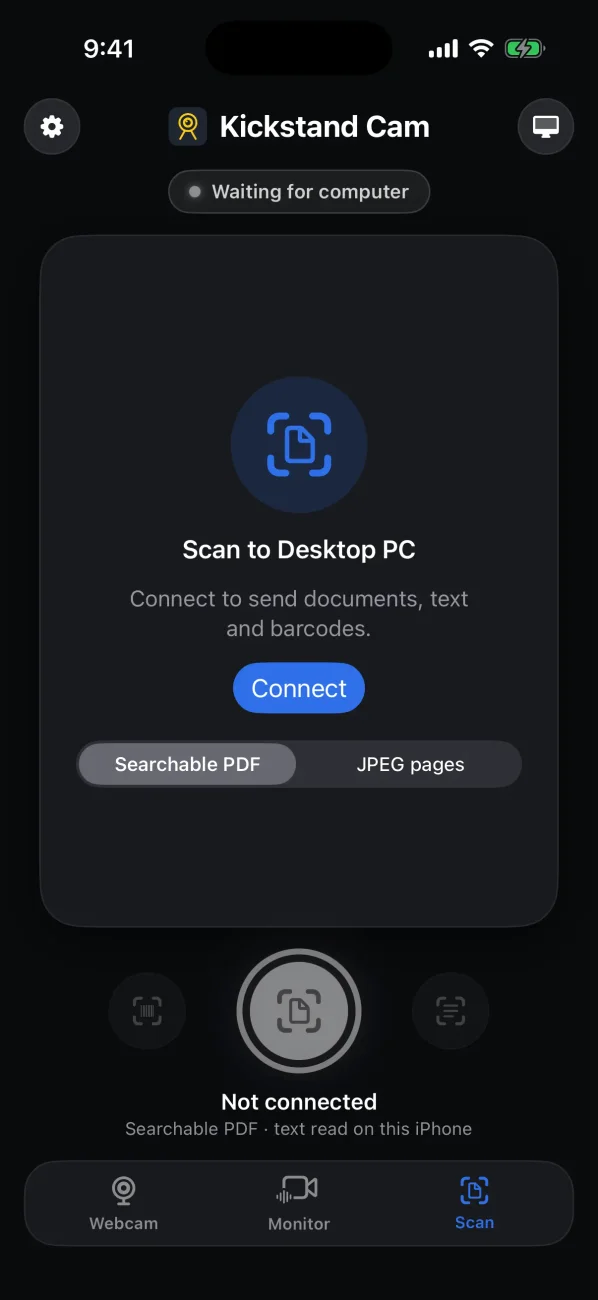
SCANNER
• Scan documents into a searchable PDF that is saved on your computer.
• Scan text only: it lands on your computer's clipboard.
• Scan barcodes and QR codes, and optionally have the computer type them into the app you are using.
• Text is recognized on the iPhone. Nothing goes to the cloud.
PRIVATE BY DESIGN
• No account and no sign-in. You pair once by scanning a QR code shown on your computer.
• Video goes from your phone to your computer, encrypted with TLS 1.3, and nowhere else.
• Only computers you paired can connect, even over a cable.
• No analytics, no advertising, no tracking.
GOOD TO KNOW
• Works on iPhone X and later with iOS 16 or later.
• Kickstand Cam must be open on the phone while it is in use.
• The phone and the computer must be on the same Wi-Fi network, or connected with a USB cable after pairing. On Windows the cable needs Apple Devices or iTunes.
Có gì mới
Phiên bản 1.1 · 18/11/2026
• A new "Set up your computer" page when you first open the app explains how to get the Kickstand Cam app for Windows or Mac, with a link you can open or send to your computer.
• The app is now called Kickstand Cam on your Home Screen.
• If the phone can't reach your computer while pairing or connecting, you can now open Settings or try again right from that screen.
• Pairing links that start with https://kickstand.recno.app/pair can now be scanned or pasted.
• Security and reliability fixes.
Quyền riêng tư của ứng dụng
Những gì Gurwinder Singh khai báo trên App Store về cách ứng dụng này xử lý dữ liệu.
-
Dữ liệu không được thu thập
Nhà phát triển không thu thập bất kỳ dữ liệu nào từ ứng dụng này.
Phương thức đảm bảo quyền riêng tư có thể khác nhau, chẳng hạn như tuỳ theo các tính năng bạn sử dụng hoặc độ tuổi của bạn.
Thông tin
- Người bán
- Gurwinder Singh
- Danh mục
- Tiện Ích
- Phiên bản
- 1.1
- Cập nhật
- 18/11/2026
- Phát hành
- 11/11/2026
- Kích thước
- 1,5 MB
- Yêu cầu
- iOS 16.0 trở lên
- Độ tuổi
- 4+
- Giá
- Miễn phí
- Ngôn ngữ
- Tiếng Anh
- Bản quyền
- © 2026 Gurwinder Singh
Có thể bạn cũng thích
-
 PhotoTagTiện Ích
-
 2DDocReaderTiện Ích
-
 2D-Doc ReaderTiện Ích
-
 Jooleer KalimbaTiện Ích
-
 FaceKit: Analyze & ImproveTiện Ích
-
 StarDesk - Điều khiển PC từ xaTruy cập xa: game & công việc
-
 Universal TV Remote Control #Smart Remote for Any TV
-
 CleanMy®Phone: Cleanup StorageTiện Ích
-
 Malwarebytes - Mobile SecurityTiện Ích