Lesscreen: Screen Time Limit
App Blocker & Focus Timer
Dirancang untuk iPhone
Gratis
- Batasan usia4+
- KategoriProduktivitas
- PengembangShenzhen Jirry Jirry Technology Co., Ltd.
- BahasaInggris+ 5 lainnya
- Ukuran10,1 MB
Tertaut ke halaman resmi App Store
Download.org tidak menyimpan file Lesscreen: Screen Time Limit apa pun. Tombol ini membuka halaman aplikasi di App Store, tempat Shenzhen Jirry Jirry Technology Co., Ltd. menerbitkannya. Halaman terakhir diperiksa pada 12/11/2026.
Tangkapan layar
Tentang
Pengembang belum menyediakan teks ini dalam bahasa Anda.
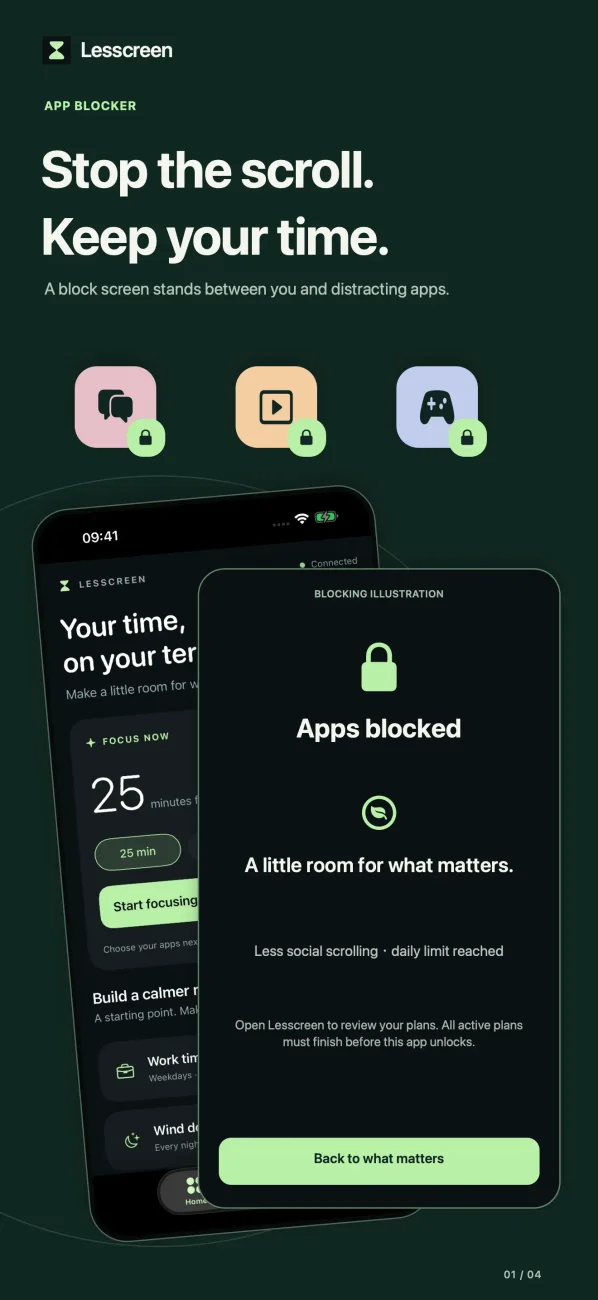
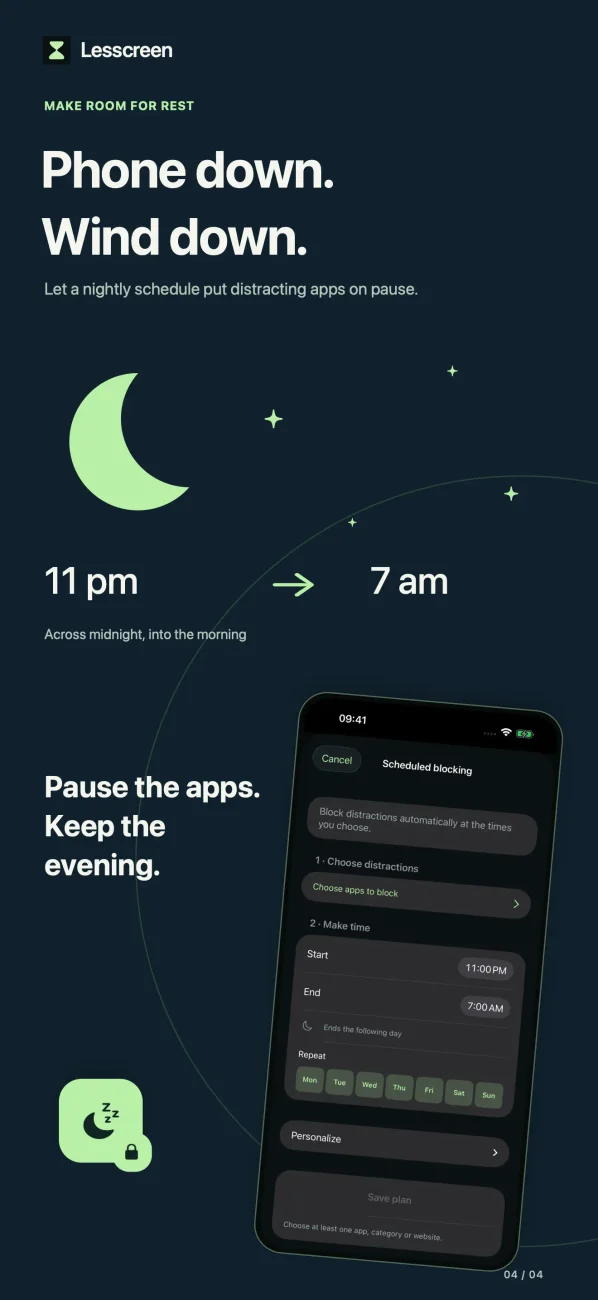
Lesscreen helps you reduce screen time and block distracting apps, so you can make room for what matters. Start a focus session, schedule regular breaks from apps, or set a shared daily time limit.
FOCUS WHEN YOU CHOOSE
Choose the apps, categories or websites you want to block, then set a focus duration. Start with 25, 45 or 60 minutes, or adjust the session to suit your day.
BUILD A ROUTINE
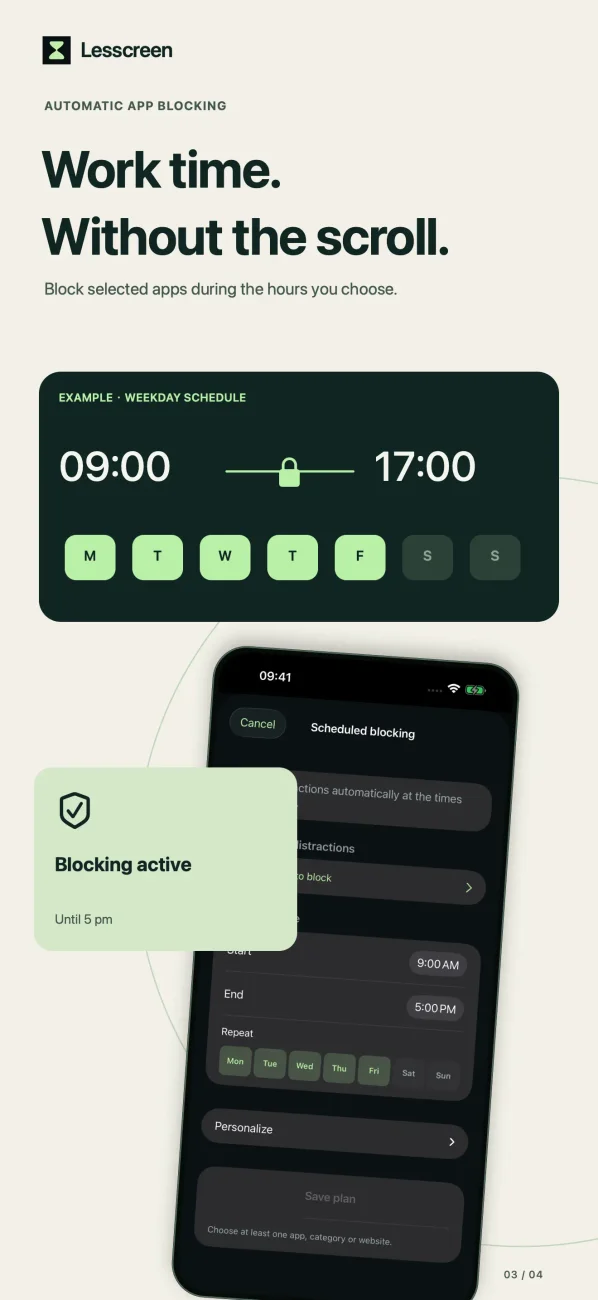
Schedule blocking for work, study or bedtime. Choose your start time, end time and days of the week. Overnight schedules can continue into the next morning.
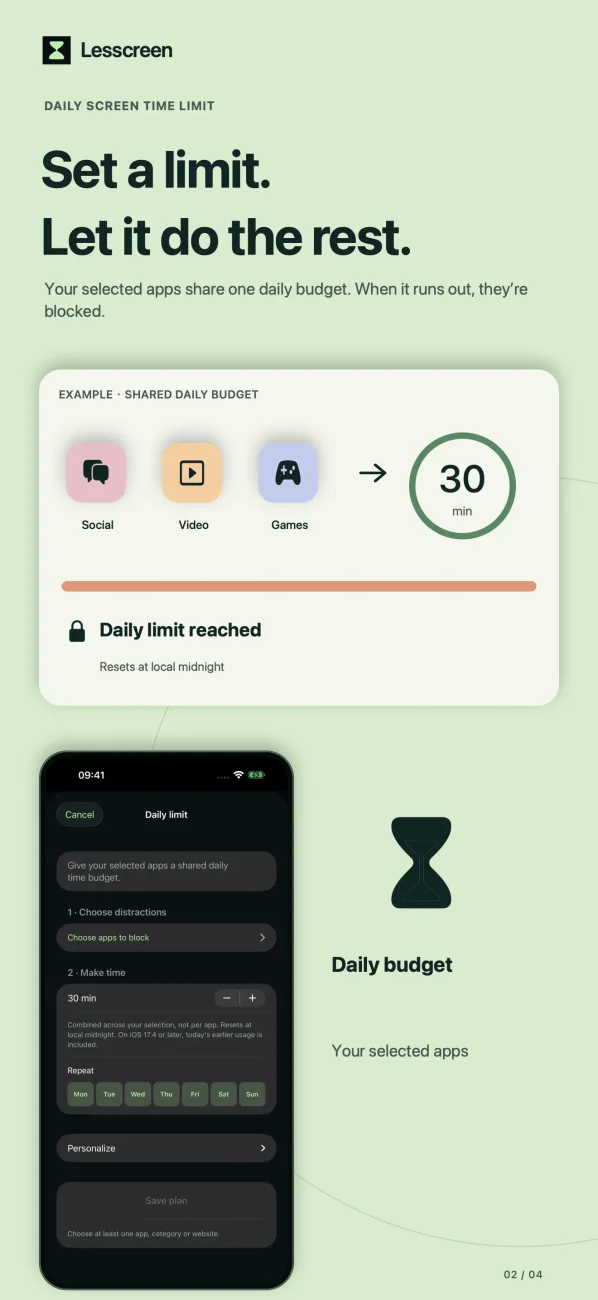
SET A DAILY LIMIT
Give your selected apps a shared daily time budget. When the budget is reached, that selection is blocked for the rest of the day. The limit resets at local midnight.
START WITH A TEMPLATE
Work time, Wind down and Less social scrolling give you a starting point you can make your own.
PROTECT YOUR PLANS
An optional setting prevents you from stopping, editing or deleting a plan inside Lesscreen while it is actively blocking. You remain in control of Screen Time permission in iOS Settings.
CLEAR, SIMPLE CONTROLS
Manage your routines in one place and see which plans are active. If plans overlap, an app unlocks only when no active plan is still blocking it.
No account is required. Your selected apps and plans are stored on your device.
Lesscreen uses Apple's Screen Time features and requires permission to block your selection. Daily limits are shared across each plan's selection, not separate limits for every app. On iOS 17.4 and later, earlier usage from the same day is included.
Available in English, Spanish, French, German, Simplified Chinese and Vietnamese. Requires iOS 16 or later.
Yang baru
Versi 1.0.2 · 1/10/2026
Meet Lesscreen — the new name for Screen Time Limit-Free Control.
• A new hourglass icon and a redesigned Home, Plans and Settings experience.
• Clearer setup for focus sessions, scheduled blocking and shared daily limits.
• Templates for work time, winding down and less social scrolling.
• Improved handling of overlapping plans, overnight schedules and monitoring errors.
• Added Spanish, French, German, Simplified Chinese and Vietnamese, with English as the default.
This redesign starts fresh: previous-version plans are not carried over. Please reconnect Screen Time and create your plans again.
Privasi aplikasi
Yang dinyatakan Shenzhen Jirry Jirry Technology Co., Ltd. di App Store tentang cara aplikasi ini menangani data.
-
Data tidak dikumpulkan
Pengembang tidak mengumpulkan data apa pun dari aplikasi ini.
Praktik privasi dapat bervariasi, misalnya berdasarkan fitur yang Anda gunakan atau usia Anda.
Informasi
- Penjual
- Shenzhen Jirry Jirry Technology Co., Ltd.
- Kategori
- Produktivitas
- Versi
- 1.0.2
- Diperbarui
- 1/10/2026
- Dirilis
- 10/10/2024
- Ukuran
- 10,1 MB
- Memerlukan
- iOS 16.0 atau yang lebih baru
- Batasan usia
- 4+
- Harga
- Gratis
- Bahasa
- Inggris, Prancis, Jerman, Tionghoa Sederhana, Spanyol, Vietnamese
- Hak cipta
- © 2026 jirryjirry
Mungkin Anda juga suka
-
 Zenze - App Time LimitProduktivitas
-
 Timeout: App BlockerProduktivitas
-
 Limit – Control the ScrollProduktivitas
-
 Barrier: Screen Time For FocusProduktivitas
-
 LIMIT: Screen Time ControlProduktivitas
-
 Limit: Screen Time for FocusProduktivitas
-
 Limit Screen Time・TaskfulnessProduktivitas
-
 Jolt: Screen Time ControlProduktivitas
-
 LockMyApps Screen Time ControlProduktivitas
-
 Screen Time Control - Stay OffProduktivitas