- 対象年齢4+
- カテゴリ仕事効率化
- 開発元Shenzhen Jirry Jirry Technology Co., Ltd.
- 言語英語ほか5言語
- サイズ10.1 MB
App Storeの公式ページにリンクしています
Download.orgはLesscreen: Screen Time Limitのファイルを一切ホストしていません。ボタンを押すと、Shenzhen Jirry Jirry Technology Co., Ltd.が公開しているApp Storeのアプリページが開きます。ページの最終確認:2026/11/12。
スクリーンショット
概要
開発元はこのテキストをお使いの言語で提供していません。
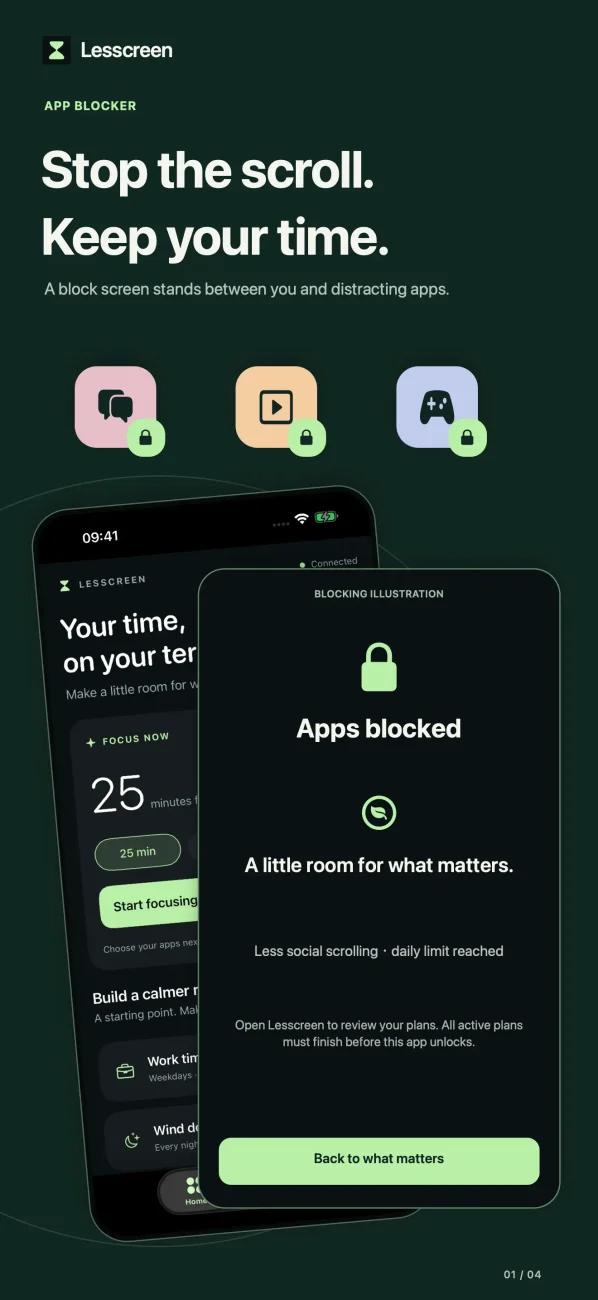
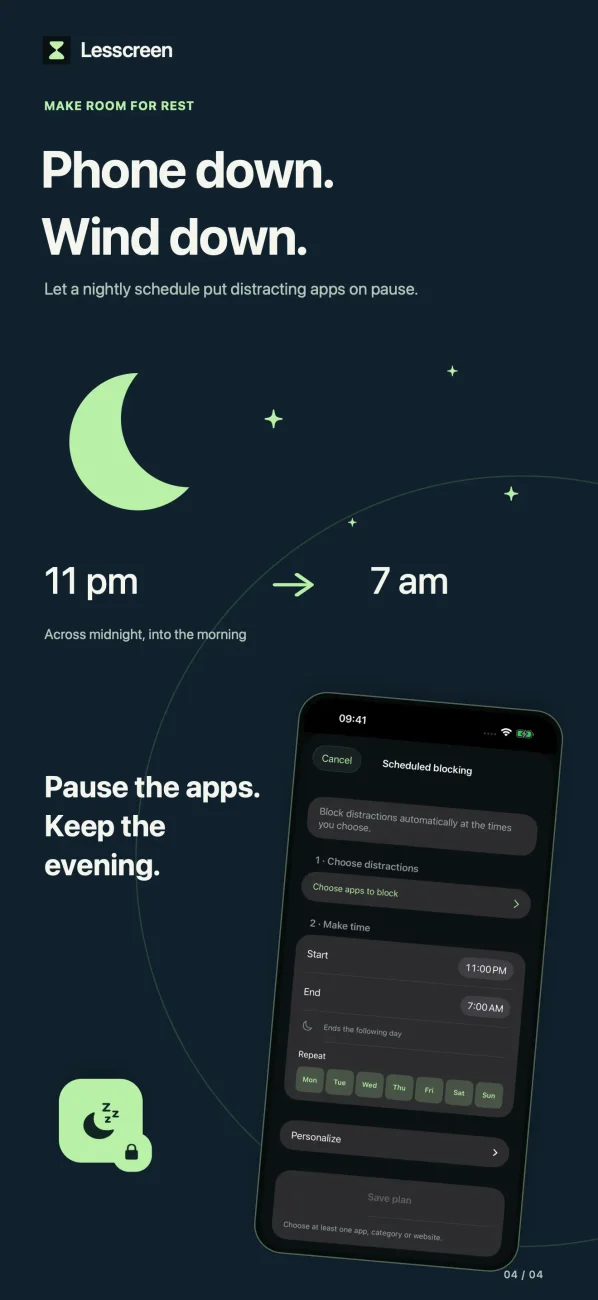
Lesscreen helps you reduce screen time and block distracting apps, so you can make room for what matters. Start a focus session, schedule regular breaks from apps, or set a shared daily time limit.
FOCUS WHEN YOU CHOOSE
Choose the apps, categories or websites you want to block, then set a focus duration. Start with 25, 45 or 60 minutes, or adjust the session to suit your day.
BUILD A ROUTINE
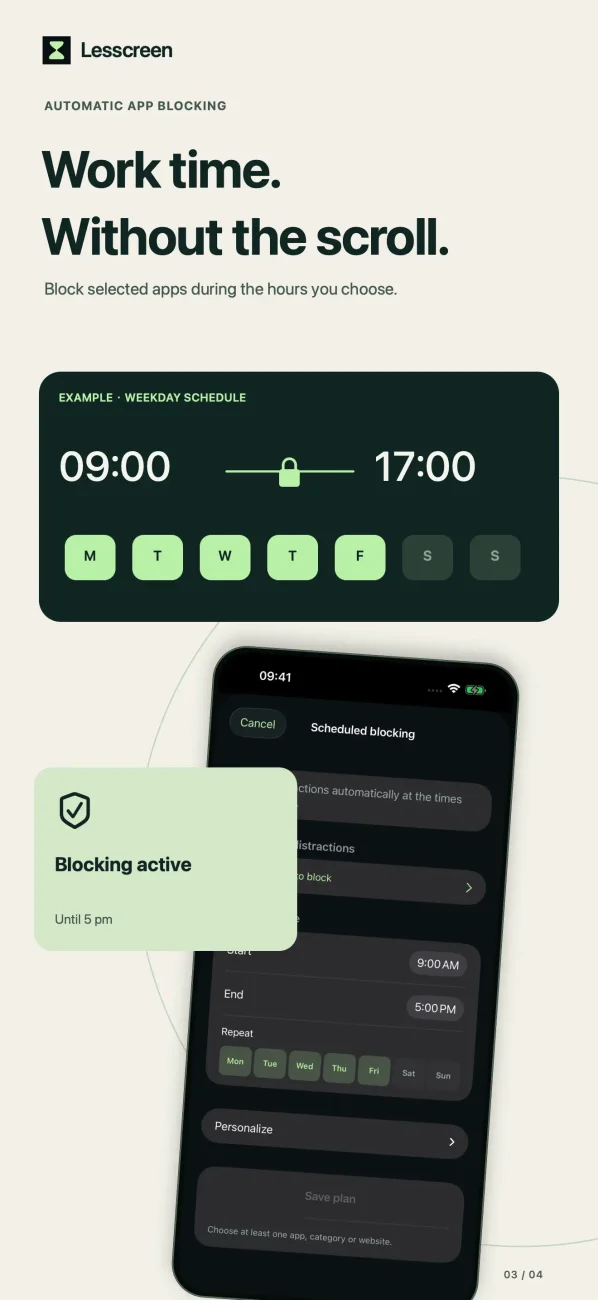
Schedule blocking for work, study or bedtime. Choose your start time, end time and days of the week. Overnight schedules can continue into the next morning.
SET A DAILY LIMIT
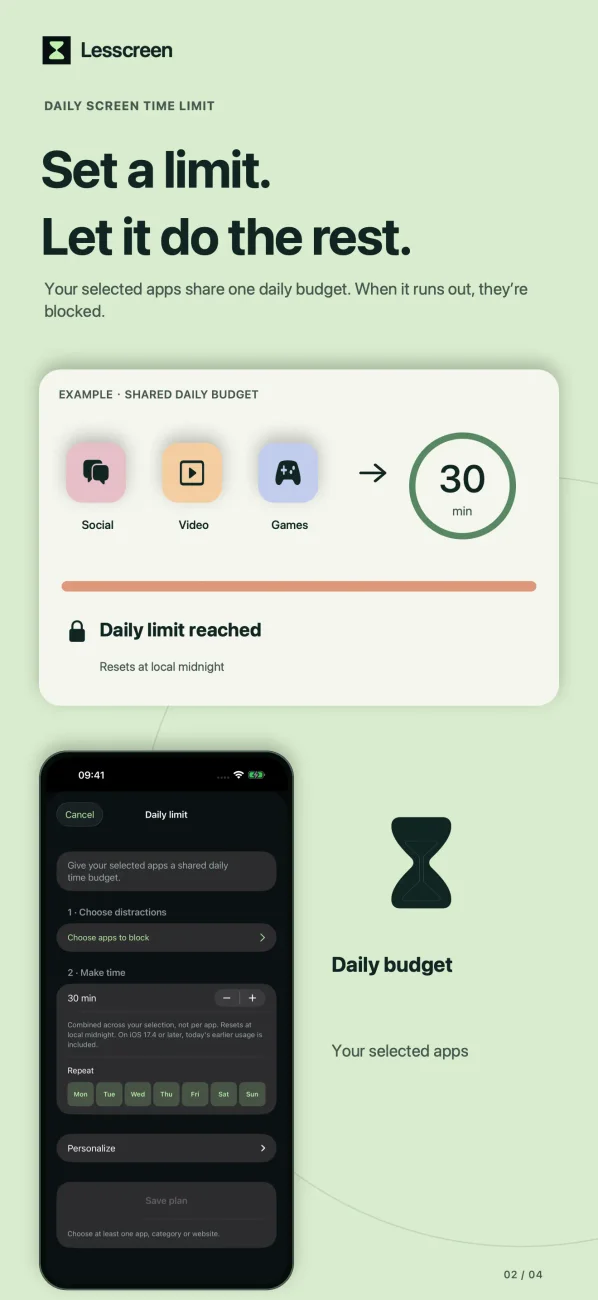
Give your selected apps a shared daily time budget. When the budget is reached, that selection is blocked for the rest of the day. The limit resets at local midnight.
START WITH A TEMPLATE
Work time, Wind down and Less social scrolling give you a starting point you can make your own.
PROTECT YOUR PLANS
An optional setting prevents you from stopping, editing or deleting a plan inside Lesscreen while it is actively blocking. You remain in control of Screen Time permission in iOS Settings.
CLEAR, SIMPLE CONTROLS
Manage your routines in one place and see which plans are active. If plans overlap, an app unlocks only when no active plan is still blocking it.
No account is required. Your selected apps and plans are stored on your device.
Lesscreen uses Apple's Screen Time features and requires permission to block your selection. Daily limits are shared across each plan's selection, not separate limits for every app. On iOS 17.4 and later, earlier usage from the same day is included.
Available in English, Spanish, French, German, Simplified Chinese and Vietnamese. Requires iOS 16 or later.
新機能
バージョン 1.0.2 · 2026/10/1
Meet Lesscreen — the new name for Screen Time Limit-Free Control.
• A new hourglass icon and a redesigned Home, Plans and Settings experience.
• Clearer setup for focus sessions, scheduled blocking and shared daily limits.
• Templates for work time, winding down and less social scrolling.
• Improved handling of overlapping plans, overnight schedules and monitoring errors.
• Added Spanish, French, German, Simplified Chinese and Vietnamese, with English as the default.
This redesign starts fresh: previous-version plans are not carried over. Please reconnect Screen Time and create your plans again.
アプリのプライバシー
このアプリのデータの取り扱いについて、Shenzhen Jirry Jirry Technology Co., Ltd.がApp Storeで申告している内容です。
-
データの収集なし
開発元はこのアプリからデータを収集しません。
プライバシーの取り扱いは、ご利用の機能やお客様の年齢などに応じて異なる場合があります。
情報
- 販売元
- Shenzhen Jirry Jirry Technology Co., Ltd.
- カテゴリ
- 仕事効率化
- バージョン
- 1.0.2
- 更新日
- 2026/10/1
- リリース
- 2024/10/10
- サイズ
- 10.1 MB
- 必要条件
- iOS 16.0以降
- 対象年齢
- 4+
- 価格
- 無料
- 言語
- 英語, フランス語, ドイツ語, 簡体字中国語, スペイン語, ベトナム語
- 著作権
- © 2026 jirryjirry
こちらもおすすめ
-
 Zenze - App Time Limit仕事効率化
-
 Timeout: App Blocker仕事効率化
-
 Limit – Control the Scroll仕事効率化
-
 Barrier: Screen Time For Focusアプリをブロックし、スクリーンタイムを制限する
-
 LIMIT: Screen Time Control仕事効率化
-
 Limit: フォーカスのための画面時間アプリをブロックして集中
-
 Limit Screen Time・Taskfulness仕事効率化
-
 Jolt: Screen Time Control仕事効率化
-
 LockMyApps Screen Time Control仕事効率化
-
 スクリーンタイム管理 - Stay Off運動して画面時間を獲得、集中