- Age rating4+
- CategoryProductivity
- DeveloperShenzhen Jirry Jirry Technology Co., Ltd.
- LanguagesEnglish+ 5 more
- Size10.1 MB
Links to the official App Store page
Download.org hosts no file of Lesscreen: Screen Time Limit. The button opens its official App Store page, published by Shenzhen Jirry Jirry Technology Co., Ltd. Listing last checked on Nov 12, 2026.
Screenshots
About
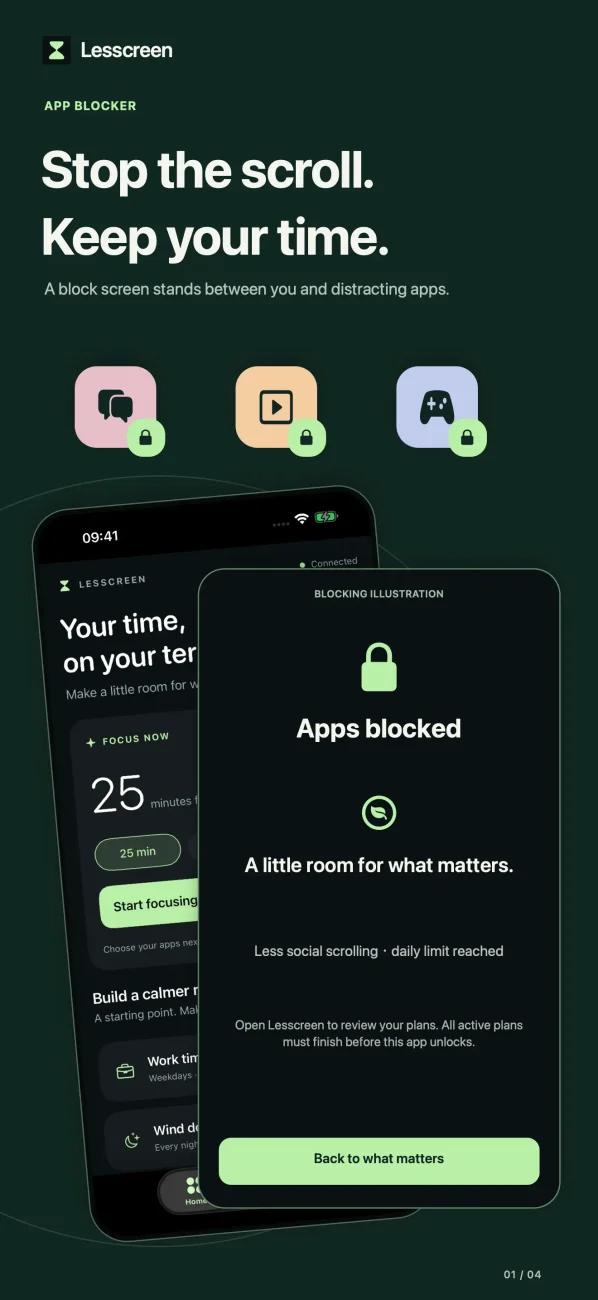
Lesscreen helps you reduce screen time and block distracting apps, so you can make room for what matters. Start a focus session, schedule regular breaks from apps, or set a shared daily time limit.
FOCUS WHEN YOU CHOOSE
Choose the apps, categories or websites you want to block, then set a focus duration. Start with 25, 45 or 60 minutes, or adjust the session to suit your day.
BUILD A ROUTINE
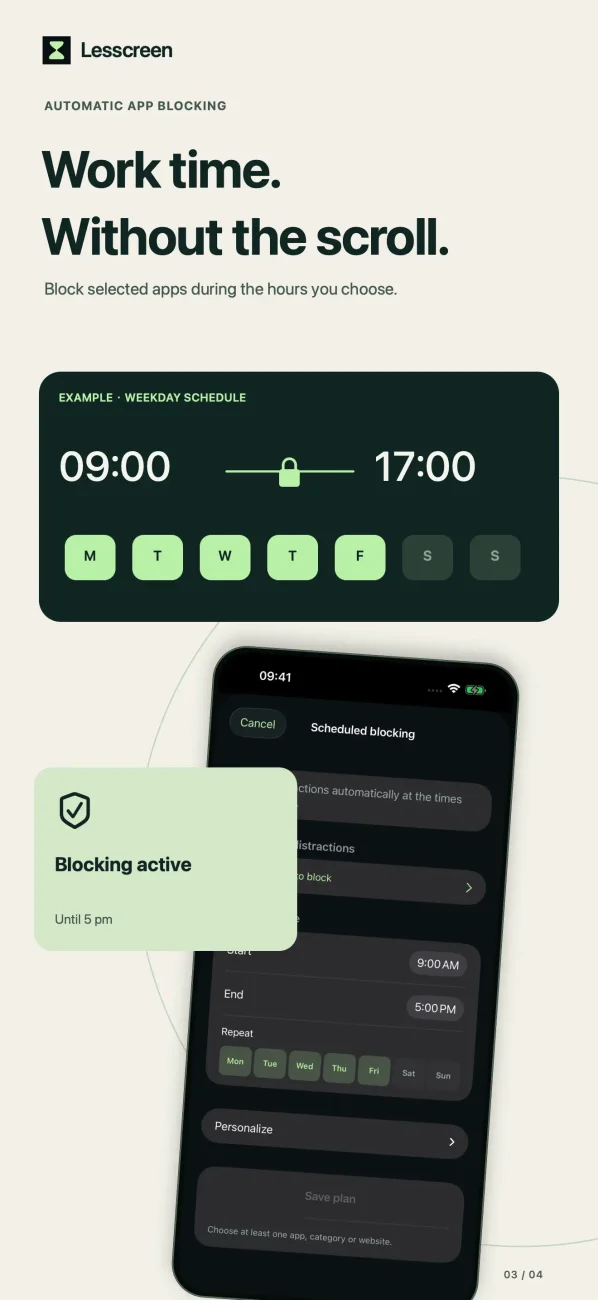
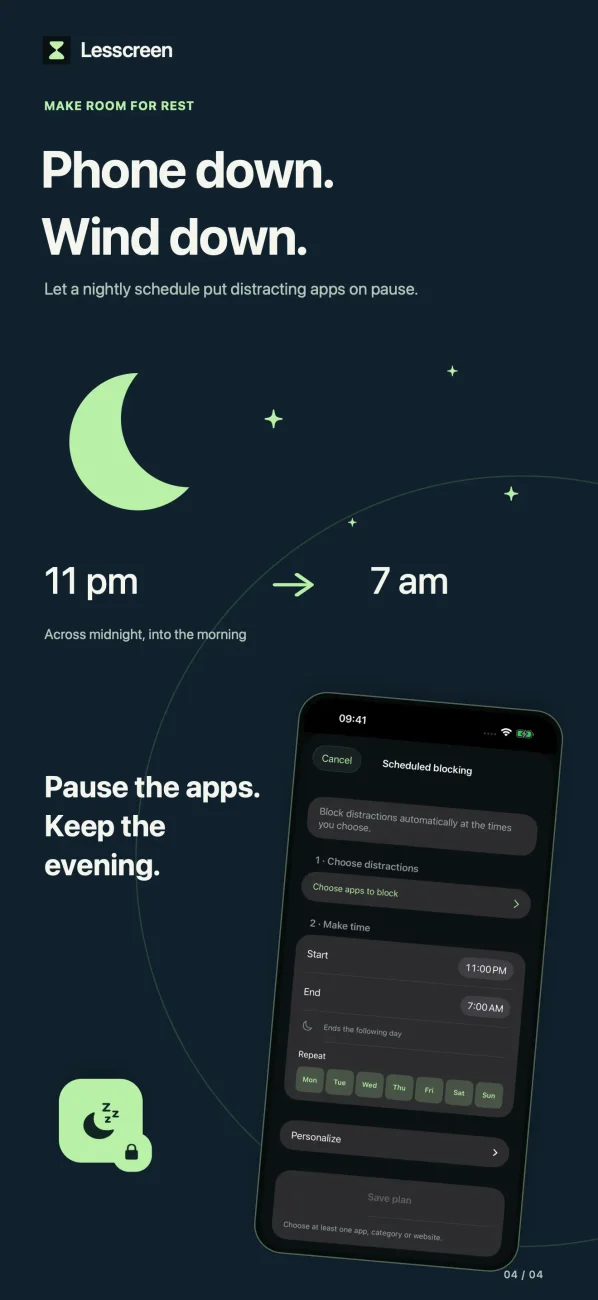
Schedule blocking for work, study or bedtime. Choose your start time, end time and days of the week. Overnight schedules can continue into the next morning.
SET A DAILY LIMIT
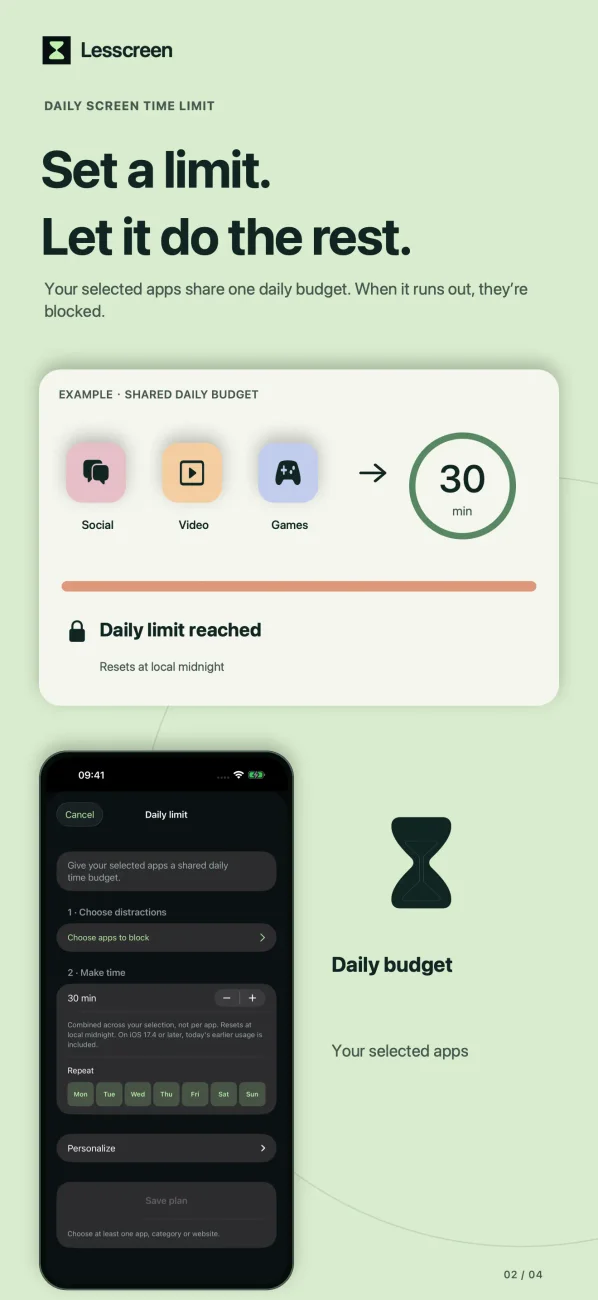
Give your selected apps a shared daily time budget. When the budget is reached, that selection is blocked for the rest of the day. The limit resets at local midnight.
START WITH A TEMPLATE
Work time, Wind down and Less social scrolling give you a starting point you can make your own.
PROTECT YOUR PLANS
An optional setting prevents you from stopping, editing or deleting a plan inside Lesscreen while it is actively blocking. You remain in control of Screen Time permission in iOS Settings.
CLEAR, SIMPLE CONTROLS
Manage your routines in one place and see which plans are active. If plans overlap, an app unlocks only when no active plan is still blocking it.
No account is required. Your selected apps and plans are stored on your device.
Lesscreen uses Apple's Screen Time features and requires permission to block your selection. Daily limits are shared across each plan's selection, not separate limits for every app. On iOS 17.4 and later, earlier usage from the same day is included.
Available in English, Spanish, French, German, Simplified Chinese and Vietnamese. Requires iOS 16 or later.
What’s new
Version 1.0.2 · Oct 1, 2026
Meet Lesscreen — the new name for Screen Time Limit-Free Control.
• A new hourglass icon and a redesigned Home, Plans and Settings experience.
• Clearer setup for focus sessions, scheduled blocking and shared daily limits.
• Templates for work time, winding down and less social scrolling.
• Improved handling of overlapping plans, overnight schedules and monitoring errors.
• Added Spanish, French, German, Simplified Chinese and Vietnamese, with English as the default.
This redesign starts fresh: previous-version plans are not carried over. Please reconnect Screen Time and create your plans again.
App privacy
What Shenzhen Jirry Jirry Technology Co., Ltd. declares on the App Store about how this app handles data.
-
Data not collected
The developer does not collect any data from this app.
Privacy practices may vary, for example with the features you use or your age.
Information
- Seller
- Shenzhen Jirry Jirry Technology Co., Ltd.
- Category
- Productivity
- Version
- 1.0.2
- Updated
- Oct 1, 2026
- Released
- Oct 10, 2024
- Size
- 10.1 MB
- Requires
- iOS 16.0 or later
- Age rating
- 4+
- Price
- Free
- Languages
- English, French, German, Simplified Chinese, Spanish, Vietnamese
- Copyright
- © 2026 jirryjirry
You might also like
-
 Zenze - App Time LimitBlock Apps & Limit Screen Time
-
 Timeout: App BlockerStay Focus. Limit screen time.
-
 Limit – Control the ScrollMake screen time intentional
-
 Barrier: Screen Time For FocusBlock apps, limit distractions
-
 LIMIT: Screen Time ControlBlock Apps, Stay Focused
-
 Limit: Screen Time for FocusBlock apps, stay focused
-
 Limit Screen Time・TaskfulnessSocial Media and App Blocking
-
 Jolt: Screen Time ControlApp Blocker & Focus Timer
-
 LockMyApps Screen Time ControlApp Blocker, Pomodoro Timer
-
 Screen Time Control - Stay OffFocus,App Blocker,Timer