
- Batasan usia4+
- KategoriProduktivitas
- PengembangKane Hastings
- BahasaInggris
- Ukuran12,2 MB
Tertaut ke halaman resmi App Store
Download.org tidak menyimpan file MapItOut apa pun. Tombol ini membuka halaman aplikasi di App Store, tempat Kane Hastings menerbitkannya. Halaman terakhir diperiksa pada 14/11/2026.
Tangkapan layar
Tentang
Pengembang belum menyediakan teks ini dalam bahasa Anda.
MapItOut
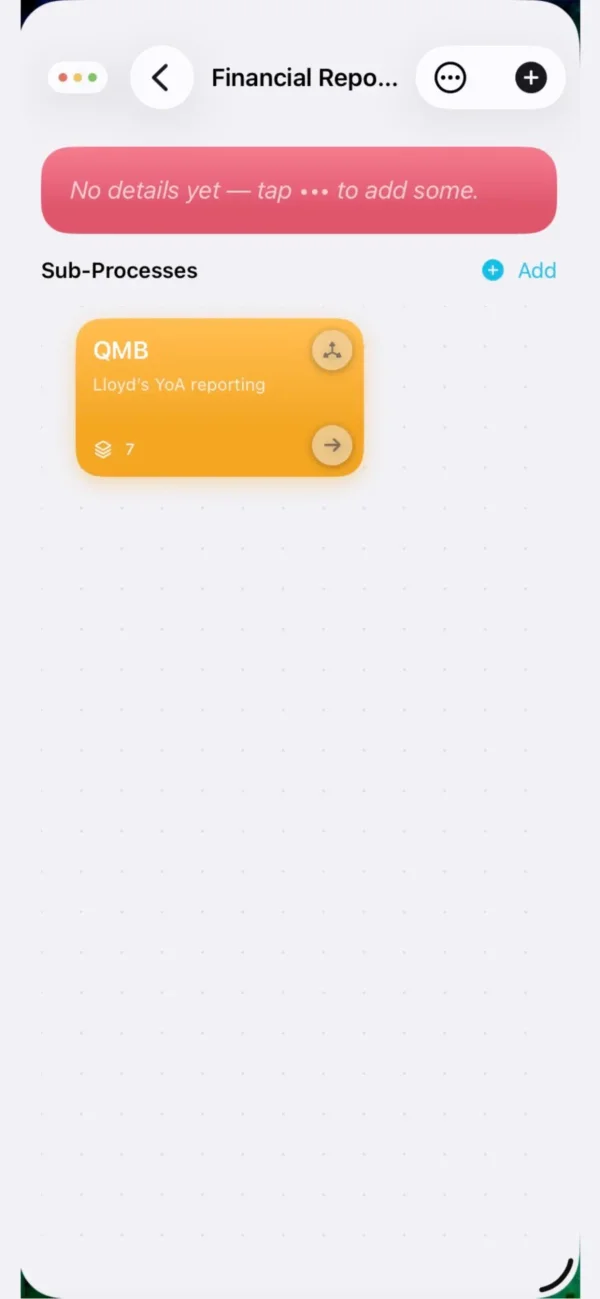
MapItOut is a visual process mapping tool that helps you organise ideas, workflows, business processes and projects using an interactive canvas.
Whether you’re documenting a business workflow, planning a project, or breaking down complex systems into manageable steps, MapItOut makes it easy to create clear, connected process maps.
Features
• Create unlimited process maps
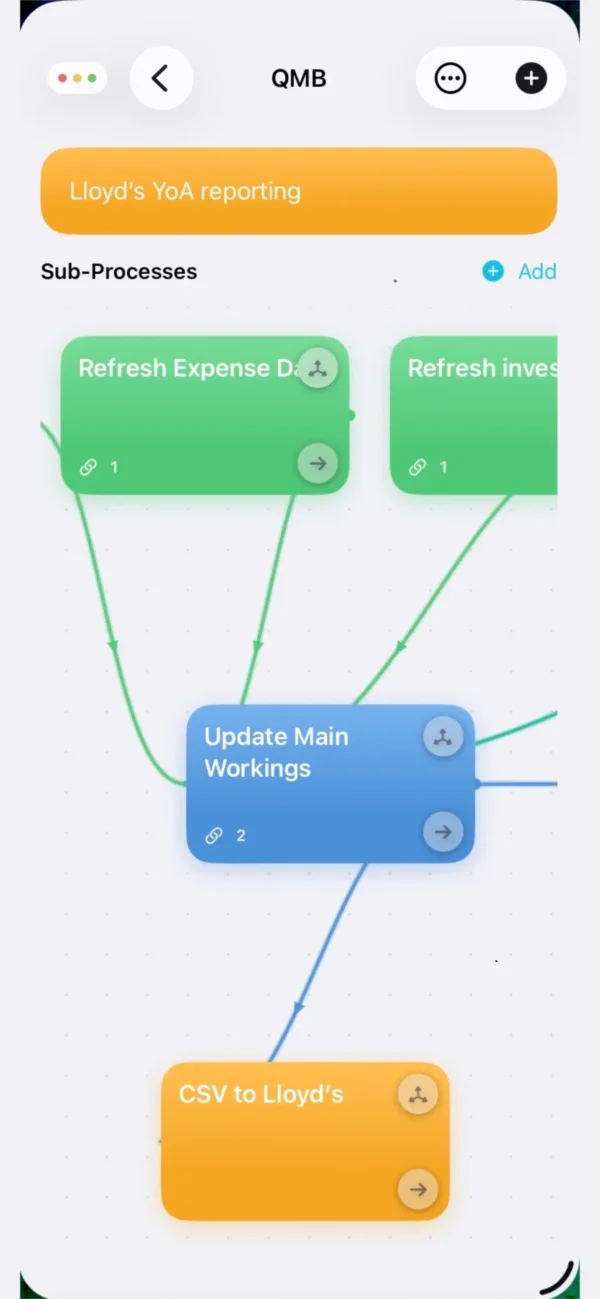
• Build hierarchical sub-processes
• Drag and arrange process cards freely
• Connect related processes with visual links
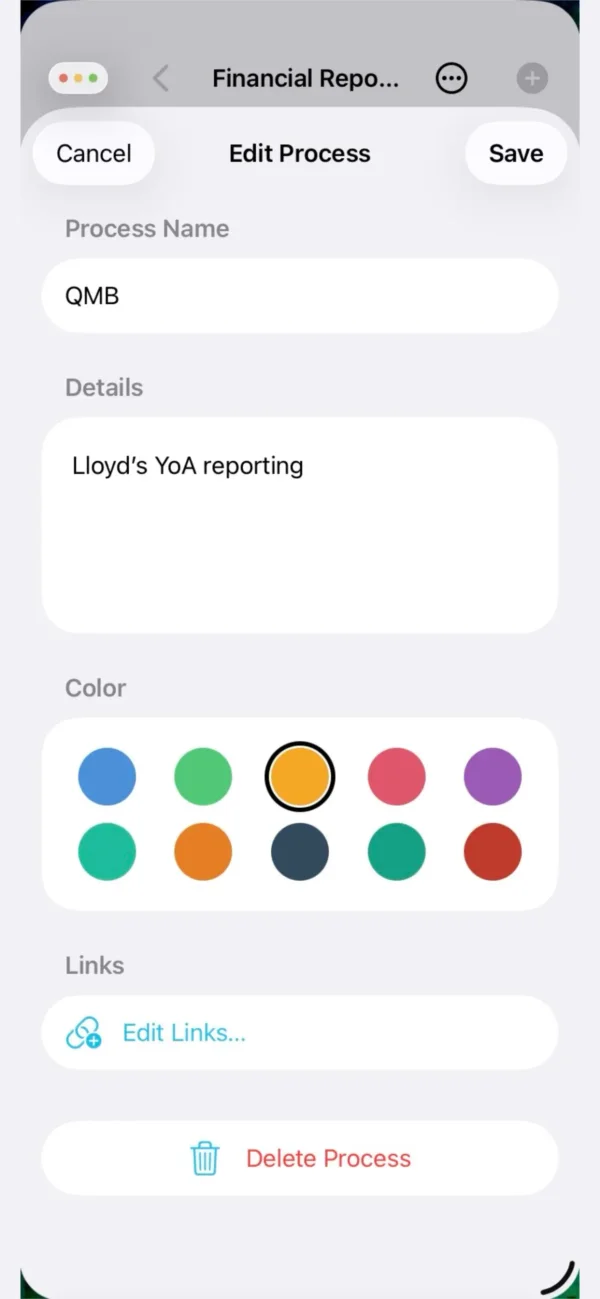
• Colour-code processes for easy organisation
• Add notes and descriptions to every process
• Zoom and pan across large process maps
• Keep everything organised with nested process structures
Designed for
• Business process mapping
• Workflow planning
• SOP documentation
• Project planning
• Brainstorming
• Personal organisation
• Systems design
• Team planning (offline)
Private by Design
Your data stays on your device.
MapItOut does not require an account, collect personal information, display advertisements or use third-party tracking.
Everything is stored locally, giving you complete control over your process maps.
Whether you’re organising your business or planning your next big idea, MapItOut helps you visualise the bigger picture.
Yang baru
Versi 1.2 · 15/7/2026
* Fixed the conflict between button interactions and canvas drag gestures, making it easier to move, link, and resize nodes.
* Added the ability to manually place newly created nodes onto the canvas.
* Links can now be removed by simply relinking the nodes.
* Moved the Delete button to the top of the edit panel for quicker access.
* Added Copy, Cut, and Paste functionality.
* Introduced additional colour options for nodes.
Privasi aplikasi
Yang dinyatakan Kane Hastings di App Store tentang cara aplikasi ini menangani data.
-
Data tidak dikumpulkan
Pengembang tidak mengumpulkan data apa pun dari aplikasi ini.
Praktik privasi dapat bervariasi, misalnya berdasarkan fitur yang Anda gunakan atau usia Anda.
Informasi
- Penjual
- Kane Hastings
- Kategori
- Produktivitas
- Versi
- 1.2
- Diperbarui
- 15/7/2026
- Dirilis
- 1/7/2026
- Ukuran
- 12,2 MB
- Memerlukan
- iOS 26.0 atau yang lebih baru
- Batasan usia
- 4+
- Harga
- Gratis
- Bahasa
- Inggris
- Hak cipta
- © 2026 KaneHastings. All Rights Reserved.
Mungkin Anda juga suka
-
 LinkFindrProduktivitas
-
 Phone to PaperProduktivitas
-
 PDF ToolBoxProduktivitas
-
 Let's Tolk - PenerjemahKeyboard, kamera & suara
-
 Offprint: Web to PDF & EPUBProduktivitas
-
 PDFCrabProduktivitas
-
 Diktafon: Voice Memos on TapeProduktivitas
-
 SmartLess: ponsel tenangPonsel tanpa gangguan
-
 App Lock · Block Apps & FocusProduktivitas
-
 Trading Journal ProKeuangan