Markdown Editor and Reader
Write notes & preview md files
Dirancang untuk iPhone, iPad
Gratis · Pembelian dalam aplikasi
- Batasan usia4+
- KategoriProduktivitas
- PengembangJulian Lau
- BahasaInggris+ 1 lainnya
- Ukuran6,6 MB
Tertaut ke halaman resmi App Store
Download.org tidak menyimpan file Markdown Editor and Reader apa pun. Tombol ini membuka halaman aplikasi di App Store, tempat Julian Lau menerbitkannya. Halaman terakhir diperiksa pada 20/11/2026.
Tangkapan layar

Tentang
Pengembang belum menyediakan teks ini dalam bahasa Anda.
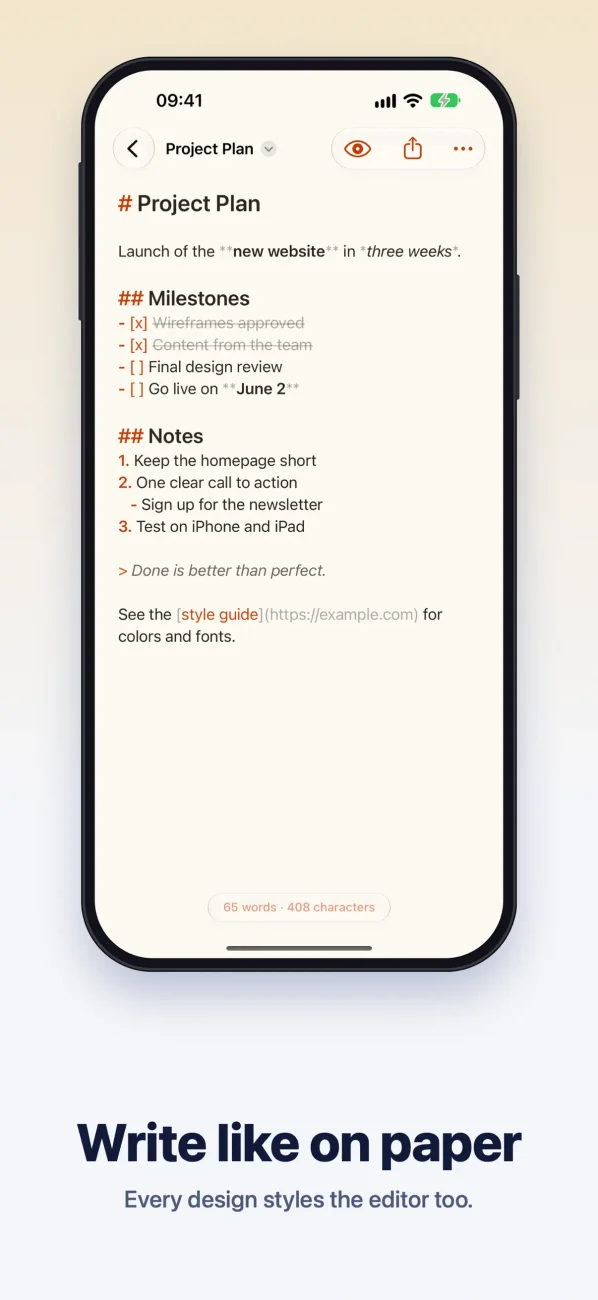
Write Markdown as easily as plain text. Markdown Editor opens in an instant – no account, no setup. For notes, READMEs, documentation, blog posts, to-do lists and anything that should look good.
WRITE WITH SYNTAX HIGHLIGHTING
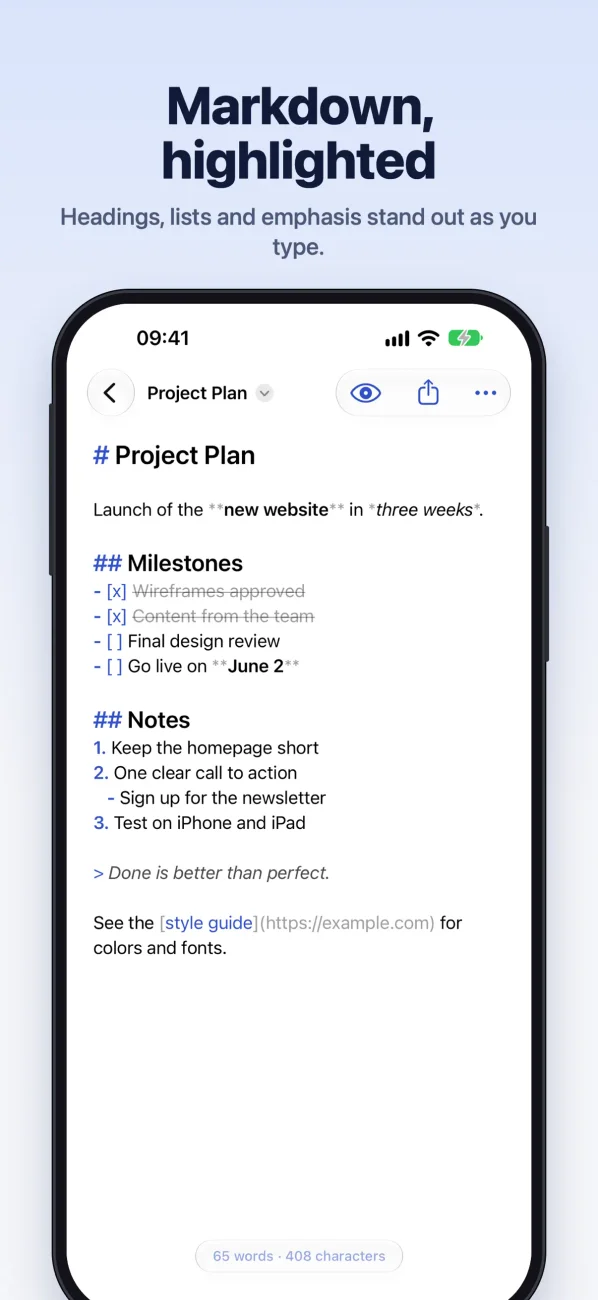
Headings, bold, italic, code, links, lists and quotes are highlighted as you type. The Markdown characters step back so your words stay in focus – and the editor stays smooth even with long documents.
FORMAT WITHOUT SEARCHING
• A formatting bar above the keyboard: heading, bold, italic, lists, checklists, links, code, quotes, tables and images in one tap
• Lists continue by themselves when you press Return
• Keyboard shortcuts ⌘B, ⌘I and ⌘K on iPad
PREVIEW AND READ
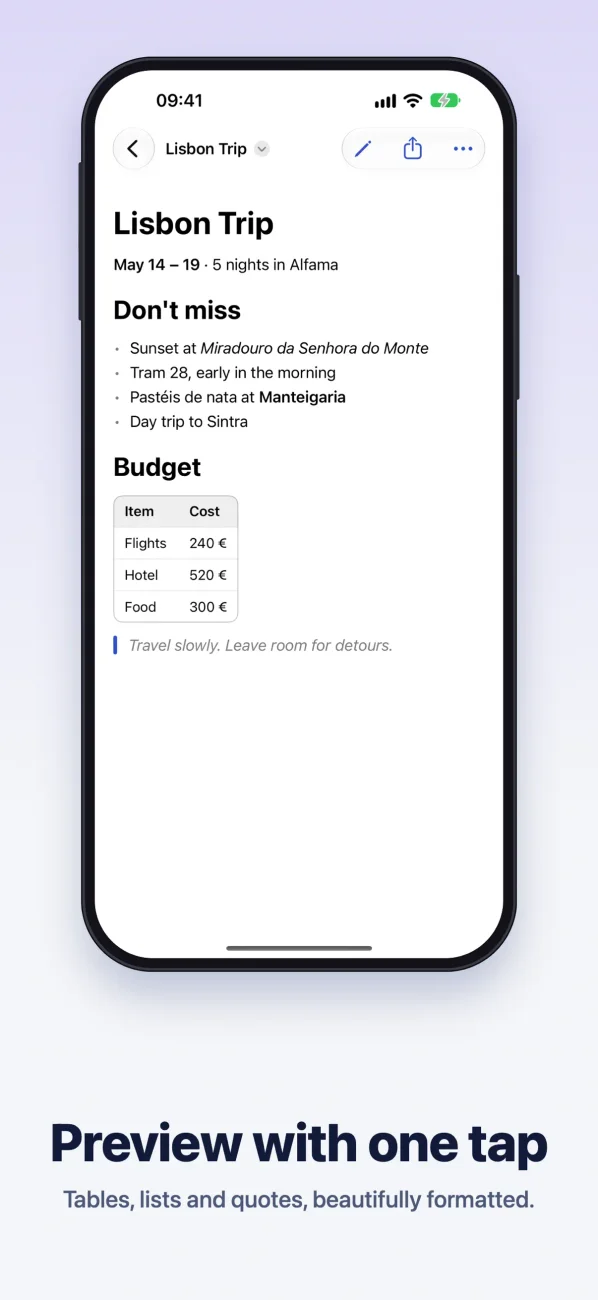
One tap on the eye shows your document beautifully formatted – with tables, checklists, nested lists, code blocks and images. On iPad and the foldable iPhone, see your text and the live preview side by side. Documents can also open straight in the preview, perfect for reading.
REAL FILES, NOTHING LOCKED IN
Your documents are plain .md files in the Files app under “On My iPhone › Markdown Editor”. Open Markdown and text files from iCloud Drive or other apps and edit them right where they are.
ORGANIZED YOUR WAY
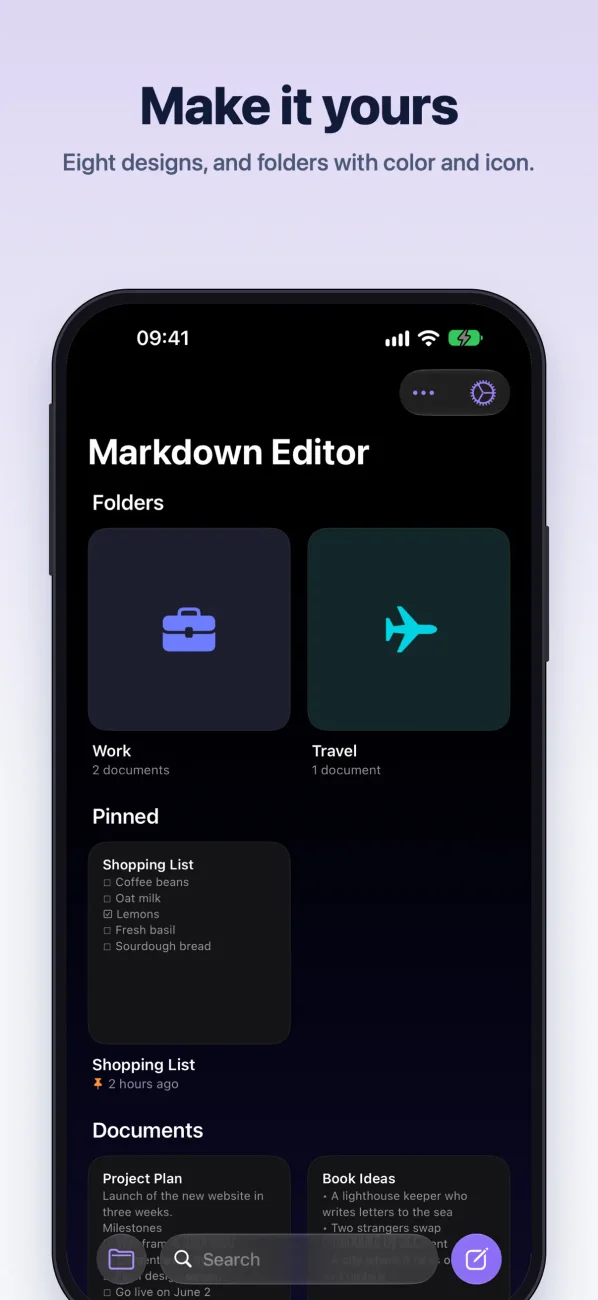
• Folders with their own color and icon
• Pin what matters to the top
• Sort by date, name, or your own order with drag and drop
• Search finds every word across all your documents
• Find and replace, word count, reading time, printing
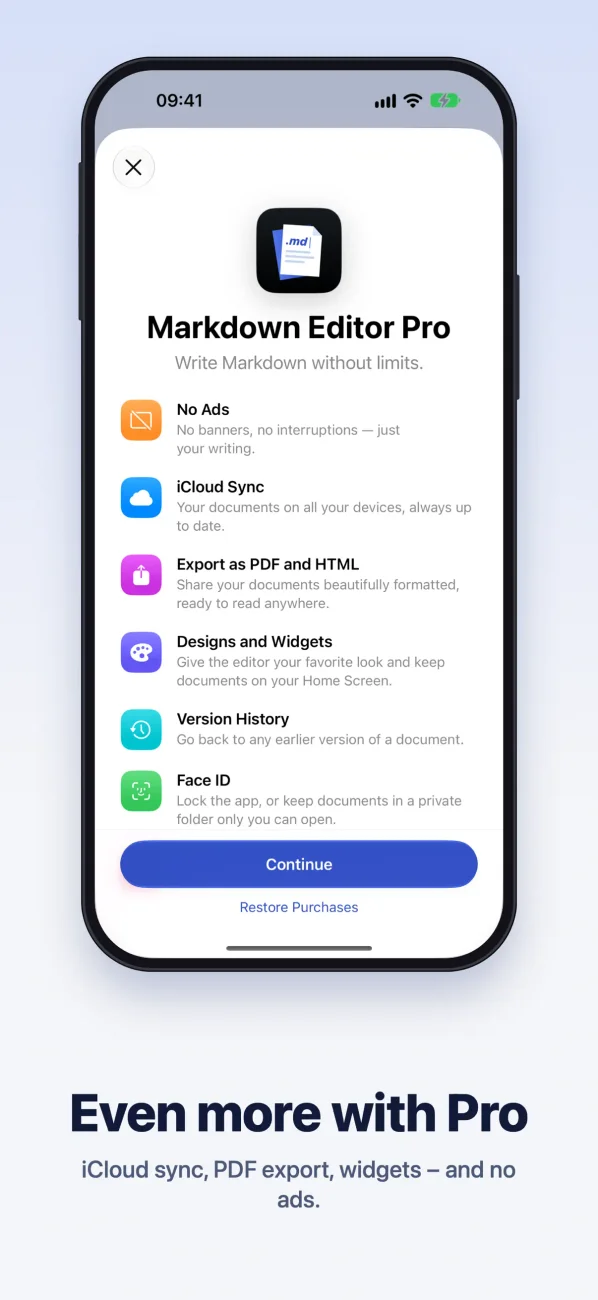
MARKDOWN EDITOR PRO
For when you want more – as a monthly or yearly subscription:
• No ads
• iCloud sync between iPhone and iPad
• Export to PDF and HTML, beautifully formatted
• Eight designs, from warm paper to deep black midnight
• Widgets for your Home Screen and Lock Screen
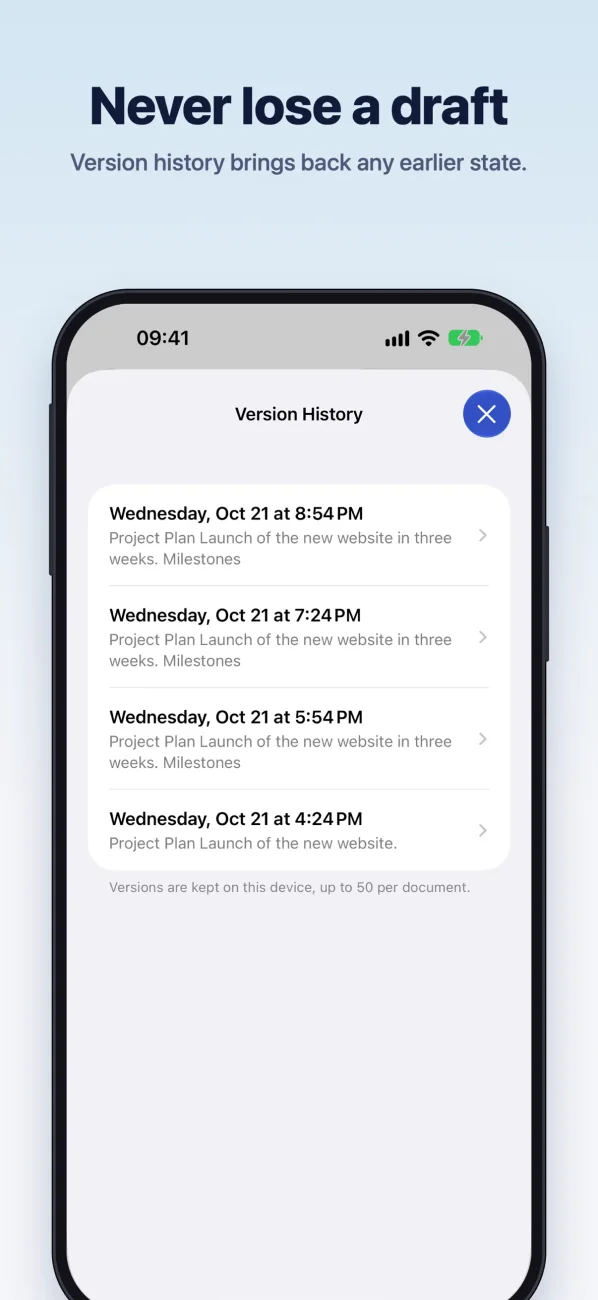
• Version history: bring back any earlier draft
• App lock and a private folder with Face ID
Payment is charged to your Apple Account. The subscription renews automatically unless canceled at least 24 hours before the end of the current period. You can manage and cancel it anytime in your App Store account settings.
Terms of Use: https://www.apple.com/legal/internet-services/itunes/dev/stdeula/
Privacy Policy: https://jlau.netlify.app/markdown-editor/privacy/
Markdown Editor is built by an independent developer. If you enjoy it, a rating means a lot!
Yang baru
Versi 2.0.4 · 19/11/2026
Bug fixes and performance improvements.
Enjoying Markdown Editor? A rating in the App Store helps a lot – thank you!
Privasi aplikasi
Yang dinyatakan Julian Lau di App Store tentang cara aplikasi ini menangani data.
-
Data yang digunakan untuk melacak Anda
Dapat digunakan untuk melacak Anda di aplikasi dan situs web milik perusahaan lain.
- Pengenal
- Data penggunaan
-
Data yang tidak ditautkan dengan Anda
Dapat dikumpulkan, tetapi tidak ditautkan dengan identitas Anda.
- Lokasi
- Pengenal
- Data penggunaan
- Diagnostik
Praktik privasi dapat bervariasi, misalnya berdasarkan fitur yang Anda gunakan atau usia Anda.
Informasi
- Penjual
- Julian Lau
- Kategori
- Produktivitas
- Versi
- 2.0.4
- Diperbarui
- 19/11/2026
- Dirilis
- 9/4/2022
- Ukuran
- 6,6 MB
- Memerlukan
- iOS 26.0 atau yang lebih baru
- Batasan usia
- 4+
- Harga
- Gratis
- Pembelian dalam aplikasi
- Ya
- Bahasa
- Inggris, Jerman
- Hak cipta
- © Julian Lau
Mungkin Anda juga suka
-
 One MarkdownProduktivitas
-
 Inkdrop - Markdown NotesProduktivitas
-
 MWeb - Markdown Writing, NotesProduktivitas
-
 uFocusProduktivitas
-
 Metion: Markdown NotesProduktivitas
-
 Editor - Markdown NotesProduktivitas
-
 Notelane - Markdown EditorProduktivitas
-
 iMarkdownCatatan dan editor Markdown
-
 .md ViewerProduktivitas
-
 MDash: Buku Catatan & MenulisEditor teks & pembaca Markdown