
MarkFlow: AI Format Engine
AI Markdown to IMG/PDF/DOCX
Dirancang untuk iPhone, iPad
Rp 3ribu
- Batasan usia4+
- KategoriKegunaan
- Pengembang友娥 尹
- BahasaInggris+ 2 lainnya
- Ukuran12,0 MB
Tertaut ke halaman resmi App Store
Download.org tidak menyimpan file MarkFlow: AI Format Engine apa pun. Tombol ini membuka halaman aplikasi di App Store, tempat 友娥 尹 menerbitkannya. Halaman terakhir diperiksa pada 12/11/2026.
Tangkapan layar


Tentang
Pengembang belum menyediakan teks ini dalam bahasa Anda.
Say Goodbye to Markdown Symbols, Create Beautiful Documents with One Click
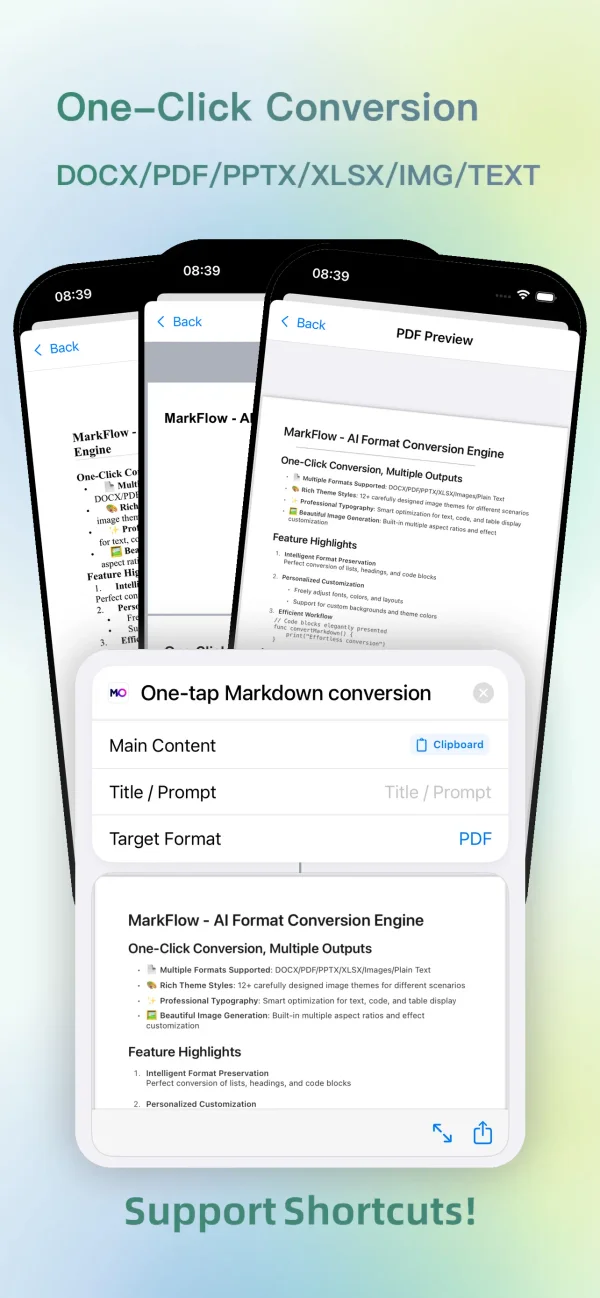
Convert Markdown from AI outputs to DOCX, PDF, PPTX, images, XLSX, TXT with one click. 12 beautiful image themes, offline processing, customizable image styles.
MarkFlow is a format conversion tool specially designed for processing AI output content, helping you easily convert Markdown text into various professional document formats. No internet required, local processing, protecting your privacy and security.
【Multiple Format Conversion】
• Convert to documents (.docx), PDF files, presentations (.pptx), spreadsheets (.xlsx), beautiful images, and plain text with one click
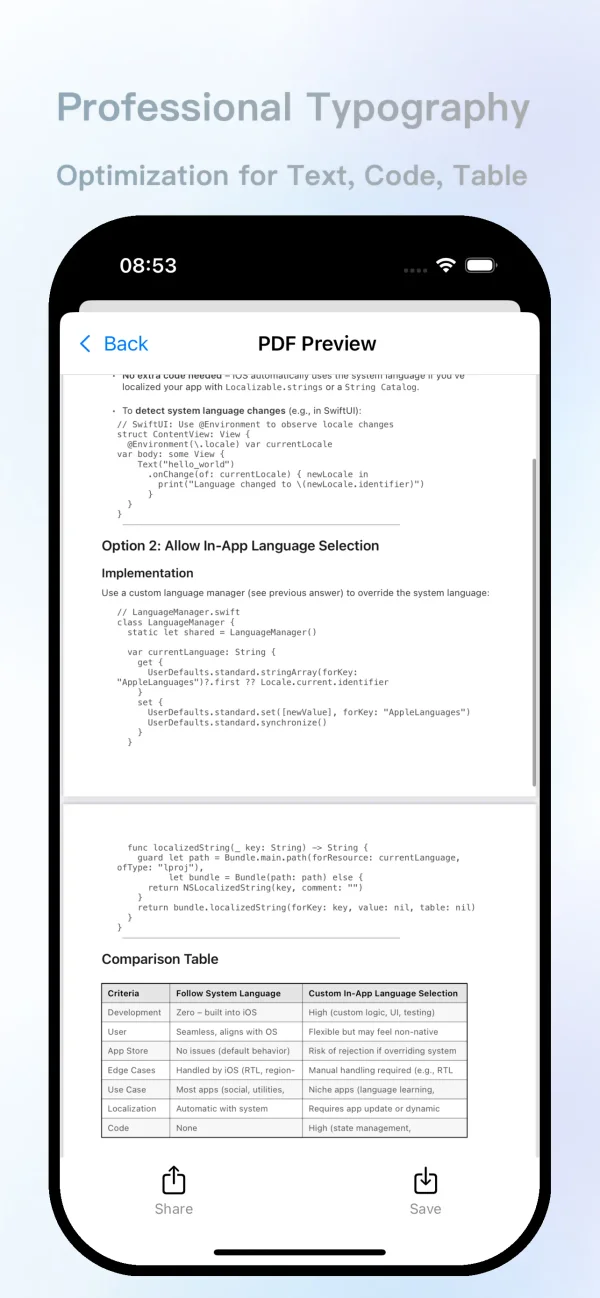
• Preserve original formatting and layout, making AI output content instantly professional and beautiful
• Quick conversion interface, start converting with a simple click, no complex operations needed
【Beautiful Image Themes】
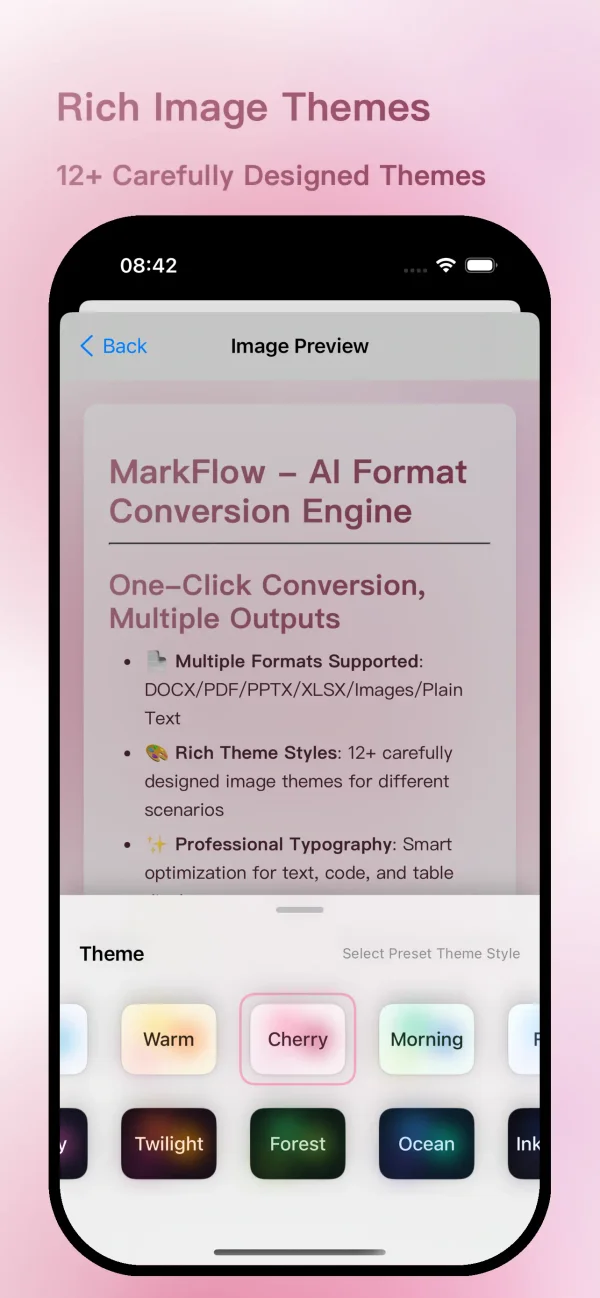
• 12 carefully designed image themes: Clear Sky, Starry Night, Warm Sun, Forest, Ocean, Dusk, Cherry Blossom, Morning Dew, Frost, Ink Night, Green Field, and Purple Glow
• Each theme has matching background, text, and accent colors, presenting a harmonious and beautiful visual effect
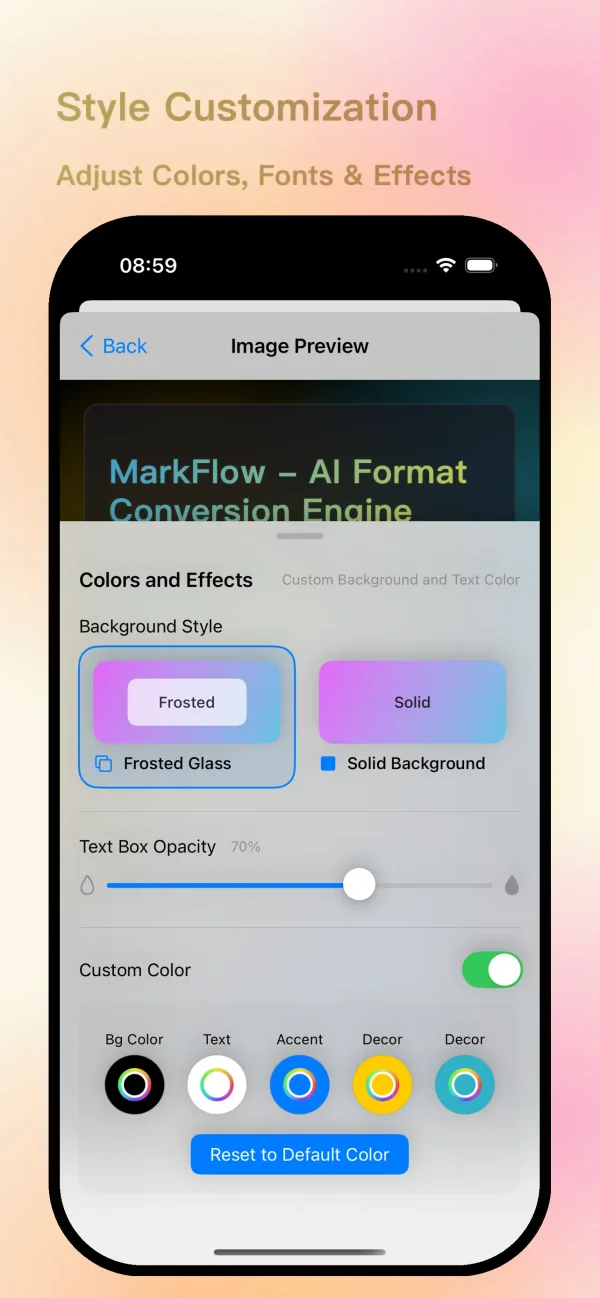
• Support for custom theme colors to meet personalized needs
【iOS Shortcuts Support】
• Convert Markdown to various document formats with a single tap via iOS Shortcuts
• Transform Markdown into beautiful images and preview them directly within Shortcuts
• Complete conversions without opening the app, enhancing your productivity
【Rich Style Options】
• Multiple image size presets: Square (1:1), Portrait (3:4), Standard (4:3), Vertical Screen (9:16), Horizontal Screen (16:9), and custom sizes
• Various font schemes: System Default, Medium Black, Light, Happy Black, Good Body, Sugar Round, and more
• Support for frosted glass and solid color background text box styles
• Adjustable content padding and container padding to optimize layout effects
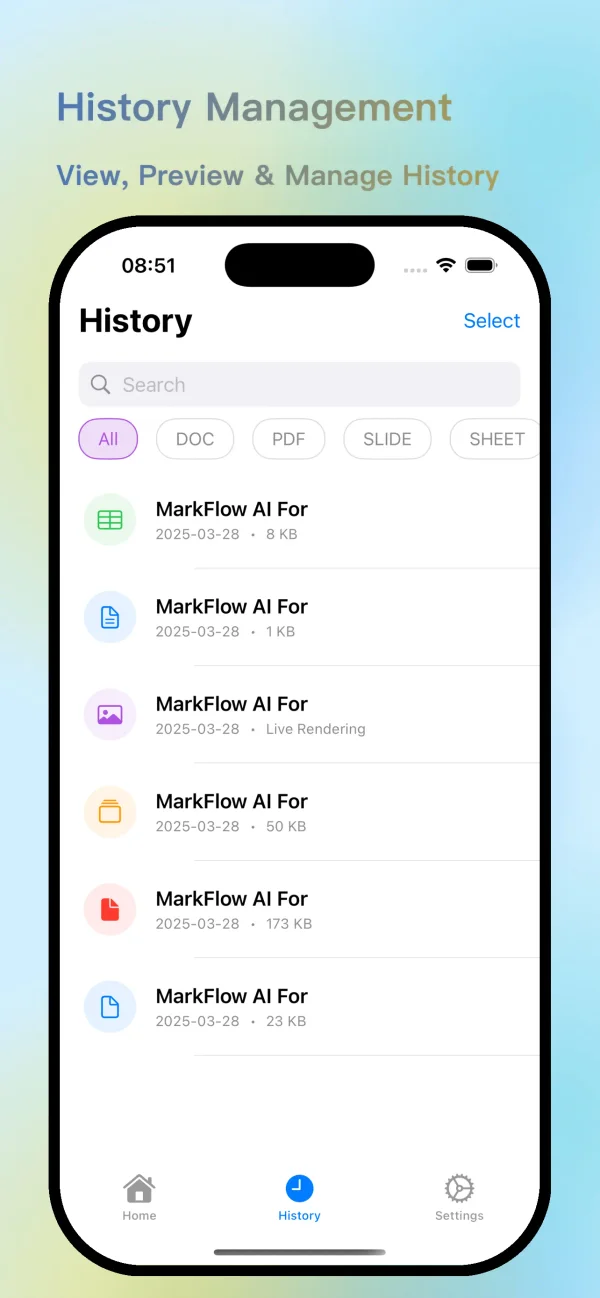
【Convenient History Records】
• Automatically save all conversion records for viewing and reuse anytime
• Filter history records by document type
• Batch selection and deletion functions for easy history management
【Simple and Efficient Operation】
• Intuitive user interface with clear function layout
• Support for one-click pasting of AI output content
• No internet required, local processing, protecting your privacy
MarkFlow is a powerful assistant for processing AI output content, helping you say goodbye to Markdown symbol troubles and easily create professional and beautiful documents. Whether for study notes, work reports, presentations, or data analysis, MarkFlow can help you quickly complete format conversions and improve work efficiency.
Download MarkFlow and turn AI output into beautiful documents instantly!
Yang baru
Versi 1.0.6 · 9/4/2025
- Minor bug fix
Privasi aplikasi
Yang dinyatakan 友娥 尹 di App Store tentang cara aplikasi ini menangani data.
-
Data tidak dikumpulkan
Pengembang tidak mengumpulkan data apa pun dari aplikasi ini.
Praktik privasi dapat bervariasi, misalnya berdasarkan fitur yang Anda gunakan atau usia Anda.
Informasi
- Penjual
- 友娥 尹
- Kategori
- Kegunaan
- Versi
- 1.0.6
- Diperbarui
- 9/4/2025
- Dirilis
- 30/3/2025
- Ukuran
- 12,0 MB
- Memerlukan
- iOS 16.6 atau yang lebih baru
- Batasan usia
- 4+
- Harga
- Rp 3ribu
- Bahasa
- Inggris, Tionghoa Sederhana, Tionghoa Tradisional
- Hak cipta
- © Yin Youe
Mungkin Anda juga suka
-
 WiFi Guardian – Stop IntrudersKegunaan
-
 MDconvert - to pdf/word/imageKegunaan
-
 ScreenPickKegunaan
-
 LogViewer - App Log ViewerKegunaan
-
 奇妙搜索 - 聚合全网资源搜索Kegunaan
-
 DS随心转 - AI对话导出WordKegunaan
-
 鲸鱼AI助手 - AI导出WordKegunaan
-
 MarkFlow:Read Markdown filesKegunaan
-
 Markdown to PDF Fast ConverterKegunaan
-
 WordGlean - Kindle HighlightsKegunaan