MySend
Transfer at Lightning Speed
Dirancang untuk iPhone, iPad, Mac, iPod touch
Gratis · Pembelian dalam aplikasi
- Batasan usia4+
- KategoriProduktivitas
- Pengembang强 王
- BahasaInggris+ 9 lainnya
- Ukuran24,5 MB
Tertaut ke halaman resmi App Store
Download.org tidak menyimpan file MySend apa pun. Tombol ini membuka halaman aplikasi di App Store, tempat 强 王 menerbitkannya. Halaman terakhir diperiksa pada 16/11/2026.
Tangkapan layar



Tentang
Pengembang belum menyediakan teks ini dalam bahasa Anda.
Face-to-Face Transfer — Ultra-Fast Cross-Device Transfer, No Network Needed, No Size Limits
New Upgrade: More than file transfer — now also a TV screencasting tool!
Tired of slow cables, cloud speed limits, compressed quality, laggy screencasting, or hunting for the remote? MySend solves it all. No internet, no cables — open MySend, face to face, transfer in seconds. New version adds one-tap screencasting and TV remote control.
Core Features:
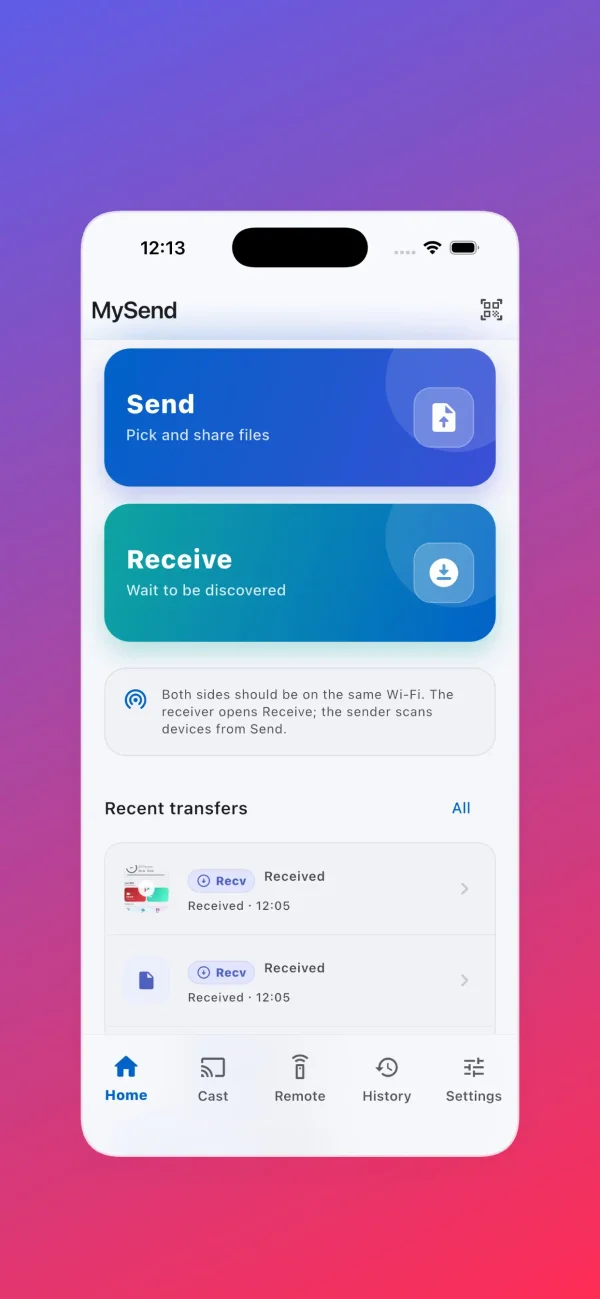
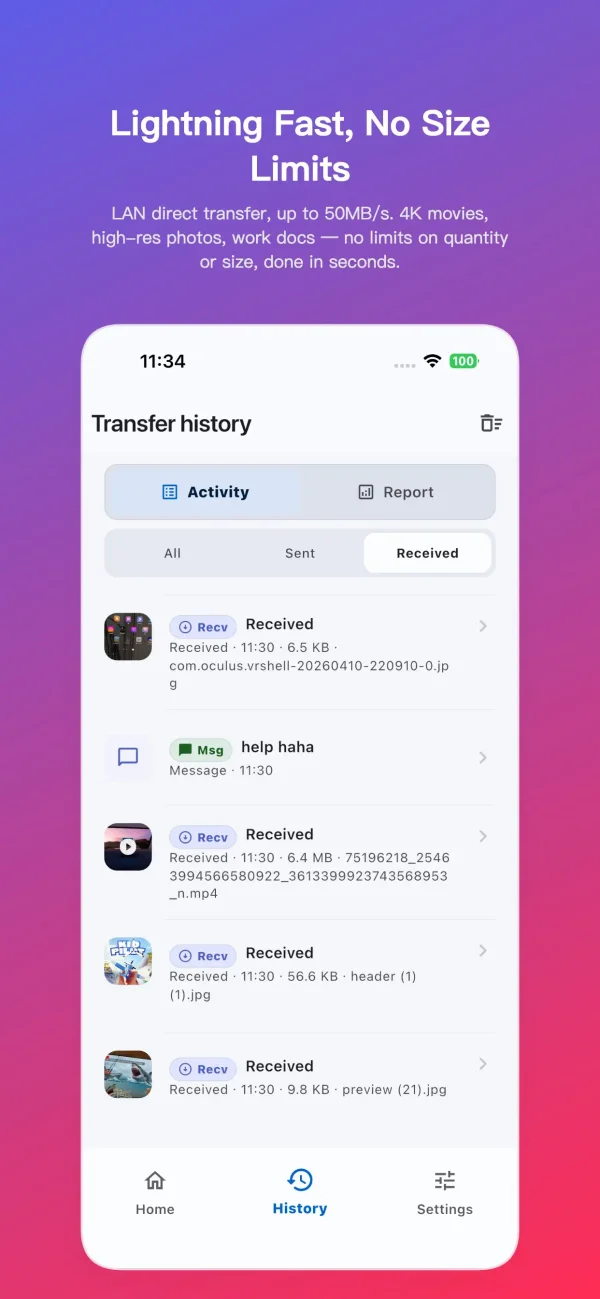
▸ Lightning-Fast Transfer, No Limits — LAN direct-connect, speeds up to 50MB/s. 4K movies, high-res photos, work docs — unlimited quantity & size, done in seconds.
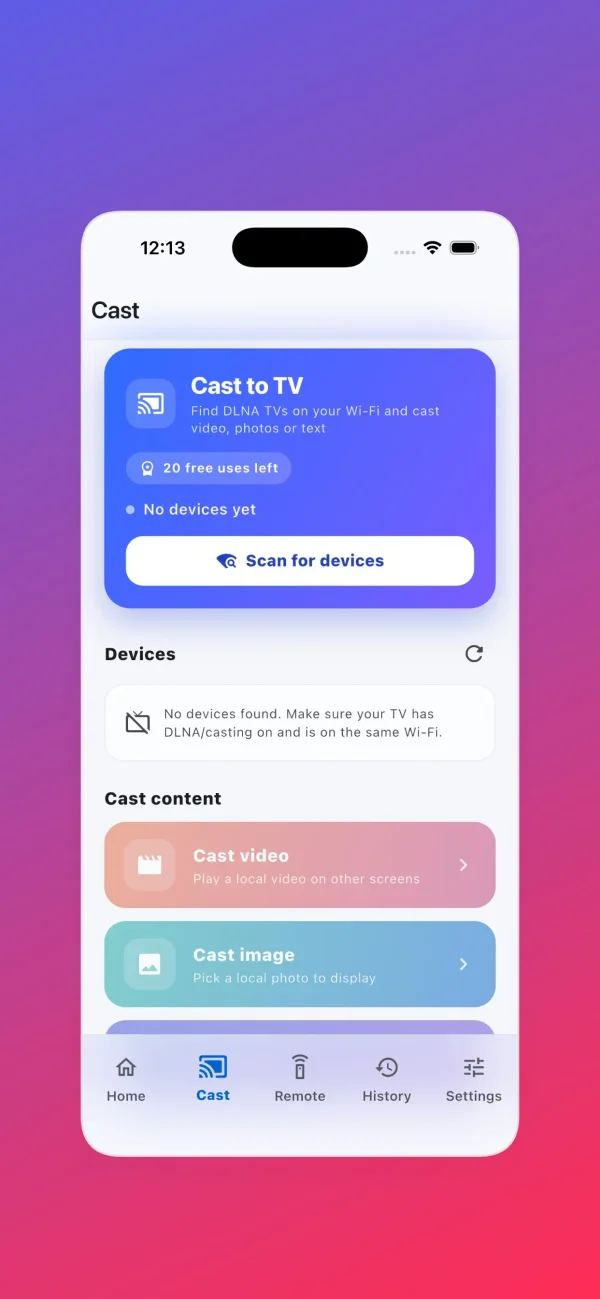
▸ New! Screencast & Remote — Cast photos, videos, movies to TV/DLNA receivers for a big-screen experience. Built-in TV remote — no more searching, your phone is the universal controller.
▸ Cross-Platform — Supports iPhone, iPad, Mac, PC. Transfer freely across devices, breaking system barriers.
▸ QR Code Scan — Receiver shows a QR code, sender scans to connect. Three simple steps, easy for everyone.
▸ PIN Code Reception — Enable PIN mode, sender enters password to send files. Great for meetings or family sharing — privacy under your control.
▸ Hotspot Mode — No Wi-Fi? Turn on hotspot, MySend creates a direct channel for transfer and screencasting anywhere.
▸ Multi-Device Send — Supports concurrent receiving. Send one file to many devices at once — team efficiency doubled.
Secure & Reliable:
End-to-end direct connect — files never go through servers, never uploaded to cloud
Encrypted transmission — prevents interception
Resume on interruption — auto-recovers, no wasted time
Ad-free — clean experience
FAQs:
Q: Does screencasting or transfer need internet?
A: No. Uses LAN direct-connect. Both devices on same Wi-Fi or hotspot works.
Q: Which devices for screencasting?
A: Smart TVs, TV boxes, and DLNA-compatible receivers.
Q: How to use on computer?
A: Visit MySend official website to download, then pair with phone via QR code.
Yang baru
Versi 1.7 · 13/8/2026
- Optimize transfer and cleanup
Privasi aplikasi
Yang dinyatakan 强 王 di App Store tentang cara aplikasi ini menangani data.
-
Data tidak dikumpulkan
Pengembang tidak mengumpulkan data apa pun dari aplikasi ini.
Praktik privasi dapat bervariasi, misalnya berdasarkan fitur yang Anda gunakan atau usia Anda.
Informasi
- Penjual
- 强 王
- Kategori
- Produktivitas
- Versi
- 1.7
- Diperbarui
- 13/8/2026
- Dirilis
- 18/5/2026
- Ukuran
- 24,5 MB
- Memerlukan
- iOS 15.5 atau yang lebih baru
- Batasan usia
- 4+
- Harga
- Gratis
- Pembelian dalam aplikasi
- Ya
- Bahasa
- Inggris, Arab, Prancis, Jerman, Jepang, Korea, Tionghoa Sederhana, Spanyol, Tionghoa Tradisional, Vietnamese
- Hak cipta
- © 2026 wangqiang
Mungkin Anda juga suka
-
 Private Writer Markdown EditorProduktivitas
-
 PatchDoc:File & Code EditorProduktivitas
-
 PDF Editor: Document AssistantProduktivitas
-
 Minigoal - 日程管理 & 习惯打卡与日记Produktivitas
-
 FileMaster: Offline ScannerProduktivitas
-
 Cadence - Habit TrackerProduktivitas
-
 Trading Journal ProKeuangan
-
 WeekPad: Weekly Planner DiaryProduktivitas
-
 InfDraft - Unlimited canvasProduktivitas
-
 Petsa PawProduktivitas