
MySend
Transfer at Lightning Speed
Designed for iPhone, iPad, Mac, iPod touch
Free · In-app purchases
- Age rating4+
- CategoryProductivity
- Developer强 王
- LanguagesEnglish+ 9 more
- Size24.5 MB
Links to the official App Store page
Download.org hosts no file of MySend. The button opens its official App Store page, published by 强 王. Listing last checked on Nov 16, 2026.
Screenshots
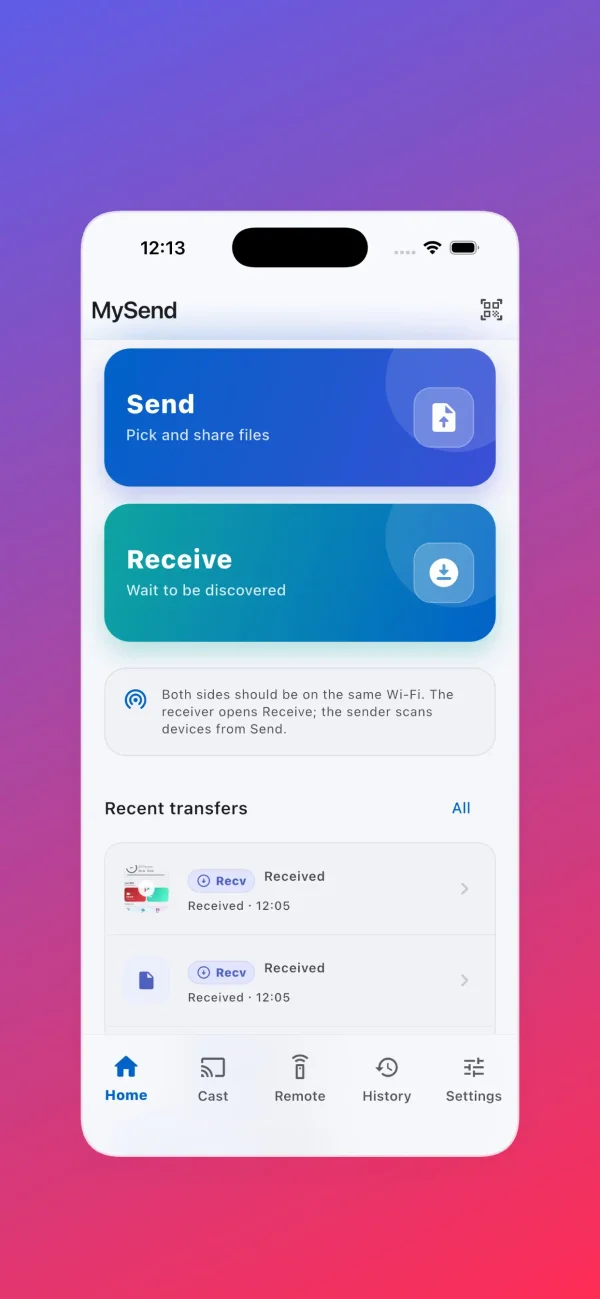

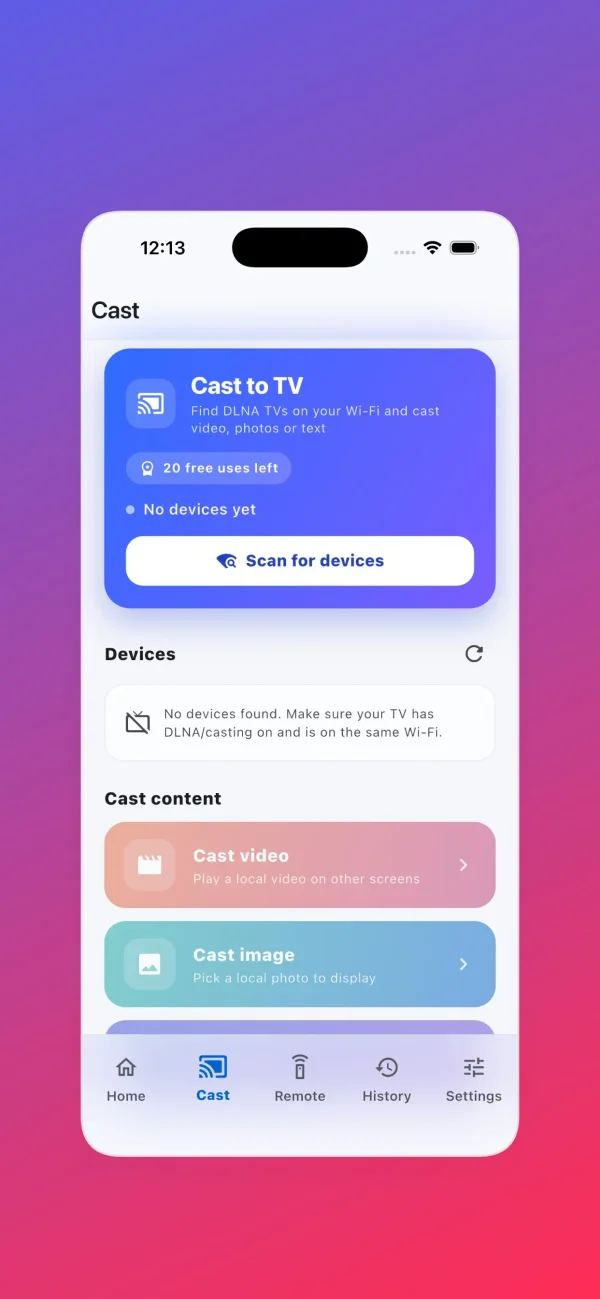
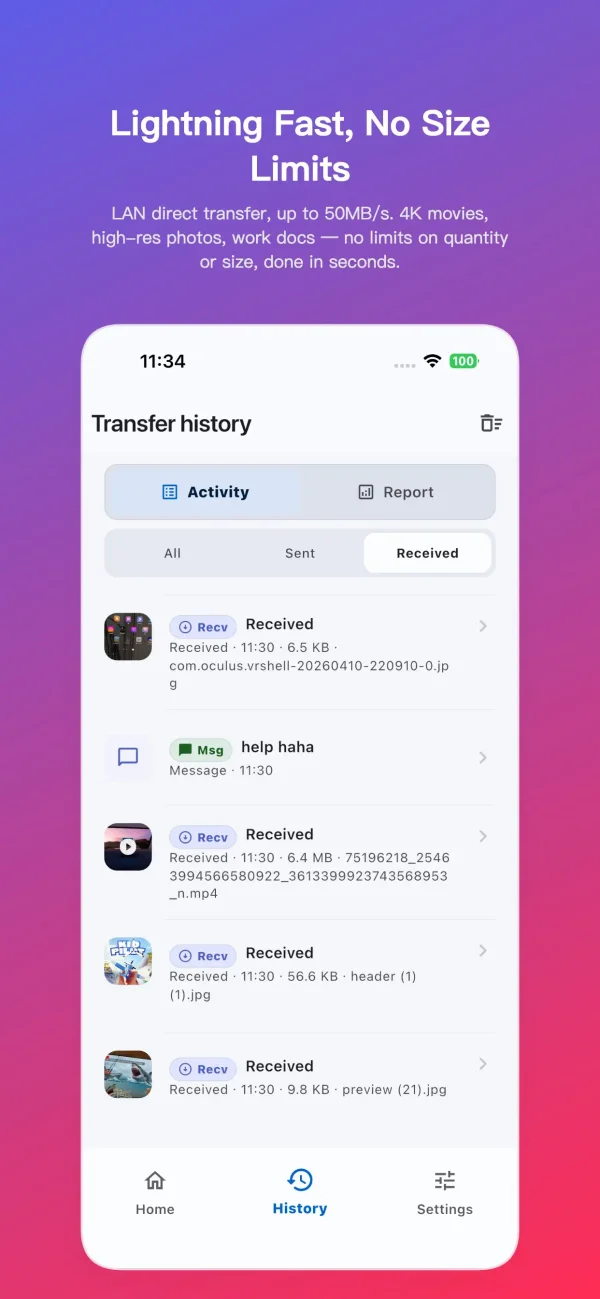


About
Face-to-Face Transfer — Ultra-Fast Cross-Device Transfer, No Network Needed, No Size Limits
New Upgrade: More than file transfer — now also a TV screencasting tool!
Tired of slow cables, cloud speed limits, compressed quality, laggy screencasting, or hunting for the remote? MySend solves it all. No internet, no cables — open MySend, face to face, transfer in seconds. New version adds one-tap screencasting and TV remote control.
Core Features:
▸ Lightning-Fast Transfer, No Limits — LAN direct-connect, speeds up to 50MB/s. 4K movies, high-res photos, work docs — unlimited quantity & size, done in seconds.
▸ New! Screencast & Remote — Cast photos, videos, movies to TV/DLNA receivers for a big-screen experience. Built-in TV remote — no more searching, your phone is the universal controller.
▸ Cross-Platform — Supports iPhone, iPad, Mac, PC. Transfer freely across devices, breaking system barriers.
▸ QR Code Scan — Receiver shows a QR code, sender scans to connect. Three simple steps, easy for everyone.
▸ PIN Code Reception — Enable PIN mode, sender enters password to send files. Great for meetings or family sharing — privacy under your control.
▸ Hotspot Mode — No Wi-Fi? Turn on hotspot, MySend creates a direct channel for transfer and screencasting anywhere.
▸ Multi-Device Send — Supports concurrent receiving. Send one file to many devices at once — team efficiency doubled.
Secure & Reliable:
End-to-end direct connect — files never go through servers, never uploaded to cloud
Encrypted transmission — prevents interception
Resume on interruption — auto-recovers, no wasted time
Ad-free — clean experience
FAQs:
Q: Does screencasting or transfer need internet?
A: No. Uses LAN direct-connect. Both devices on same Wi-Fi or hotspot works.
Q: Which devices for screencasting?
A: Smart TVs, TV boxes, and DLNA-compatible receivers.
Q: How to use on computer?
A: Visit MySend official website to download, then pair with phone via QR code.
What’s new
Version 1.7 · Aug 13, 2026
- Optimize transfer and cleanup
App privacy
What 强 王 declares on the App Store about how this app handles data.
-
Data not collected
The developer does not collect any data from this app.
Privacy practices may vary, for example with the features you use or your age.
Information
- Seller
- 强 王
- Category
- Productivity
- Version
- 1.7
- Updated
- Aug 13, 2026
- Released
- May 18, 2026
- Size
- 24.5 MB
- Requires
- iOS 15.5 or later
- Age rating
- 4+
- Price
- Free
- In-app purchases
- Yes
- Languages
- English, Arabic, French, German, Japanese, Korean, Simplified Chinese, Spanish, Traditional Chinese, Vietnamese
- Copyright
- © 2026 wangqiang
You might also like
-
 Private Writer Markdown EditorOffline Notes. No Cloud. Lock
-
 PatchDoc:File & Code EditorOpen ZIP,JSON,Markdown,Html
-
 PDF Editor: Document AssistantEdit, Sign & PDF Converter App
-
 Minigoal - 日程管理 & 习惯打卡与日记Productivity
-
 FileMaster: Offline ScannerScan, Convert Files
-
 Cadence - Habit TrackerGoals, Routines & Apple Health
-
 Trading Journal ProPnL Log, Ledger, ROI & Tracker
-
 WeekPad: Weekly Planner DiaryJournal, notes & photo diary
-
 InfDraft - Unlimited canvasnatural stroke and big canvas
-
 Petsa PawAnimal Digital World