PDF Editor: Document Assistant
Edit, Sign & PDF Converter App
Dirancang untuk iPhone, iPad, Mac
Gratis · Pembelian dalam aplikasi
- Batasan usia4+
- KategoriProduktivitas
- PengembangArima Jain
- BahasaInggris
- Ukuran11,1 MB
Tertaut ke halaman resmi App Store
Download.org tidak menyimpan file PDF Editor: Document Assistant apa pun. Tombol ini membuka halaman aplikasi di App Store, tempat Arima Jain menerbitkannya. Halaman terakhir diperiksa pada 17/11/2026.
Tangkapan layar
Tentang
Pengembang belum menyediakan teks ini dalam bahasa Anda.
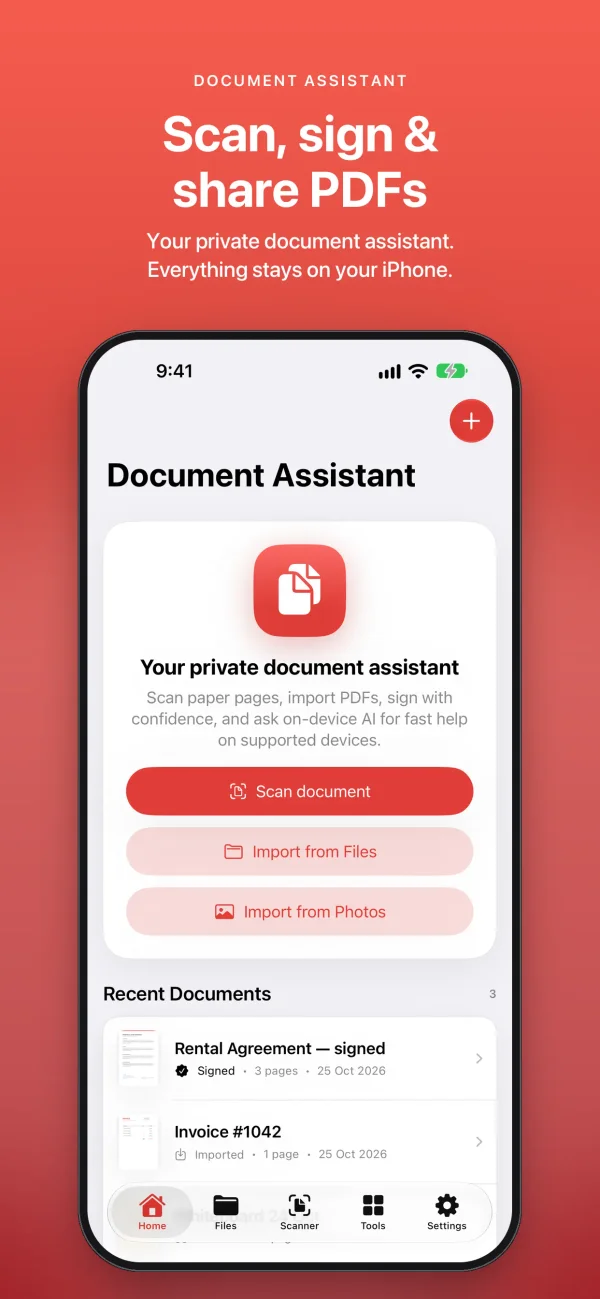
Document Assistant is the all-in-one PDF toolkit that lives on your device. Scan paper, sign contracts, edit, convert and organize documents in seconds. Your files are processed on your iPhone or iPad and never uploaded to a server.
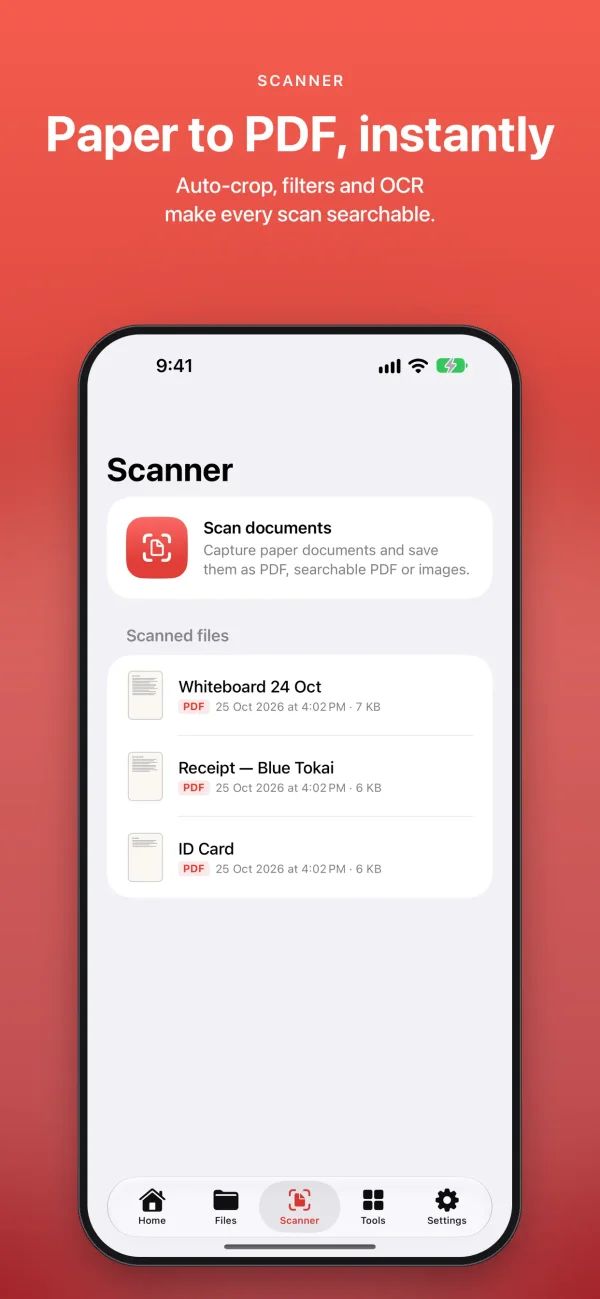
SCAN PAPER TO PDF
• Capture documents with your camera, with automatic edge detection and cropping
• Save as PDF, searchable PDF with text recognition (OCR), or images
• OCR in multiple languages makes scanned text searchable and selectable
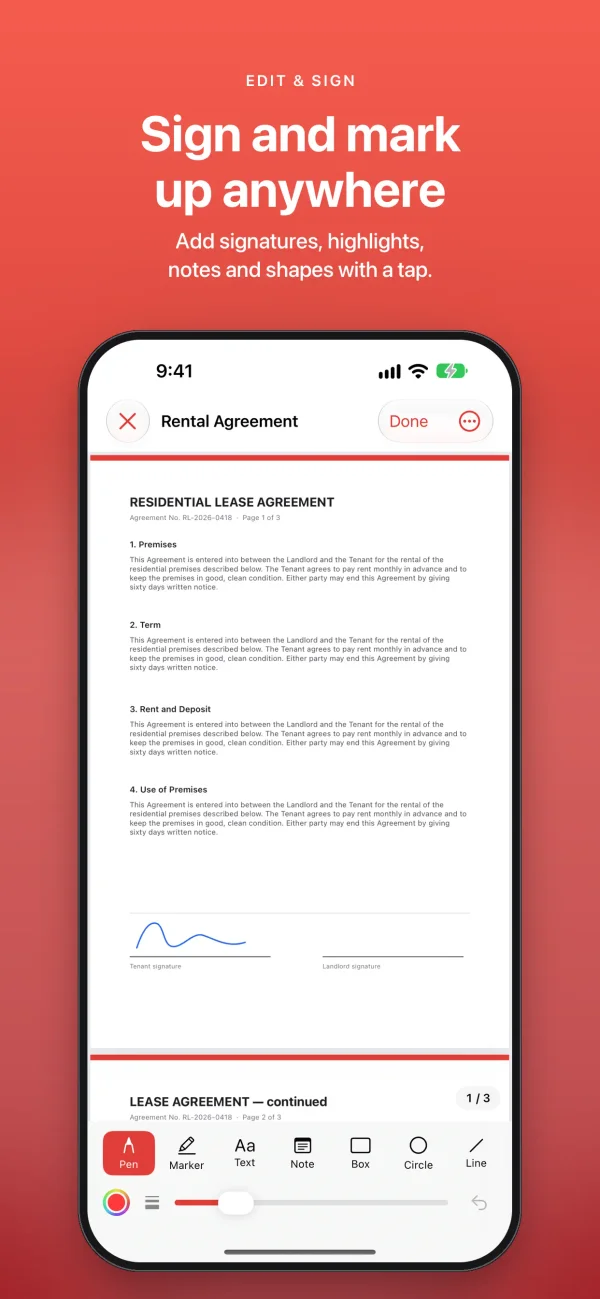
SIGN AND MARK UP
• Draw your signature once and place it on any page
• Highlight, underline, add text, notes, shapes and freehand drawings
• Redact to permanently black out sensitive information
• Works beautifully with Apple Pencil on iPad
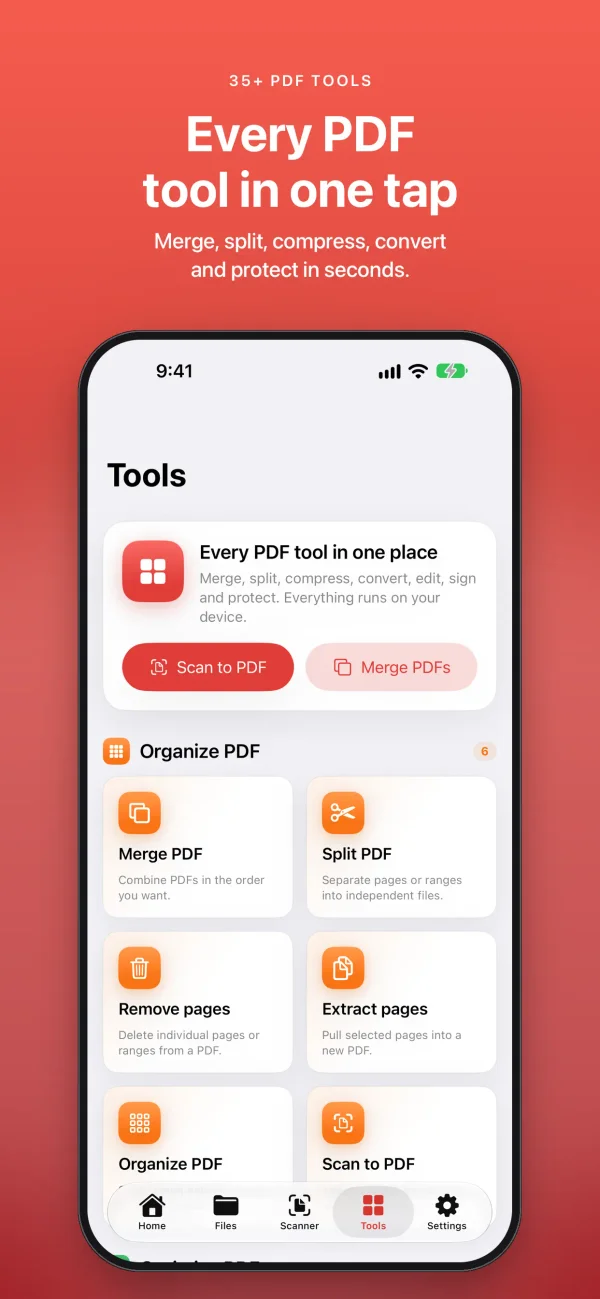
35+ PDF TOOLS
• Organize: merge, split, remove or extract pages, reorder, rotate and duplicate
• Optimize: compress PDFs, repair damaged files, run OCR
• Convert to PDF: images, Word, Excel, PowerPoint, RTF, text and HTML
• Convert from PDF: Word (DOCX), Excel (XLSX), text and JPG, or extract images
• Edit: add watermarks, page numbers and rotations
• Security: protect PDFs with a password or remove one you know
IMAGE TOOLS
• Compress, resize, crop and rotate images
• Convert to and from JPG, PNG, HEIC, GIF and TIFF
• Add watermarks, upscale images, blur faces automatically, or make a meme
SMART FILE LIBRARY
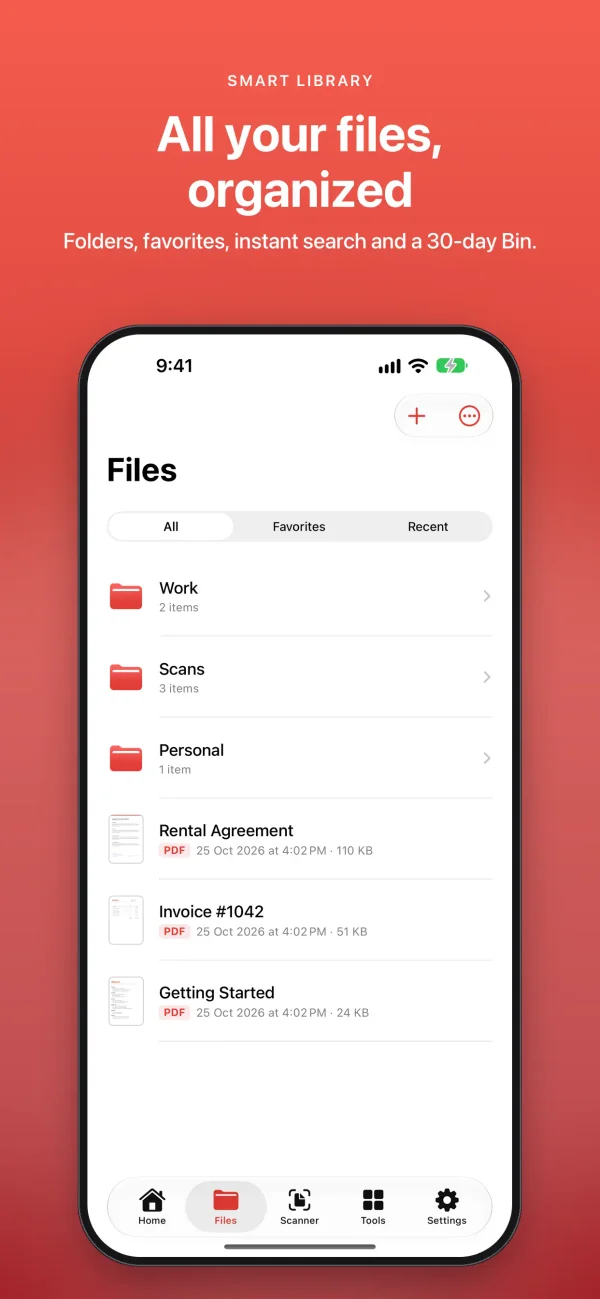
• Folders, favorites, recent files and instant search
• Create new PDFs from ready-made templates
• A 30-day Bin so nothing is lost by accident
• Your library is also available in the Files app
ASK YOUR DOCUMENTS
• Chat with a PDF to get summaries, key points and answers
• Runs on-device with Apple Intelligence on supported devices
DESIGNED FOR EVERY SCREEN
• iPhone, iPad and iPhone Duo, in portrait and landscape
• Light and Dark Mode
PRIVATE BY DESIGN
No account needed. Your documents are processed on your device and are never uploaded.
Privacy policy: https://digitalhole.github.io/DHPrivacy.html
Standard Apple Terms of Use (EULA): https://www.apple.com/legal/internet-services/itunes/dev/stdeula/
Yang baru
Versi 1.3 · 25/10/2026
• Performance improvement
• Improved User Experience
• New Features Added
Privasi aplikasi
Yang dinyatakan Arima Jain di App Store tentang cara aplikasi ini menangani data.
-
Data yang digunakan untuk melacak Anda
Dapat digunakan untuk melacak Anda di aplikasi dan situs web milik perusahaan lain.
- Data penggunaan
-
Data yang tidak ditautkan dengan Anda
Dapat dikumpulkan, tetapi tidak ditautkan dengan identitas Anda.
- Data penggunaan
Praktik privasi dapat bervariasi, misalnya berdasarkan fitur yang Anda gunakan atau usia Anda.
Informasi
- Penjual
- Arima Jain
- Kategori
- Produktivitas
- Versi
- 1.3
- Diperbarui
- 25/10/2026
- Dirilis
- 13/7/2026
- Ukuran
- 11,1 MB
- Memerlukan
- iOS 17.0 atau yang lebih baru
- Batasan usia
- 4+
- Harga
- Gratis
- Pembelian dalam aplikasi
- Ya
- Bahasa
- Inggris
- Hak cipta
- © Arima Jain
Mungkin Anda juga suka
-
 Private Writer Markdown EditorProduktivitas
-
 Current: Visual Focus TimerProduktivitas
-
 WeekPad: Weekly Planner DiaryProduktivitas
-
 MySendProduktivitas
-
 Petsa PawProduktivitas
-
 FileMaster: Offline ScannerProduktivitas
-
 Trading Journal ProKeuangan
-
 Just a Simple Video ConverterProduktivitas
-
 PatchDoc:File & Code EditorProduktivitas
-
 Hexa Timer: Focus & PomodoroProduktivitas