Nought Spreadsheet
Native, offline spreadsheet
Dirancang untuk iPad, Mac
Gratis · Pembelian dalam aplikasi
- Batasan usia4+
- KategoriProduktivitas
- PengembangTomasz Smieja
- BahasaInggris+ 14 lainnya
- Ukuran6,6 MB
Tertaut ke halaman resmi App Store
Download.org tidak menyimpan file Nought Spreadsheet apa pun. Tombol ini membuka halaman aplikasi di App Store, tempat Tomasz Smieja menerbitkannya. Halaman terakhir diperiksa pada 16/11/2026.
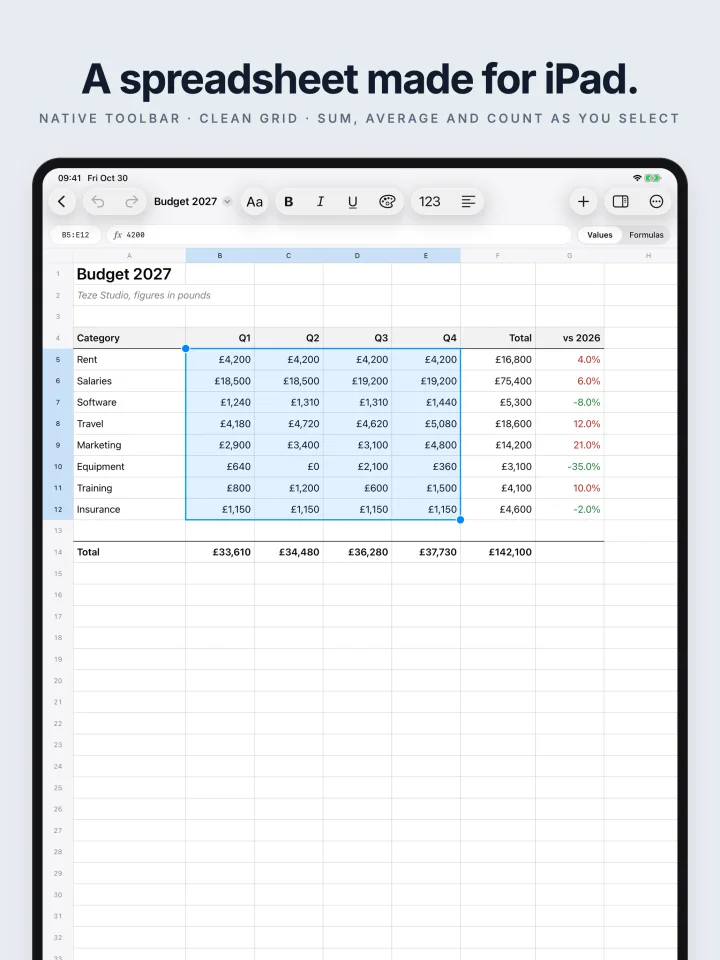
Tangkapan layar
Tentang
Pengembang belum menyediakan teks ini dalam bahasa Anda.
Nought is a fast, native spreadsheet, and now it is on iPad too. It opens straight into a real grid, handles your everyday Excel and CSV work, and stays out of your way.
No account. No subscription. No cloud of its own. Nought works on your iPad and never sends your data anywhere. Your files live where you keep them: On My iPad, iCloud Drive, or any provider in the Files app.
What you can do:
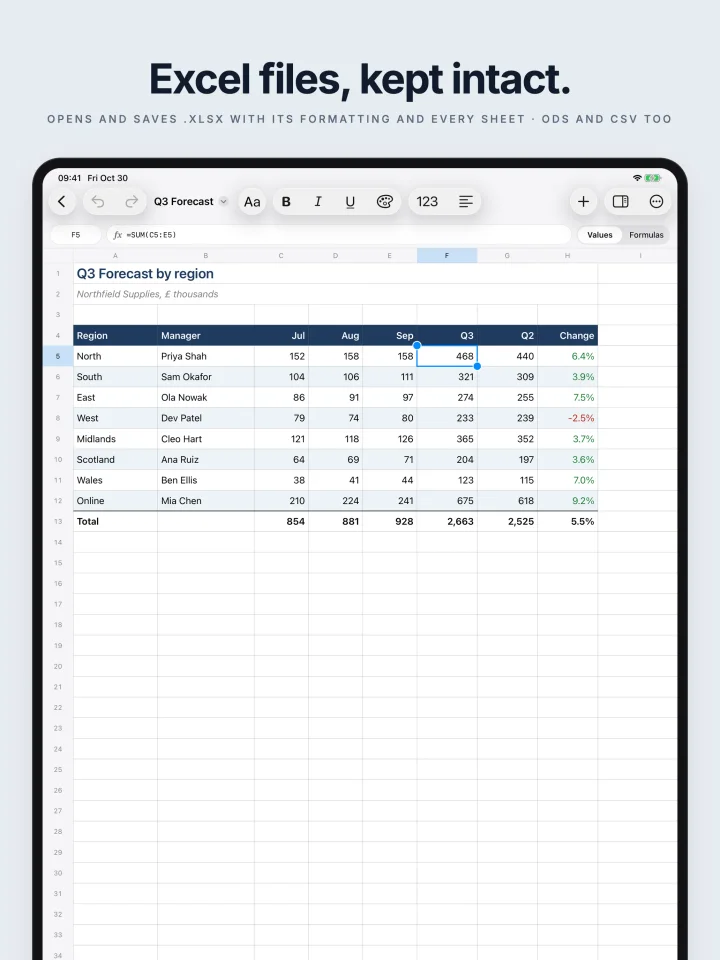
Open and save Excel (.xlsx and .xlsm), OpenDocument (.ods) and CSV files, plus Nought's own .csvs format that keeps your formulas. Edits are saved as you go. If a workbook holds something Nought cannot save, you are told what it is before your first change, never after.
Write formulas with hundreds of functions, including SUM, AVERAGE, IF, VLOOKUP, XLOOKUP and the full lookup and statistical families, with cross-sheet references. Tap cells while you type a formula to put their references in.
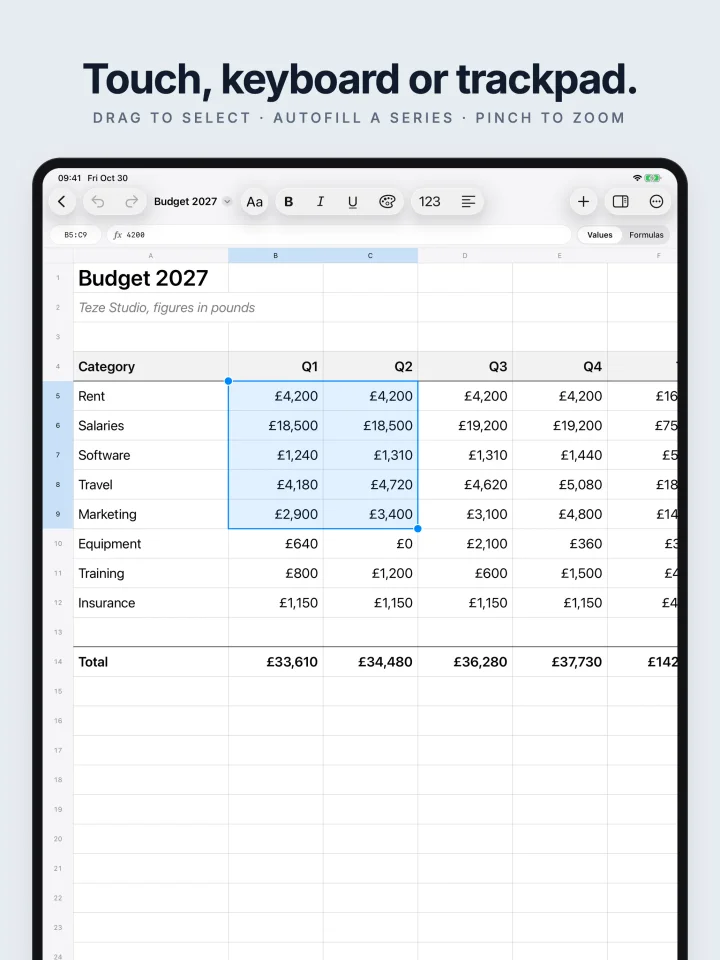
Work by touch: tap and drag to select, drag the handle to extend, Autofill a series, press and hold to move cells, pinch to zoom. Or use a keyboard and trackpad: arrow keys, shortcuts, and the iPadOS menu bar.
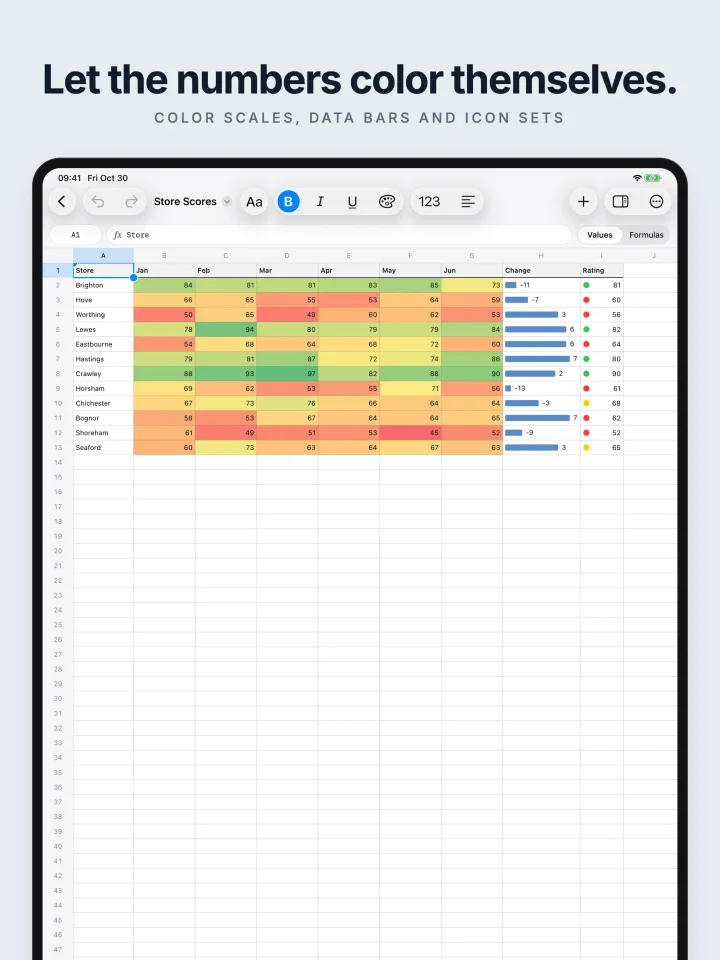
Format with the toolbar and the inspector: fonts, colors, borders, alignment, wrapping, merged cells and number formats. Color scales, data bars and icon sets are drawn in the grid.
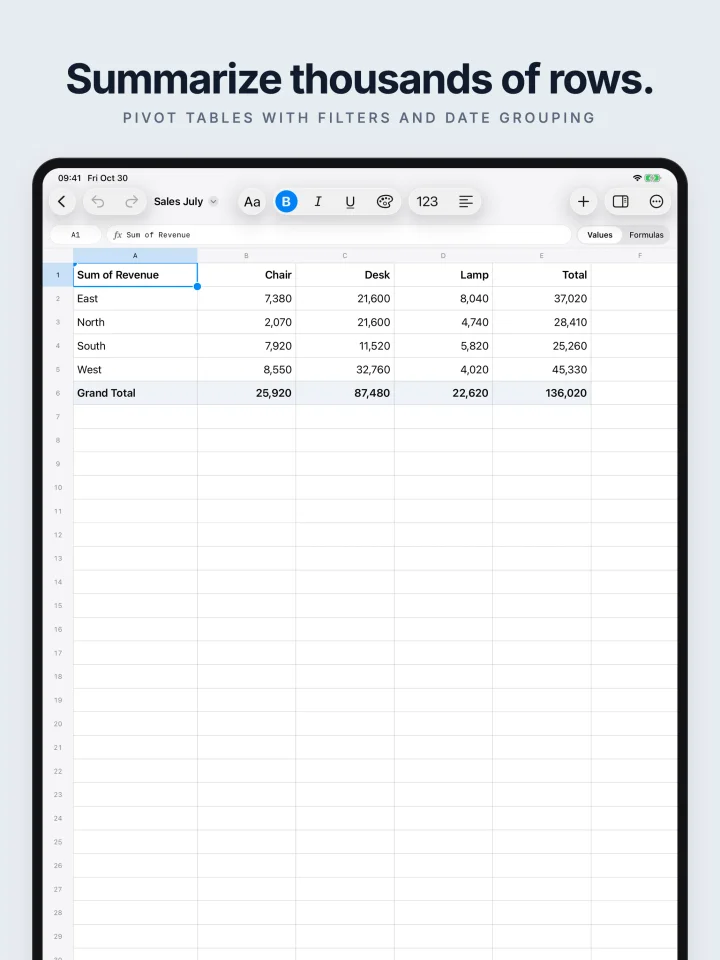
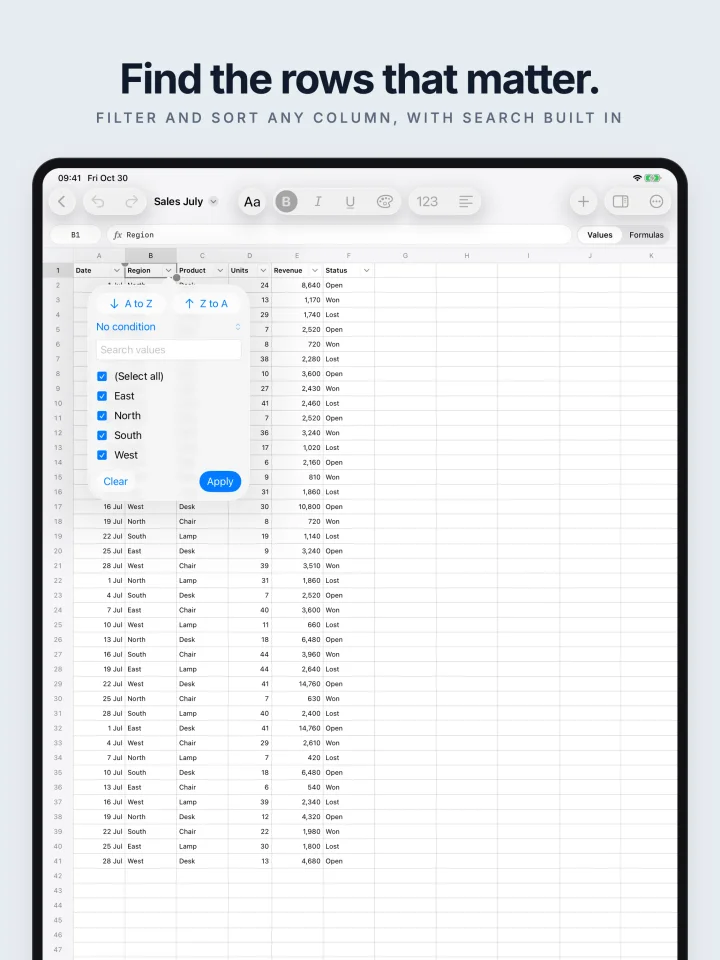
Analyze with filters and sorting, pivot tables (with filters and date grouping), subtotals, goal seek, the solver, scenarios, data validation, named ranges, text to columns, removing duplicates and consolidation.
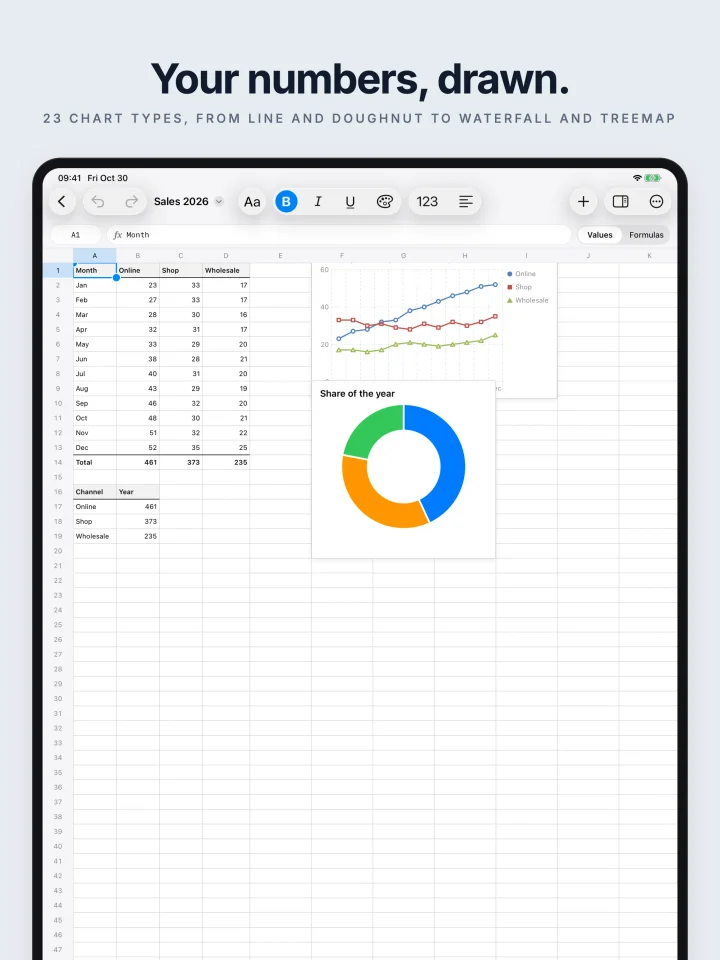
Add charts and sparklines, then copy or share a chart as an image.
Export as Excel, OpenDocument, CSV or PDF, and print, with print areas, repeated title rows and fit to width.
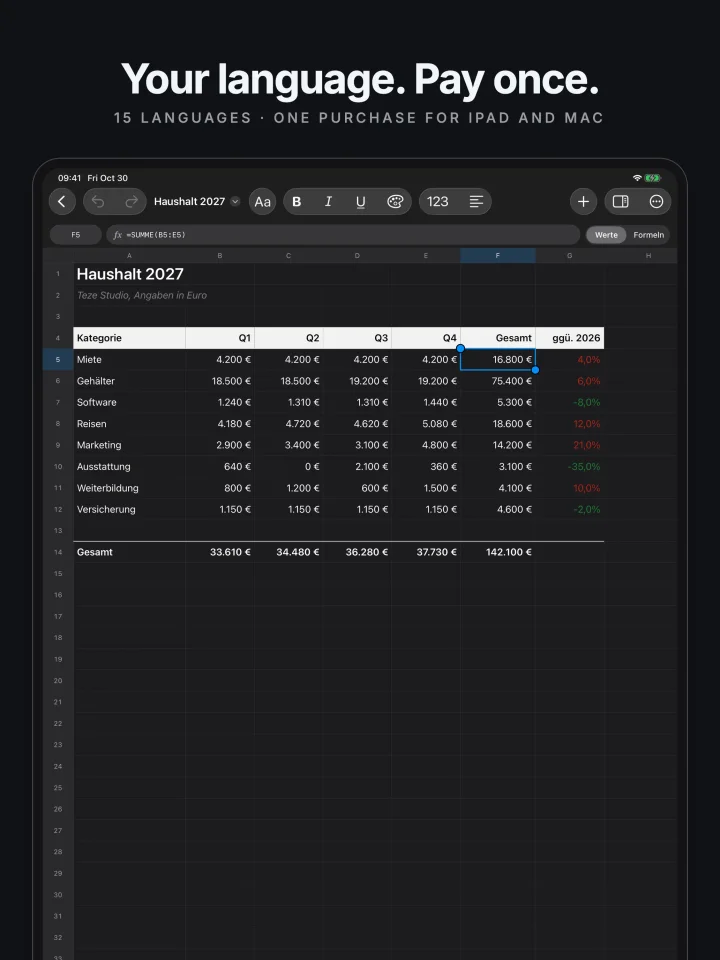
Work in your own language: English, French, German, Spanish, Italian, Portuguese, Dutch, Polish, Swedish, Turkish, Russian, Japanese, Korean, and Simplified and Traditional Chinese. Function names follow your language as they do in Excel, and files keep the standard form so they open anywhere.
Try everything free for 14 days of use, within 60 days. One purchase unlocks Nought on iPad and Mac with the same Apple ID. After the trial your files still open, view, export and print.
Yang baru
Versi 1.0.2 · 11/11/2026
New:
• Insert Cells and Delete Cells, in the cell menu: insert cells and shift the others right or down, or delete cells and shift the others left or up. Formulas that refer to the moved cells follow them.
Privasi aplikasi
Yang dinyatakan Tomasz Smieja di App Store tentang cara aplikasi ini menangani data.
-
Data tidak dikumpulkan
Pengembang tidak mengumpulkan data apa pun dari aplikasi ini.
Praktik privasi dapat bervariasi, misalnya berdasarkan fitur yang Anda gunakan atau usia Anda.
Informasi
- Penjual
- Teze Ltd
- Kategori
- Produktivitas
- Versi
- 1.0.2
- Diperbarui
- 11/11/2026
- Dirilis
- 6/8/2026
- Ukuran
- 6,6 MB
- Memerlukan
- iOS 17.0 atau yang lebih baru
- Batasan usia
- 4+
- Harga
- Gratis
- Pembelian dalam aplikasi
- Ya
- Bahasa
- Inggris, Belanda, Prancis, Jerman, Italia, Jepang, Korea, Polski (Polandia), Portugis, Rusia, Tionghoa Sederhana, Spanyol + 3 lainnya
- Hak cipta
- © 2026 TeZe