
Week Plan Calendar
Keep track of events & todos!
Dirancang untuk iPhone, iPad
Gratis · Pembelian dalam aplikasi
- Batasan usia4+
- KategoriProduktivitas
- PengembangMichael Hoereth
- BahasaInggris+ 5 lainnya
- Ukuran11,9 MB
Tertaut ke halaman resmi App Store
Download.org tidak menyimpan file Week Plan Calendar apa pun. Tombol ini membuka halaman aplikasi di App Store, tempat Michael Hoereth menerbitkannya. Halaman terakhir diperiksa pada 24/11/2026.
Tangkapan layar
Tentang
Pengembang belum menyediakan teks ini dalam bahasa Anda.
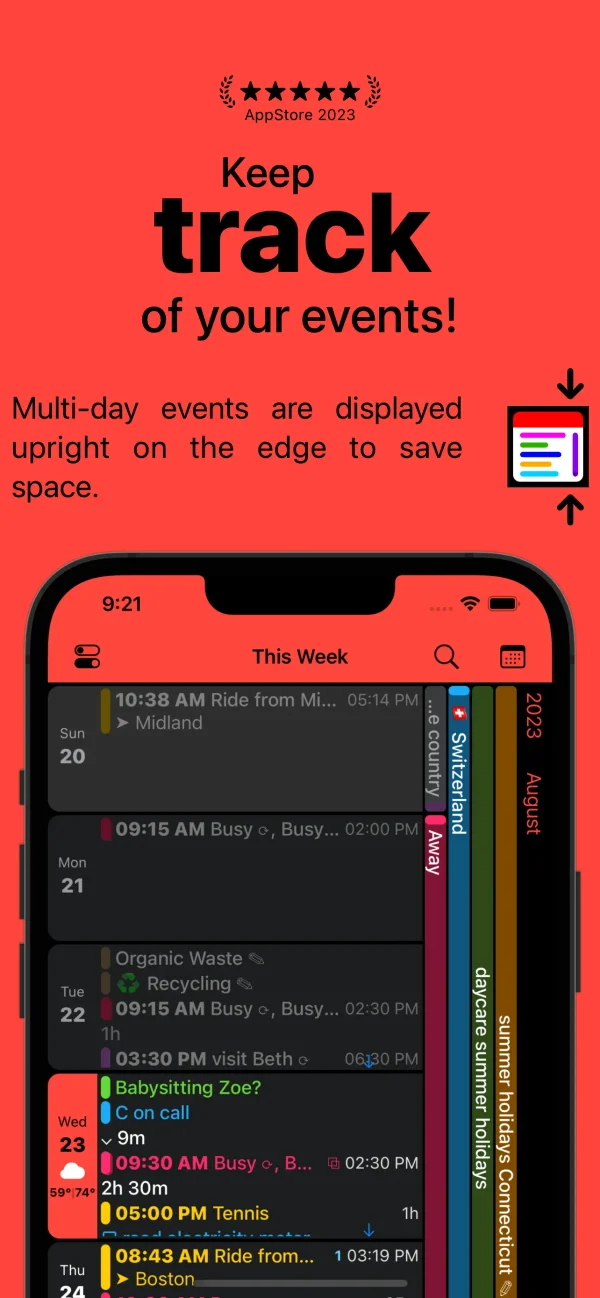
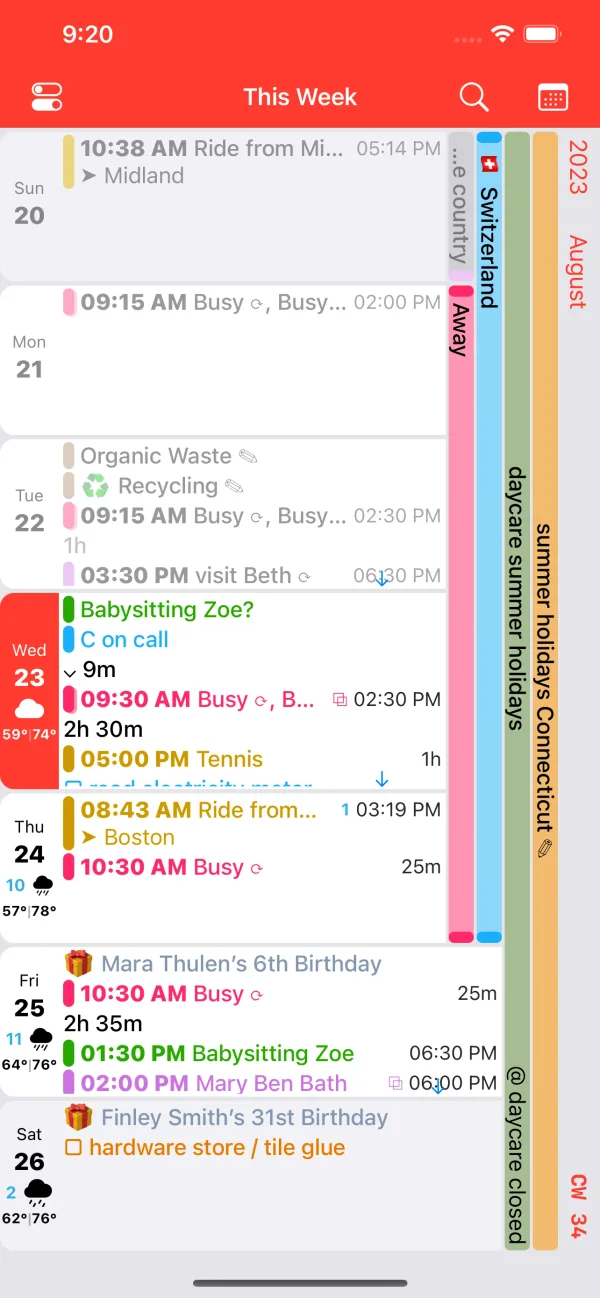
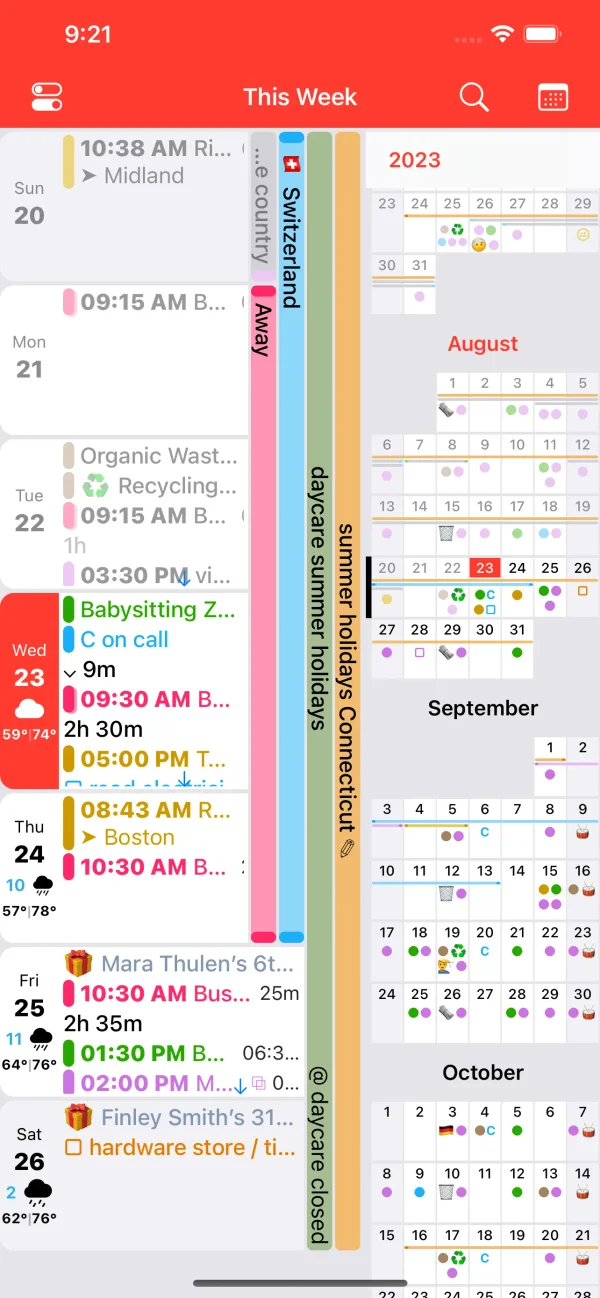
A clearly designed calendar based on the classic weekly overview. No login required because the app works on the calendar/reminder data of the operating system.
FEATURES
- Multi-day events are shown upright on the right hand side, contributing to extraordinary high clarity.
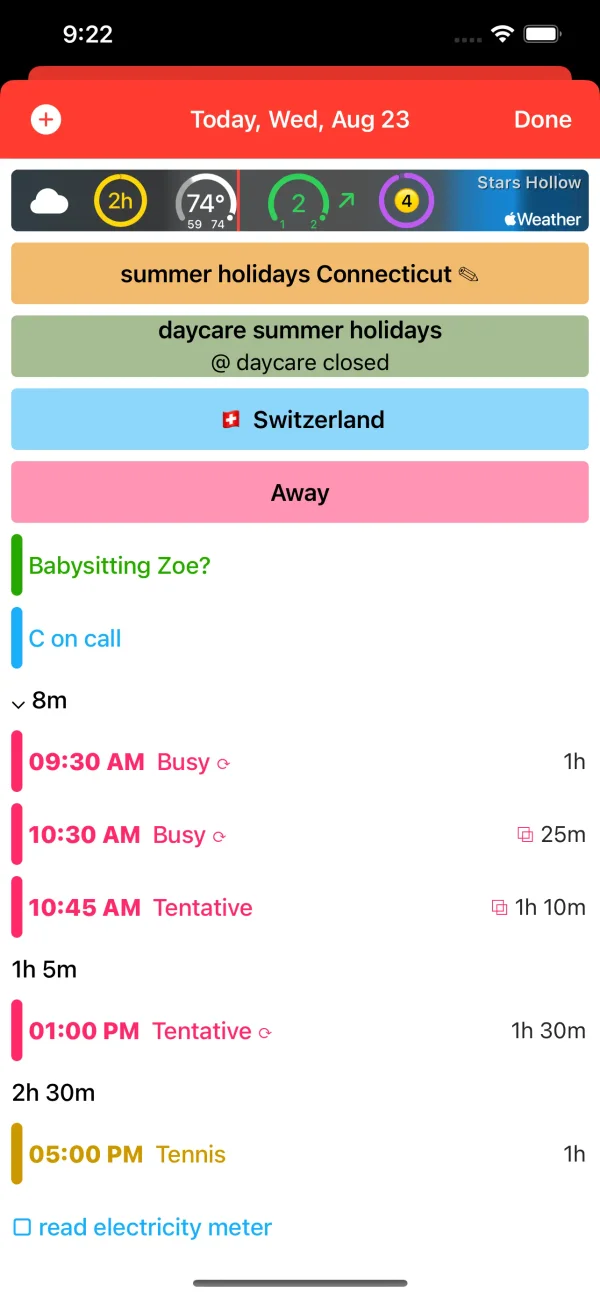
- Works with both calendar events and (checkable) reminders.
- 4 for 1: iOS, watchOS, iPadOS and macOS App (Ventura + M1 required) can be used in parallel after download.
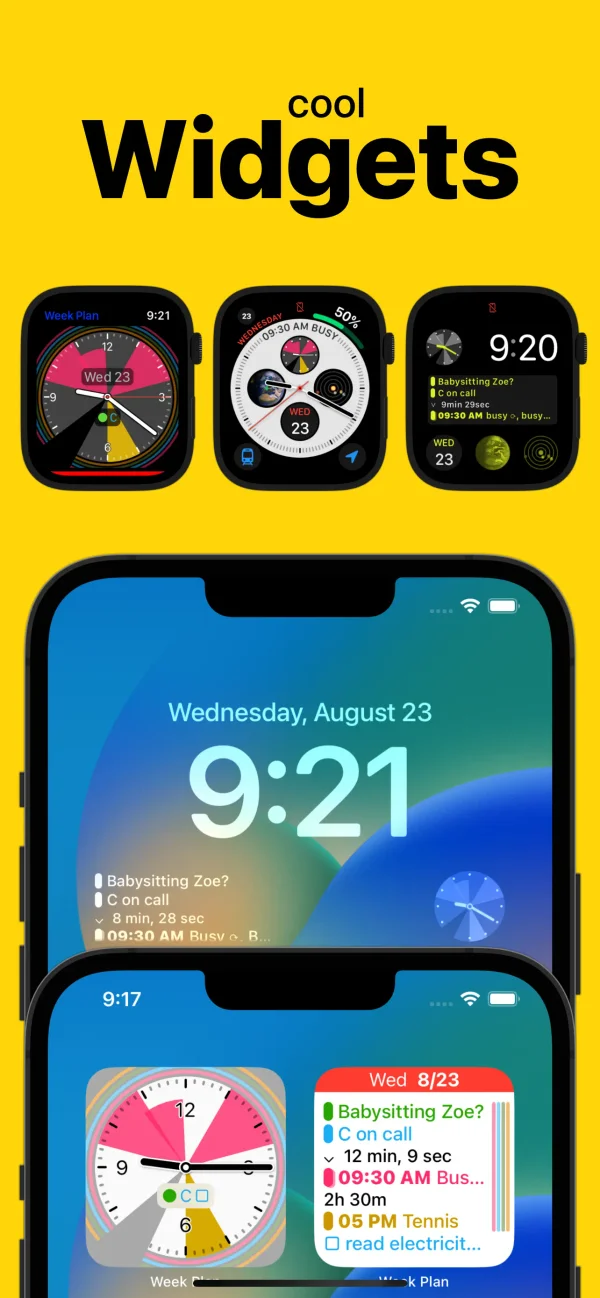
- The "Today" widget shows upcoming entries (live countdown included)
- The "Clockface" widget visualizes the events of the next 10 hours on an analogue dial.
- All widgets also available on the lock screen.
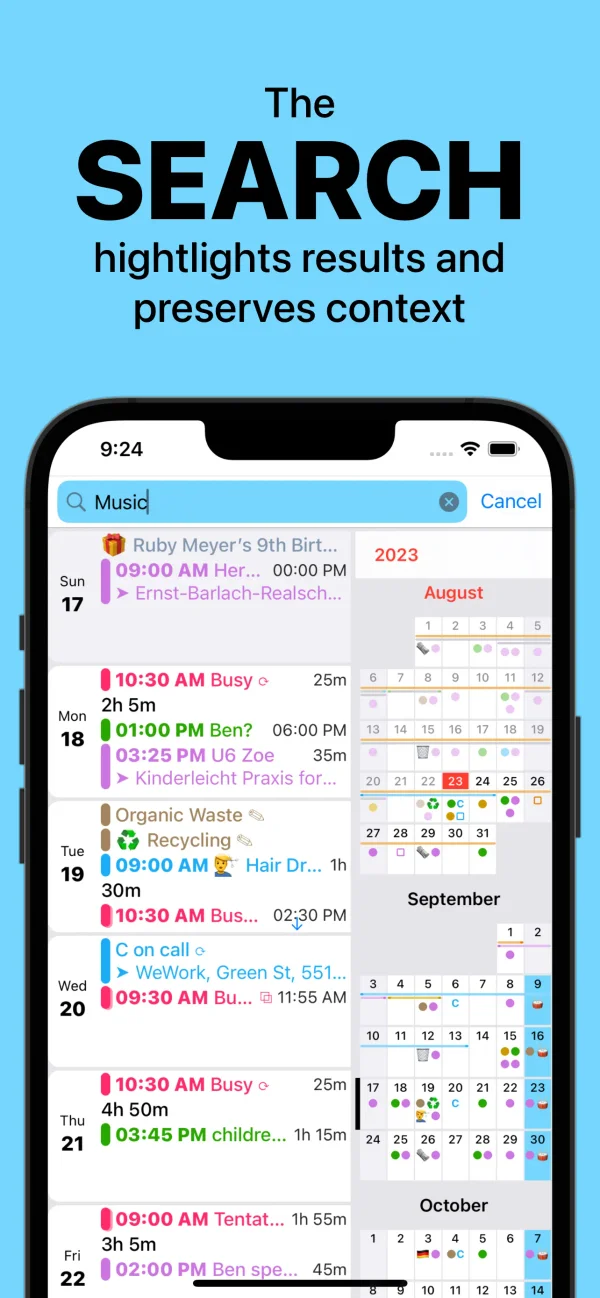
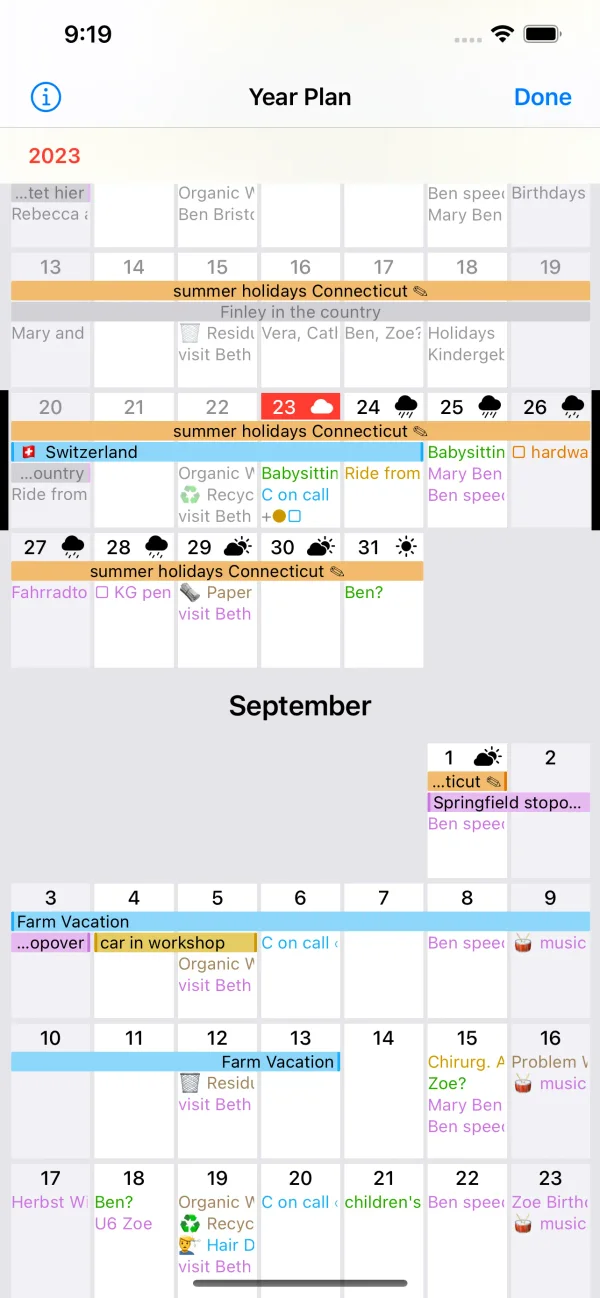
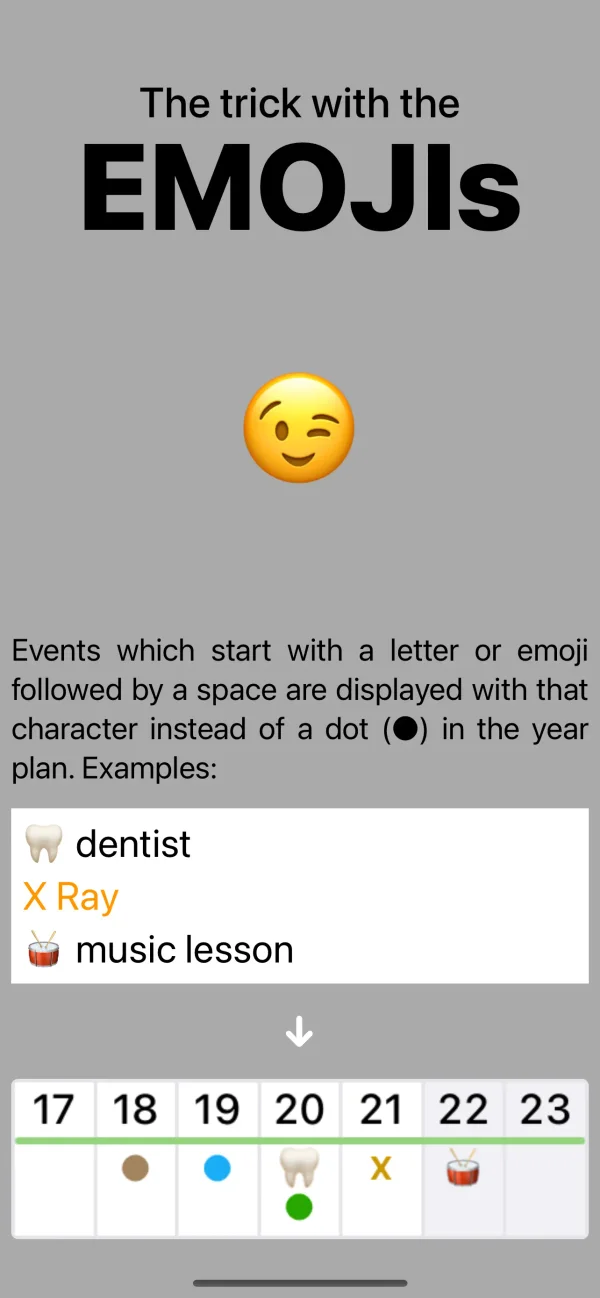
- Optional year plan view (incl. calendar weeks).
- Event Templates + Shift Planner Mode
- Integration of Apple Health menstruation cycle data.
- Calculation of break times.
- Alerts scheduling conflicts during creation of new events.
- Watch app including complications "Today" & "Clockface".
- Overview of all overdue reminders.
- "holiday calendar": its entries make the days look like weekends
- calendar day can be shown on app icon
- combined view of event duplicates
- (iOS, iPadOS): Speech entry of new events (iPhone needs to be hold to the ear)
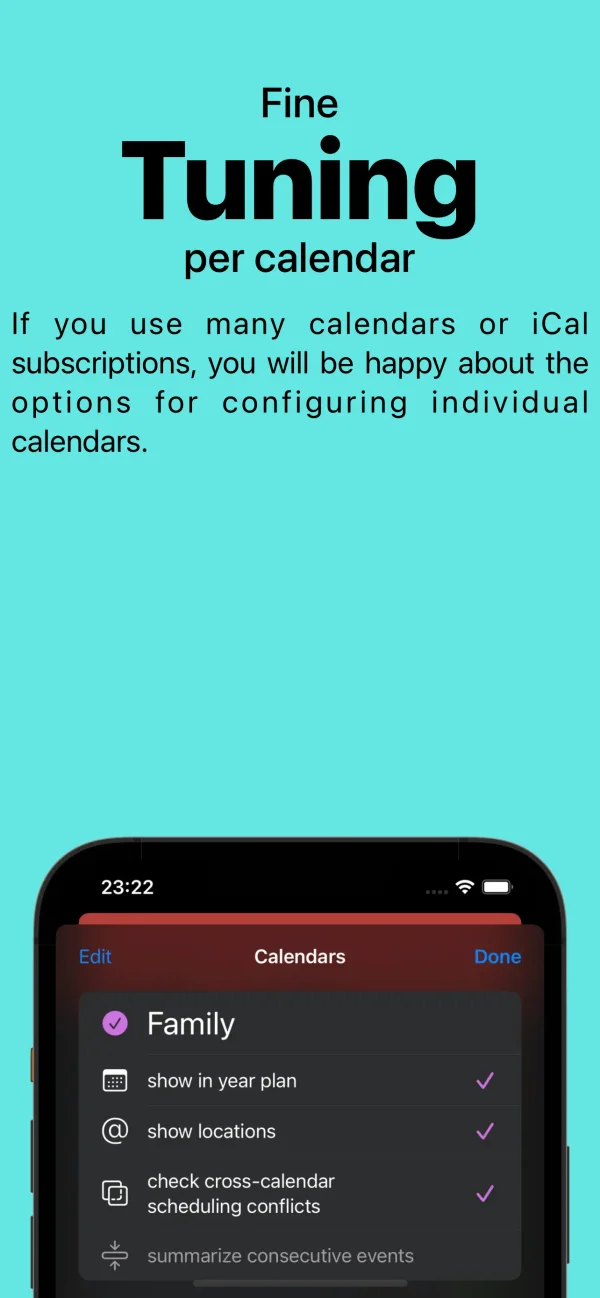
CONFIGURATION PER CALENDAR
- Show in year plan
- Show event locations
- Cross-calendar appointment overlaps
- Summary of consecutive events
- Timeline in weekly and day views
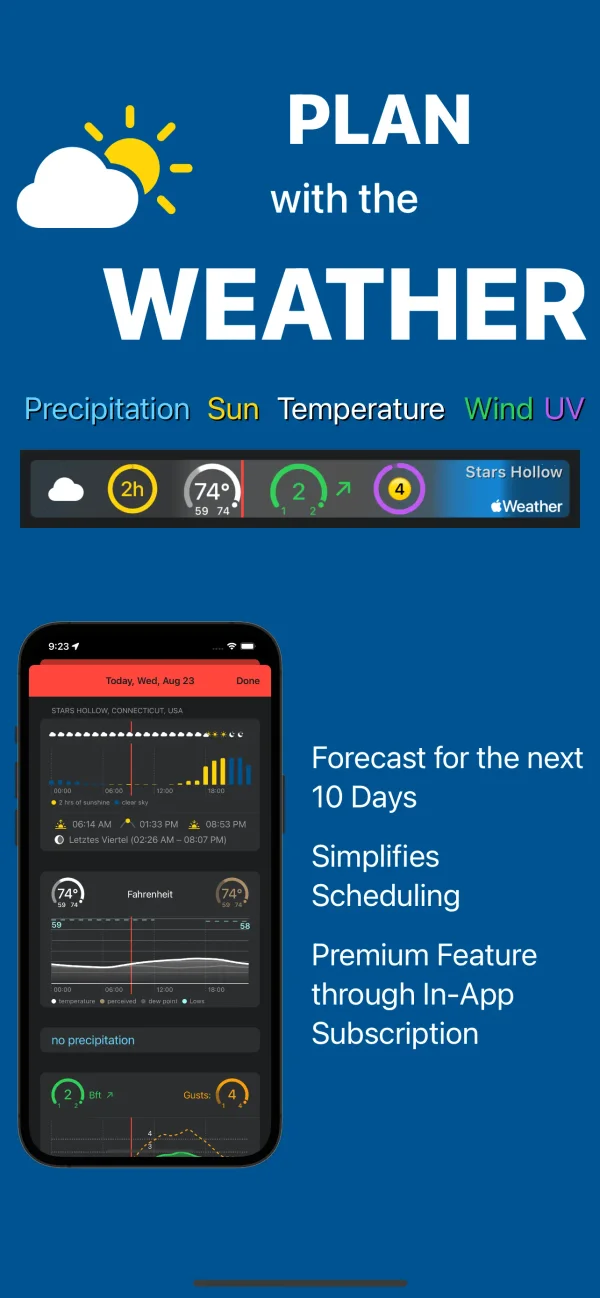
10-DAY WEATHER FORECAST (premium feature)
- available as yearly in-app subscription with auto-renewal
- see privacy: https://www.pentabyte.de/applications/iOS/Wochenplan/
- see terms of use / EULA: https://www.apple.com/legal/internet-services/itunes/dev/stdeula/
DISCLAIMER
- No notifications. Recommendation: continue to use the iOS calendar for reminders. This is generally the best way to do it because it also notifies you about changes to shared calendars in real-time.
Yang baru
Versi 3.0.4 · 19/9/2026
This update brings you some major features:
- Event templates: simplify the entry of frequently recurring events. Custom rotations allow you to enter, for example, an entire shift schedule with just a few clicks.
- Day colors: important events can color-code an entire day using custom keywords. Examples: "Day shift," "Night shift," "Work from home." These day colors are also displayed in the new monthly widgets.
- (iOS, iPadOS): Voice input: With the app running, hold your iPhone to your ear and speak the new appointment or reminder.
- Upcoming Birthdays widget
Privasi aplikasi
Yang dinyatakan Michael Hoereth di App Store tentang cara aplikasi ini menangani data.
-
Data tidak dikumpulkan
Pengembang tidak mengumpulkan data apa pun dari aplikasi ini.
Praktik privasi dapat bervariasi, misalnya berdasarkan fitur yang Anda gunakan atau usia Anda.
Informasi
- Penjual
- Michael Hoereth
- Kategori
- Produktivitas
- Versi
- 3.0.4
- Diperbarui
- 19/9/2026
- Dirilis
- 4/1/2023
- Ukuran
- 11,9 MB
- Memerlukan
- iOS 17.6 atau yang lebih baru
- Batasan usia
- 4+
- Harga
- Gratis
- Pembelian dalam aplikasi
- Ya
- Bahasa
- Inggris, Belanda, Prancis, Jerman, Italia, Spanyol
- Hak cipta
- © 2023 Michael Höreth
Mungkin Anda juga suka
-
 149 Live Calendar & ToDo listProduktivitas
-
 Page CalendarProduktivitas
-
 miCal - The missing CalendarProduktivitas
-
 Supercal CalendarProduktivitas
-
 Vertical Planner:Calendar,TodoProduktivitas
-
 Calendar ZProduktivitas
-
 Thrivo - Daily PlannerProduktivitas
-
 Griday Calendar & ReminderProduktivitas
-
 Kalender MingguanJadwal pribadi dan keluarga
-
 Pencil Planner - StiftProduktivitas