
once: Screen Time & App Limits
Block Apps. Stop Doomscrolling
Dirancang untuk iPhone
Gratis · Pembelian dalam aplikasi
- Batasan usia4+
- KategoriProduktivitas
- PengembangDaniel Katz
- BahasaInggris
- Ukuran2,6 MB
Tertaut ke halaman resmi App Store
Download.org tidak menyimpan file once: Screen Time & App Limits apa pun. Tombol ini membuka halaman aplikasi di App Store, tempat Daniel Katz menerbitkannya. Halaman terakhir diperiksa pada 24/11/2026.
Tangkapan layar

Tentang
Pengembang belum menyediakan teks ini dalam bahasa Anda.
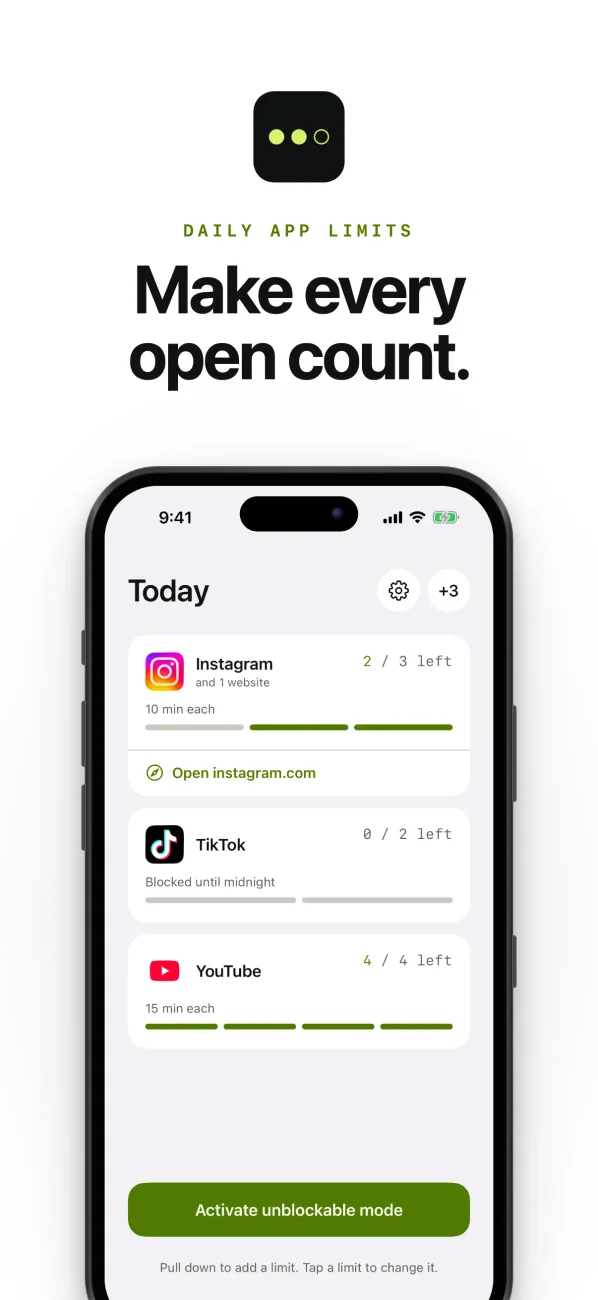
Make every open count.
once helps you take control of the apps and websites competing for your attention. Set how many times you can open them each day and how long you can spend each time.
SET DAILY LIMITS
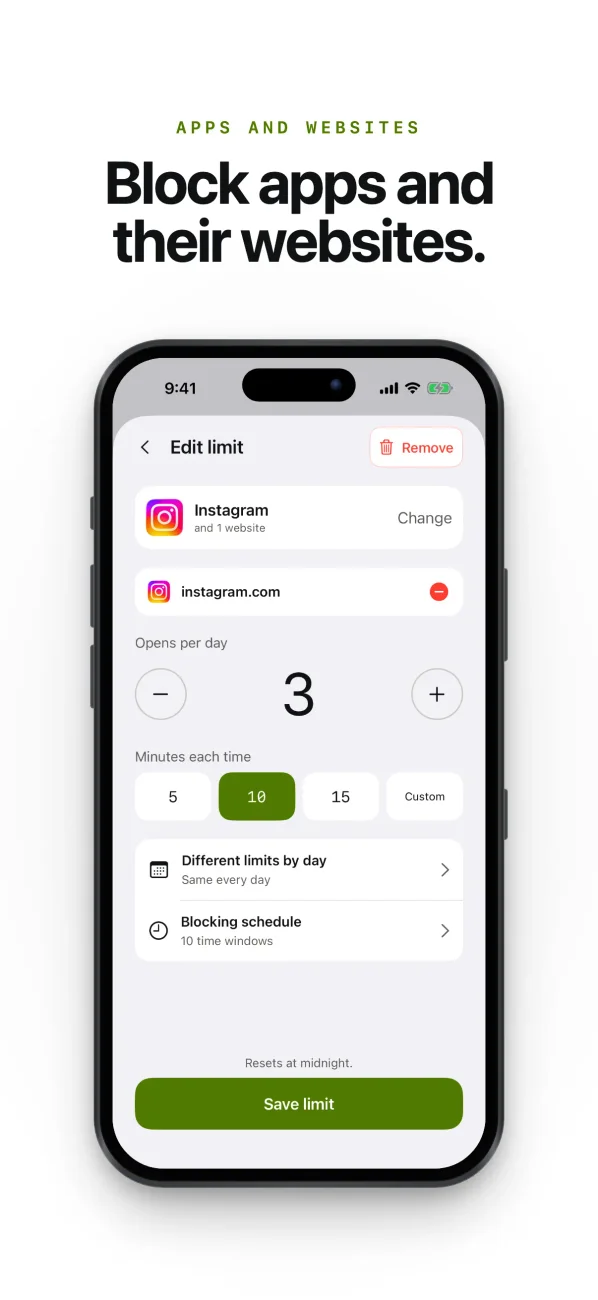
Choose apps or websites and set a daily open limit. Share a limit across multiple apps, or give each app its own.
KEEP EACH VISIT SHORT
Set a time limit for each session. When you're ready to use a blocked app, tap Open to start your session.
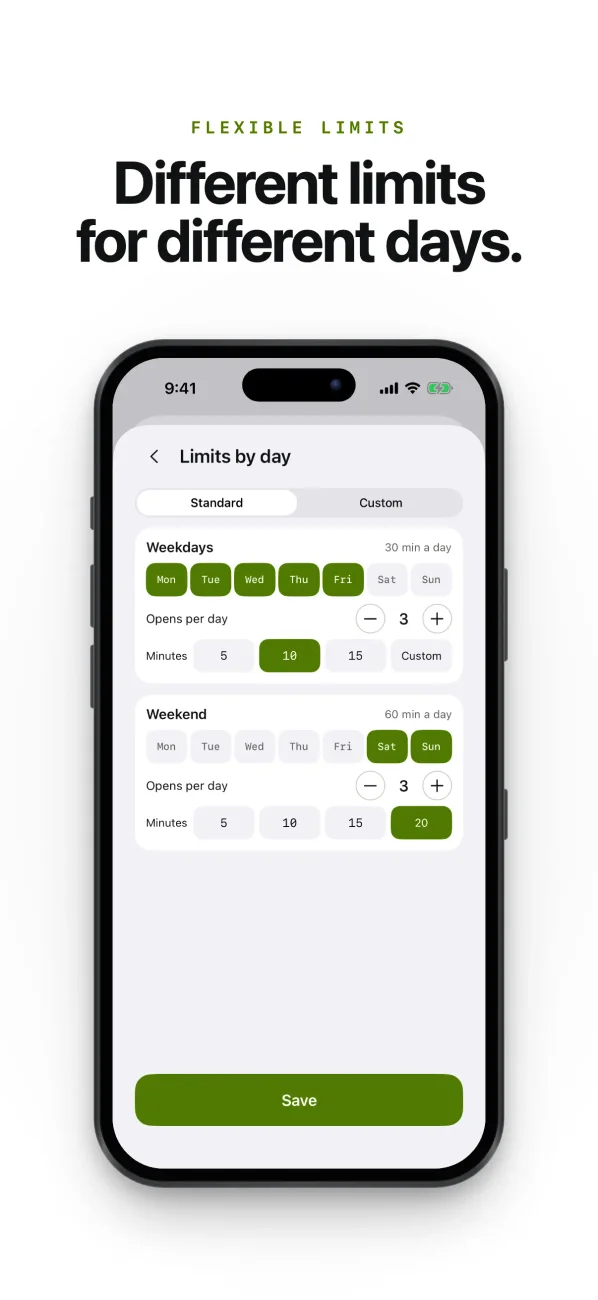
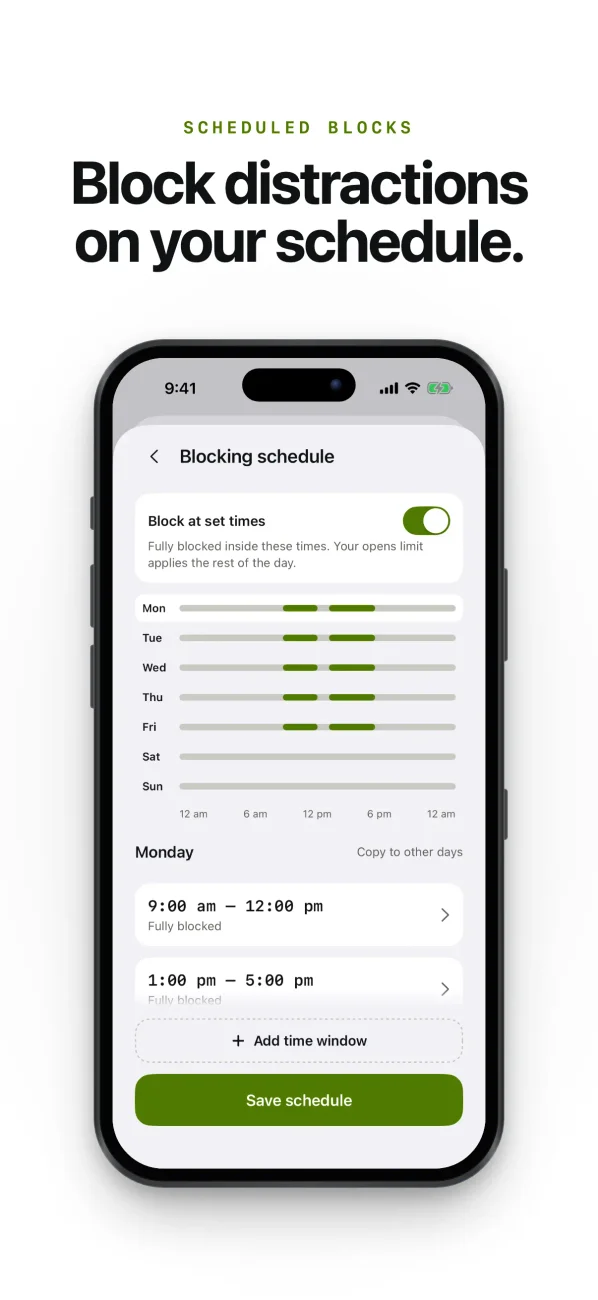
MAKE LIMITS FIT YOUR WEEK
Set different limits for different days. Schedule blocks around work, study, sleep, or time away from your phone.
MAKE YOUR LIMITS STICK
Turn on unblockable mode for 15 minutes to 24 hours. Once activated, selected limits can't be opened, changed, or removed in once until the timer ends.
ALLOW A LITTLE FLEXIBILITY
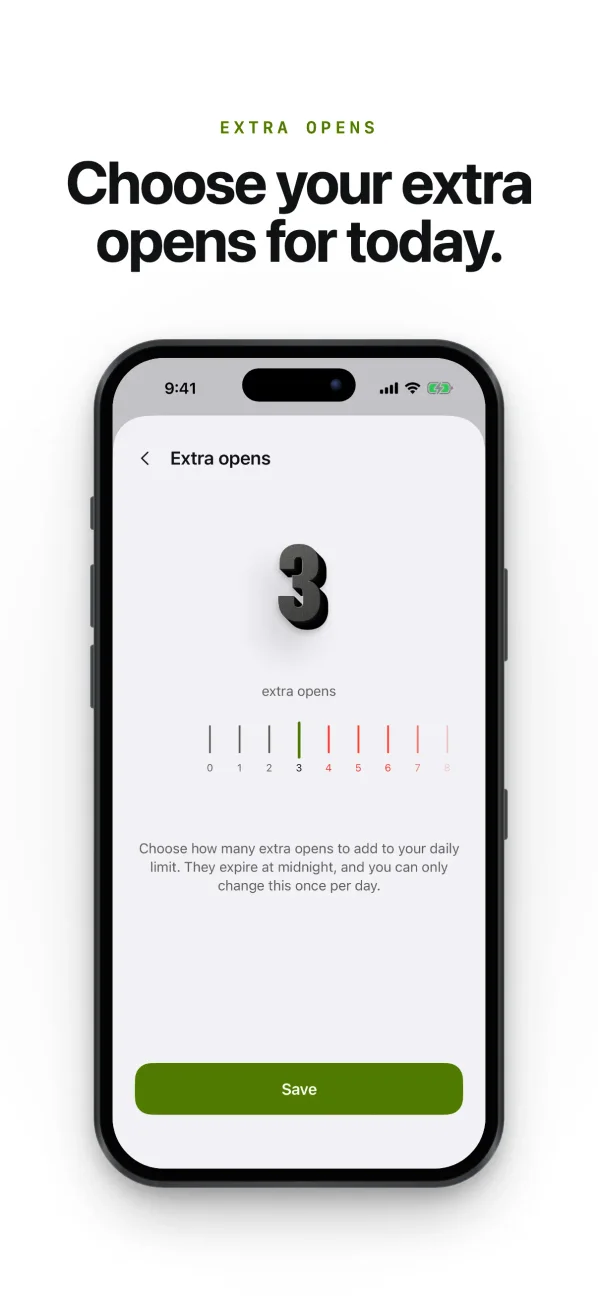
Choose how many extra opens you can add each day. Extra opens expire at midnight, and your regular limits reset the next day.
PRIVATE BY DESIGN
No accounts, ads, or analytics. Your limits, schedules, and activity stay on your iPhone. A copy of your limits and settings is kept in your private iCloud, so they come back if you reinstall. You can turn this off in Settings. The only other internet use is to retrieve icons for websites you add.
once uses Apple Screen Time and needs your permission to apply limits. Website blocks apply in Safari. Other browsers may not apply them.
Yang baru
Versi 1.2 · 23/11/2026
• Open website now always opens the website in Safari, not the website's app.
• Add website accepts any address, such as https://www.instagram.com/reels, and saves just the domain.
• More common websites complete as you type. On a keyboard, Tab or the right arrow accepts the suggestion.
• Rate once: a new link in Settings takes you straight to the App Store review page.
Privasi aplikasi
Yang dinyatakan Daniel Katz di App Store tentang cara aplikasi ini menangani data.
-
Data tidak dikumpulkan
Pengembang tidak mengumpulkan data apa pun dari aplikasi ini.
Praktik privasi dapat bervariasi, misalnya berdasarkan fitur yang Anda gunakan atau usia Anda.
Informasi
- Penjual
- Daniel Katz
- Kategori
- Produktivitas
- Versi
- 1.2
- Diperbarui
- 23/11/2026
- Dirilis
- 4/11/2026
- Ukuran
- 2,6 MB
- Memerlukan
- iOS 26.0 atau yang lebih baru
- Batasan usia
- 4+
- Harga
- Gratis
- Pembelian dalam aplikasi
- Ya
- Bahasa
- Inggris
- Hak cipta
- © 2026 once