- Batasan usia4+
- KategoriKegunaan
- PengembangWalter Hofstetter
- BahasaInggris
- Ukuran29,6 MB
Tertaut ke halaman resmi App Store
Download.org tidak menyimpan file PacketCircle apa pun. Tombol ini membuka halaman aplikasi di App Store, tempat Walter Hofstetter menerbitkannya. Halaman terakhir diperiksa pada 16/11/2026.
Tangkapan layar
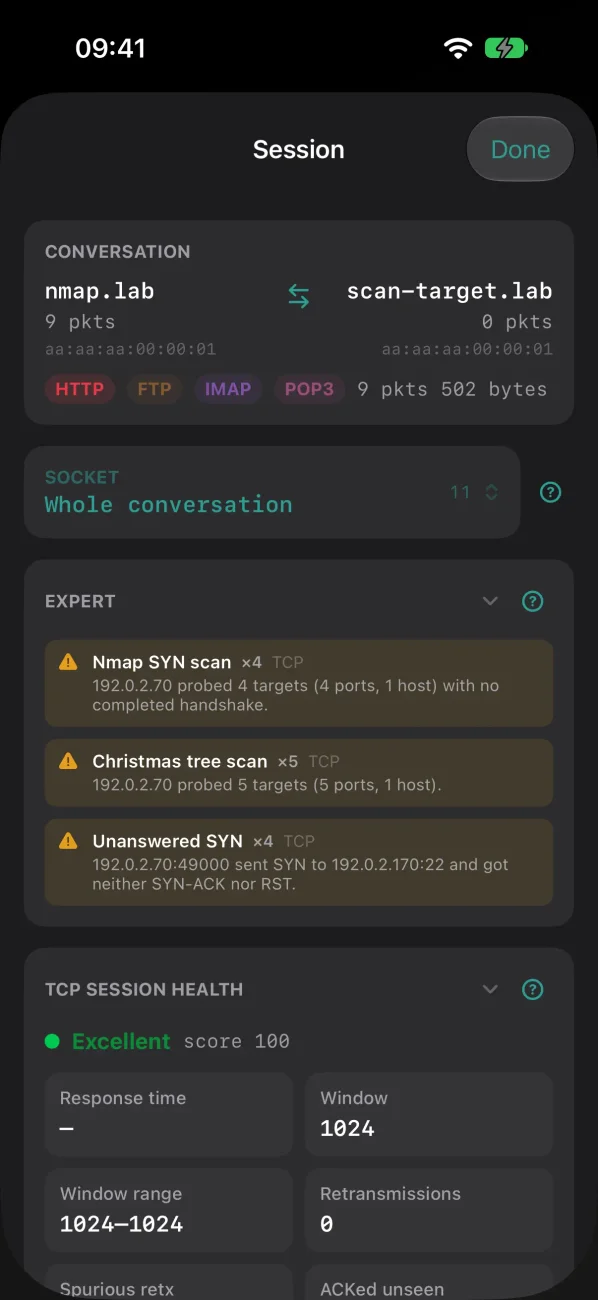

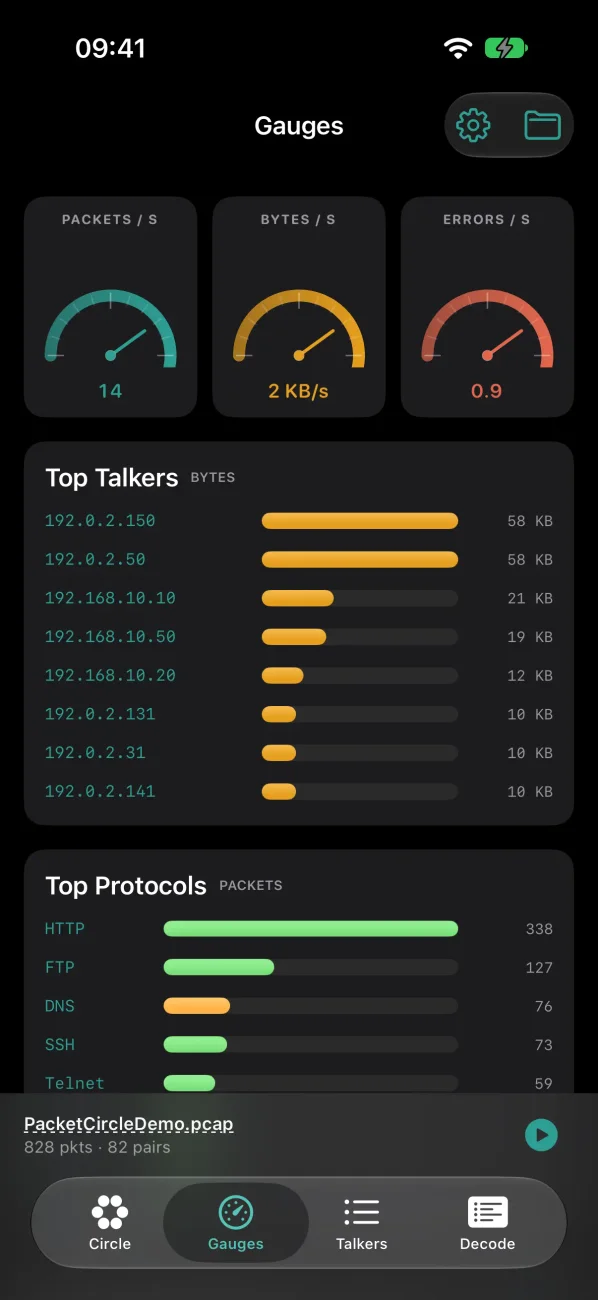
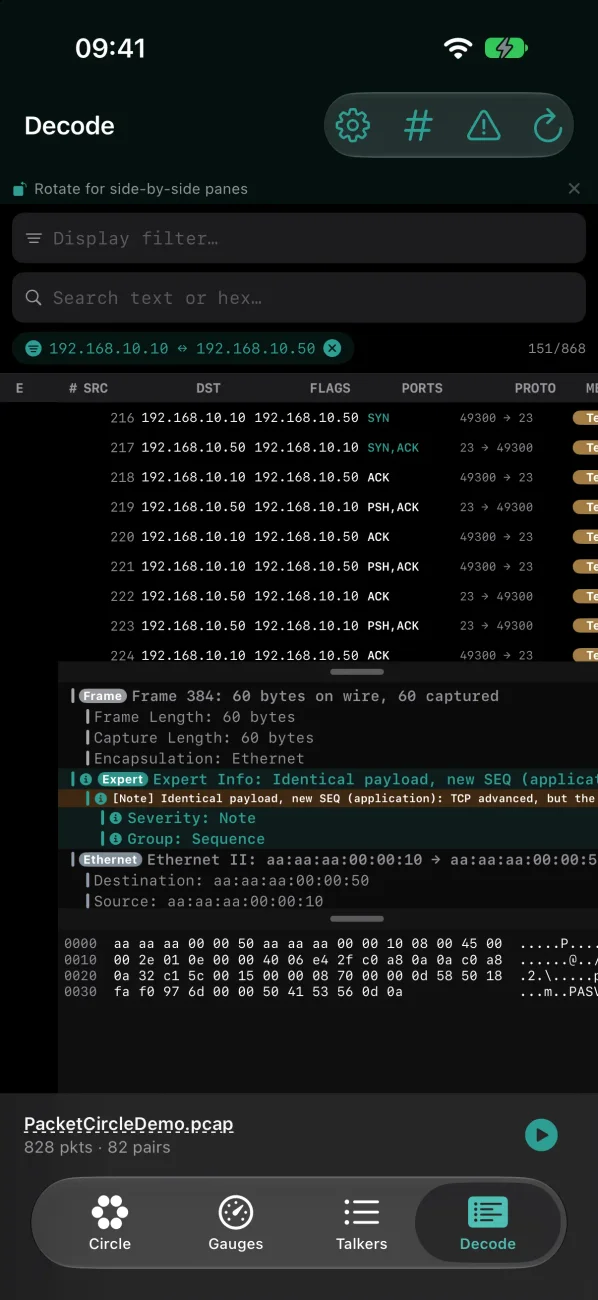
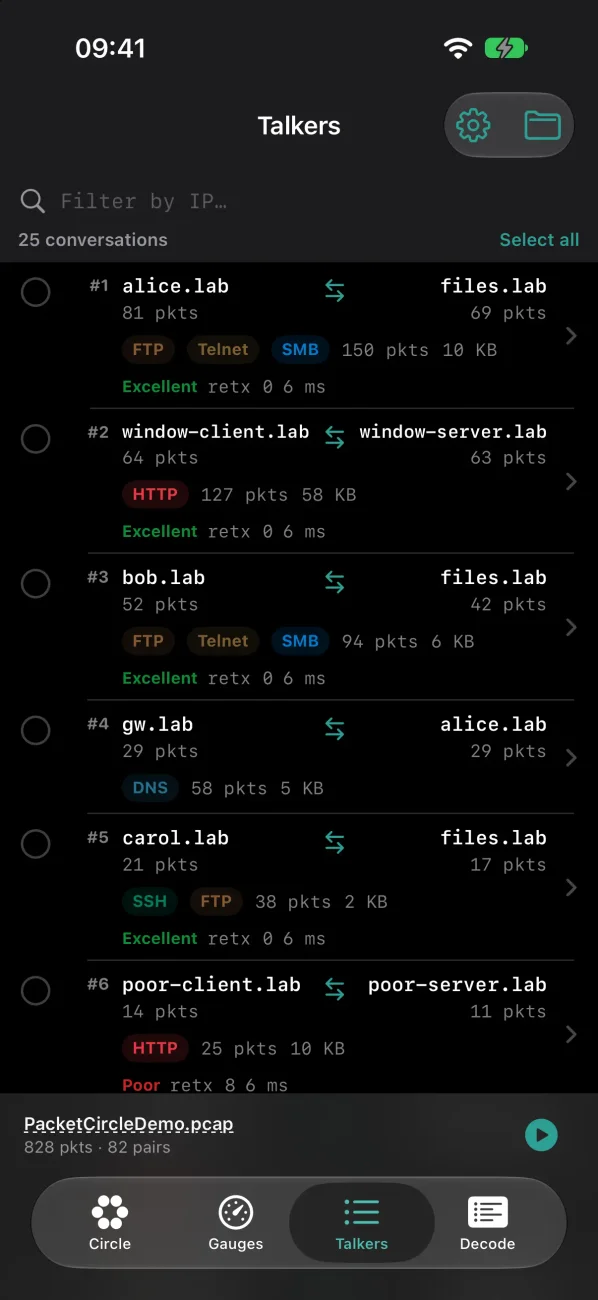
Tentang
Pengembang belum menyediakan teks ini dalam bahasa Anda.
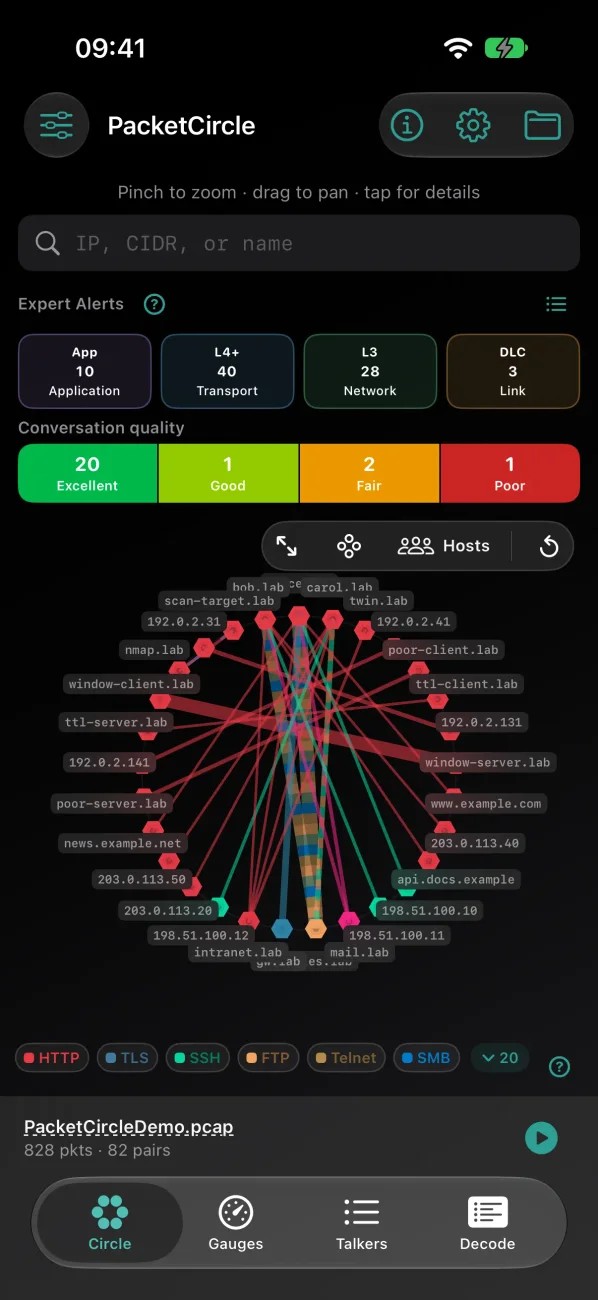
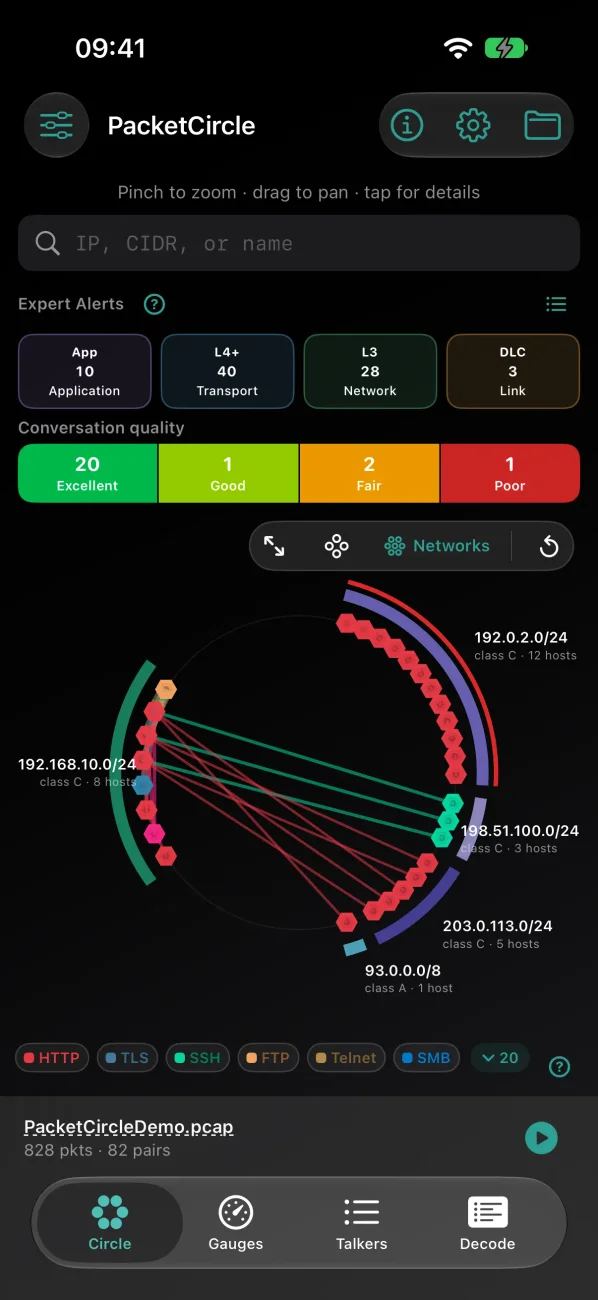
PacketCircle turns packet captures into a clear picture of who is talking to whom.
Instead of scrolling endless packet lists, you see communication pairs as an interactive circle: endpoints on the rim, conversations as edges, colors by protocol or session quality. Ideal when you need to understand a capture quickly — on site, in a meeting, or reviewing a file someone sent you.
What you can do
• Open PCAP and PCAPNG captures
• Explore Top talkers on a circle, table, or gauges view
• Filter by protocol and focus on the conversations that matter
• Inspect session health, ports/services, and application hints
• Jump into a Wireshark-style decode (packet list, protocol tree, hex)
• Follow TCP streams and export a conversation as PCAP
Built for analysis, not noise
PacketCircle is a native iOS app with a shared engine designed for conversation-centric troubleshooting — DNS, HTTP, TLS, SMB, and more when the payload is visible — without requiring Wireshark on your phone.
Open a capture. See the circle. Understand the network.
Made with love for the packet community.
Yang baru
Versi 1.3.9 · 14/11/2026
Animate Circle:
Packets now travel along the Circle's lines, in the direction they really went, during Demo Mode, a replay or a PCAP-over-IP capture. Turn it on under Options → Circle → Animate Circle. It follows Reduce Motion.
Search the Circle by port:
Type "port 5005", "port 8000-8100" or "port 80,443" in the search field to highlight every conversation that uses that port. Network blocks such as 10.0.0.0/24 work too.
Name a port after its service:
Touch and hold a port in a conversation's Ports list and choose "Assign service to port…". Handy for services on non-standard ports. You can also manage these in Options → Port mappings.
Privasi aplikasi
Yang dinyatakan Walter Hofstetter di App Store tentang cara aplikasi ini menangani data.
-
Data tidak dikumpulkan
Pengembang tidak mengumpulkan data apa pun dari aplikasi ini.
Praktik privasi dapat bervariasi, misalnya berdasarkan fitur yang Anda gunakan atau usia Anda.
Informasi
- Penjual
- Walter Hofstetter
- Kategori
- Kegunaan
- Versi
- 1.3.9
- Diperbarui
- 14/11/2026
- Dirilis
- 12/8/2026
- Ukuran
- 29,6 MB
- Memerlukan
- iOS 17.0 atau yang lebih baru
- Batasan usia
- 4+
- Harga
- Gratis
- Bahasa
- Inggris
- Hak cipta
- © 2026 Walter Hofstetter