Paste Keyboard: Text Snippets
Saved replies & text expander
Dirancang untuk iPhone, iPad
Gratis · Pembelian dalam aplikasi
- Batasan usia4+
- KategoriKegunaan
- PengembangMahaveer Gill
- BahasaInggris
- Ukuran6,9 MB
Tertaut ke halaman resmi App Store
Download.org tidak menyimpan file Paste Keyboard: Text Snippets apa pun. Tombol ini membuka halaman aplikasi di App Store, tempat Mahaveer Gill menerbitkannya. Halaman terakhir diperiksa pada 23/11/2026.
Tangkapan layar

Tentang
Pengembang belum menyediakan teks ini dalam bahasa Anda.
Stop typing the same thing twice.
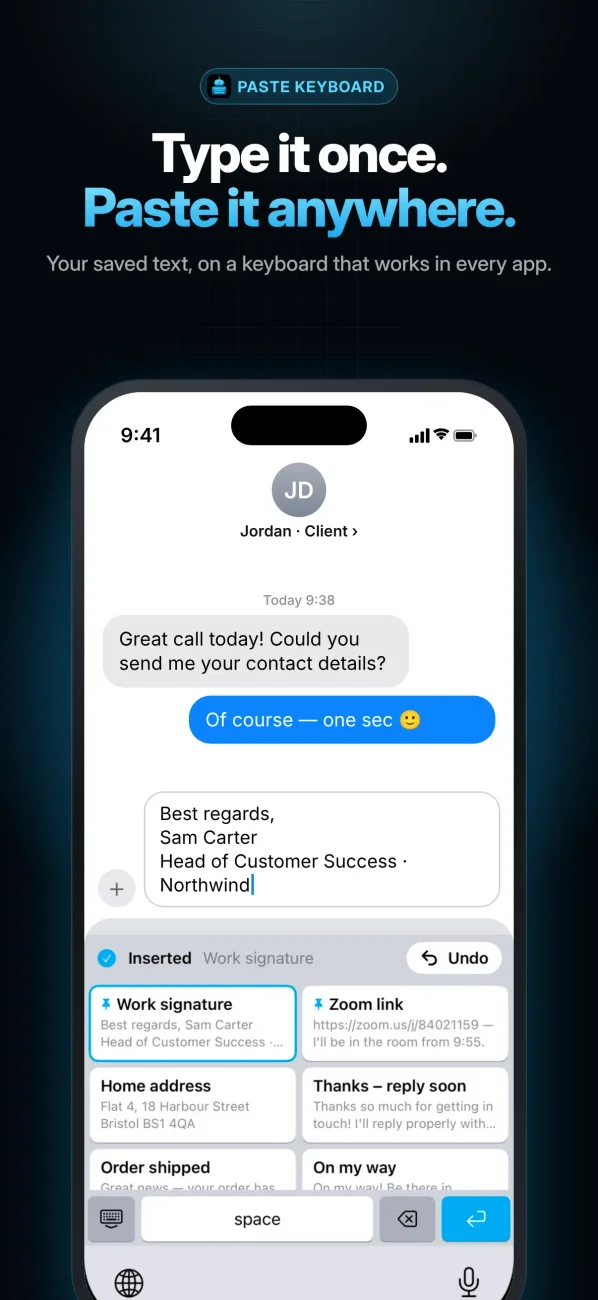
Quick Paste is a keyboard for the text you type all the time — email sign-offs, addresses, meeting links, saved replies, order numbers, bios. Save it once, then insert it in any app with a single tap.
TYPE IT ONCE. PASTE IT ANYWHERE.
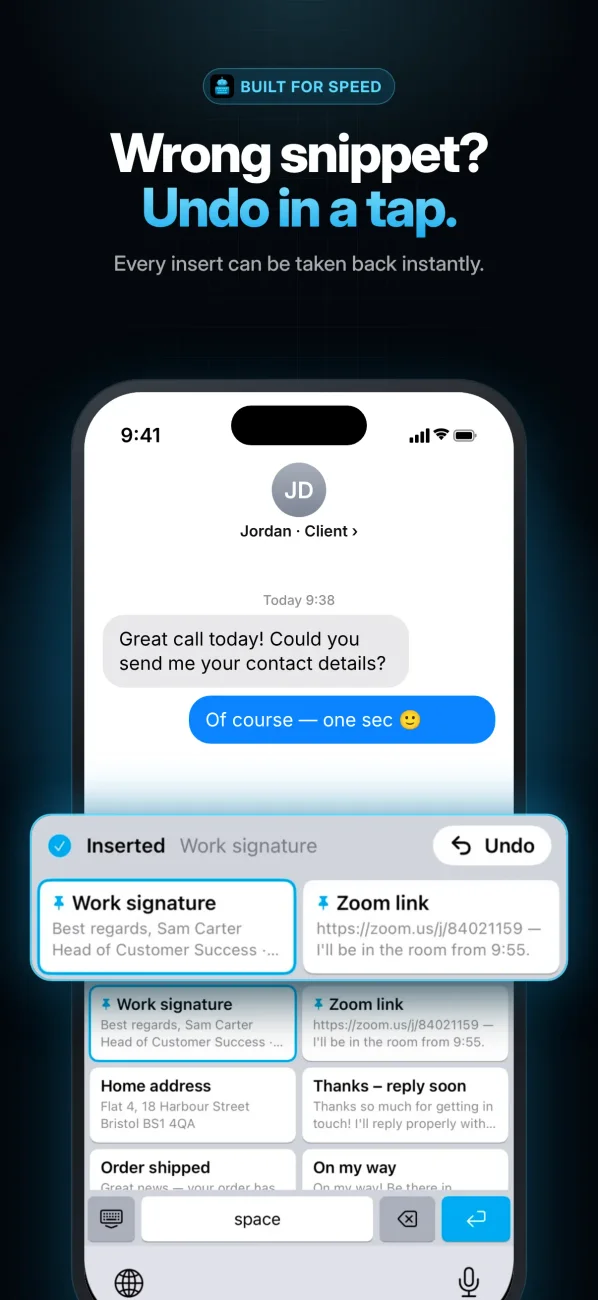
Switch to the Quick Paste keyboard with the globe key in Messages, Mail, WhatsApp, Slack, Safari, Instagram — anywhere you can type. Your snippets are laid out as big, readable keys. Tap one and it's in.
BUILT FOR SPEED
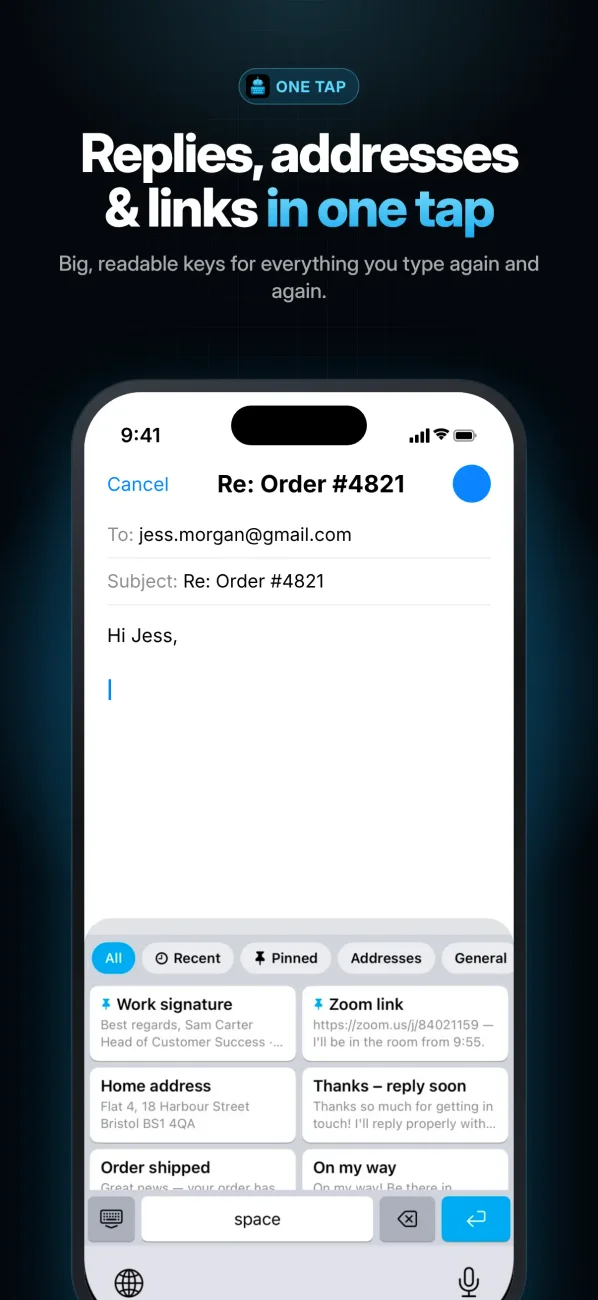
• Pinned snippets stay at the top of the keyboard
• Most-used snippets rise to the front automatically
• A Recent tab for what you just inserted
• Inserted the wrong thing? One-tap Undo
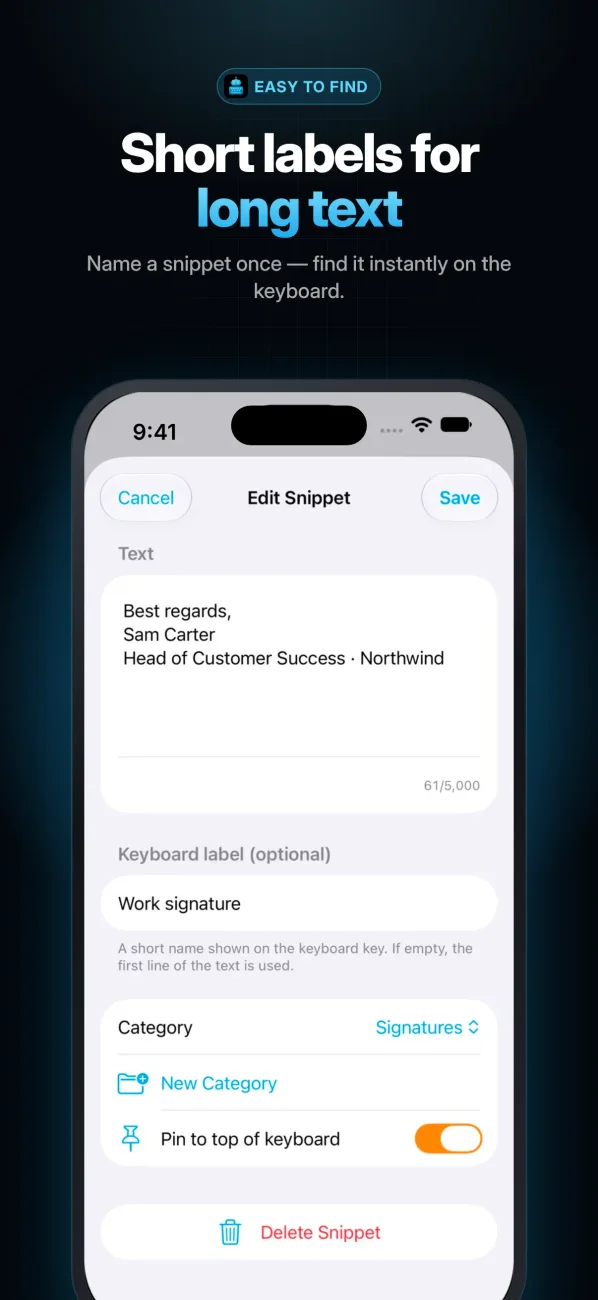
• Short labels so long text is easy to find ("Work signature", "Zoom link")
STAY ORGANISED
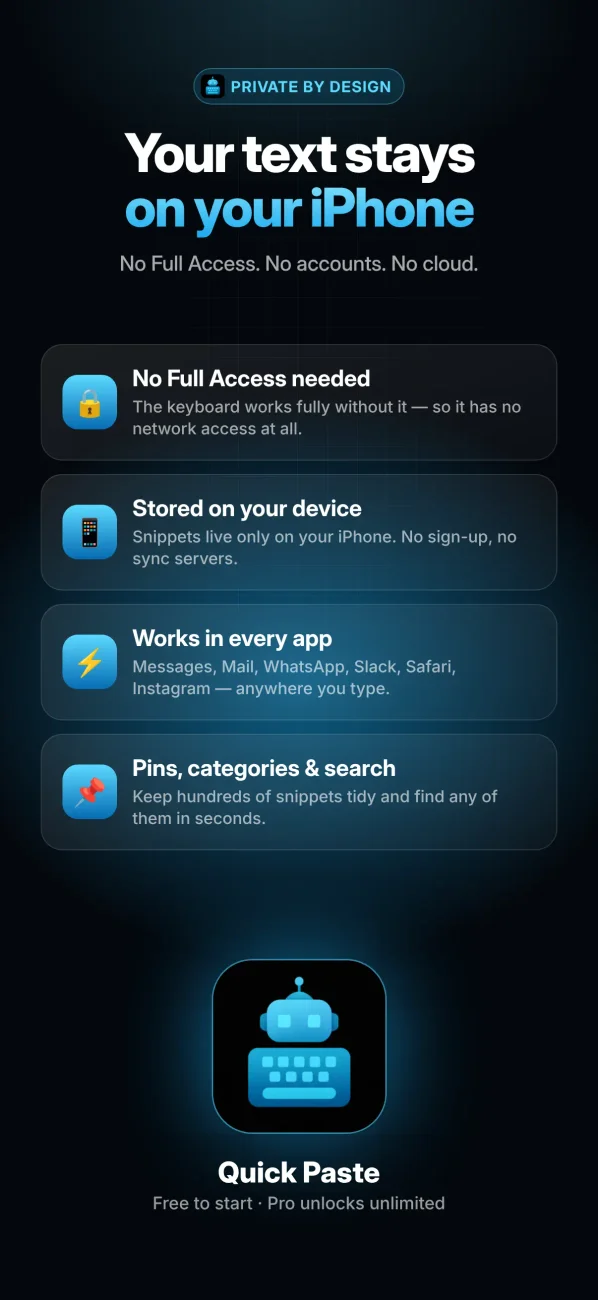
• Categories for replies, signatures, addresses, links — or create your own
• Search by label, text or category
• Pin, copy, share, edit or delete with a swipe or long-press
• Paste straight from your clipboard when creating a snippet
PRIVATE BY DESIGN
Quick Paste never asks for Full Access, so the keyboard has no network access at all. Your snippets are stored only on your iPhone.
GREAT FOR
• Customer support and sales replies
• Email signatures and sign-offs
• Home, work and delivery addresses
• Meeting, booking and portfolio links
• Social media bios, hashtags and captions
• Sellers on Vinted, eBay, Etsy and Depop
FREE & PRO
Save up to 5 snippets for free. Quick Paste Pro unlocks unlimited snippets and removes ads. Pro is available as a weekly or yearly auto-renewing subscription, with a free trial for eligible new subscribers.
Payment is charged to your Apple Account at confirmation of purchase. Subscriptions renew automatically unless cancelled at least 24 hours before the end of the current period. Manage or cancel any time in your App Store account settings.
Terms of Use: https://gigapixelsapps.netlify.app/quick-paste/terms-of-service.html
Privacy Policy: https://gigapixelsapps.netlify.app/quick-paste/privacy-policy.html
Yang baru
Versi 1.1 · 10/11/2026
A big upgrade to the Quick Paste keyboard:
• Redesigned keyboard that matches iOS, with two-column snippet keys
• Pin your favourite snippets to the top
• Most-used snippets now appear first, plus a new Recent tab
• Inserted the wrong snippet? Tap Undo
• Give snippets a short label so they're easy to spot
• Hold delete to delete quickly
• Copy, pin, share and edit from a long-press
• The app now detects when the keyboard is switched on
• Fresh new look, clearer setup and lots of polish
Privasi aplikasi
Yang dinyatakan Mahaveer Gill di App Store tentang cara aplikasi ini menangani data.
-
Data tidak dikumpulkan
Pengembang tidak mengumpulkan data apa pun dari aplikasi ini.
Praktik privasi dapat bervariasi, misalnya berdasarkan fitur yang Anda gunakan atau usia Anda.
Informasi
- Penjual
- Mahaveer Gill
- Kategori
- Kegunaan
- Versi
- 1.1
- Diperbarui
- 10/11/2026
- Dirilis
- 4/12/2025
- Ukuran
- 6,9 MB
- Memerlukan
- iOS 18.0 atau yang lebih baru
- Batasan usia
- 4+
- Harga
- Gratis
- Pembelian dalam aplikasi
- Ya
- Bahasa
- Inggris
- Hak cipta
- © 2026 Mahaveer Gill
Mungkin Anda juga suka
-
 PasteBox - Paste KeyboardKegunaan
-
 PastePro: Keyboard TempelKetik, Tempel & Seni Emoji
-
 Wonder Copy - Paste KeyboardKegunaan
-
 SimplePasteVaultKegunaan
-
 ClipStash - Clipboard ManagerKegunaan
-
 PasteKey: Auto Paste KeyboardKegunaan
-
 PastePal ProKegunaan
-
 Clipboard Keyboard - TapPasteKegunaan
-
 Auto Paste - Keyboard ShortcutKegunaan
-
 Smart Stitch - Long ScreenshotKegunaan