Paste Keyboard: Text Snippets
Saved replies & text expander
iPhone, iPad向けに設計
無料 · アプリ内課金
- 対象年齢4+
- カテゴリユーティリティ
- 開発元Mahaveer Gill
- 言語英語
- サイズ6.9 MB
App Storeの公式ページにリンクしています
Download.orgはPaste Keyboard: Text Snippetsのファイルを一切ホストしていません。ボタンを押すと、Mahaveer Gillが公開しているApp Storeのアプリページが開きます。ページの最終確認:2026/11/23。
スクリーンショット

概要
開発元はこのテキストをお使いの言語で提供していません。
Stop typing the same thing twice.
Quick Paste is a keyboard for the text you type all the time — email sign-offs, addresses, meeting links, saved replies, order numbers, bios. Save it once, then insert it in any app with a single tap.
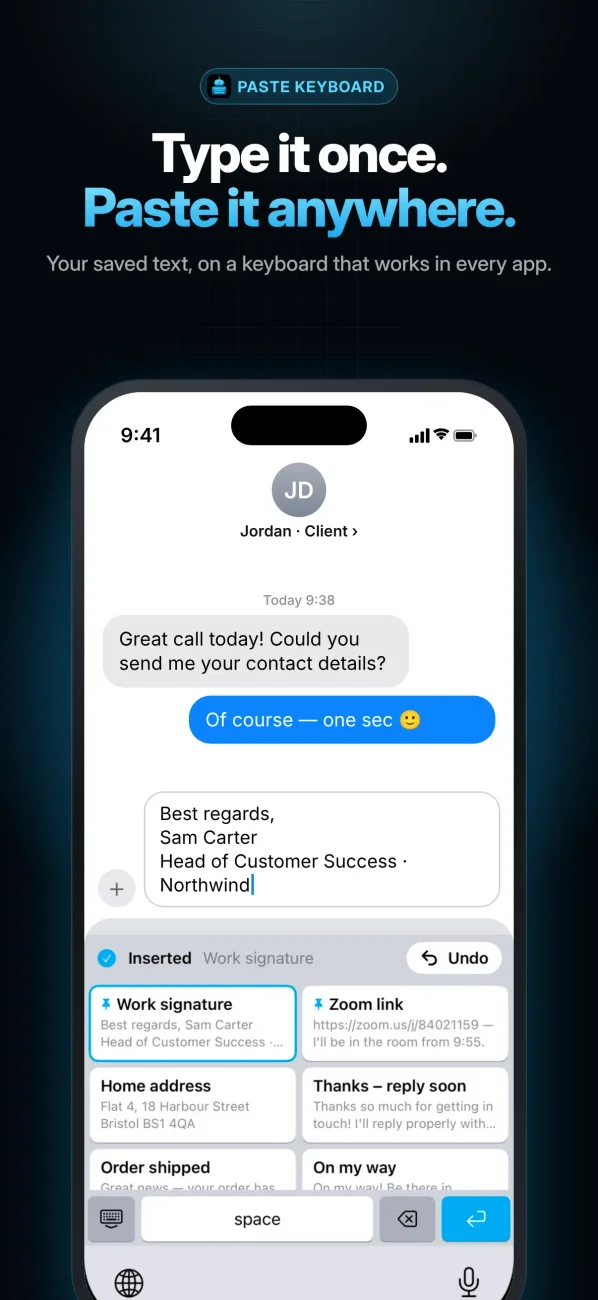
TYPE IT ONCE. PASTE IT ANYWHERE.
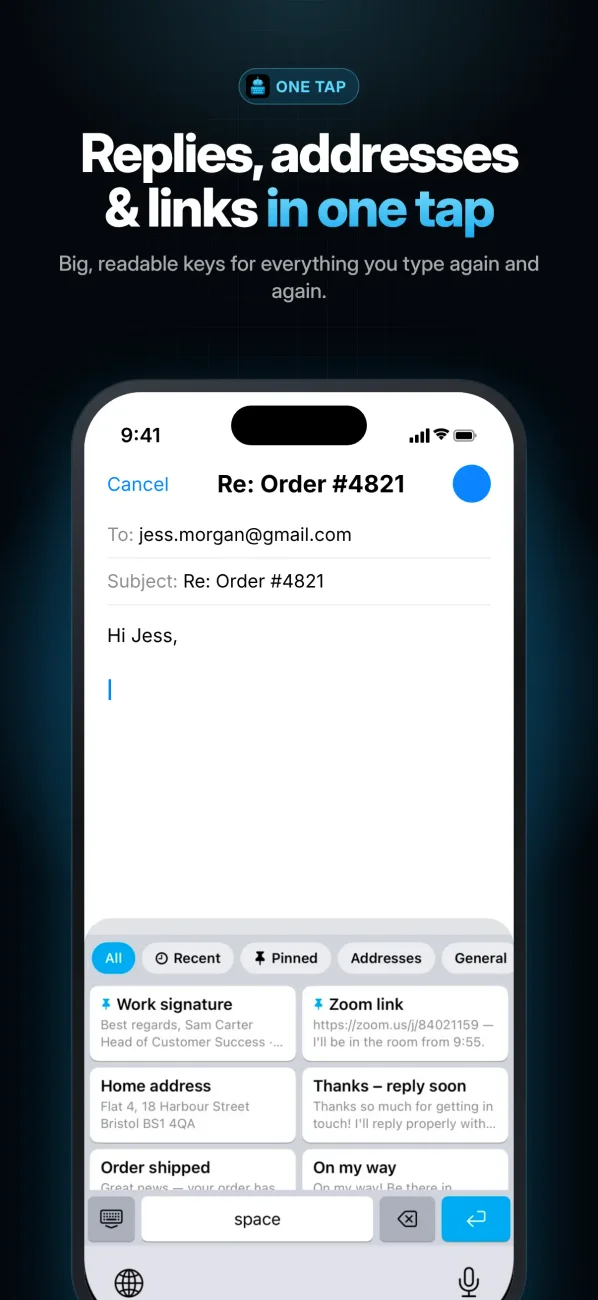
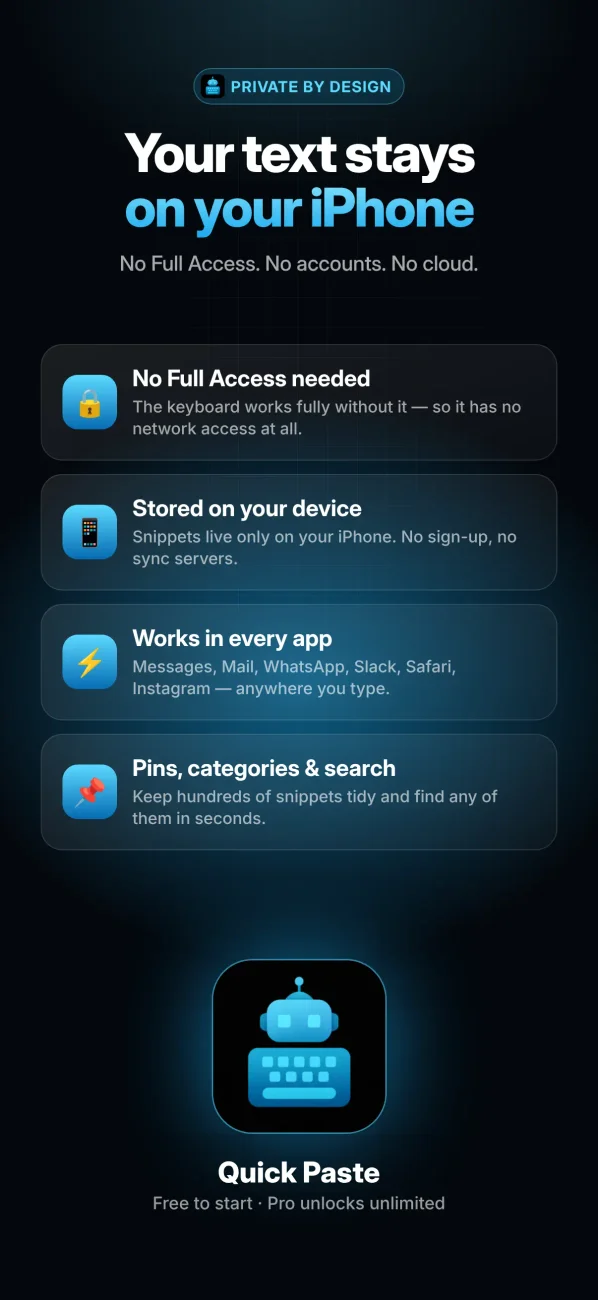
Switch to the Quick Paste keyboard with the globe key in Messages, Mail, WhatsApp, Slack, Safari, Instagram — anywhere you can type. Your snippets are laid out as big, readable keys. Tap one and it's in.
BUILT FOR SPEED
• Pinned snippets stay at the top of the keyboard
• Most-used snippets rise to the front automatically
• A Recent tab for what you just inserted
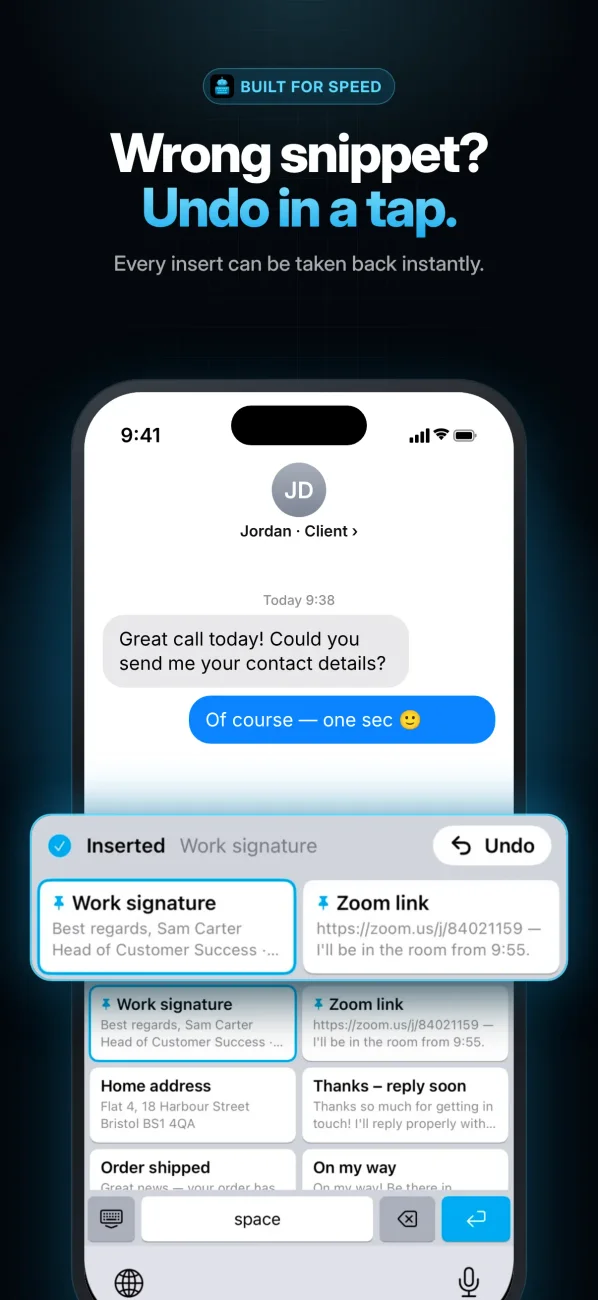
• Inserted the wrong thing? One-tap Undo
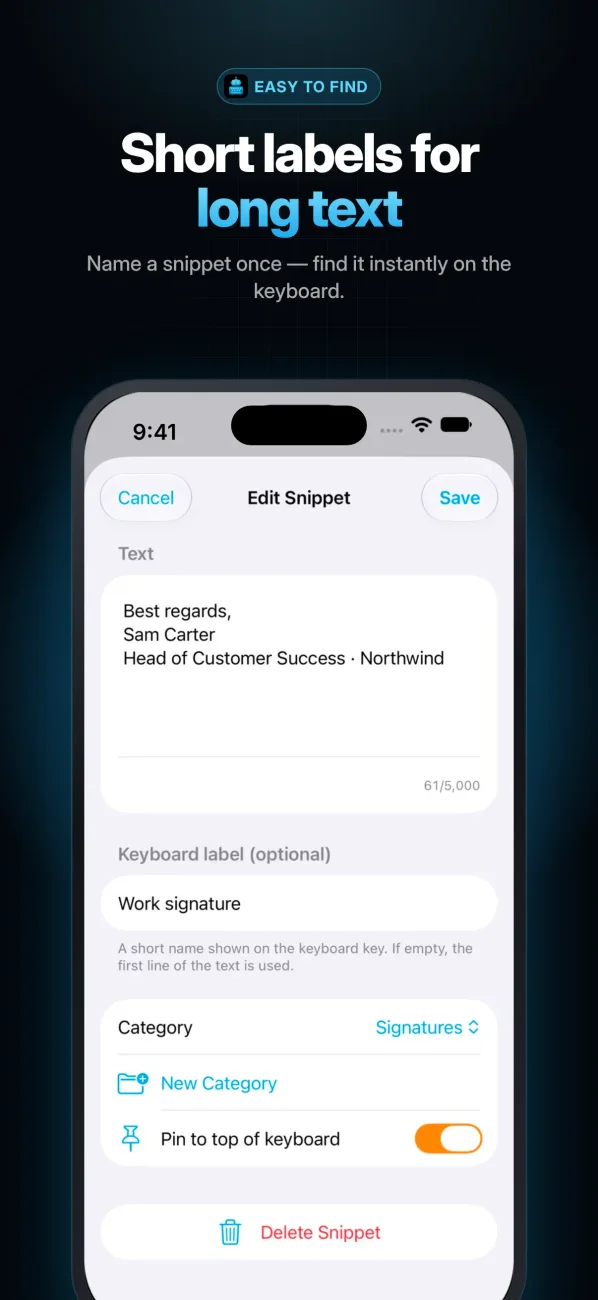
• Short labels so long text is easy to find ("Work signature", "Zoom link")
STAY ORGANISED
• Categories for replies, signatures, addresses, links — or create your own
• Search by label, text or category
• Pin, copy, share, edit or delete with a swipe or long-press
• Paste straight from your clipboard when creating a snippet
PRIVATE BY DESIGN
Quick Paste never asks for Full Access, so the keyboard has no network access at all. Your snippets are stored only on your iPhone.
GREAT FOR
• Customer support and sales replies
• Email signatures and sign-offs
• Home, work and delivery addresses
• Meeting, booking and portfolio links
• Social media bios, hashtags and captions
• Sellers on Vinted, eBay, Etsy and Depop
FREE & PRO
Save up to 5 snippets for free. Quick Paste Pro unlocks unlimited snippets and removes ads. Pro is available as a weekly or yearly auto-renewing subscription, with a free trial for eligible new subscribers.
Payment is charged to your Apple Account at confirmation of purchase. Subscriptions renew automatically unless cancelled at least 24 hours before the end of the current period. Manage or cancel any time in your App Store account settings.
Terms of Use: https://gigapixelsapps.netlify.app/quick-paste/terms-of-service.html
Privacy Policy: https://gigapixelsapps.netlify.app/quick-paste/privacy-policy.html
新機能
バージョン 1.1 · 2026/11/10
A big upgrade to the Quick Paste keyboard:
• Redesigned keyboard that matches iOS, with two-column snippet keys
• Pin your favourite snippets to the top
• Most-used snippets now appear first, plus a new Recent tab
• Inserted the wrong snippet? Tap Undo
• Give snippets a short label so they're easy to spot
• Hold delete to delete quickly
• Copy, pin, share and edit from a long-press
• The app now detects when the keyboard is switched on
• Fresh new look, clearer setup and lots of polish
アプリのプライバシー
このアプリのデータの取り扱いについて、Mahaveer GillがApp Storeで申告している内容です。
-
データの収集なし
開発元はこのアプリからデータを収集しません。
プライバシーの取り扱いは、ご利用の機能やお客様の年齢などに応じて異なる場合があります。
情報
- 販売元
- Mahaveer Gill
- カテゴリ
- ユーティリティ
- バージョン
- 1.1
- 更新日
- 2026/11/10
- リリース
- 2025/12/4
- サイズ
- 6.9 MB
- 必要条件
- iOS 18.0以降
- 対象年齢
- 4+
- 価格
- 無料
- アプリ内課金
- あり
- 言語
- 英語
- 著作権
- © 2026 Mahaveer Gill
こちらもおすすめ
-
 PasteBox - Paste Keyboardユーティリティ
-
 PastePro: コピペ・定型文キーボード定型文・絵文字アート・連投メッセージ
-
 Wonder Copy - Paste Keyboardユーティリティ
-
 SimplePasteVaultユーティリティ
-
 ClipStash - Clipboard Managerユーティリティ
-
 PasteKey: Auto Paste Keyboardユーティリティ
-
 PastePal Proユーティリティ
-
 クリップボードキーボード - TapPaste定型文をキーボードで貼り付け
-
 Auto Paste - Keyboard Shortcutユーティリティ
-
 Smart Stitch - 長い画像結合&スクショスクリーンショット自動連結&Web魚拓